Logotipo de "XY Bar Info Panel v1.5"
XY Bar Info Panel v1.5
5.0
Valoraciones: 2
Imagen cargada de "XY Bar Info Panel v1.5"
1.48K
Instalaciones gratis

Bar Info Panel: Instant, configurable hover-info for any bar

Overview

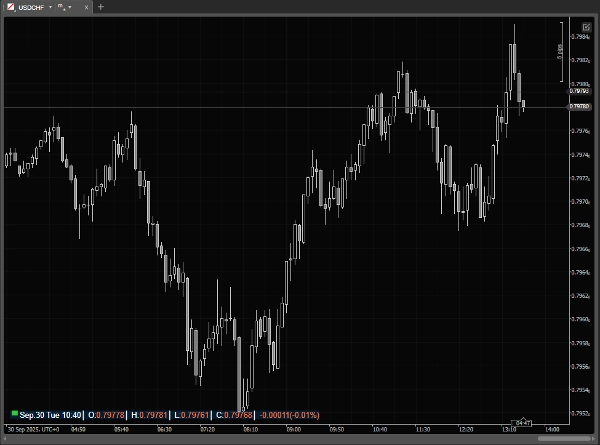
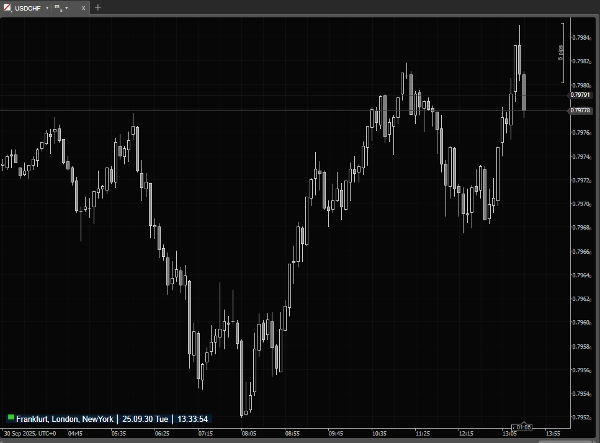
Bar Info Panel is a lightweight cTrader overlay that gives you instant, precise information about any bar on the chart. When your mouse is outside the chart it shows a compact status line with current market session and server/local/UTC time.

cTrader already provides bar information, but only in the main window status bar - meaning it’s not visible when you use detached charts. It also cannot be customized and the small font often makes it hard to read quickly. Bar Info Panel solves these issues by bringing a clear, fully customizable overlay directly onto the chart.

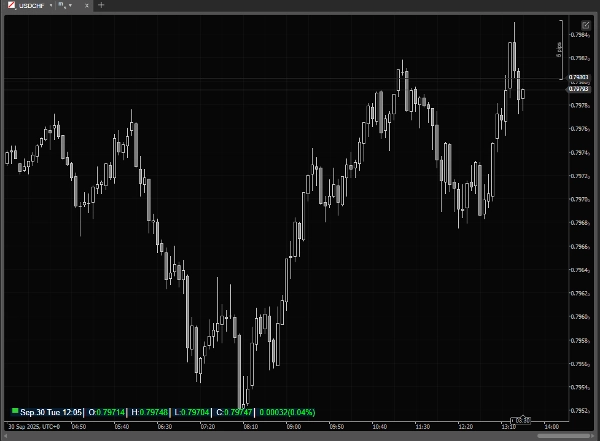
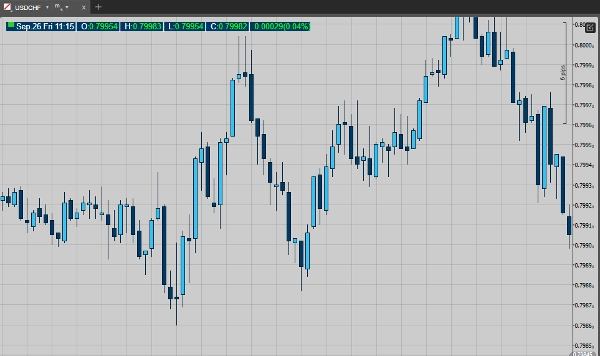
Move the mouse over bars and the panel expands to show the hovered bar’s Date, Time, Open, High, Low, Close, Tick Volume and (optionally) Percent Change vs the previous bar. All visual and layout elements are configurable so the panel fits your workflow and chart theme.

Key features

·         Market-session indicator + live timestamp (Local / Server / UTC).

·         Hover panel that shows the hovered bar’s: Date, Time, O/H/L/C, Tick Volume.

·         Optional percent-change display (current vs previous bar).

·         Two display modes: compact (mouse outside) and detailed (mouse over chart).

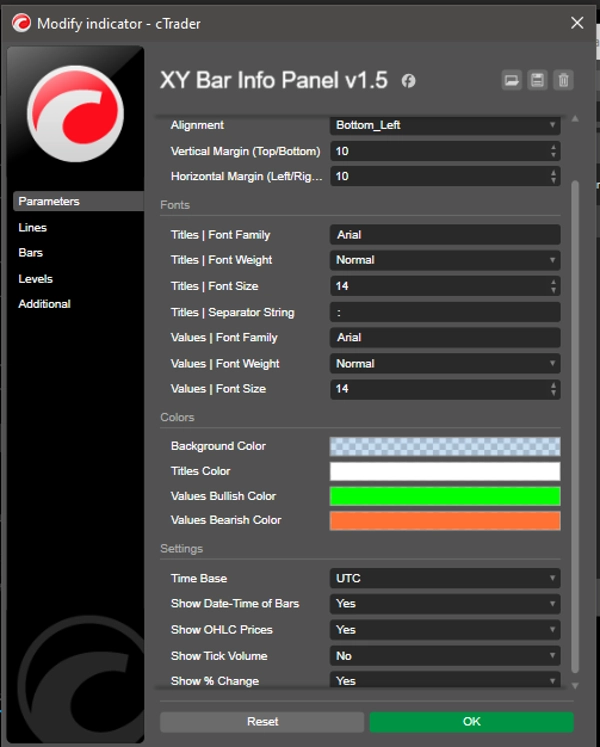
·         Nine placement options + Pixel margins for vertical & horizontal offsets.

·         Separate font controls for titles (labels) and values (family, weight, size).

·         Title separator string for compact labeling.

·         Customizable colors: panel background, title color, bullish (up) and bearish (down) value colors.

Use cases

·         Quickly read exact OHLC and timestamp for any historical or live bar without manual crosshair.

·         Check tick volume and percent change while scanning price action.

·         Monitor market-session status and server/local/UTC time at a glance.

·         Prepare chart screenshots or educational material with consistent, readable bar data.

·         ...

Why traders will like it

Unlike the built-in cTrader status bar (which is fixed at the bottom of the main window, disappears in detached charts, and uses tiny, non-configurable fonts), Bar Info Panel is always visible where you want it, with clear fonts, colors, and layout. It saves time compared to manually reading the status bar or crosshair values, keeps your chart clean, and provides exactly the information you need at a glance. Lightweight and responsive, it’s designed for everyday use without slowing your platform.

Indicator profile
5.0
Valoraciones: 2
5
100 %
4
0 %
3
0 %
2
0 %
1
0 %
Valoraciones de clientes
October 19, 2025
Just great!
September 30, 2025
This is what I needed for a long time
Forex
Indices
Commodities
Crypto
Stocks
Products available through cTrader Store, including trading bots, indicators and plugins, are provided by third-party developers and made available for informational and technical access purposes only. cTrader Store is not a broker and does not provide investment advice, personal recommendations or any guarantee of future performance.

Más de este autor

Dynamic Candle Timer is a fully customizable feature-packed indicator that offers multiple count-down/up modes and...
A comprehensive workflow‑enhancement toolkit designed to make charting on cTrader smoother, clearer, and more efficient.

Puede interesarle

The Trend Angle Indicator provides a clear and intuitive way to visualize market trends.
Real-time multi-asset correlation matrix with 5 themes, Δ% performance tracking, and full customization. Up to 12 symbol
The Darvas Box involves identifying "boxes" or trading ranges where a stock's price consolidates before breaking out.
Professional Trading Indicator Transform Your Trading with Intelligent Signal Detection RenkoProfit
The Zone Recovery indicator is used in an advanced hedging strategy, opening traders in the opposite direction.
Volume Weighted Average Price (VWAP)
This indicator helps to follow the principal trend. Combining volume and price.
Advanced MA crossover indicator. All MA types supported. Clear signals with customizable arrows Perfect for all trader
Custom Vwap Indicator
Simple MACD Histogram with color-coded rising (green) and falling (red) momentum bars.
Candle Timer & Strength Panel DEMO for cTrader DEMO VERSION – 24 hours free trial! This is a DEMO version of the Candle
Logotipo de "Round Numbers"
4.0
(3)
Gratis
Automatically draws major, minor, and trace support/resistance levels at round numbers
Multi-timeframe trend indicator using EMA, MACD & ADX to confirm high-probability buy and sell bias.
Version 1.2: Advanced Trend Detection & Visualization System
Trend-coloring Donchian cloud that highlights volatility squeezes and breakouts.
CAUTION! THIS TOOL IS FOR PRO'S ONLY
Traders Panel: Scan 15 pairs across 5 timeframes. Live heatmap, strength rankings and best setups in one panel.
The best automatic anchored VWAP indicator every trader can get help from.
1.48K
Instalaciones gratis