
Fixed Range Volume Profile
Индикатор
5 покупки
Версия 1.0, Jan 2026
Windows, Mac
4.0
Отзывы: 2
С 26/09/2025
18
Продажи
Описание
Как использовать профиль объема с фиксированным диапазоном (FRVP)
- Активируйте индикатор: Перетащите индикатор FRVP на нужный график из меню cTrader Automate или Indicators.
- Выберите инструмент анализа: Найдите стандартный инструмент рисования прямоугольника на панели инструментов cTrader (обычно справа или слева на платформе).
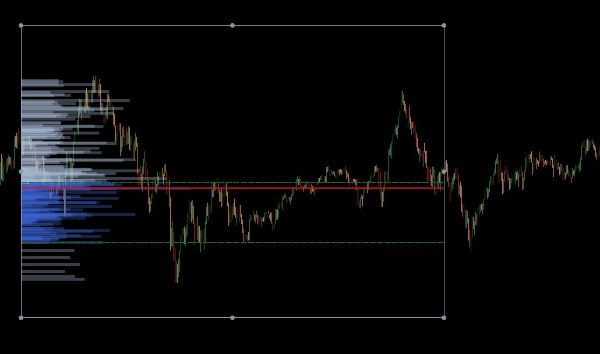
- Определите ваш диапазон: Кликните и перетащите прямоугольник по конкретному ценовому движению и временному периоду, который хотите проанализировать.
- Инициализируйте профиль: После рисования кликните и слегка сдвиньте прямоугольник. Этот "рукопожатие" между рисунком и индикатором запускает расчет объема, мгновенно создавая гистограмму, POC и линии зоны стоимости.
- Динамическая настройка: Вы можете перетаскивать края прямоугольника, чтобы расширить временной диапазон или переместить его на другой ценовой уровень; профиль объема автоматически пересчитается, отражая новую область.
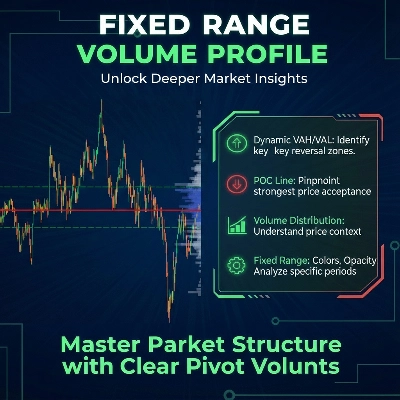
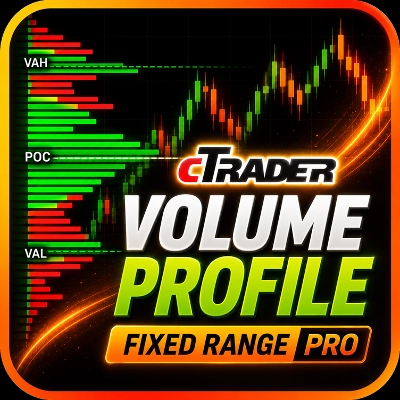
Профиль объема с фиксированным диапазоном (FRVP) для cTrader — это сложный инструмент анализа, предназначенный для выявления значимых ценовых уровней путем расчета распределения объема за определенный период времени и ценовой диапазон. В отличие от стандартных индикаторов объема, которые соответствуют времени, этот индикатор фокусируется на плотности цены, чтобы показать рыночные настроения.
Основные функции
- Динамический выбор диапазона: Индикатор автоматически рассчитывается и обновляется при рисовании или перемещении стандартного прямоугольника на вашем графике cTrader.
- Идентификация ключевых уровней:
-
- Точка контроля (POC): Выделяет ценовой уровень с наибольшим объемом торгов, выступая как "магнит" для ценового движения.
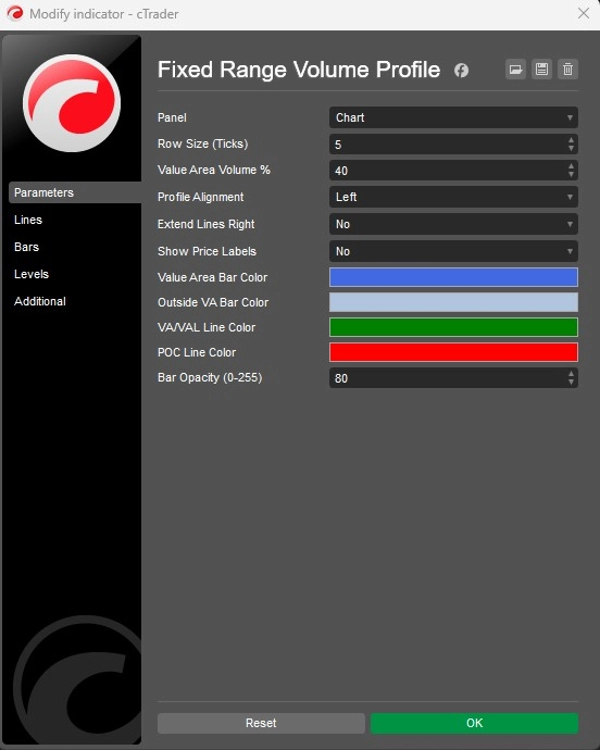
- Верхняя/нижняя граница зоны стоимости (VAH/VAL): Определяет границы, в которых был произведен определенный процент объема (по умолчанию 40%).
- Настраиваемые макеты:
-
- Выравнивание: Выберите отображение гистограммы объема с левой или правой стороны блока.
- Гранулярность: Настройте размер строки (по умолчанию 5 тиков) для контроля детализации объемных баров.
- Визуализация: Полный контроль над цветами баров (зона стоимости против внешней), прозрачностью и видимостью ценовых меток.
Стратегическое применение
- Поддержка и сопротивление: Узлы высокого объема (HVN) часто выступают в роли сильной поддержки или сопротивления, в то время как узлы низкого объема (LVN) представляют "тонкие" области, где цена может быстро двигаться.
- Подтверждение тренда: Используйте функцию Extend Right, чтобы видеть, как исторические уровни объема взаимодействуют с текущим ценовым движением по мере его развития.
Сводка
AI summary
The Fixed Range Volume Profile (FRVP) indicator for cTrader analyzes volume distribution within a user-defined price and time range using a standard rectangle drawing tool. By selecting and adjusting this rectangle on the chart, the indicator dynamically calculates and displays a volume histogram along with key levels: Point of Control (POC), which marks the price with the highest traded volume, and Value Area High/Low (VAH/VAL), defining the volume concentration boundaries. Users can customize the histogram’s alignment, granularity (row size), colors, opacity, and price label visibility. The indicator supports dynamic range adjustments by dragging the rectangle edges, automatically recalculating volume data. Strategically, it helps identify support and resistance zones through high and low volume nodes and offers trend confirmation by extending volume levels into current price action. The FRVP is applicable across various markets including Forex, cryptocurrencies, commodities, indices, and stocks, and supports symbols such as BTCUSD, EURUSD, GBPUSD, XAUUSD, and NAS100. It integrates with cTrader’s drawing tools and provides a detailed volume-based perspective on price action beyond standard time-based volume indicators.
Профиль индикатора
Категория индикатора
Объем
Тип вывода
Визуализация
Требования к данным
Только бары
Объем
Отзывы покупателей
4.0
Отзывы: 2
5 | 0 % | |
4 | 100 % | |
3 | 0 % | |
2 | 0 % | |
1 | 0 % |
Обсуждение
Частые вопросы
Forex
Signal
Scalping
Indices
Commodities
Crypto
Stocks
Продукты, доступные в cTrader Store, включая торговых ботов, индикаторы и плагины, предоставляются сторонними разработчиками и доступны исключительно в информационных и технических целях. cTrader Store не является брокером и не предоставляет инвестиционные консультации, персональные рекомендации или какие-либо гарантии будущей доходности.
Больше от этого автора





Цена
С 26/09/2025
18
Продажи