Logo "Pivot Breaker Block"
Pivot Breaker Block
Gambar unggahan "Pivot Breaker Block"
Sejak 03/10/2024
143
Penjualan
32.18K
Instal gratis

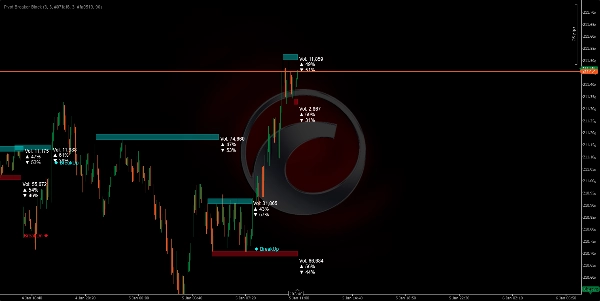
https://chartshots.spotware.com/c/695bec6c74055

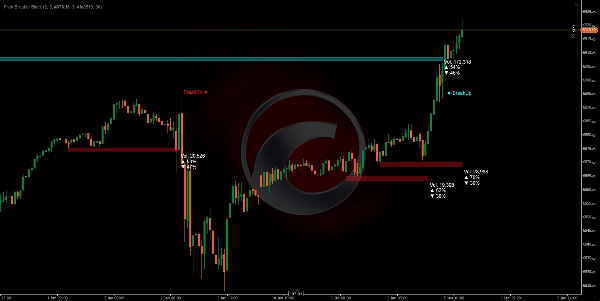
https://chartshots.spotware.com/c/695bed35bf7b7

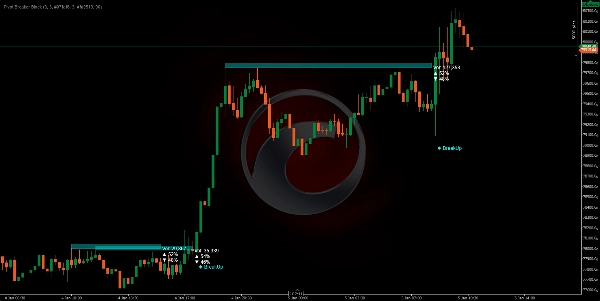
https://chartshots.spotware.com/c/695bed6b139df

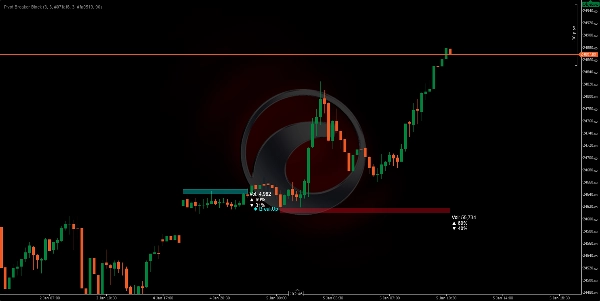
https://chartshots.spotware.com/c/695bed8ea6bdb


๐Ÿ“Š PIVOT BREAKER BLOCK


๐Ÿค”

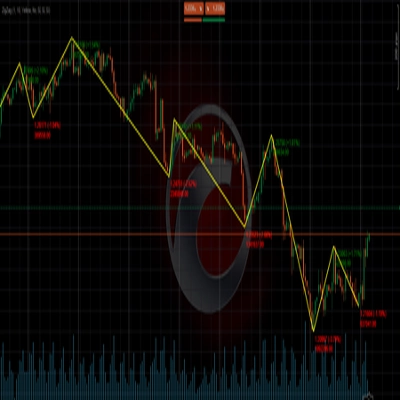
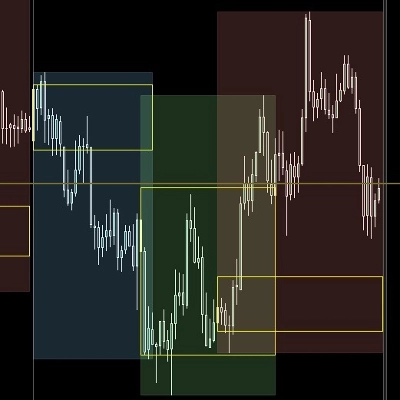
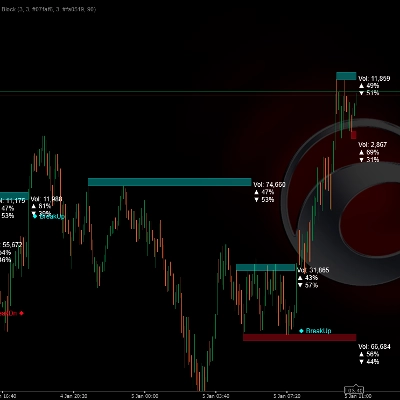
The Pivot Breaker Block is a visual indicator that automatically identifies key price turning points (local highs and lows) and builds "price blocks" around these critical levels. When the price approaches these similar levels again, the algorithm draws rectangles (zones) representing resistance (Supply) and support (Demand) areas.

The system continuously monitors if the price breaks through these zones, generating clear visual signals: BreakUp (bullish breakout) ๐Ÿ”ผ or BreakDn (bearish breakout) ๐Ÿ”ฝ.

WHAT IS IT FOR? ๐ŸŽฏ

1. Identify Market Control Zones ๐Ÿ—บ๏ธ
The algorithm detects where the price has shown strong resistance (selling ceiling) or support (buying floor). When these levels appear multiple times, the market confirms their importance.

2. Visualize Volume Accumulation and Distribution โš–๏ธ
Each block shows:

  • Total volume processed in that zone
  • % of buys (bullish candles) ๐Ÿ“ˆ
  • % of sells (bearish candles) ๐Ÿ“‰
    This lets you see if the market is buying or selling within that area, revealing the market's intention.

3. Anticipate Breakout Points ๐Ÿšจ
When the price approaches these zones, you have the highest probability of a significant move occurring. The algorithm automatically detects when the price breaks through them, alerting you in real-time.

HOW THE LOGIC WORKS โš™๏ธ

Phase 1: Pivot Detection (Turning Points) ๐Ÿ”

The algorithm looks for highs and lows that meet a specific criterion:

  • Pivot High: A candle whose high is higher than the 5 previous candles AND the 5 subsequent candles.
  • Pivot Low: A candle whose low is lower than the 5 previous candles AND the 5 subsequent candles.
    This "5" parameter (Pivot Lookback) is adjustable based on the volatility you want to capture.

Phase 2: Control Zone Recognition ๐ŸŽฏ
Once a pivot is identified, the system compares it with the previous pivot of the same type. If the difference between them is less than 20% of the ATR (current volatility measure), it means the market is revisiting a previously rejected similar level.

Phase 3: Zone Sizing ๐Ÿ“
The height of each block is calculated dynamically using the ATR (Average True Range):

  • Supply (Red): The ceiling is ATR ร— 0.5 points above the pivot.
  • Demand (Cyan): The floor is ATR ร— 0.5 points below the pivot.
    This means zones automatically adapt to the asset's volatility. In volatile markets, zones are wider; in calm markets, they are tighter.

Phase 4: Real-Time Volume Analysis ๐Ÿ’น
While the price is inside the zone, the algorithm sums all buy and sell volumes since the block started:

  • Buy: All candles where the close is greater than the open (bullish volume).
  • Sell: All candles where the close is less than the open (bearish volume).
    These percentages show you the dominant intention within that zone.

Phase 5: Breakout Detection ๐Ÿš€
The algorithm monitors each new candle:

  • BreakUp (โ†‘): The close crosses above the Supply ceiling โ†’ Bullish breakout signal.
  • BreakDn (โ†“): The close falls below the Demand floor โ†’ Bearish breakout signal.
    When this happens, the block is deactivated and an on-screen text signal appears.

HOW TO USE IT ๐Ÿ› ๏ธ

Installation and Configuration โš™๏ธ

  1. Add the indicator to your cTrader platform.
  2. Access the adjustable parameters:

ParameterMeaningRecommendation

Pivot Lookback

How many candles left/right are evaluated to confirm a pivot

5 (standard), increase on higher TFs

Supply Zone Factor

Height of the red block (Resistance)

5.0 (standard), adjust to preference

Demand Zone Factor

Height of the cyan block (Support)

5.0 (standard), adjust to preference

Transparency

Block opacity (0=invisible, 255=solid)

90 (recommended for visibility)

Colors

Customize the visual appearance

Red for Supply, Cyan for Demand

Trading Strategy ๐Ÿ’ก

Scenario 1: Long Entry (Buy) ๐Ÿ“ˆ

  • Wait for the price to form a Demand block (cyan) with a % of buys > 55%.
  • Upon seeing a BreakUp, confirm your bullish entry.
  • Stop Loss (SL) below the block's floor.

Scenario 2: Short Entry (Sell) ๐Ÿ“‰

  • Look for a Supply block (red) with a % of sells > 55%.
  • On the BreakDn, open a bearish position.
  • Stop Loss (SL) above the block's ceiling.

Scenario 3: Reversal (Mean Reversion) ๐Ÿ”„

  • If the price is inside a Demand block but the % of buys is low (< 45%)...
  • Anticipate the price will bounce up without reaching a BreakUp.
  • Enter a buy near the floor with Take Profit (TP) at the ceiling.

Optimal Timeframes โฐ

  • H4/D1: More significant blocks, longer-duration movements.
  • H1: Good balance between noise and opportunities.
  • M15: Quick entry, requires volume confirmation.
Indicator profile
0.0
Ulasan: 0
Ulasan pelanggan
Belum ada ulasan untuk produk ini. Sudah mencobanya? Jadilah pemberi ulasan pertama!
BTCUSD
Forex
Signal
Breakout
Indices
EURUSD
Commodities
GBPUSD
NZDUSD
Prop
ATR
Crypto
Stocks
XAUUSD
NAS100
USDJPY
Products available through cTrader Store, including trading bots, indicators and plugins, are provided by third-party developers and made available for informational and technical access purposes only. cTrader Store is not a broker and does not provide investment advice, personal recommendations or any guarantee of future performance.

Produk lain dari penulis ini

Logo "ZigZag"
4.3
(6)
Gratis
ZigZag filters noise, spots trends, patterns, pivots, aiding analysis, trade management, and confirmations. ๐Ÿ“‰๐Ÿ“ˆ
Identify bullish and bearish Order Blocks to spot key support/resistance levels and potential trend reversals! ๐Ÿ“ˆ๐Ÿ”„
๐Ÿ“Š Shows volume by price levels, highlights POC, and key zones. Identifies dynamic support/resistance and imbalances.
Market structural patterns , specifically the concepts of Change of Character (ChoCH) ๐Ÿ”„ and Break of Structure (BoS) ๐Ÿ’ฅ
Adaptive trend channel using linear regression and Pearson correlation for dynamic support, resistance, and trends.
"Identify key market zones and visualize support/resistance from multiple timeframes on a single chart.
๐Ÿ“ŠZones Supply & Demand: Identifies key price levels with high volume concentration, marking Supply/Demand Zones & Marke
๐Ÿ’น Define a price channel ๐Ÿ“ˆ and determine trend direction (bullish ๐ŸŸข or bearish ๐Ÿ”ด).
identify and highlight temporary market inefficiencies known as "fair value gaps" ๐Ÿšจ within specific trading Sessions.
Identify market structure effortlessly with swing highs, lows, CHoCH, and BOS levels for smart trading decisions! ๐Ÿ“Š๐Ÿ”"
Detects bullish and bearish divergences
Advanced price action toolย that combines multiple technical analysis concepts

Anda mungkin juga suka

DEMO VERSION 7 DAYS VolumeProfileSuite is an advanced and flexible Volume Profile indicator for cTrader.
Multi-timeframe moving averages with session lines for structured trend analysis directly on the chart.
Percent Range Keys 000
A function demo version of VWAP indicator with std. dev. bands. Expired on 1st Aug, 2025.
The best filter for trading trend continuations on Renko charts.
The indicator is designed to detect aggressive movements in the market and without volume for trend changes.
This Indicator will show you Direction, Distance, and Time;
๐Ÿš€ Auto-detects support/resistance & trend channels! Saves time โณ, spots key levels ๐Ÿ”
LPA simplifies trading by coloring candles with volume data and RSI levels for trend and reversal insights.
Cumulative delta candles + volume profile
Opening Range Breakout v1.1 - Visuals + Stats
This indicator is an essential tool for traders seeking to visualize key trading sessions on their charts.
"Advanced VSA & CVD indicator with 'A+ Setup' filtering based on Support & Resistance levels."
Breakout SMA by SLA is a trend-filtering tool designed to enhance the ORB SLA framework.
Smart Liquidity Sweep detector with auto-drawing True Channels and real market structure mapping.
Candle Timer & Strength DEMO for cTrader This is a DEMO version of the Candle Timer & Strength indicator. You can use al
Multi-TF FVG + Smart Fibonacci
Sejak 03/10/2024
143
Penjualan
32.18K
Instal gratis