Descrizione
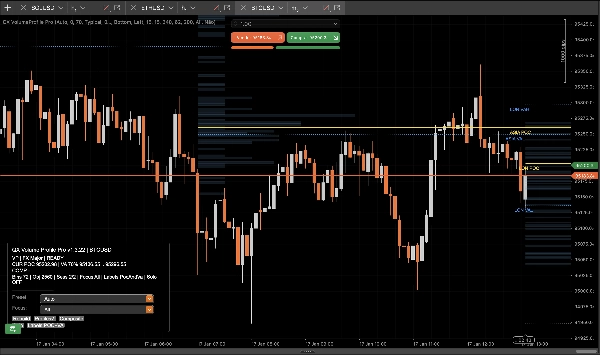
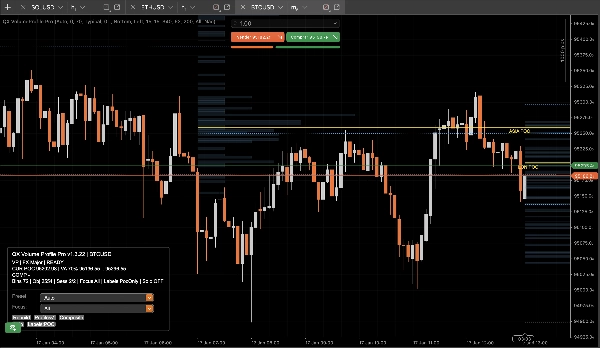
QX Volume Profile Pro è un profilo di volume di sessione di livello produttivo progettato per condizioni di trading reali: veloce, stabile, deterministico, e pulito sul bordo destro estremo.
Smetti di usare strumenti “profilo” gonfiati che rallentano, ingombrano il tuo grafico, rompono l'autoscale e lasciano oggetti fantasma.
Perché QX VP Pro è diverso?
Quello che la maggior parte degli strumenti sbaglia, noi lo abbiamo eliminato:
- Nessun oggetto fantasma. Attiva/disattiva Profili/Etichette senza lasciare spazzatura residua.
- Nessuna distorsione del grafico. Comportamento di sovrapposizione reale che non rovina l'autoscale del prezzo.
- Prestazioni pronte per il live. Funziona alla chiusura della barra per stabilità e velocità, non nel caos dei tick.
- Igiene degli oggetti + limiti. Previene lo spam incontrollato di oggetti sul grafico che uccide le prestazioni.
- Ricostruzione deterministica. Ricarica, ricostruzione e cambiamenti di focus rimangono coerenti e prevedibili.
Cosa ottieni sul grafico
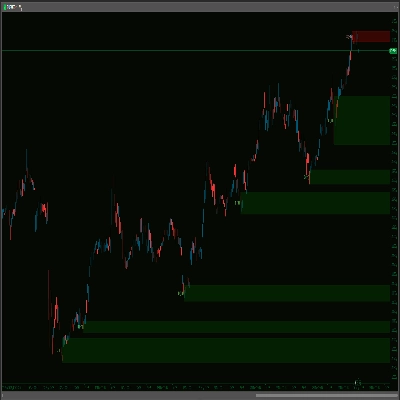
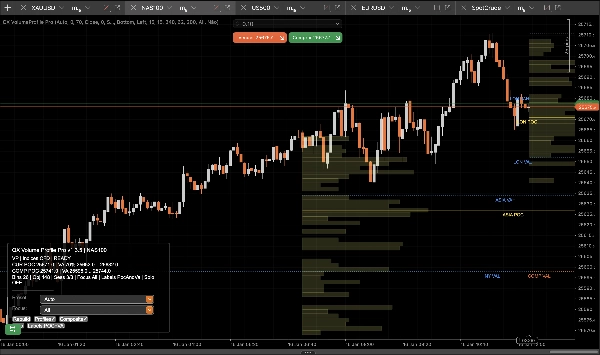
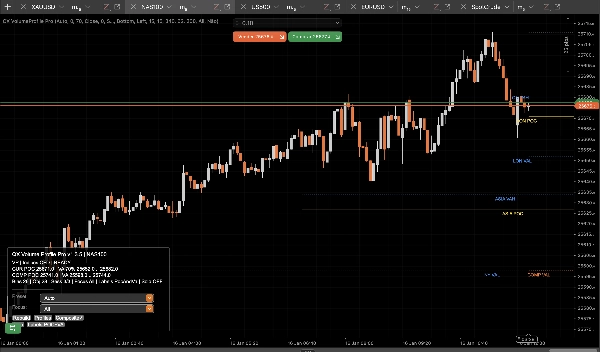
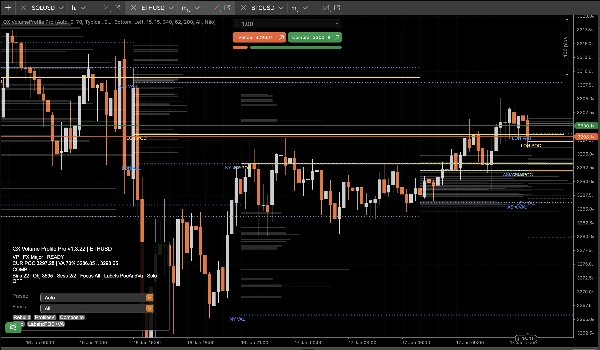
- Profili di sessione (ASIA / LON / NY / C1 / C2) con livelli puliti di POC / VAH / VAL.
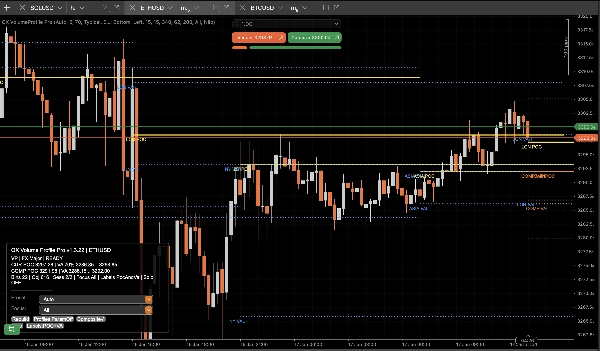
- Profilo composito (multi-sessione unito) per zone di valore dominanti e “reale” accettazione del mercato.
- Livelli chiave (Ieri + Settimanale) per contesto e confluenza senza ingombro.
- Etichette intelligenti che identificano la sessione e riducono la sovrapposizione per una lettura rapida sul bordo destro.
- Filtro sessione focus per isolare solo ciò che conta ora.
- Modalità composito solo per una vista chirurgica: solo composito + livelli chiave.
Come usare (flusso di lavoro pratico di trading)
1) Scegli la modalità operativa
- Modalità sessione: Usa POC/VAH/VAL di sessione come livelli di accettazione e rifiuto intraday.
- Modalità composito: Usa POC/VAH/VAL compositi come ancore di “valore” con maggiore confidenza tra le sessioni.
2) Configura per il tuo stile
- Scalper:
-
- Usa XAU Scalper o FX Major preset
- Imposta Etichette = solo POC per massima chiarezza
- Usa Focus = Corrente durante l'esecuzione
- Intraday / Swing:
-
- Usa XAU Swing o Indices CFD preset
- Abilita Composito
- Mantieni Ieri/Settimanale ATTIVO per allineamento strutturale
3) Interpreta i livelli (regole semplici)
- POC (Punto di Controllo): Il prezzo più accettato dal volume.
-
- Sopra il POC: bias di accettazione rialzista
- Sotto il POC: bias di accettazione ribassista
- VAH / VAL (Valore Area Alto/Basso): “Confine del valore equo.”
-
- Rottura + mantenimento fuori VA: continuazione / espansione del trend
- Rifiuto di rientrare in VA: ritorno alla media / setup di fade
- VA composito: Zona di valore “macro intraday” più forte. Usala come calamita o confine.
4) Lista di controllo per l'esecuzione (veloce)
- Identifica la tua zona chiave: VA di sessione o VA composito
- Cerca la reazione del prezzo: rifiuto o accettazione
- Usa Livelli chiave (Ieri/Settimanale) come confluenza
- Usa Focus per rimuovere il rumore e mantenere l'oggettività
- Usa Modalità composito solo quando vuoi solo la vista con il segnale più alto
Controlli (Cosa fa il pannello)
- Profili: Mostra/nascondi istogrammi istantaneamente (i livelli rimangono puliti e coerenti).
- Composito: Attiva/disattiva i livelli del profilo unito.
- Focus: Tutti / Corrente / ASIA / LON / NY / C1 / C2.
- Solo: Solo composito + livelli chiave.
Note
- Solo indicatore. Non vengono effettuate operazioni.
- Progettato per stabilità e prestazioni nei grafici live.
Riepilogo
Key features include:
- No ghost objects or chart distortion, preserving autoscale integrity.
- Live-ready bar-close updates for stability and speed.
- Object management to prevent performance degradation.
- Smart labels that reduce overlap for clear right-edge reading.
- Focus session filtering to isolate relevant data.
- Composite Solo mode for a simplified view with composite profiles and key levels.
The indicator supports practical workflows for scalpers and intraday/swing traders with presets tailored for instruments like gold (XAU), forex majors, indices, and CFDs. Users can toggle profile visibility, composite levels, focus sessions, and solo mode via an integrated control panel.
QX VolumeProfile Pro is an indicator-only tool, designed to enhance chart analysis by highlighting volume-based market acceptance and rejection zones without executing trades.
Recensioni dei clienti
5 | 33 % | |
4 | 67 % | |
3 | 0 % | |
2 | 0 % | |
1 | 0 % |