Descrizione
🟢 TiltBouncer mantiene visibile la disciplina di trading mentre operi.
Monitora le posizioni idonee su tutto il conto e spiega i modelli osservabili che possono apparire durante l'overtrading, il revenge trading e l'escalation del rischio. Ogni avviso è deterministico e mostra le prove dietro il Tilt Score.
🔵 Cosa monitora
- Rientro rapido dopo un episodio di perdita
- Perdite consecutive e raffiche di trading
- Aumento del rischio rispetto al rischio monetario mediano recente
- Inseguimento dello stesso simbolo e rapidi cambi di direzione
- Restituzione del profitto giornaliero
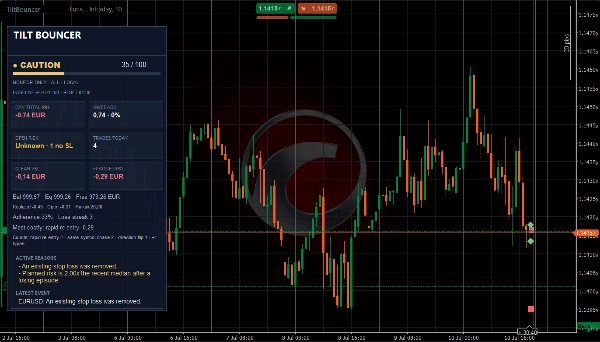
- Stop loss mancanti, rimossi o allargati
- Trading fuori dalle sessioni configurate e dai limiti giornalieri
🔵 Come leggere l'HUD
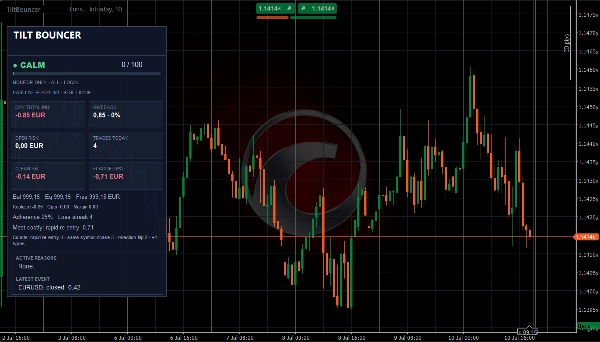
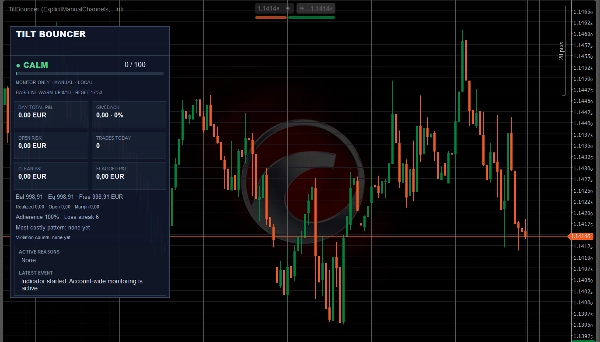
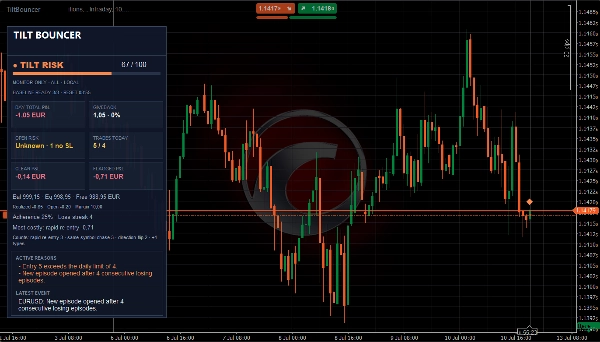
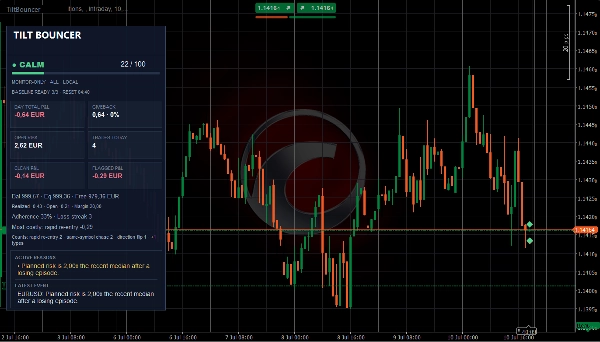
Il Tilt Score da 0 a 100 viene mostrato come Calmo, Attenzione, Rischio Tilt o Stop Consigliato. Il pannello mostra anche P&L giornaliero, rischio aperto, serie di perdite, conteggio delle operazioni e le ragioni attive più forti. Ogni stato di colore è accompagnato da etichette testuali.
🔵 Diario Pulito e Segnalato
Ogni episodio di trading è classificato utilizzando solo le informazioni disponibili all'ingresso. Dopo la chiusura, TiltBouncer confronta il P&L Pulito e Segnalato realizzato, l'aderenza e il modello storicamente più costoso. Le scale-in correlate e le chiusure parziali sono raggruppate per ridurre i falsi conteggi di overtrading.
🔵 Impostazioni chiave
- Profili Scalper, Intraday e Personalizzati
- Monitoraggio manuale del canale o Tutte le posizioni
- Filtro etichetta esatto opzionale
- Sessioni configurabili, limiti giornalieri e tempi di attesa degli avvisi
- Avvisi popup e sonori
🔵 A chi è rivolto
Progettato per scalper discrezionali e trader intraday. Un'istanza su qualsiasi grafico monitora l'attività idonea su tutti i simboli e timeframe del broker. I marcatori opzionali sul grafico appaiono solo sul simbolo collegato.
🔴 Limitazioni importanti
TiltBouncer è solo un monitor. Non fornisce segnali di ingresso, non piazza ordini, non modifica posizioni né chiude operazioni. Funziona localmente su cTrader Windows o Mac e deve rimanere attivo per monitorare gli eventi. I dati storici potrebbero non contenere lo stato originale dello stop-loss. Il trading comporta rischi. Le performance passate non garantiscono risultati futuri.
Riepilogo
Key monitored behaviors include rapid re-entry after losses, consecutive losses, bursts of trading, increased risk relative to recent median risk, same-symbol chasing, quick direction flips, daily profit giveback, stop loss changes, and trading outside configured sessions or limits. The HUD displays daily profit and loss, open risk, loss streak, trade count, and the strongest active reasons for tilt.
TiltBouncer classifies each trade episode at entry as Clean or Flagged and compares realized P&L after closure, grouping related scale-ins and partial closes to reduce false overtrading counts. It supports scalper, intraday, and custom profiles, manual or all-position monitoring, label filtering, configurable sessions, daily limits, alert cooldowns, and popup and sound alerts.
The indicator runs locally on cTrader for Windows or Mac and does not provide trade entries, order placement, or position management.
Discussioni
Recensioni dei clienti
5 | 100 % | |
4 | 0 % | |
3 | 0 % | |
2 | 0 % | |
1 | 0 % |