Penerangan
Versi terkini dikemas kini di pautan di bawah:
https://ctrader.com/products/2100 (cbot)
https://ctrader.com/products/2101 (indicator)
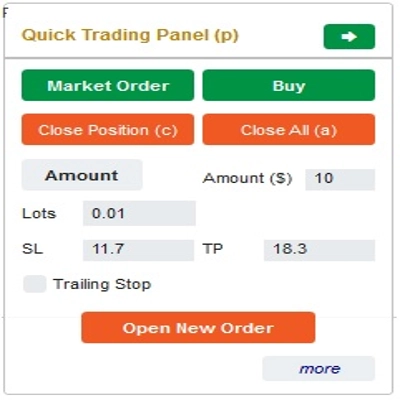
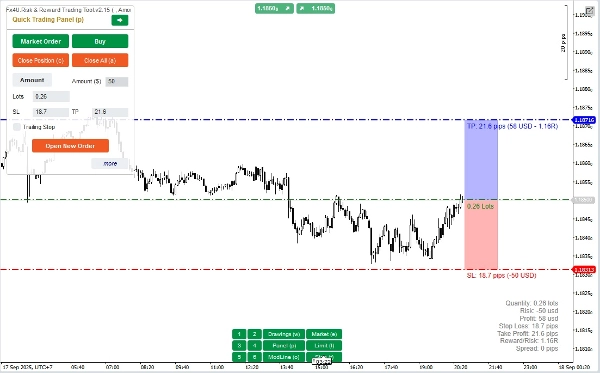
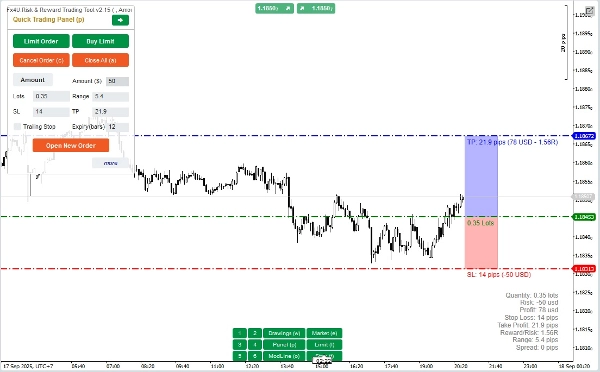
Ini adalah alat untuk membantu pedagang membuka/menutup pesanan/mengubah pesanan dengan cepat hanya dengan satu klik. Alat ini telah mengira bilangan Lot berdasarkan jumlah risiko untuk setiap pesanan dan StopLoss yang anda pilih. Ia boleh berfungsi dalam mod Masa Nyata untuk perdagangan langsung serta dalam mod Backtesting untuk menguji strategi anda.
Nota penting:
- "Butang biru" adalah butang perubahan status (Pesanan Pasaran => Pesanan Had => Pesanan Henti => Pesanan Pasaran; Beli => Jual => Beli)
- "Butang merah" adalah butang "Pelaksanaan". => Untuk membuka pesanan - gunakan butang "Buka Pesanan Baru"; untuk menutup posisi - gunakan butang "Tutup Posisi" atau butang "Tutup Semua"; untuk Membatalkan Pesanan Tertunda - gunakan butang "Batal Pesanan" atau butang "Tutup Semua".
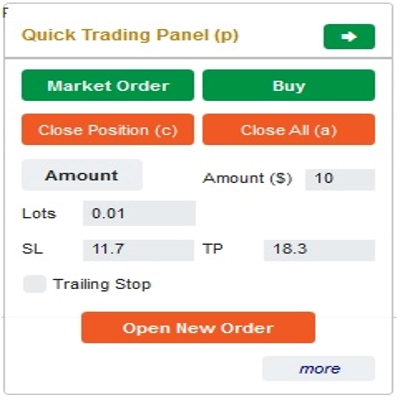
Dalam “Panel Perdagangan Pantas”:
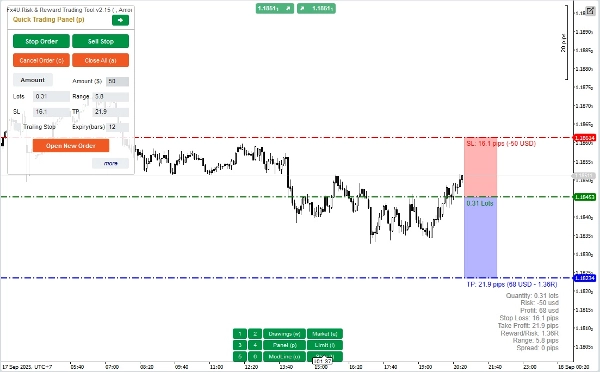
Untuk bertukar antara pesanan BELI dan JUAL, anda boleh seret garis StopLoss pada carta di atas atau di bawah Garis Masuk.
– Anda boleh membuka dan menutup kedua-dua pesanan pasaran dan pesanan Had atau pesanan Henti.
– Anda boleh melaraskan jumlah pesanan sebagai %Baki atau jumlah pesanan tetap untuk setiap pesanan. Berdasarkan jumlah ini dan StopLoss yang anda pilih, bot akan secara automatik mengira bilangan Lot untuk membuka pesanan.
– Anda boleh mengedit StopLoss, TakeProfit atau Harga Masuk (untuk pesanan tertunda) dengan menukar nombor SL, TP atau Julat dalam “Panel Perdagangan Pantas” atau menyeret garis mendatar pada carta.
– SL, TP dan Julat (untuk pesanan tertunda) dikira dalam Pips, manakala Tamat Tempoh(min) dikira dalam Minit (Jika anda tidak menggunakan Tamat Tempoh, biarkan ia sebagai 0 atau ruang kosong)
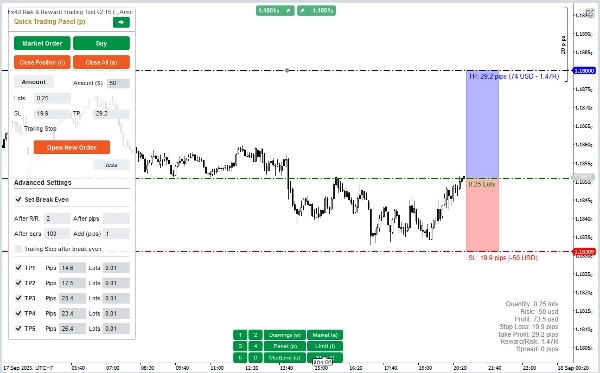
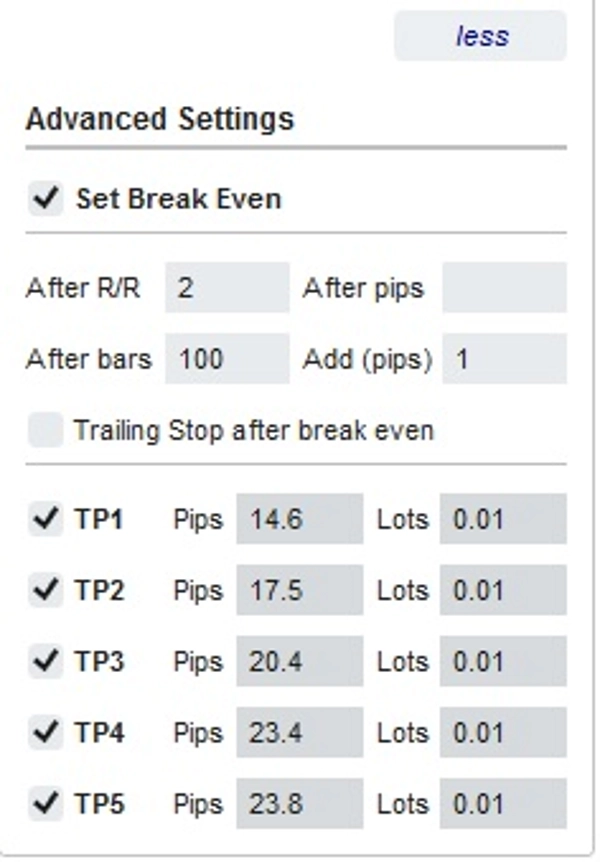
– Terdapat juga bahagian tetapan lanjutan yang membolehkan anda (Nota: Tetapan Lanjutan hanya apabila penunjuk aktif):
+ Tetapkan "Break Even" apabila harga bergerak sejumlah Pips tertentu ("Selepas Pips") atau apabila harga bergerak positif "R/R" kali Stoploss ("Selepas R/R") atau selepas pesanan dibuka "n" bar ("Selepas Bar")
+ Membolehkan anda "Ambil Untung Lanjutan" dengan 5 tahap untuk anda pilih
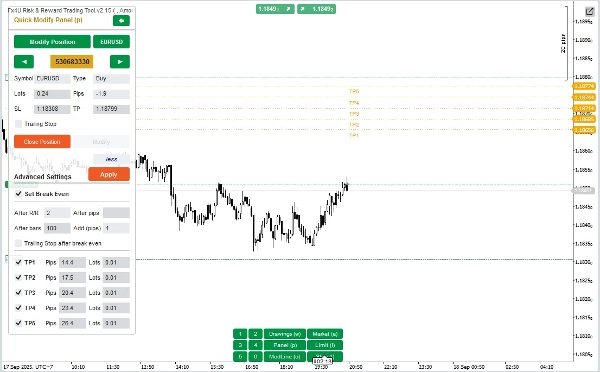
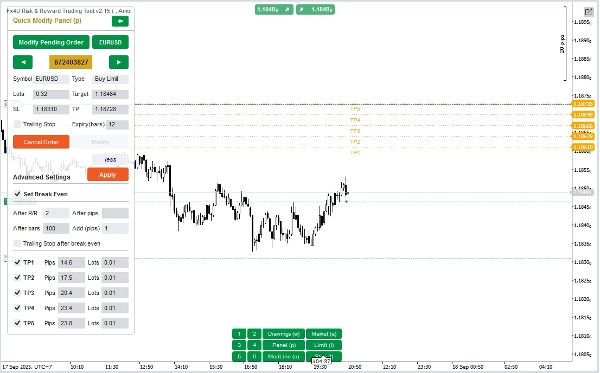
Dalam “Panel Pengubahsuaian Pantas”:
– Dalam Panel ini anda boleh menutup pesanan atau mengedit parameter pesanan seperti StopLoss (dalam Harga), TakeProfit (dalam Harga), TrailingStop atau Julat (dalam Pips) dan Tamat Tempoh (dalam Minit)
(Perhatikan bahawa StopLoss dan TakeProfit dalam panel ini adalah harga yang anda ingin pindahkan)
– Dalam Panel ini anda juga boleh menukar StopLoss, TakeProfit atau Julat(dalam Pips) dengan nombor dalam panel atau seret garis mendatar pada carta ke posisi yang dikehendaki.
– Anda boleh bertukar balik antara pesanan untuk memaparkan parameter pesanan tersebut pada Panel
Nota: Nombor dalam segi empat kuning adalah nombor ID pesanan yang dipilih untuk diedit
– Terdapat juga bahagian tetapan lanjutan yang membolehkan anda (Nota: Tetapan Lanjutan hanya apabila penunjuk aktif):
+ Edit tetapan "Break Even" apabila harga bergerak sejumlah Pips tertentu ("Selepas Pips") atau apabila harga bergerak positif "R/R" kali Stoploss ("Selepas R/R") atau selepas pesanan dibuka "n" bar ("Selepas Bar")
+ Edit "Ambil Untung Lanjutan" dengan 5 tahap untuk anda pilih
Semoga anda berjaya dalam perdagangan!
Ringkasan
Key features include a Quick Trading Panel for adjusting buy/sell orders by dragging stop loss lines on the chart, setting order amounts as a percentage of balance or fixed value, and editing stop loss, take profit, and entry prices either numerically or via chart interaction. Stop loss, take profit, and range parameters are measured in pips, while order expiry is set in minutes.
An advanced settings section allows configuration of break-even triggers based on price movement in pips, risk/reward multiples, or elapsed bars, as well as multi-level take profit targets with up to five levels.
The Quick Modifying Panel supports closing orders and editing parameters such as stop loss, take profit, trailing stop, range, and expiry, with visual order selection by ID. The tool supports major markets including Forex (e.g., EURUSD, GBPUSD), Crypto, and commodities like XAUUSD (gold).
Perbincangan
Ulasan pelanggan
5 | 0 % | |
4 | 100 % | |
3 | 0 % | |
2 | 0 % | |
1 | 0 % |
![Logo "[Fx4U] GBPUSD - Price Action"](https://cdn.ctrader.com/image/webp/d80b34fc-da3c-4f01-a321-456450665649_26190)
![Logo "[Fx4U] CADJPY - Price Action"](https://cdn.ctrader.com/image/webp/1ba81247-b6b7-4f3c-a297-fa3eb1d57fe1_26195)

![Logo "[Fx4U] AUDCHF - Price Action"](https://cdn.ctrader.com/image/webp/0a22e9aa-c83b-42cd-b0b8-c1a2da593207_26148)

![Logo "[Fx4U] EURAUD - Price Action"](https://cdn.ctrader.com/image/webp/baf8dde4-1ef3-4beb-8ae2-0fed8320f65d_26177)







![Logo "Session Volume Profile (SVP) [Iridio Capital]"](https://cdn.ctrader.com/image/webp/b058beb7-b143-45f3-87d0-8c524c00b203_61552)



![Logo "[Stellar Strategies] Smart ADX"](https://cdn.ctrader.com/image/webp/af13b084-b6f6-41db-b7bc-c7e688b57b05_36929)