Opis
Imperium MTF Heatmap to unikalny wskaźnik najwyższej klasy dla cTrader, stworzony dla traderów, którzy chcą czegoś więcej niż sygnałów — chcą kontroli nad rynkiem, wizualnej przejrzystości i realnej wartości handlowej.
Ten wskaźnik został zaprojektowany, aby ujawnić prawdziwą strukturę krótkoterminowego ruchu rynku, łącząc wieloczasową zgodność, logikę średnich kroczących, siłę kierunkową oraz zachowanie potwierdzające w jeden potężny system heatmap.
Jego największą zaletą nie jest tylko to, co pokazuje, ale jak szybko i wyraźnie to pokazuje. Na szybkim rynku decyzje muszą być podejmowane natychmiast. Imperium MTF Heatmap pomaga zidentyfikować presję byczą i niedźwiedzią, potwierdzić jakość momentum oraz dostrzec zgodność na kluczowych warstwach bez zaśmiecania wykresu niepotrzebnym szumem.
Domyślne ustawienia są specjalnie zoptymalizowane dla Tick30 i Minute1, co czyni ten wskaźnik wyjątkowo wartościowym dla aktywnych traderów działających w szybkim, precyzyjnym środowisku. Od momentu zastosowania jest gotowy do pracy.
To jest wskaźnik premium o prawdziwej trwałości.
To narzędzie, które szybko staje się częścią twojej rutyny handlowej, ponieważ dostarcza informacji, których trudno zignorować po zobaczeniu ich w działaniu.
Wiele wskaźników jest używanych przez jakiś czas, a potem usuwanych.
Imperium MTF Heatmap jest inne.
Dostarcza tak praktyczną i natychmiastową przewagę wizualną, że naturalnie staje się jednym z tych wskaźników, do których wracasz codziennie. Gdy jest na twoim wykresie i zaczynasz czytać rynek przez niego, handel bez niego wydaje się utratą ważnej warstwy świadomości.
Jeśli chcesz unikalny, potężny i naprawdę użyteczny wskaźnik do handlu Tick30 i Minute1, Imperium MTF Heatmap jest dokładnie tym.
Jak używać Imperium MTF Heatmap
Imperium MTF Heatmap został zaprojektowany, aby pomóc ci czytać kierunek rynku, siłę i zgodność w szybki i wizualny sposób.
Zamiast polegać na wielu oddzielnych wskaźnikach, daje natychmiastowy przegląd presji trendu na wielu warstwach.
W swojej istocie wskaźnik pokazuje, czy rynek jest nastawiony byczo czy niedźwiedzio, jak silna jest ta presja oraz czy różne rzędy są zgodne. Ułatwia to znacznie dostrzeganie wysokiej jakości warunków handlowych i unikanie słabych lub hałaśliwych ustawień.
Co pokazuje heatmapa
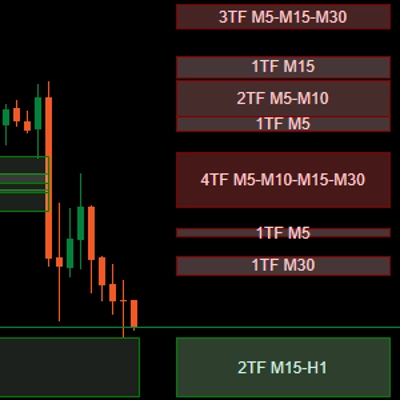
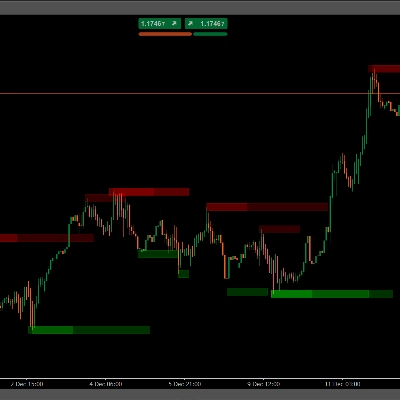
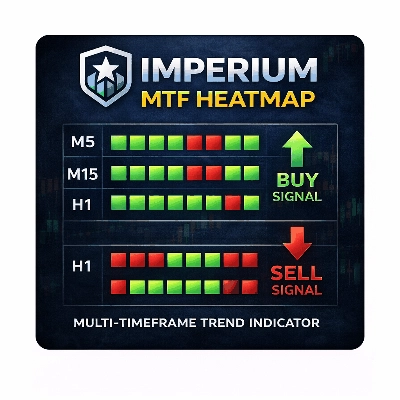
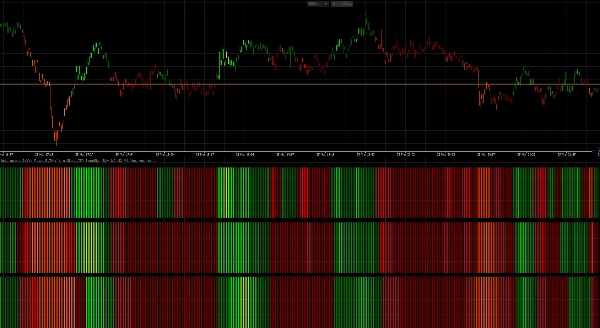
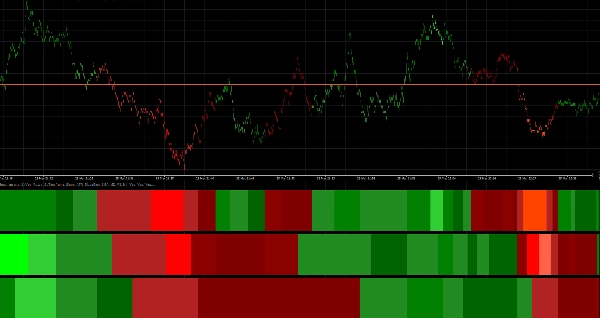
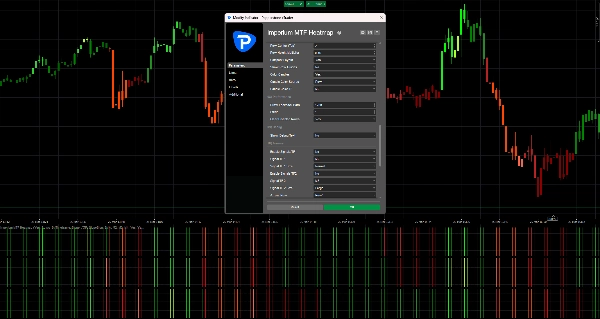
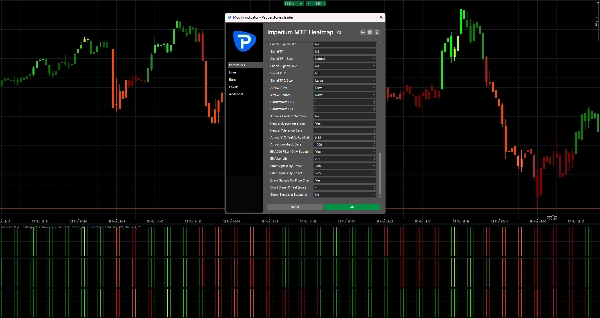
Heatmapa składa się z 3 rzędów, a każdy rząd reprezentuje osobny interwał czasowy lub warstwę średniej kroczącej w zależności od twojego układu.
- Zielone strefy wskazują presję byczą
- Czerwone strefy wskazują presję niedźwiedzią
- Jaśniejsza / silniejsza intensywność koloru oznacza silniejsze momentum lub siłę trendu
- Słabe lub niestabilne warunki wyglądają mniej potężnie i powinny być traktowane z większą ostrożnością
Gdy wiele rzędów jest zgodnych w tym samym kierunku, rynek zwykle ma lepszą strukturę i czystsze momentum.
Właśnie wtedy wskaźnik staje się szczególnie wartościowy.
Domyślne ustawienia
Domyślne ustawienia są zoptymalizowane dla:
- Tick30
- Minute1
Oznacza to, że wskaźnik jest gotowy do natychmiastowego użycia w szybkim środowisku handlowym, takim jak skalpowanie i krótkoterminowy handel intraday.
Domyślna struktura:
- Rząd 1 = M2
- Rząd 2 = M3
- Rząd 3 = M4
Tworzy to zwarty widok wieloczasowy, który pomaga szybko ocenić, czy krótkoterminowe momentum jest wspierane przez kolejne warstwy powyżej.
Jak czytać wskaźnik
1. Najpierw spójrz na Rząd 1
Rząd 1 daje najszybszy odczyt krótkoterminowego kierunku i natychmiastowej presji.
Użyj Rzędu 1, aby odpowiedzieć na pytania:
- Czy momentum jest obecnie bycze czy niedźwiedzie?
- Czy na rynku jest teraz aktywna presja?
- Czy ruch jest silny czy słaby?
Rząd 1 to pierwsza warstwa informacji, ale nie zawsze powinno się na nim handlować samodzielnie.
2. Użyj Rzędu 2 i Rzędu 3 do potwierdzenia
Rząd 2 i Rząd 3 działają jako filtry.
Jeśli Rząd 1 zmienia się na zielony, ale Rząd 2 i Rząd 3 pozostają czerwone, ruch może być słaby, wczesny lub po prostu krótkotrwałym cofnięciem.
Jeśli wszystkie rzędy są zgodne w tym samym kierunku, zwykle sygnalizuje to silniejszą strukturę i lepszą jakość transakcji.
Ogólna zasada:
- 1 rząd zgodny = wczesny sygnał
- 2 rzędy zgodne = silniejsze potwierdzenie
- 3 rzędy zgodne = najwyższej jakości zgodność kierunkowa
Najlepszy sposób użycia w handlu
Bycza konfiguracja
Silniejsza bycza konfiguracja występuje, gdy:
- Rząd 1 jest zielony
- Rząd 2 jest zielony
- Rząd 3 jest zielony
- intensywność koloru jest solidna lub rośnie
- akcja cenowa wspiera kontynuację
To mówi ci, że presja bycza nie jest izolowana, lecz wspierana przez całą strukturę heatmapy.
Niedźwiedzia konfiguracja
Silniejsza niedźwiedzia konfiguracja występuje, gdy:
- Rząd 1 jest czerwony
- Rząd 2 jest czerwony
- Rząd 3 jest czerwony
- intensywność koloru jest solidna lub rośnie
- akcja cenowa wspiera kontynuację spadków
To sugeruje kontrolę niedźwiedzi i lepsze prawdopodobieństwo dla krótkich wejść lub transakcji kontynuacyjnych.
Praktyczne podejście do handlu
Prosty sposób użycia Imperium MTF Heatmap:
Agresywny styl wejścia
Wejdź, gdy:
- Rząd 1 gwałtownie się zmienia
- Rząd 2 zaczyna wspierać ruch
- momentum szybko rośnie
Ten styl daje wcześniejsze wejścia, ale także większe ryzyko.
Konserwatywny styl wejścia
Wejdź tylko wtedy, gdy:
- Rząd 1, Rząd 2 i Rząd 3 są zgodne
- kolor jest stabilny i silny
- ruch jest wspierany przez czystą akcję cenową
Ten styl daje mniej wejść, ale często lepszą jakość.
Kolorowanie świec
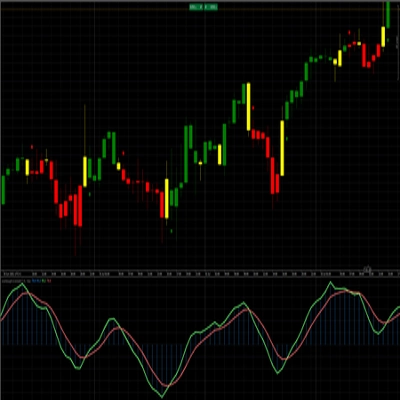
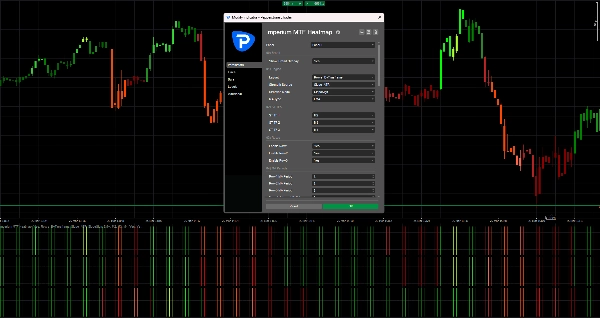
Wskaźnik może również kolorować świece na podstawie kierunku heatmapy.
To pomaga ci:
- pozostać wizualnie zgodnym z aktualnym nastawieniem
- unikać handlu przeciwko aktywnej presji
- czytać rynek szybciej bez ręcznego sprawdzania każdego rzędu
Przy domyślnych ustawieniach kolorowanie świec jest powiązane z M2, co dobrze pasuje do szybkiej logiki handlu na wykresach Tick30 i Minute1.
Strzałki sygnałowe
Jeśli są włączone, strzałki sygnałowe mogą pomóc wyróżnić potencjalne okazje do kupna i sprzedaży.
Te strzałki nie mają zastępować czytania rynku.
Najlepiej działają w połączeniu z zgodnością heatmapy.
Najlepsza praktyka:
- Używaj strzałek tylko w kierunku pełnego nastawienia heatmapy
- Przywiązuj większą wagę do strzałek, gdy Rząd 2 i Rząd 3 potwierdzają Rząd 1
- Ignoruj strzałki podczas mieszanych lub sprzecznych warunków heatmapy
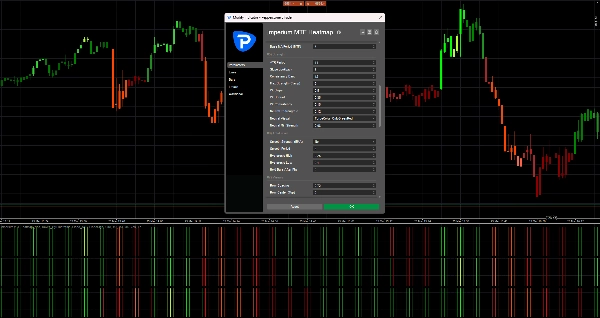
W twoich obecnych domyślnych ustawieniach strzałki sygnałowe są wyłączone off, co utrzymuje wykres w czystości i skupia uwagę na samej heatmapie.
Czego unikać
Nie używaj wskaźnika na ślepo.
Unikaj zawierania transakcji, gdy:
- rzędy są mieszane
- kolory są słabe i niestabilne
- kierunek heatmapy zmienia się szybko
- rynek jest chaotyczny lub ograniczony do zakresu
- akcja cenowa wyraźnie nie zgadza się ze strukturą heatmapy
Wskaźnik jest najsilniejszy, gdy jest używany jako narzędzie wspomagające decyzje, a nie jako samodzielny system automatycznego wejścia.
Najlepsze zastosowania
Imperium MTF Heatmap jest szczególnie skuteczny dla:
- skalpowania
- krótkoterminowego handlu momentum
- wejść kontynuujących trend
- potwierdzenia cofnięć
- analizy zgodności wieloczasowej
- filtrowania słabych transakcji
- utrzymywania zgodności z presją rynku
Dlaczego traderzy go ciągle używają
Ten wskaźnik staje się potężny, ponieważ kompresuje wiele ważnych informacji rynkowych w jeden szybki wizualny odczyt.
Gdy zaczniesz go regularnie używać, zauważysz:
- kierunek szybciej
- siłę wyraźniej
- zgodność pewniej
- słabe ustawienia wcześniej
- lepsze wyczucie czasu na aktywnych rynkach
Dlatego często staje się jednym z tych wskaźników, które traderzy mają na wykresie cały czas.
Prosta zasada do zapamiętania
Zielona zgodność = szukaj kupna
Czerwona zgodność = szukaj sprzedaży
Mieszana heatmapa = czekaj
Ta jedna zasada już czyni wskaźnik bardzo praktycznym.
Podsumowanie
Traders use the heatmap to quickly assess market direction, momentum quality, and alignment across multiple layers, aiding in identifying high-quality trade setups and filtering out weak or noisy conditions. The indicator supports both aggressive and conservative entry styles based on the alignment and strength of the heatmap rows. It can also color candles according to the dominant heatmap direction for faster market reading.
Optional signal arrows highlight potential buy and sell opportunities but are intended as a supplement to heatmap analysis rather than standalone signals. Imperium MTF Heatmap is particularly suited for scalping, short-term momentum trading, trend continuation, pullback confirmation, and multi-timeframe confluence analysis across various markets including Forex, indices, commodities, stocks, and cryptocurrencies. It functions as a decision support tool to enhance market awareness and timing in active trading environments.
Opinie klientów
5 | 50 % | |
4 | 50 % | |
3 | 0 % | |
2 | 0 % | |
1 | 0 % |