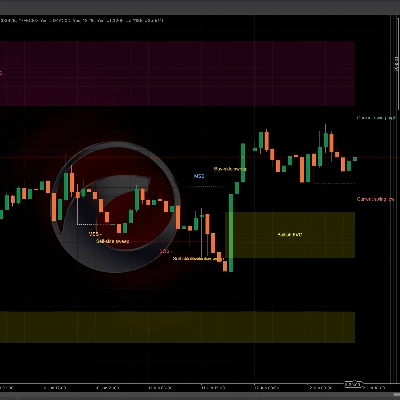
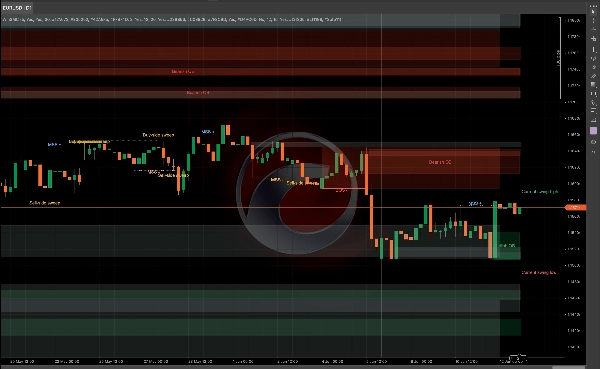
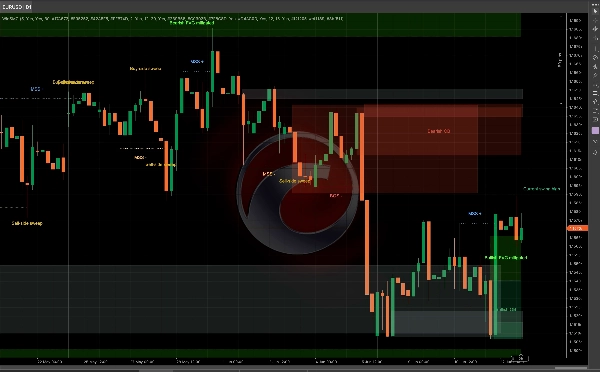
Description
WinSMC User Guide
1. Purpose
`WinSMC` is an overlay SMC indicator for cTrader. It helps you visually identify:
- Market structure shifts
- `BOS` (Break of Structure)
- `MSS` (Market Structure Shift)
- `Order Blocks`
- `Liquidity Grabs` / `Sweeps`
- `FVG` (Fair Value Gaps)
It is not an auto-trading system. It is a structure-and-context tool best used for confirmation-based trading.
2. Core Concepts
Swing Length
`Swing Length` controls how far left and right a pivot must be confirmed before it is treated as a valid swing point.
Practical guidance:
- Smaller values = more signals, more noise
- Larger values = fewer signals, cleaner structure
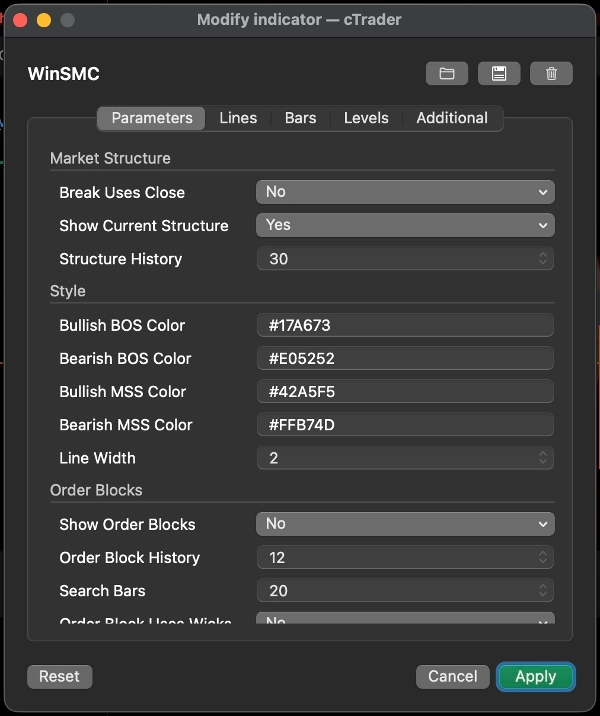
Break Uses Close
This setting decides whether a structure break is confirmed by:
- `Yes`: candle close
- `No`: wick/low/high break
Guidance:
- Use close for a more conservative approach
- Use wick breaks for earlier, more sensitive detection
Show Current Structure
Shows the current active swing high and swing low lines, helping you see what the market is still respecting.
Structure History
Controls how many structure break lines and labels are kept on the chart.
3. BOS and MSS
BOS
`BOS` means price continues in the same direction and breaks the prior high or low.
Typical interpretation:
- In an uptrend, breaking the prior high is a bullish BOS
- In a downtrend, breaking the prior low is a bearish BOS
MSS
`MSS` means the market has shifted direction from the prior bias.
Typical interpretation:
- If price was bearish and breaks a prior high, that is a bullish MSS
- If price was bullish and breaks a prior low, that is a bearish MSS
Trading use
- `BOS` is more trend-continuation oriented
- `MSS` is more reversal-oriented
- The best entries usually come from a retest of an `Order Block` or `FVG`
4. Order Blocks
An `Order Block` is the last opposite candle before a structure break. It is commonly treated as a supply/demand reaction zone.
Show Order Blocks
When enabled, the indicator looks back after a `BOS` or `MSS` and draws the last opposite candle zone.
Meaning
- Bullish OB: after a bullish break, the last bearish candle is used
- Bearish OB: after a bearish break, the last bullish candle is used
When price starts interacting with the zone, it is marked as mitigated.
Order Block Uses Wicks
This controls how wide the box is drawn:
- `Yes`: use the full candle range, wider zone
- `No`: use a tighter core zone
Guidance:
- Use `Yes` for a broader, more conservative zone
- Use `No` for a narrower, more precise zone
Order Block strategy
Common workflow:
1. Wait for `BOS` or `MSS`
2. Mark the corresponding OB
3. Wait for the retest
4. Look for confirmation before entering
Do not treat the OB as a guaranteed reversal point. It is a high-interest area, not a certainty.
5. Liquidity Grabs / Sweeps
A `Liquidity Grab` means price runs above a prior high or below a prior low, then closes back inside.
In this indicator:
- `Buy-side sweep`: price takes the prior high and closes back below it
- `Sell-side sweep`: price takes the prior low and closes back above it
This usually means the market has grabbed liquidity and may be preparing for the next move.
Important
A sweep alone is not a trade signal.
It is better treated as:
- A warning that liquidity has been taken
- A setup hint
- A reason to wait for `MSS` or `BOS`
Common use
- After a `Buy-side sweep`, a bearish `MSS` can support a short setup
- After a `Sell-side sweep`, a bullish `MSS` can support a long setup
6. FVG
`FVG` is a Fair Value Gap created by a three-candle imbalance.
Show FVG
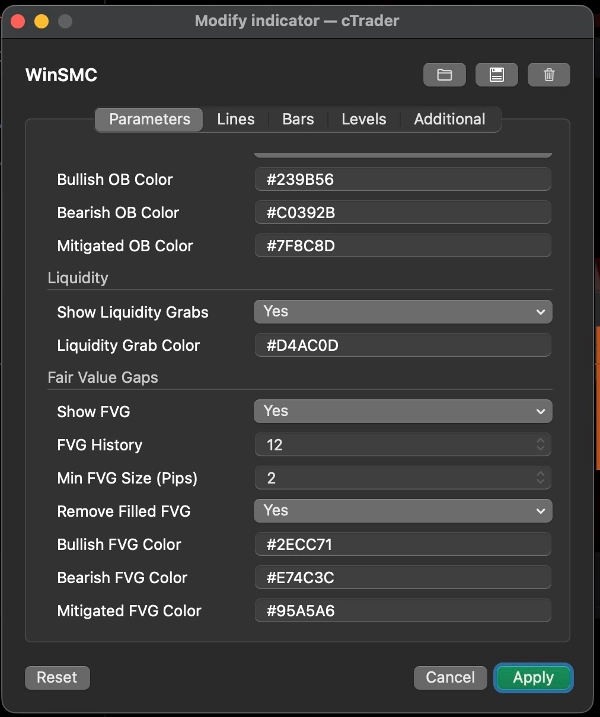
When enabled, the indicator draws visible FVG zones.
Detection rule
- Bullish FVG: the first candle high is below the third candle low
- Bearish FVG: the first candle low is above the third candle high
Min FVG Size (Pips)
This filters out tiny gaps.
- Unit: `pips`
- Higher value = fewer but more meaningful FVGs
- `0` = no size filter
Useful when the chart is cluttered or when tiny 1-pixel gaps are not useful for your workflow.
Remove Filled FVG
When enabled, fully filled FVGs are removed from the chart.
FVG strategy
Two common approaches:
1. Trend retrace
- Wait for `BOS` or `MSS`
- Wait for price to retrace into the FVG
- Trade in the direction of the structure
2. Confirmation-based entry
- Watch for a sweep
- Wait for `MSS`
- Use FVG as the final retracement zone
7. Recommended Trading Styles
Strategy A: Trend Continuation
Best when the market is trending clearly.
Workflow:
1. Wait for `BOS`
2. Mark the OB
3. Look for a retrace into OB or FVG
4. Enter only after price reacts
This is a classic trend-following approach.
Strategy B: Sweep Then Reversal
Best when the market is volatile and prone to false breaks.
Workflow:
1. Detect a `Buy-side sweep` or `Sell-side sweep`
2. Wait for the opposite `MSS`
3. Use OB or FVG as the retracement zone
4. Enter after confirmation
This is stronger than trading the sweep alone.
Strategy C: Sweep + MSS + OB/FVG Confluence
This is one of the cleanest ways to use the indicator.
Workflow:
1. Get a sweep
2. Get an MSS
3. Wait for OB or FVG retest
4. Trade only when the zones overlap
This reduces premature entries.
8. Quick Settings Suggestions
- `Swing Length`: start with 5 or 7
- `Break Uses Close`: turn on for a more conservative view
- `Order Block Uses Wicks`: turn on for wider zones
- `Min FVG Size (Pips)`: start with 2.0 and adjust by instrument
- `Structure History` / `Order Block History` / `FVG History`: adjust to keep the chart readable
9. Final Note
`WinSMC` is best used as a structure map, not as a single-signal trigger.
The most reliable workflow is:
- Identify trend direction
- Watch for liquidity sweep
- Wait for MSS or BOS
- Use OB or FVG as the entry zone
- Enter only after confirmation
Summary
The indicator helps traders analyze price action by marking swing highs and lows, confirming valid swing points based on customizable swing length, and distinguishing breaks using candle closes or wick extremes. Order Blocks are displayed as supply/demand zones derived from the last opposite candle before a structure break, with options to adjust zone width. Liquidity Sweeps indicate price movements beyond prior highs or lows that close back inside, signaling potential setups rather than direct trade signals. FVG zones are identified by three-candle imbalances and can be filtered by minimum size and removed once filled.
WinSMC supports multiple trading strategies, including trend continuation after BOS, reversal setups following liquidity sweeps and MSS, and confluence-based entries combining sweeps, MSS, and retests of Order Blocks or FVGs. It is intended as a confirmation and structure mapping tool rather than an automated trading system, aiding traders in timing entries with contextual market information.
!["[CB] Pivot Points Pro" logo](https://cdn.ctrader.com/image/webp/43463c82-67b0-4f10-a4ba-901bba091d81_32594)