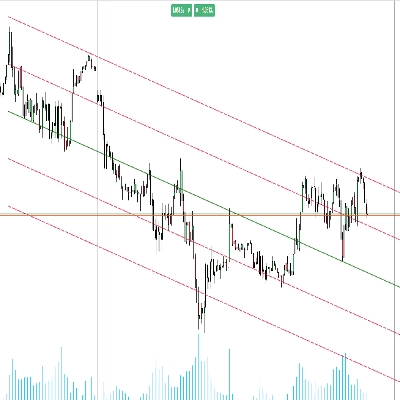
![Trading product for [Hamster-Coder] Pivot Points MTF Indicator, image 1](https://cdn.ctrader.com/image/webp/4c143e5a-309c-40e3-a578-f04d1e133ffa_31159)
![Trading product for [Hamster-Coder] Pivot Points MTF Indicator, image 2](https://cdn.ctrader.com/image/webp/ca2b8a33-5aa0-4c41-85d0-90dab2c80964_31160)
![Trading product for [Hamster-Coder] Pivot Points MTF Indicator, image 3](https://cdn.ctrader.com/image/webp/65fd53d9-cdfe-4cd0-bee5-b3415a017b4c_31161)

Description
📌 Current Version
!!! This is [Hamster-Coder] Pivot Points MTF - check "Available Versions" section for full information about MOD differences.
Ensure the displayed version on the chart matches this value:
Version: v1.1.11
Version Date: 2025-08-02 03:00:00
🔧 Available Versions
🔹 MTF Version (Multi-Timeframe) - [Hamster-Coder] Pivot Points MTF
The MTF version is the most powerful variant of indicator.
It includes full multi-timeframe support, allowing users to select any custom timeframe for pivot point calculation, independent of the chart's timeframe.
Ideal for identifying higher-timeframe structures and key breakout levels while trading on lower timeframes.
🔹 Standard Version - [Hamster-Coder] Pivot Points
The standard version contains of features of [Hamster-Coder] Pivot Points MTF except multi time frame support selection.
🔹 Demo Version - [Hamster-Coder] Pivot Points (Demo)
The demo version contains of features of [Hamster-Coder] Pivot Points except fixed left and right parameters. This version is intended for preview purposes, allowing users to see how the indicator looks and behaves on the chart before purchasing.
📖 Description
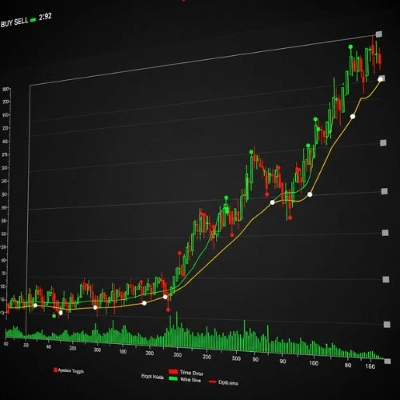
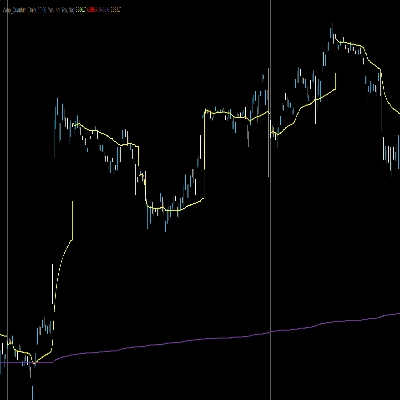
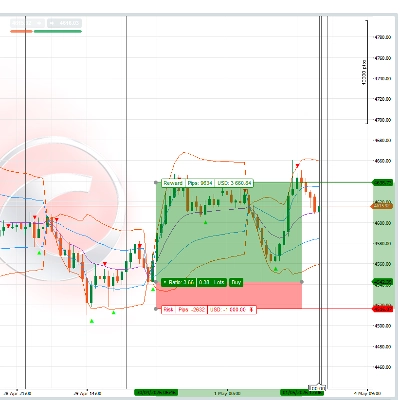
The [Hamster-Coder] Pivot Points is a flexible pivot point indicator of the Hamster-Coder™ Algo Series that detects local highs and lows (pivot points) based on a user-defined source — such as high, low, close, hl2, ohlc4, and more. It helps trader to:
- See the broader market structure and trend
- Identify breakout levels with higher relevance
- Use HTF pivots as dynamic support/resistance
🧠 Hamster-Coder™ Algo Series
This indicator is part of a powerful toolkit implementing Timeframe Decoupling — a proprietary concept allowing you to assign separate timeframes to each key parameter.
The result: true multi-timeframe analysis on a single chart — a game-changing capability for modern traders.
🔎 To explore more indicators from this series, search for “Hamster-Coder” in the cTrader platform.
🚀 Key Features
- 🧠 Timeframe Decoupling (series feature)
Assign independent timeframes to components like the basis (e.g., moving average) and deviation source for precision control. - 🕒 Multi-Timeframe Price Inputs
Choose fromOpen,Close,High,Low,HL2,HLC3,HLCC4, orOHLC4— from any available timeframe. - ⚡ Real-Time Adjustments
Change parameters after the indicator is applied — something not possible with default source properties in cTrader. - Adjustable Sensitivity
Fine-tune the pivot detection usingLeftandRightbar count (Periods), controlling how many bars before and after must confirm the extremum. - 🔌 Seamless Integration
Designed to work perfectly with both manual trading and automated strategies.
🛠️ How to Use
- Apply to Chart – e.g., on a
1mchart - Select Pivot High Timeframe – e.g.,
5m - Select Pivot High Source – e.g.,
High - Set Pivot High Left – e.g.,
5 - Set Pivot High Right – e.g.,
3 - Select Pivot Low Timeframe – e.g.,
15m - Select Pivot Low Source – e.g.,
Low - Set Pivot Low Left – e.g.,
2 - Set Pivot Low Right – e.g.,
1
➡️ *You will now see 5m high pivot points and 15m low pivot points
Also, you can remove pivot point labels from the chart (most useful when used in robots)
✅ Version Check
Set Show Version = Yes to display the current version in the bottom-right corner of the chart.
- ✅ Make sure this version matches the "Current Version" listed at the top of this description.
- ❗ If there's a mismatch — contact support or reach out to the developer directly.
🙋♂️ P.S.
Happy trading!
Feel free to leave comments with suggestions, feature requests, or inquiries about custom development.
Summary
Key features include:
- Multi-timeframe support to select any custom timeframe for pivot calculation, independent of the chart’s timeframe.
- Adjustable sensitivity through configurable left and right bar counts to confirm pivot points.
- Real-time parameter adjustments after application.
- Multiple price input options from any timeframe.
- Compatibility with manual and automated trading strategies.
Usage involves applying the indicator to a chart, selecting pivot high and low timeframes and sources, and setting sensitivity parameters. This allows traders to visualize higher timeframe market structures and breakout levels while trading on lower timeframes, using pivot points as dynamic support and resistance.
The product is available in three versions: MTF (full multi-timeframe support), Standard (without multi-timeframe selection), and Demo (limited parameter control for preview purposes).
Discussion
Customer reviews
5 | 60 % | |
4 | 40 % | |
3 | 0 % | |
2 | 0 % | |
1 | 0 % |
!["[Hamster-Coder] Moving Average" logo](https://cdn.ctrader.com/image/webp/1bd952ad-57d2-4db2-9b49-b01be0b048b8_30113)
!["[Hamster-Coder] Bollinger Bands" logo](https://cdn.ctrader.com/image/webp/21d8e5d6-fb11-4bac-b9ee-cd05c2b76804_30327)
!["[Hamster-Coder] Pivot Points (Demo)" logo](https://cdn.ctrader.com/image/webp/87b54299-8c73-4942-9207-4bc6db824811_31153)
!["[Hamster-Coder] Moving Average MTF" logo](https://cdn.ctrader.com/image/webp/b11b98b1-194d-4b8e-b00e-d611826ad159_31226)
!["[Hamster-Coder] Price" logo](https://cdn.ctrader.com/image/webp/893fb641-d5b3-44d8-91fb-6a2dc6f3d309_30647)
!["[Hamster-Coder] Pivot Points" logo](https://cdn.ctrader.com/image/webp/cdac5a8c-e5cf-40b7-9507-25d4cdfb1e29_31156)