
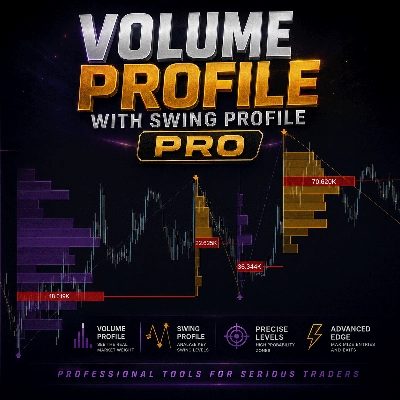
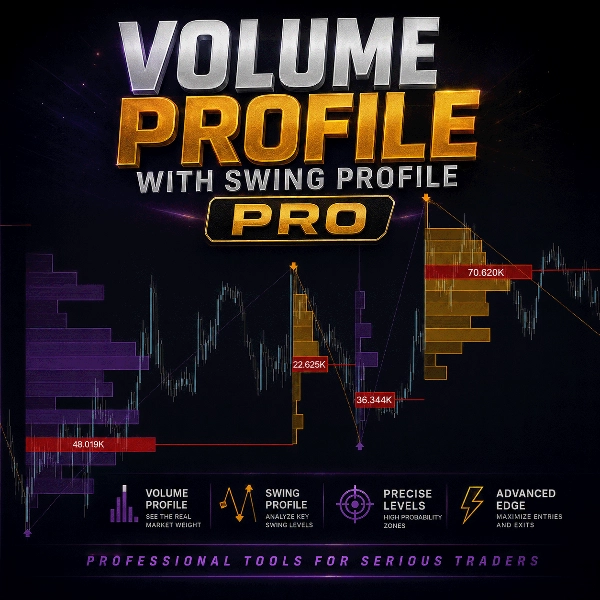
Swing Profile with Volume Profile PRO
Indicator
Version 1.0, Jul 2026
Windows, Mac

Since 02/06/2026
494
Free installs
Description
Swing Profile — Volume Structure at Every Market Turn
📊 What it does
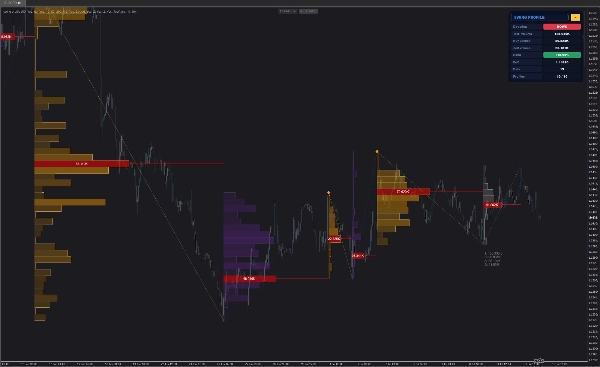
- Automatically detects swing highs and lows and builds a full volume profile across each completed swing leg
- Shows exactly where volume was traded during a move — not just where price went
- No manual anchoring, no session boxes, no fixed ranges. It follows market structure
🎯 Point of Control (PoC)
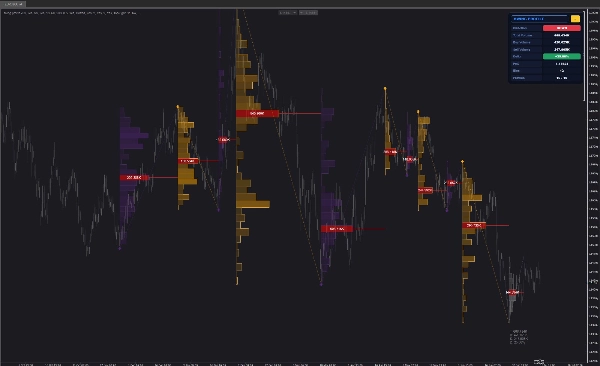
- Highlights the price level with the highest traded volume in every swing
- PoC line extends across the leg with a volume label (e.g. 40.442K)
- PoC levels frequently act as magnets, retest zones and reaction levels
📈 Buy / Sell Delta
- Every profile splits volume into buy-side and sell-side pressure
- Delta % instantly shows who dominated the swing
- Spot absorption, exhaustion and hidden imbalance before the reversal is obvious
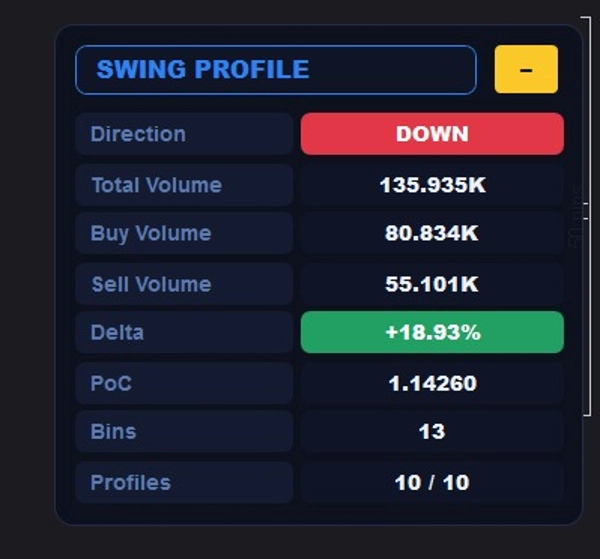
🖥️ Collapsible Info Panel
- Live swing direction (UP / DOWN)
- Total volume, buy volume, sell volume
- Delta % with color-coded pill (green / red)
- Active PoC price, bin count, profiles on chart
- One-click collapse to keep your chart clean
⚡ Built for Speed
- Max Profiles parameter — show only the last N profiles (default 10) so the chart loads instantly, even on M1
- Max Bins Per Profile cap prevents object explosion on long swings
- Optimized O(bars) volume binning instead of brute-force nested loops
- Old profiles are removed automatically as new swings complete
🔧 Fully Configurable
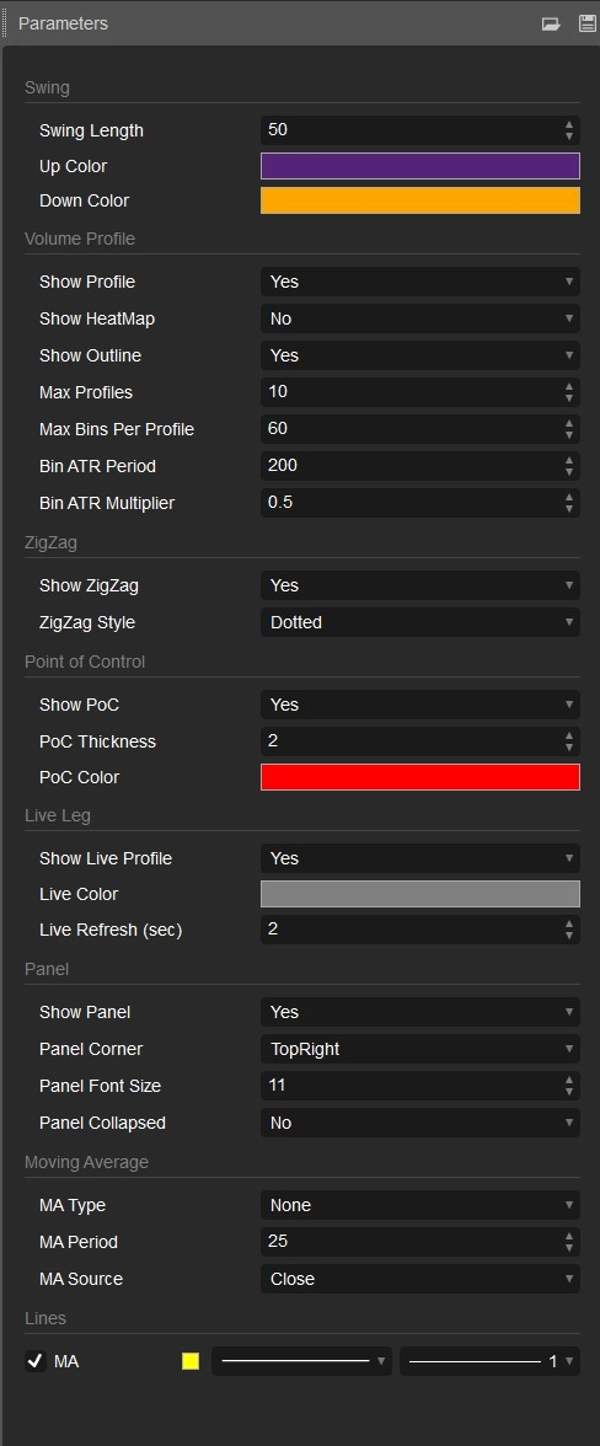
- Swing Length — control how aggressive or smooth the structure detection is
- ATR-based bin size — profiles adapt automatically to any instrument (Gold, EURUSD, indices, crypto)
- Profile mode / HeatMap mode / outline on-off
- ZigZag overlay: dotted, dashed or solid
- Native cTrader color pickers for up, down, PoC and live colors
- Optional moving average overlay (SMA / EMA / WMA / Wilder / Hull)
🔴 Real-Time Leg
- The currently forming swing is rendered live in neutral gray
- Live volume, delta and PoC update as the swing develops
- Adjustable refresh interval to keep CPU usage low
💡 How traders use it
- Trade retests of the PoC after a swing completes
- Fade swings that show negative delta into new highs (and vice versa)
- Use low-volume nodes as fast-move zones and high-volume nodes as support/resistance
- Combine with SMC/ICT structure: PoC inside an order block = high-probability confluence
⚙️ Specs
- Timeframes: all
- Instruments: all (ATR-normalized)
- Volume source: tick volume (cTrader/broker standard for FX & metals)
- cTrader Desktop 4.6+ required (native color picker support)
Summary
AI summary
Swing Profile with Volume Profile PRO is a volume-based trading indicator designed for use on all timeframes and instruments, including Forex, metals, indices, and cryptocurrencies. It automatically detects swing highs and lows, constructing a detailed volume profile for each completed swing leg without manual anchoring or fixed ranges, thus aligning with market structure.
Key features include the Point of Control (PoC), which highlights the price level with the highest traded volume per swing and often serves as a retest or reaction zone. The indicator also provides buy/sell delta data, splitting volume into buy-side and sell-side pressure to reveal market dominance, absorption, exhaustion, and hidden imbalances before reversals.
A collapsible info panel displays live swing direction, total and segmented volumes, delta percentage with color coding, active PoC price, and profile counts, allowing users to keep charts organized. The tool is optimized for speed with parameters to limit the number of profiles and bins, ensuring efficient performance even on minute charts.
Customization options include swing length sensitivity, ATR-based bin sizing, profile display modes, ZigZag overlay styles, native color pickers, and optional moving average overlays. The currently forming swing leg updates in real time with live volume, delta, and PoC data. Traders use this indicator to identify key volume levels, trade PoC retests, detect swing momentum shifts, and combine volume structure with market context for informed decision-making.
Key features include the Point of Control (PoC), which highlights the price level with the highest traded volume per swing and often serves as a retest or reaction zone. The indicator also provides buy/sell delta data, splitting volume into buy-side and sell-side pressure to reveal market dominance, absorption, exhaustion, and hidden imbalances before reversals.
A collapsible info panel displays live swing direction, total and segmented volumes, delta percentage with color coding, active PoC price, and profile counts, allowing users to keep charts organized. The tool is optimized for speed with parameters to limit the number of profiles and bins, ensuring efficient performance even on minute charts.
Customization options include swing length sensitivity, ATR-based bin sizing, profile display modes, ZigZag overlay styles, native color pickers, and optional moving average overlays. The currently forming swing leg updates in real time with live volume, delta, and PoC data. Traders use this indicator to identify key volume levels, trade PoC retests, detect swing momentum shifts, and combine volume structure with market context for informed decision-making.
Indicator profile
Indicator category
Volume
Output type
Visualisation
Signals
Data requirements
Bars only
Volume
Supported signals
Reversal
Trend strength
Volatility
Divergence
Discussion
Customer reviews
0.0
Reviews: 0
Customer reviews
No reviews for this product yet. Already tried it? Be the first to tell others!
FAQ
Key Levels
Imbalance
Volume
Market Structure
Channel
VWAP
Support & Resistance
Products available through cTrader Store, including trading bots, indicators and plugins, are provided by third-party developers and made available for informational and technical access purposes only. cTrader Store is not a broker and does not provide investment advice, personal recommendations or any guarantee of future performance.
More from this author








Price
Since 02/06/2026
494
Free installs