
Описание
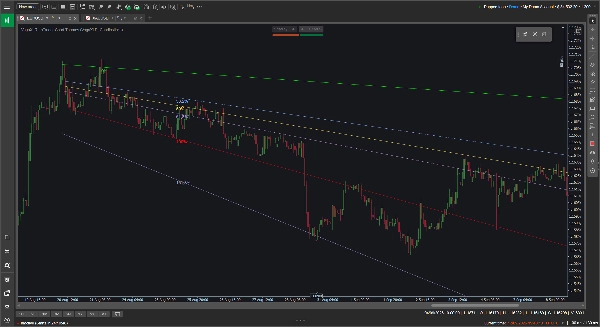
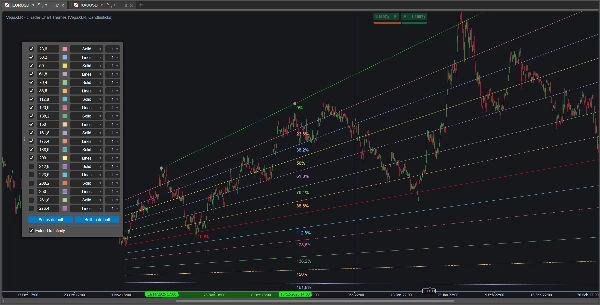
Стандартные инструменты Фибоначчи закреплены за горизонтальными плоскостями, что не всегда удобно, когда вы отслеживаете явный восходящий или нисходящий тренд. Пользовательский инструмент Fibonacci VegaXLR решает эту проблему, позволяя рисовать динамические наклонные уровни Фибоначчи, которые адаптируются к реальному наклону ценового движения.
Он разработан, чтобы дать вам больше гибкости при построении трендовых каналов, проецировании ценовых целей или поиске диагональных уровней поддержки и сопротивления.
🔥 Ключевые особенности
- Динамические наклонные уровни: Промежуточные уровни автоматически рассчитываются и наклоняются в соответствии с вашими базовыми трендовыми линиями 0% и 100%. Если вы перетаскиваете или изменяете базовую линию, внутренние уровни обновляются мгновенно.
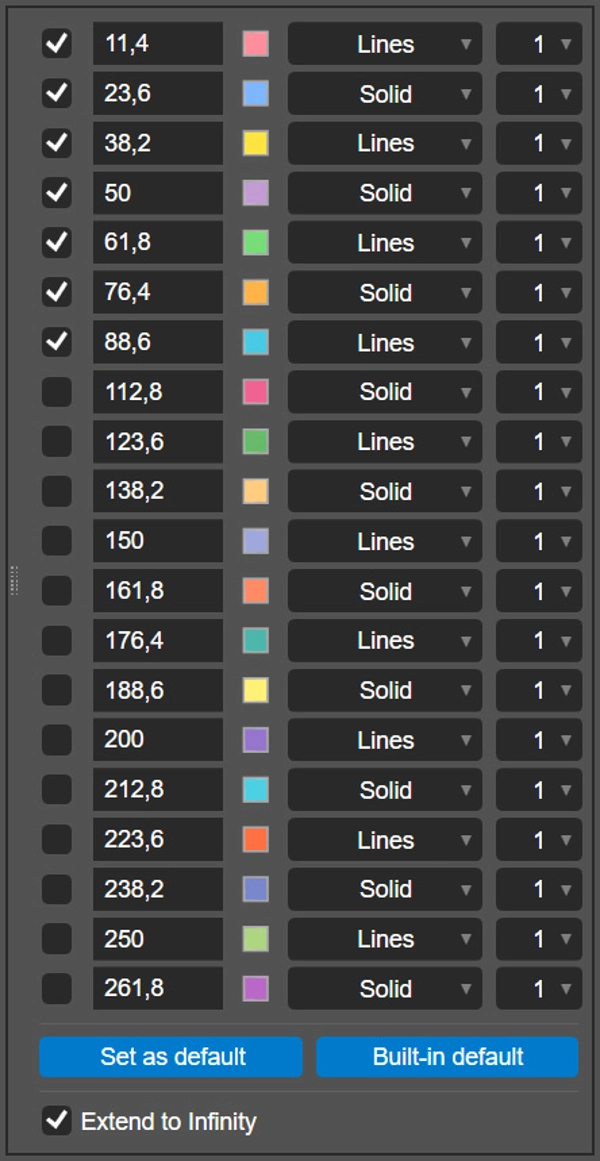
- 20 настраиваемых уровней: Вы можете включить и настроить до 20 отдельных уровней Фибоначчи для каждого рисунка.
- Настройка по уровню: Для каждой линии вы можете задать точное соотношение, выбрать индивидуальный цвет, стиль линии (например, Сплошная или Линии) и толщину от 1 до 8 пикселей.
- Продление до бесконечности: Один переключатель позволяет проецировать ваши базовые линии и все активные уровни прямо по правой стороне графика.
- Сохранение настроек: Нажмите кнопку «Установить по умолчанию», чтобы сохранить ваши пользовательские соотношения, цвета и стили локально. Плагин запоминает ваши предпочтения и автоматически применяет их к будущим рисункам.
- Кроссплатформенность: Инструмент полностью поддерживается и оптимизирован для настольных клиентов cTrader на Windows и macOS.
🖱️ Интуитивное управление на графике
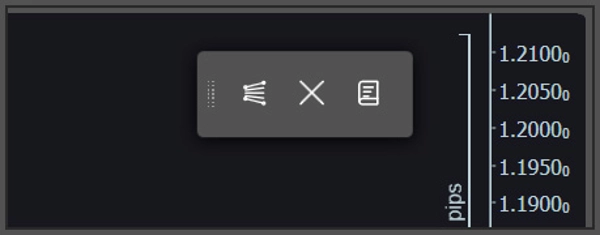
Плагин опирается на легкую плавающую панель инструментов на графике, а не на глубокие меню индикаторов.
- Быстрое рисование и очистка: Используйте панель инструментов, чтобы добавить новый инструмент Фибоначчи на график или безопасно очистить все текущие рисунки. Если вы хотите традиционные горизонтальные или вертикальные линии, просто удерживайте клавишу Shift во время рисования.
- Всплывающие настройки: Чтобы настроить конкретный рисунок, кликните прямо по его базовой линии 0% или 100%. Панель конфигурации появится прямо на вашем графике для удобной настройки.
⚙️ Параметры индикатора
Вы можете настроить несколько предпочтений базовой линии в параметрах индикатора cTrader перед началом рисования:
- Изменить позицию плавающей панели инструментов по умолчанию на экране (например, Верхний правый угол, Нижний центр).
- Изменить позицию всплывающей панели конфигурации по умолчанию.
- Включить или отключить все процентные метки Фибоначчи.
Сводка
Key features include an option to extend all active levels infinitely across the chart, saving custom settings as defaults for future use, and compatibility with both Windows and macOS cTrader desktop clients. The plugin uses an intuitive floating on-chart toolbar for quick drawing and clearing of Fibonacci tools, with a pop-up configuration panel accessible by clicking on baseline lines. Users can also toggle traditional horizontal or vertical lines by holding the Shift key while drawing.
Additional adjustable parameters include the default screen position of the toolbar, the pop-up panel location, and the display of Fibonacci percentage labels. VegaXLR is designed to enhance trend channel mapping, price target projection, and identification of diagonal support and resistance on cTrader charts.















![Логотип продукта "Custom Timeframes [Iridio Capital]"](https://cdn.ctrader.com/image/webp/4d75a920-23c7-4fea-a7b5-594a9d067f2e_63286)