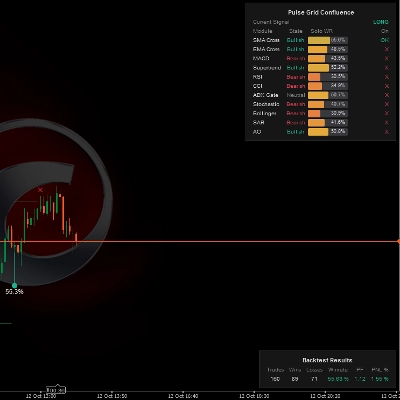
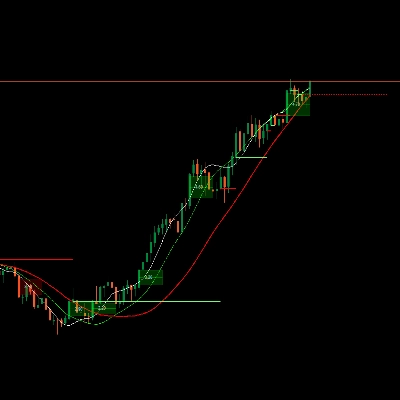
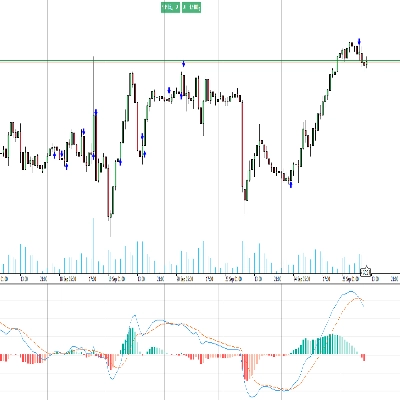
![Trading product for [Hamster-Coder] Moving Average อินดิเคเตอร์, image 1](https://cdn.ctrader.com/image/webp/1bd952ad-57d2-4db2-9b49-b01be0b048b8_30113)
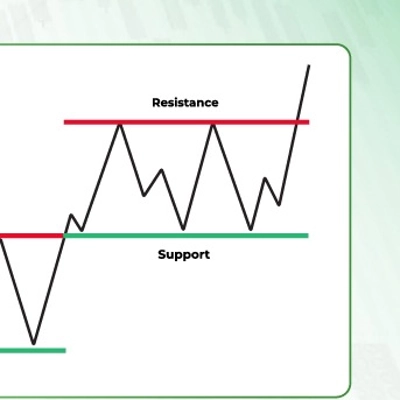
![Trading product for [Hamster-Coder] Moving Average อินดิเคเตอร์, image 2](https://cdn.ctrader.com/image/webp/5cbf2c4f-741d-4616-9911-6301ee158087_30114)
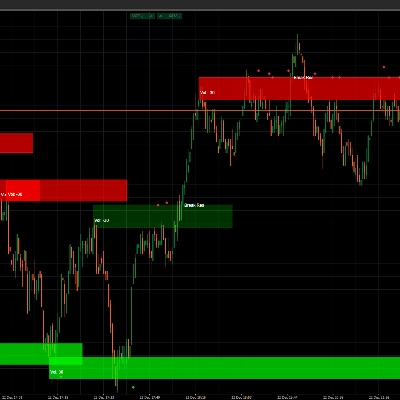
![Trading product for [Hamster-Coder] Moving Average อินดิเคเตอร์, image 3](https://cdn.ctrader.com/image/webp/6251be11-989e-4e5c-8c3e-1f055bb32247_30115)

คำอธิบาย
📌 เวอร์ชันปัจจุบัน
ตรวจสอบให้แน่ใจว่าเวอร์ชันที่แสดงบนแผนภูมิตรงกับค่านี้:
Version: 1.2.0
Version Date: 2025-08-03 18:00:00
🔧 เวอร์ชันที่มีให้ใช้งาน
🔹 เวอร์ชัน MTF (หลายกรอบเวลา) - [Hamster-Coder] ค่าเฉลี่ยเคลื่อนที่ MTF
เวอร์ชัน MTF เป็นตัวแปรที่ทรงพลังที่สุดของตัวบ่งชี้นี้
มันรวมการรองรับหลายกรอบเวลาอย่างเต็มรูปแบบ ช่วยให้ผู้ใช้ เลือกกรอบเวลาแบบกำหนดเองใดก็ได้ สำหรับการคำนวณค่าเฉลี่ยเคลื่อนที่ โดยไม่ขึ้นกับกรอบเวลาของแผนภูมิ
เหมาะสำหรับการระบุโครงสร้างกรอบเวลาที่สูงกว่า
🔹 เวอร์ชันมาตรฐาน - [Hamster-Coder] ค่าเฉลี่ยเคลื่อนที่
เวอร์ชัน มาตรฐาน ประกอบด้วยคุณสมบัติของ **[Hamster-Coder] Pivot Points MTF ** ยกเว้นการเลือกการรองรับหลายกรอบเวลา
📖 คำอธิบาย
ตัว [Hamster-Coder] Pivot Points เป็นตัวบ่งชี้จุดหมุนที่ยืดหยุ่นของ Hamster-Coder™ Algo Series เป็นเครื่องมือวิเคราะห์ที่หลากหลายซึ่งคำนวณระดับไดนามิกโดยอิงตามอัลกอริทึมการปรับแต่งที่กำหนดเอง ออกแบบมาเพื่อเป็นการปรับปรุงค่าเฉลี่ยเคลื่อนที่แบบคลาสสิก โดยให้พารามิเตอร์ที่ยืดหยุ่นเพื่อให้สอดคล้องกับกลยุทธ์เฉพาะของเทรดเดอร์ได้ดียิ่งขึ้น
🧠 Hamster-Coder™ Algo Series
ตัวบ่งชี้นี้เป็นส่วนหนึ่งของชุดเครื่องมือทรงพลังที่ใช้ การแยกกรอบเวลา — แนวคิดเฉพาะที่ช่วยให้คุณกำหนดกรอบเวลาแยกต่างหากสำหรับแต่ละพารามิเตอร์สำคัญ
ผลลัพธ์: การวิเคราะห์หลายกรอบเวลาอย่างแท้จริง บนแผนภูมิเดียว — ความสามารถที่เปลี่ยนเกมสำหรับเทรดเดอร์ยุคใหม่
หากต้องการสำรวจตัวบ่งชี้เพิ่มเติมจากชุดนี้ ให้ค้นหา “Hamster-Coder” ในแพลตฟอร์ม
🚀 คุณสมบัติหลัก
- การแยกกรอบเวลา (คุณสมบัติของชุด)
กำหนดกรอบเวลาแยกต่างหากให้กับส่วนประกอบเช่นฐาน (เช่น ค่าเฉลี่ยเคลื่อนที่) และแหล่งที่มาของความเบี่ยงเบนเพื่อการควบคุมที่แม่นยำ - อินพุตราคาหลายกรอบเวลา
เลือกจากOpen,Close,High,Low,HL2,HLC3,HLCC4, หรือOHLC4— จากกรอบเวลาที่มีให้เลือกทั้งหมด - การปรับแต่งแบบเรียลไทม์
เปลี่ยนพารามิเตอร์หลังจากที่ตัวบ่งชี้ถูกใช้งาน — ซึ่งไม่สามารถทำได้กับคุณสมบัติแหล่งข้อมูลเริ่มต้นในแพลตฟอร์ม - ความไวที่ปรับได้
ปรับแต่งการตรวจจับจุดหมุนโดยใช้Length(ช่วงเวลา) ควบคุมจำนวนแท่งที่นำมาคำนวณเฉลี่ย - การผสานรวมอย่างราบรื่น
ออกแบบมาเพื่อทำงานได้อย่างสมบูรณ์แบบทั้งกับการเทรดด้วยตนเองและกลยุทธ์อัตโนมัติ
🛠️ วิธีใช้
เพื่อดู 30m ความยาวค่าเฉลี่ยเคลื่อนที่แบบง่ายในกรอบเวลา m1 บนแผนภูมิ:
1. นำไปใช้กับแผนภูมิ 'm1'
2. เลือกกรอบเวลา 'm30' ของราคา
3. เลือกแหล่งราคาที่เป็น 'Close'
4. เลือกการเลื่อนราคาที่ '1' (สำหรับ HTF > กรอบเวลาแผนภูมิ แนะนำให้ใช้ค่ามากกว่า 0 เพราะมันคำนวณใหม่ทุกแท่งในกรอบเวลาที่ใช้งาน)
5. เลือกประเภทค่าเฉลี่ยเคลื่อนที่เป็น 'Simple' 6. เลือกความยาวค่าเฉลี่ยเคลื่อนที่เป็น '50'
✅ การตรวจสอบเวอร์ชัน
ตั้งค่า 'Show Version' = Yes เพื่อแสดงเวอร์ชันปัจจุบันที่มุมล่างขวาของแผนภูมิ
- ตรวจสอบให้แน่ใจว่าเวอร์ชันนี้ตรงกับ "เวอร์ชันปัจจุบัน" ที่ระบุไว้ด้านบนของคำอธิบายนี้
- หากไม่ตรงกัน — ติดต่อฝ่ายสนับสนุนหรือสอบถามกับนักพัฒนาโดยตรง
🙋♂️ ป.ล.
ขอให้เทรดอย่างมีความสุข! และอย่าลังเลที่จะฝากความคิดเห็นพร้อมข้อเสนอแนะ คำขอคุณสมบัติ หรือสอบถามเกี่ยวกับการพัฒนาตามสั่ง
สรุป
This indicator is suitable for intraday and medium-term trading, helping identify dynamic balance levels that serve as support or resistance zones independent of the chart timeframe. It is part of the Hamster-Coder™ Algo Series, which features Timeframe Decoupling—a proprietary concept enabling assignment of separate timeframes to key parameters for true multi-timeframe analysis on a single chart.
Key functionalities include real-time parameter adjustments, multi-timeframe price inputs, and seamless integration with manual and automated trading strategies. The product offers both a standard version and a Multi-Timeframe (MTF) version, the latter allowing users to select any custom timeframe for moving average calculation independent of the chart's timeframe, aiding in higher-timeframe structure identification.
!["[Hamster-Coder] Pivot Points (Demo)" โลโก้](https://cdn.ctrader.com/image/webp/87b54299-8c73-4942-9207-4bc6db824811_31153)
!["[Hamster-Coder] Pivot Points MTF" โลโก้](https://cdn.ctrader.com/image/webp/4c143e5a-309c-40e3-a578-f04d1e133ffa_31159)
!["[Hamster-Coder] Price" โลโก้](https://cdn.ctrader.com/image/webp/893fb641-d5b3-44d8-91fb-6a2dc6f3d309_30647)
!["[Hamster-Coder] Bollinger Bands" โลโก้](https://cdn.ctrader.com/image/webp/21d8e5d6-fb11-4bac-b9ee-cd05c2b76804_30327)
!["[Hamster-Coder] Moving Average MTF" โลโก้](https://cdn.ctrader.com/image/webp/b11b98b1-194d-4b8e-b00e-d611826ad159_31226)
!["[Hamster-Coder] Pivot Points" โลโก้](https://cdn.ctrader.com/image/webp/cdac5a8c-e5cf-40b7-9507-25d4cdfb1e29_31156)