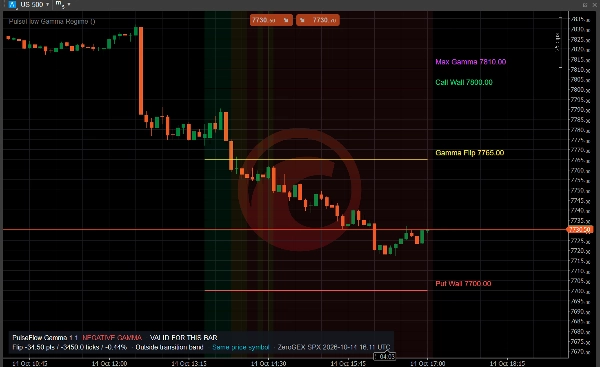
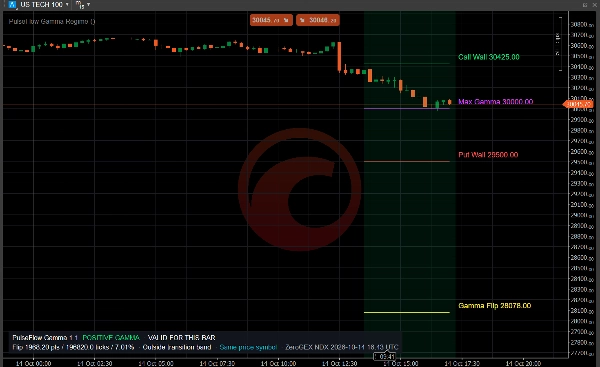
Mô tả
Launch price: $19 until November 14, 2026. After that date, the price returns to $33.
Stop copying gamma levels by hand
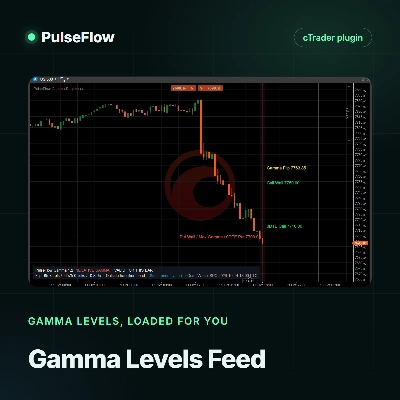
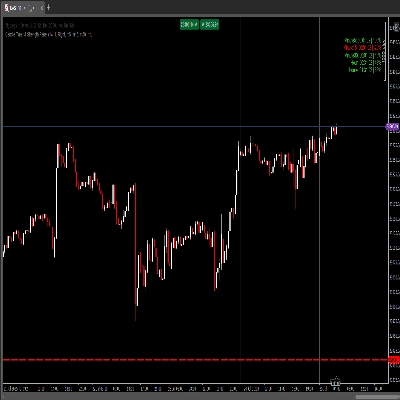
Gamma levels move during the session. Copying the Gamma Flip, the walls and the pin from a website into your chart takes time, and by the afternoon those numbers may already be old. PulseFlow Gamma Levels Feed loads them for you, so your chart keeps up with the options market while you focus on price. It helps you make better decisions with clear references.
What you get
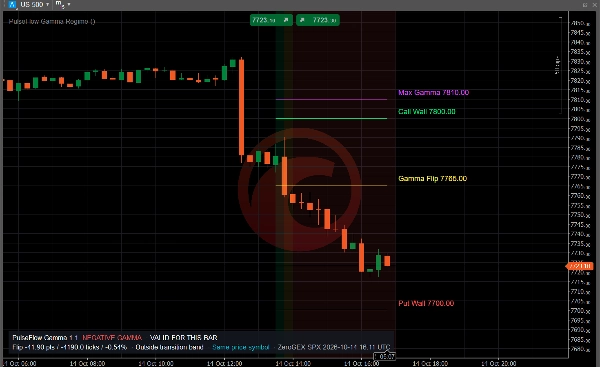
- Gamma Flip, Call Wall, Put Wall, Max Gamma, Net GEX and the walls of the nearest expiration (0DTE), downloaded from your own QuantWheel account.
- Levels that refresh on their own: the plugin checks for new data every minute by default, and your charts follow as soon as the provider publishes an update.
- One download for all your charts: every PulseFlow Gamma Regime chart on your computer reads the same data, so requests are not multiplied.
- A history of the session: each update is kept, so past bars show the levels that applied at that time.
- Clear status on the chart: if the key is wrong, your plan has no API access or the provider is busy, the Gamma Regime panel tells you.
How it works
1. Install this plugin and the PulseFlow Gamma Regime indicator.
2. In the plugin settings, enter your QuantWheel API key and the tickers you follow, for example SPX or QQQ.
3. In the indicator, set Data source to PulseFlowFeed and choose the ticker.
Requirements
- A QuantWheel subscription with REST API access (currently the Quant plan), paid directly to QuantWheel. This plugin does not include market data.
- The PulseFlow Gamma Regime indicator, which draws the levels. It is sold separately.
- Tested on cTrader for Windows.
Data sent and received
The plugin connects only to the QuantWheel API. Each request sends your API key and the ticker; the response contains that ticker's gamma exposure profile. The levels are stored on your computer for the Gamma Regime indicator. No trading, account or personal data is sent, and nothing else leaves your device.
Type, instruments and timeframes
cTrader plugin that supplies data to an indicator. It does not trade or place orders. It covers the tickers available in QuantWheel, such as the S&P 500 index (SPX), the Nasdaq 100 index (NDX), SPY and QQQ. Levels quoted for an ETF can be mapped to an index chart with the indicator's price multiplier. The levels can be shown on any time-based chart the indicator supports; intraday charts read best.
Keep in mind
Gamma levels are modeled estimates and can differ between providers. Refresh speed depends on QuantWheel, which caches each ticker for about a minute and updates its main tickers every few minutes. CFD prices can differ slightly from the cash index the levels refer to. This is market context, not an entry or exit signal.
Trading involves risk. Past performance does not guarantee future results.