说明
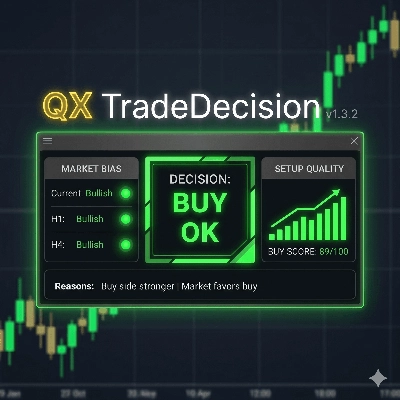
QX 交易决策面板是 cTrader 的专业决策支持指标,旨在帮助交易者在进行交易前评估市场环境。
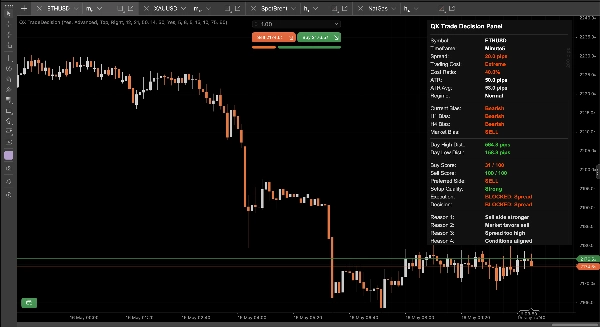
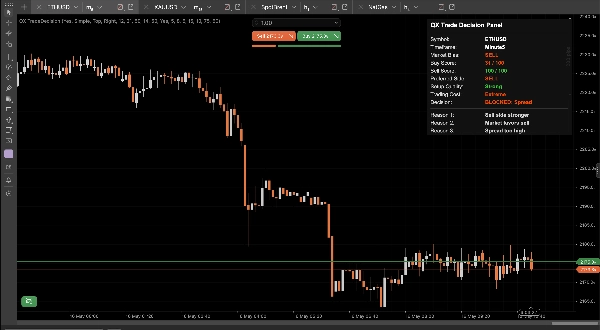
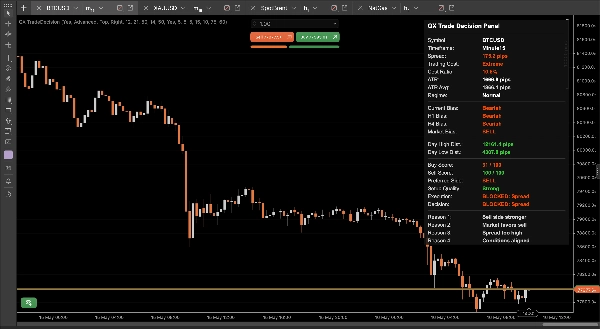
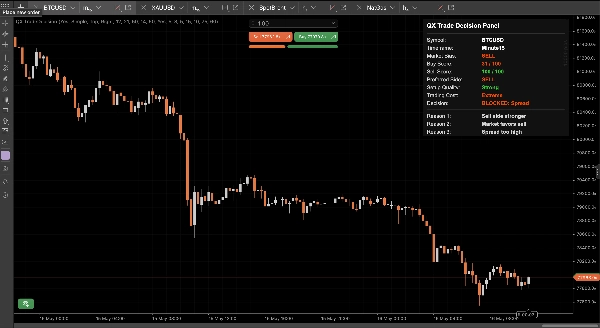
该面板不仅显示原始技术数据,还将最重要的交易信息组织成快速、易读的仪表盘:
- 市场偏向
- 买入评分
- 卖出评分
- 优选方向
- 设定质量
- 交易成本
- 最终决策
- 读数背后的明确原因
目标很简单:帮助您了解当前市场状况是倾向买入、卖出、等待,还是因执行成本过高而避免交易。
QX 交易决策面板将交易过程中的两个重要部分分开:
1. 设定质量
该指标使用当前时间框架、H1 和 H4 偏向评估方向一致性。这会生成单独的买入和卖出评分,便于查看当前哪一方更强。
2. 交易成本
面板还评估执行条件,包括点差和相对交易成本。这防止了在执行成本不利时,将看似强劲的设定误认为是良好的交易入场点。
例如,当点差过高时,面板可能显示强劲的卖出评分,同时显示“阻止:点差”。这帮助交易者理解方向可能有效,但执行条件不可接受。
主要功能:
- 简洁模式,快速决策
- 高级模式,提供更深层的技术背景
- 分别显示买入评分和卖出评分
- 基于多个时间框架的市场偏向
- 优选方向:买入、卖出或等待
- 设定质量:强劲、良好、谨慎、弱或无优势
- 交易成本:低、正常、高或极端
- 最终决策,如买入确认、卖出谨慎、等待、阻止:点差或阻止:成本
- 清晰解释面板读数的原因
- 点差过滤器,带可选绝对点差控制
- 基于成本的执行意识,利用波动率背景
- 为希望获得更快、更清晰交易背景的自由裁量交易者设计
简洁模式专注于核心内容,为交易者提供快速的操作视图,避免图表过于复杂。
高级模式显示额外细节,如点差、成本比率、ATR、ATR 平均值、当前偏向、H1 偏向、H4 偏向、日高距离和日低距离。
QX 交易决策面板不会开仓、修改或平仓。它不是自动交易机器人,而是一个视觉决策支持工具,旨在提高情境意识,减少冲动决策,使交易背景更易读懂。
它可用于不同的品种和时间框架,包括外汇、黄金、指数、加密货币和商品。参数可调,交易者可根据自身执行标准、点差容忍度和交易风格调整面板。
使用它快速回答进入交易前的关键问题:
- 当前市场是偏向买入还是卖出?
- 哪一方的评分更强?
- 设定质量是否足够强?
- 交易成本是否可接受?
- 交易是合适、需谨慎、被阻止还是最好避免?
- 决策背后的主要原因是什么?
QX 交易决策面板为希望在图表上以清晰、结构化和专业的方式评估交易条件的交易者而设计。
摘要
The indicator separates trade evaluation into two main components: setup quality and trading cost. Setup quality is assessed by analyzing directional alignment across the current timeframe, H1, and H4 biases, generating distinct Buy and Sell scores. Trading cost evaluation includes spread and relative execution cost, helping traders avoid entries when costs are unfavorable despite strong directional signals.
QX TradeDecision offers two modes: Simple Mode for quick, essential insights and Advanced Mode for detailed technical context, including spread, cost ratio, ATR, and bias across multiple timeframes. It supports various markets such as forex, gold, indices, cryptocurrencies, and commodities, and is adaptable to different trading styles and execution standards.
This tool does not execute trades but enhances situational awareness by providing a fast, professional overview of trade viability, helping traders decide whether to buy, sell, wait, or avoid a trade based on comprehensive market and cost analysis.
讨论
客户评价
5 | 50 % | |
4 | 50 % | |
3 | 0 % | |
2 | 0 % | |
1 | 0 % |