
Descripción
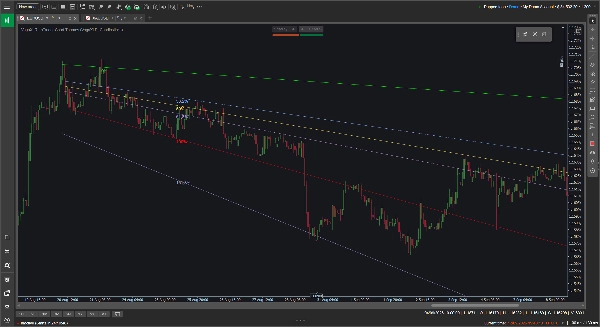
Las herramientas estándar de Fibonacci están bloqueadas en planos horizontales, lo cual no siempre es útil cuando estás siguiendo una tendencia claramente ascendente o descendente. La herramienta personalizada VegaXLR Fibonacci soluciona esto permitiéndote dibujar retrocesos de Fibonacci dinámicos y angulados que se adaptan a la pendiente real de la acción del precio.
Está diseñada para darte más flexibilidad al trazar canales de tendencia, proyectar objetivos de precio o buscar soportes y resistencias diagonales.
🔥 Características clave
- Niveles angulados dinámicos: Los niveles intermedios se calculan automáticamente y se inclinan para coincidir con tus líneas base de tendencia del 0% y 100%. Si arrastras o ajustas una línea base, los niveles internos se actualizan al instante.
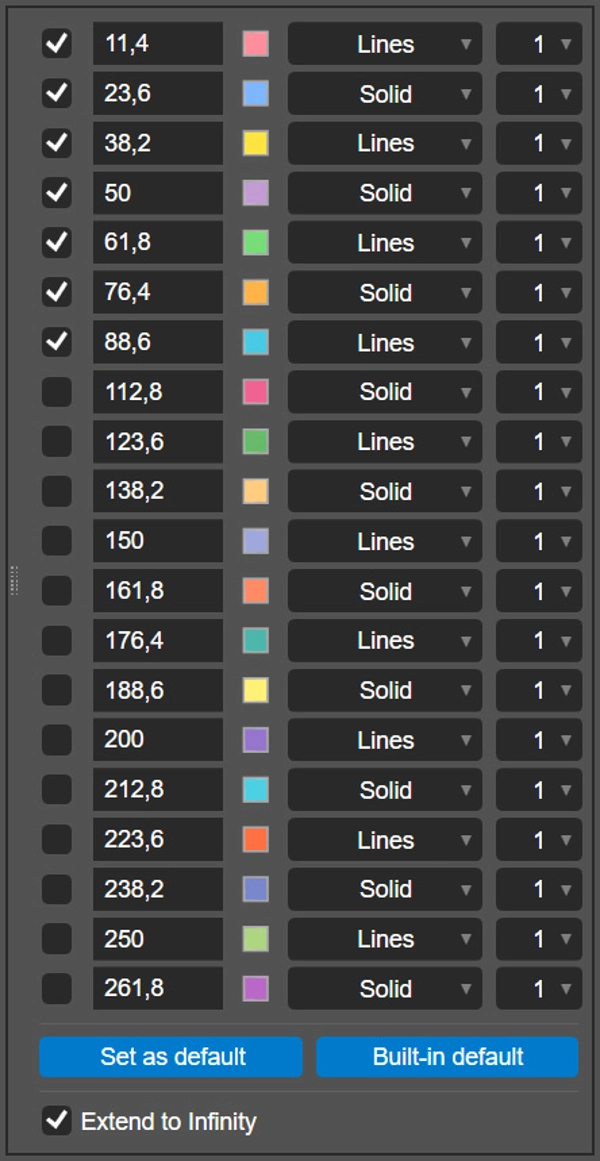
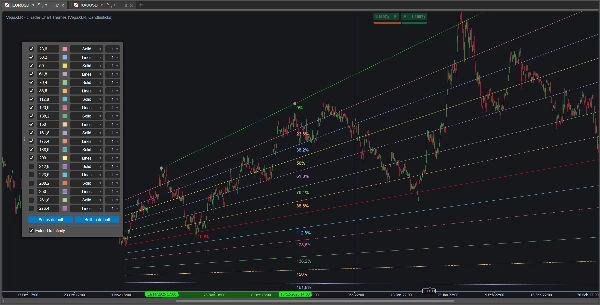
- 20 niveles configurables: Puedes habilitar y configurar hasta 20 niveles individuales de Fibonacci por dibujo.
- Personalización por nivel: Para cada línea, puedes establecer la proporción exacta, elegir un color personalizado, seleccionar el estilo de línea (como Sólido o Líneas) y ajustar el grosor de 1 a 8 píxeles.
- Extender hasta el infinito: Un solo interruptor te permite proyectar tus líneas base y todos los niveles activos directamente hacia el lado derecho del gráfico.
- Guarda tus configuraciones: Haz clic en el botón "Establecer como predeterminado" para guardar localmente tus proporciones, colores y estilos personalizados. El complemento recuerda tus preferencias y las aplica automáticamente a futuros dibujos.
- Multiplataforma: La herramienta está totalmente soportada y optimizada para los clientes de escritorio cTrader en Windows y macOS.
🖱️ Controles intuitivos en el gráfico
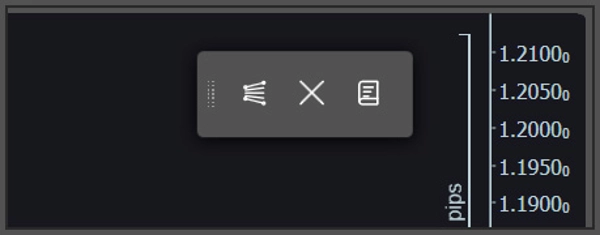
El complemento se basa en una barra de herramientas ligera y flotante en el gráfico en lugar de menús profundos de indicadores.
- Dibujo rápido y borrado: Usa la barra de herramientas para colocar una nueva herramienta Fibonacci en el gráfico o para borrar de forma segura todos los dibujos actuales. Si quieres líneas horizontales o verticales tradicionales, solo mantén presionada la tecla Shift mientras dibujas.
- Configuración emergente: Para personalizar un dibujo específico, haz clic directamente en su línea base del 0% o 100%. El panel de configuración aparecerá justo en tu gráfico para facilitar los ajustes.
⚙️ Parámetros del indicador
Puedes ajustar algunas preferencias de línea base en los parámetros del indicador cTrader antes de comenzar a dibujar:
- Cambiar la posición predeterminada en pantalla de la barra de herramientas flotante (por ejemplo, Arriba a la derecha, Centro inferior).
- Cambiar la posición predeterminada emergente para el panel de configuración.
- Activar o desactivar todas las etiquetas de porcentaje de Fibonacci.
Resumen
Key features include an option to extend all active levels infinitely across the chart, saving custom settings as defaults for future use, and compatibility with both Windows and macOS cTrader desktop clients. The plugin uses an intuitive floating on-chart toolbar for quick drawing and clearing of Fibonacci tools, with a pop-up configuration panel accessible by clicking on baseline lines. Users can also toggle traditional horizontal or vertical lines by holding the Shift key while drawing.
Additional adjustable parameters include the default screen position of the toolbar, the pop-up panel location, and the display of Fibonacci percentage labels. VegaXLR is designed to enhance trend channel mapping, price target projection, and identification of diagonal support and resistance on cTrader charts.







![Logotipo de "Custom Timeframes [Iridio Capital]"](https://cdn.ctrader.com/image/webp/4d75a920-23c7-4fea-a7b5-594a9d067f2e_63286)