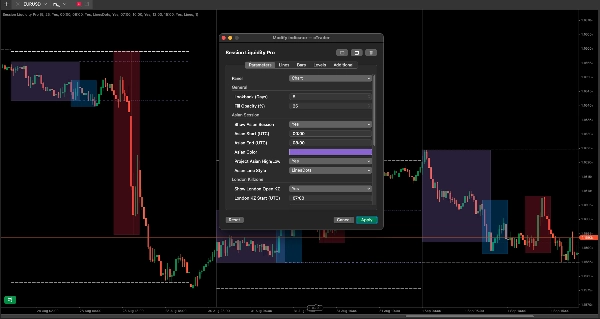
Descrição
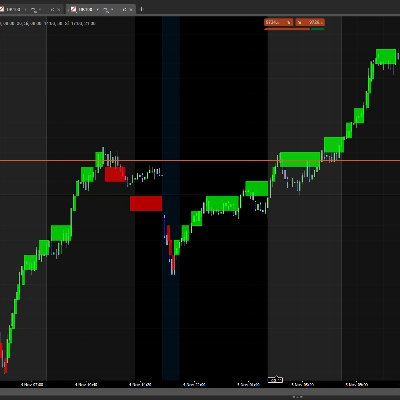
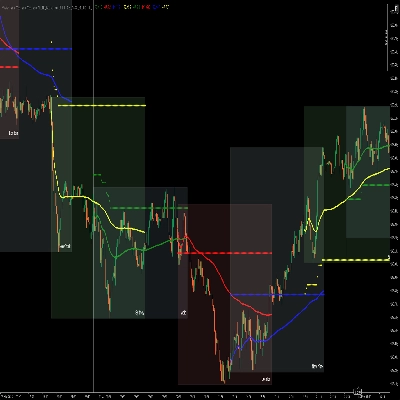
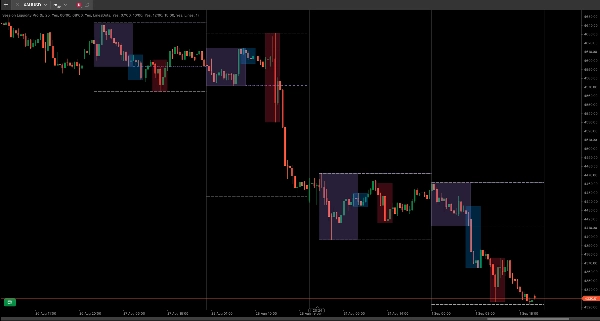
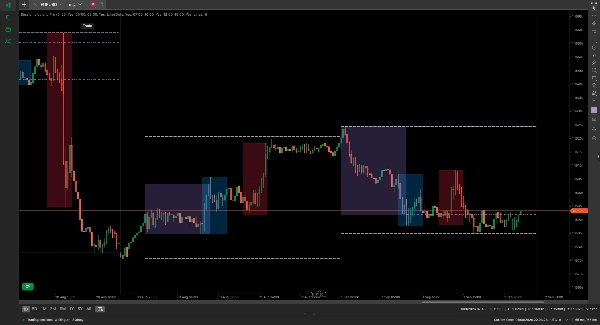
Session Liquidity Pro mapeia a estrutura do mercado institucional consolidando o tempo da sessão diária e os alvos estruturais de liquidez em um único espaço de trabalho. Em vez de sobrecarregar seus gráficos com várias ferramentas sobrepostas, este indicador traça as killzones da Ásia, Londres e Nova York junto com varreduras de liquidez projetadas para frente.
Muitos modelos de execução intradiária dependem do preço varrer o Máximo/Mínimo Asiático ou o Máximo/Mínimo do Dia Anterior (PDH/PDL) antes de expandir para uma tendência. Esta ferramenta enquadra visualmente as janelas de tempo específicas (as sessões) e os alvos estruturais (os níveis) necessários para essas configurações.
Principais Recursos
- Sincronização Universal UTC: Padroniza todos os horários do servidor para UTC, evitando killzones desalinhadas ao alternar entre corretores com fusos horários diferentes.
- Projeções de Alcance Asiático: Estende automaticamente as linhas do Máximo e Mínimo Asiático para frente através das sessões de Londres e Nova York para destacar alvos de varredura de liquidez.
- Rastreamento PDH & PDL: Traça os níveis do Máximo e Mínimo do Dia Anterior perfeitamente em timeframes inferiores usando recuperação nativa de dados multi-timeframe.
- Filtragem de Fim de Semana: Ignora dados de gaps de fim de semana para evitar caixas de sessão distorcidas e níveis desalinhados nas aberturas de segunda-feira.
- Isolamento de Namespace: Todos os desenhos são rigorosamente rastreados sob tags personalizadas, evitando interferência com suas marcações manuais no gráfico.
Configurações de Parâmetros
- Lookback (Dias) (Padrão: 5) — Limita a renderização histórica a um número definido de dias para preservar a velocidade de renderização da plataforma.
- Opacidade do Preenchimento (%) (Padrão: 25) — Ajusta a transparência visual das caixas de sessão sombreadas.
- Mostrar Sessão Asiática (Padrão: Verdadeiro) — Alterna a caixa de alcance asiático. Inclui configurações personalizadas para horários de Início/Fim (UTC) e cor da caixa.
- Projetar Máximo/Mínimo Asiático (Padrão: Verdadeiro) — Habilita linhas projetadas para frente para os extremos da sessão asiática, com estilos de linha personalizáveis.
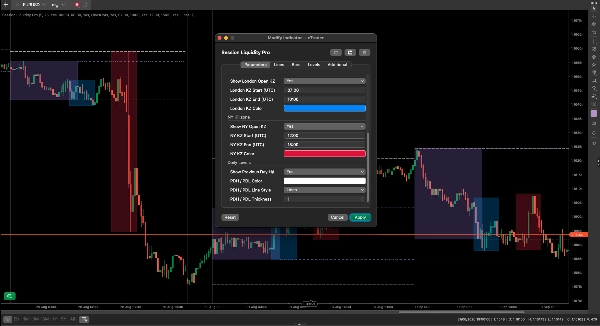
- Mostrar Killzone de Abertura de Londres (Padrão: Verdadeiro) — Alterna a caixa killzone de Londres e personaliza o período UTC e a cor.
- Mostrar Killzone de Abertura de NY (Padrão: Verdadeiro) — Alterna a caixa killzone de Nova York e personaliza o período UTC e a cor.
- Mostrar Máximo/Mínimo do Dia Anterior (Padrão: Verdadeiro) — Traça as linhas PDH/PDL. Permite personalização da cor, estilo e espessura da linha.
Feedback & Suporte
Tem uma solicitação de recurso ou precisa de ajuda com suas configurações UTC? Entre em contato através da aba de comentários abaixo. Todas as futuras adições de recursos e patches de manutenção estão incluídos para toda a vida após a compra.