
Beschreibung
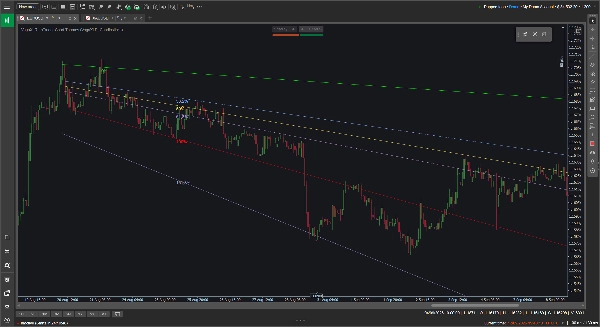
Standard-Fibonacci-Werkzeuge sind auf horizontale Ebenen beschränkt, was nicht immer hilfreich ist, wenn Sie einen klaren Aufwärts- oder Abwärtstrend verfolgen. Das VegaXLR Custom Fibonacci Tool behebt dies, indem es Ihnen ermöglicht, dynamische, geneigte Fibonacci-Retracements zu zeichnen, die sich an die tatsächliche Neigung der Kursbewegung anpassen.
Es wurde entwickelt, um Ihnen mehr Flexibilität beim Abbilden von Trendkanälen, der Projektion von Kurszielen oder der Suche nach diagonalen Unterstützungs- und Widerstandslinien zu bieten.
🔥 Hauptmerkmale
- Dynamische geneigte Levels: Die Zwischenlevels werden automatisch berechnet und geneigt, um Ihre 0%- und 100%-Basis-Trendlinien anzupassen. Wenn Sie eine Basislinie ziehen oder anpassen, aktualisieren sich die internen Levels sofort.
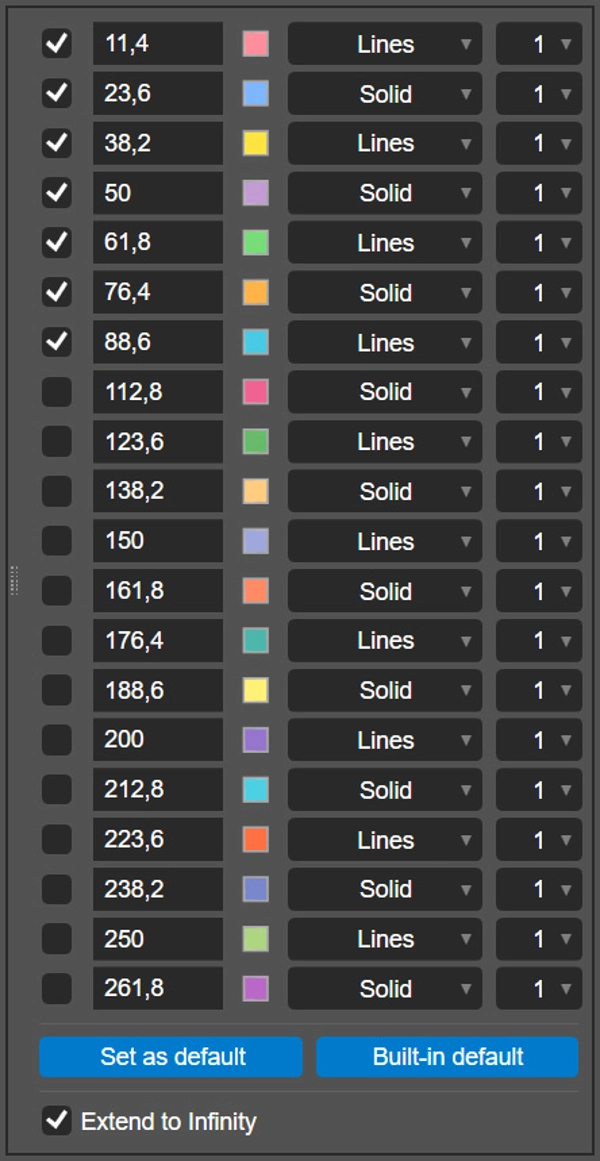
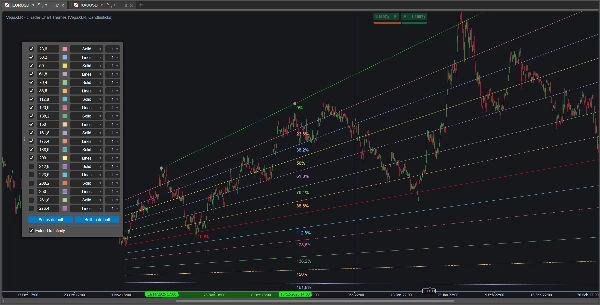
- 20 konfigurierbare Levels: Sie können bis zu 20 einzelne Fibonacci-Levels pro Zeichnung aktivieren und konfigurieren.
- Pro-Level-Anpassung: Für jede Linie können Sie das genaue Verhältnis festlegen, eine benutzerdefinierte Farbe wählen, den Linienstil (wie durchgezogen oder Linien) auswählen und die Dicke von 1 bis 8 Pixel einstellen.
- Unendlich verlängern: Ein einzelner Schalter ermöglicht es Ihnen, Ihre Basislinien und alle aktiven Levels gerade über die rechte Seite des Charts zu projizieren.
- Speichern Sie Ihre Einstellungen: Klicken Sie auf die Schaltfläche „Als Standard festlegen“, um Ihre benutzerdefinierten Verhältnisse, Farben und Stile lokal zu speichern. Das Plugin merkt sich Ihre Präferenzen und wendet sie automatisch auf zukünftige Zeichnungen an.
- Plattformübergreifend: Das Tool wird vollständig unterstützt und ist für die cTrader-Desktop-Clients unter Windows und macOS optimiert.
🖱️ Intuitive Steuerung direkt im Chart
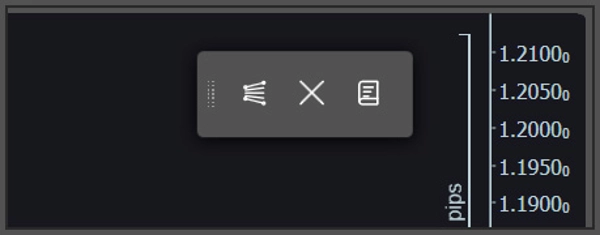
Das Plugin basiert auf einer leichtgewichtigen, schwebenden Toolbar im Chart anstelle von tief verschachtelten Indikator-Menüs.
- Schnelles Zeichnen & Löschen: Verwenden Sie die Toolbar, um ein neues Fibonacci-Werkzeug auf das Chart zu setzen oder alle aktuellen Zeichnungen sicher zu löschen. Wenn Sie traditionelle horizontale oder vertikale Linien wünschen, halten Sie beim Zeichnen einfach die Shift-Taste gedrückt.
- Pop-up-Einstellungen: Um eine bestimmte Zeichnung anzupassen, klicken Sie direkt auf deren 0%- oder 100%-Basislinie. Das Konfigurationsfenster öffnet sich direkt im Chart für einfache Anpassungen.
⚙️ Indikator-Parameter
Sie können einige Basislinien-Einstellungen in den cTrader-Indikatorparametern anpassen, bevor Sie mit dem Zeichnen beginnen:
- Ändern Sie die Standardbildschirmposition der schwebenden Toolbar (z. B. oben rechts, unten mittig).
- Ändern Sie die Standard-Pop-up-Position für das Konfigurationsfenster.
- Schalten Sie alle Fibonacci-Prozentbeschriftungen ein oder aus.
Zusammenfassung
Key features include an option to extend all active levels infinitely across the chart, saving custom settings as defaults for future use, and compatibility with both Windows and macOS cTrader desktop clients. The plugin uses an intuitive floating on-chart toolbar for quick drawing and clearing of Fibonacci tools, with a pop-up configuration panel accessible by clicking on baseline lines. Users can also toggle traditional horizontal or vertical lines by holding the Shift key while drawing.
Additional adjustable parameters include the default screen position of the toolbar, the pop-up panel location, and the display of Fibonacci percentage labels. VegaXLR is designed to enhance trend channel mapping, price target projection, and identification of diagonal support and resistance on cTrader charts.






![„Custom Timeframes [Iridio Capital]“-Logo](https://cdn.ctrader.com/image/webp/4d75a920-23c7-4fea-a7b5-594a9d067f2e_63286)