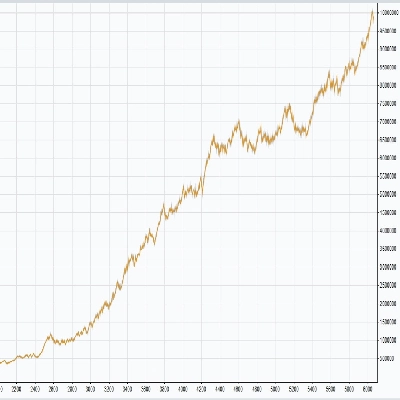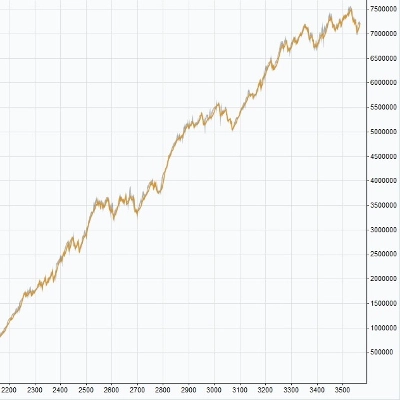
Logo de "Risk & Reward Trading Tool Pro.v2.15"
Risk & Reward Trading Tool Pro.v2.15
Image mise en ligne de "Risk & Reward Trading Tool Pro.v2.15"
11.64M
Volume tradé
165.2K
Pips gagnés
43
Ventes
4.12K
Installations gratuites

The latest version is updated at the link below:

https://ctrader.com/products/2100 (cbot)

https://ctrader.com/products/2101 (indicator)


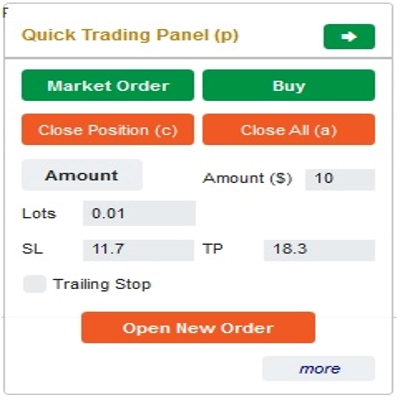
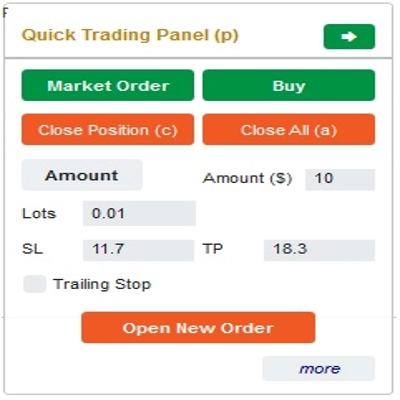
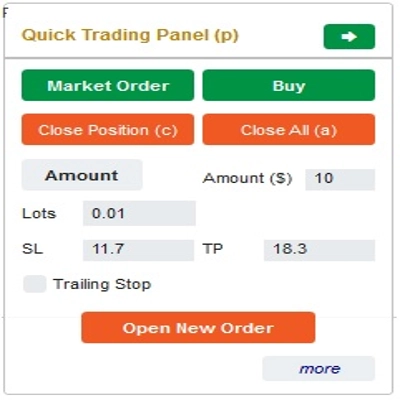
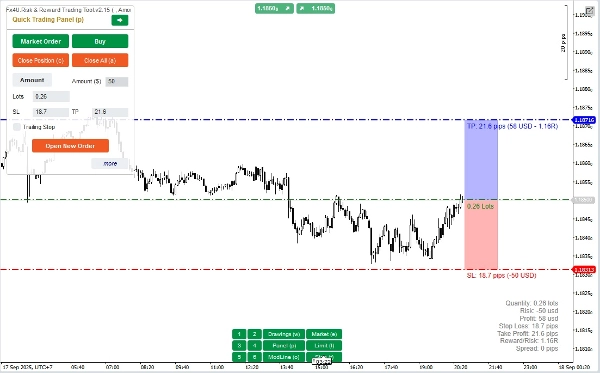
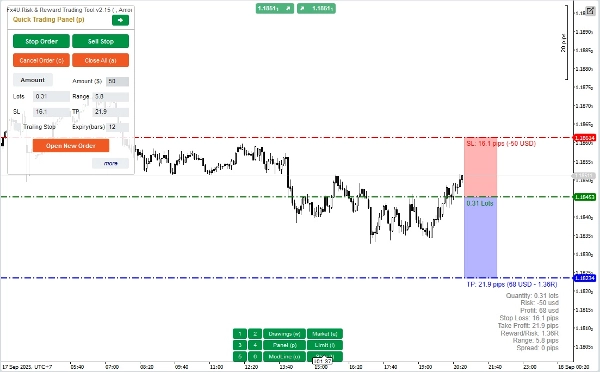
This is a tool to help traders open/close orders/modify orders quickly with just one click. This tool has already calculated the number of Lots based on the amount of risk for each order and the StopLoss you choose. It can work in both Real-time mode for live trading as well as in Backtesting mode to test your strategies.

Important note:

- "Blue buttons" are the status change buttons (Market Order => Limit Order => Stop Order => Market Order; Buy => Sell => Buy)

- "Red buttons" are the "Execution" buttons. => To open an order - use the "Open New Order" button; to close position - use the "Close Position" button or "Close All" button; to Cancel Pending Order - use "Cancel Order" button or "Close All" button.


In “Quick Trading Panel”:

To change between BUY and SELL orders, you can drag the StopLoss line on the chart above or below the Entry Line.

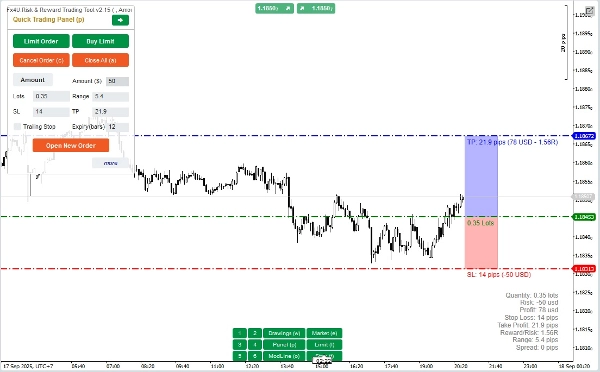
– You can open and close both market orders and Limit orders or Stop orders.

– You can adjust the order amount as %Balance or a fixed order amount for each order. Based on this amount and the StopLoss you choose, the bot will automatically calculate the number of Lots to open the order.

– You can edit StopLoss, TakeProfit or Entry Price (for pending orders) by changing the SL, TP or Range numbers in “Quick Trading Panel” or dragging the horizontal lines on the chart.

– SL, TP and Range (for pending orders) are calculated in Pips, while Expiry(min) is calculated in Minutes (If you don’t use Expiry, leave it as 0 or space)

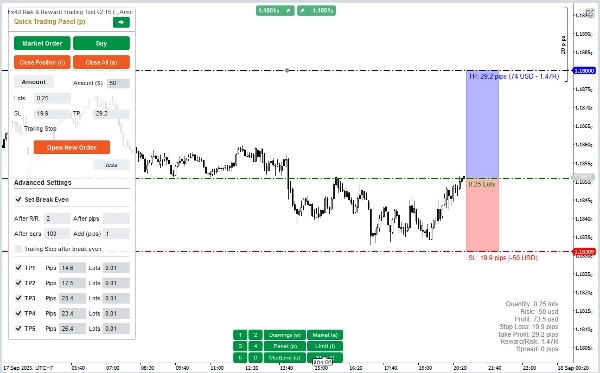
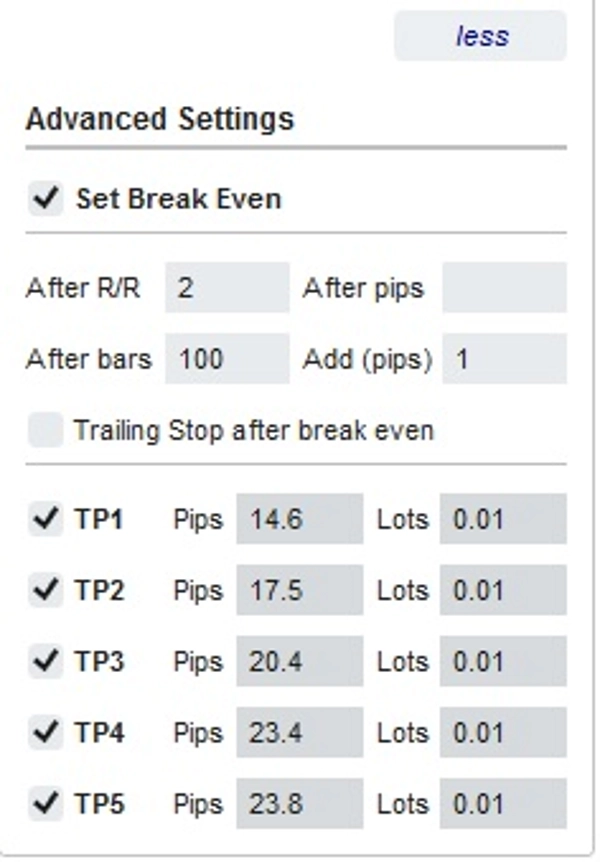
– There is also an advanced settings section that allows you (Note: Advanced Settings only when the indicator is active):

+ Set "Break Even" when the price moves a certain number of Pips ("After Pips") or when the price moves positive "R/R" times Stoploss ("After R/R") or after the order opens "n" bars ("After Bars")

+ Allows you to "Advanced Take Profit" with 5 levels for you to choose from

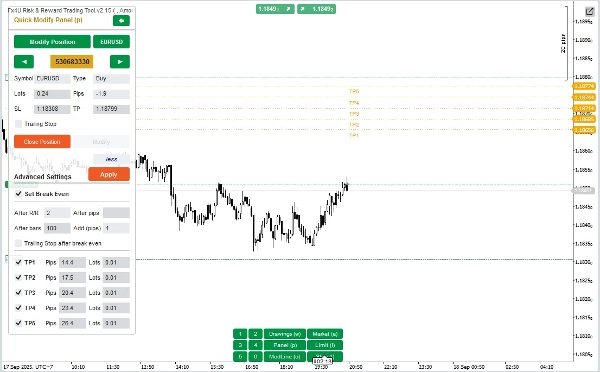
In “Quick Modifying Panel”:

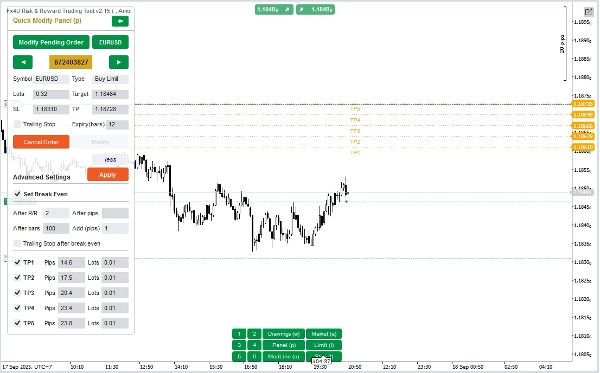
– In this Panel you can close orders or edit order parameters such as StopLoss (in Prices), TakeProfit (in Prices), TrailingStop or Range (in Pips) and Expiry (in Minutes)

(Note that StopLoss and TakeProfit in this panel are the prices you intend to move to)

– In this Panel you can also change StopLoss, TakeProfit or Range(in Pips) by number in the panel or drag the horizontal line on the chart to the desired position.

– You can change back and forth between orders to display the parameters of those orders on the Panel

Note: The number in the yellow rectangle is the ID number of the order being selected for editing

– There is also an advanced settings section that allows you (Note: Advanced Settings only when the indicator is active):

+ Edit the "Break Even" setting when the price moves a certain number of Pips ("After Pips") or when the price moves positive "R/R" times the Stoploss ("After R/R") or after the order opens "n" bars ("After Bars")

+ Edit the "Advanced Take Profit" with 5 levels for you to choose from

Wishing you successful trading!

Profil de l'indicateur
0.0
Avis : 0
Avis clients
Il n'y a pas encore d'avis sur ce produit. Vous l'avez déjà essayé ? Soyez le premier à en parler aux autres !
Forex
EURUSD
GBPUSD
Crypto
XAUUSD
Les produits disponibles sur cTrader Store, notamment les bots de trading, les indicateurs et les plug-ins, sont fournis par des développeurs tiers et mis à disposition à titre informatif et à des fins d'accès technique uniquement. cTrader Store n'est pas un courtier et ne fournit aucun conseil en investissement, aucune recommandation personnelle ni aucune garantie quant aux performances futures.

Plus de cet auteur

Bot is based on Price Action strategy to open & manage orders. It is effective capital management and high profitability
Allow trader to draw multi trendlines in different timeframes on one chart,Give trader an overview of the current market
Bot is based on Price Action strategy to open & manage orders. It is effective capital management and high profitability
XAUUSD Price Action Trading Bot for cTrader – Smart Gold EA with Risk Control, High Profits and High Precision Strategy
17.7%
1.37
Facteur de profit
24.71%
Diminution maximale
Bot is based on Price Action strategy to open & manage orders. It is effective capital management and high profitability
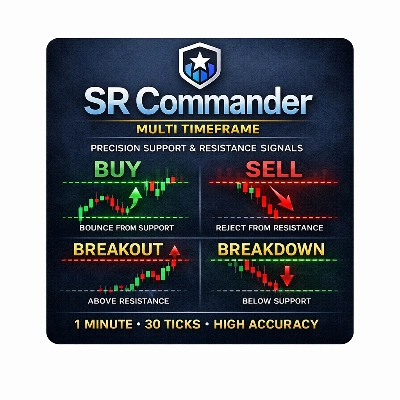
Allow trader to visualize Support & Resistance across different timeframes,give trader an overview of the current market
Bot is based on Price Action strategy to open & manage orders. It is effective capital management and high profitability
This is a tool to help traders open orders/close orders/modify orders quickly with just one click
Spot powerful 3-candle reversal patterns like Morning/Evening Star and Soldiers/Crows at key swing highs and lows
Boost your trading with Candlestick Patterns for cTrader – auto-detect key signals for smarter, faster decisions!
XAUUSD Price Action Trading Bot for cTrader – Smart Gold EA with Risk Control, High Profits and High Precision Strategy
This is a tool to help traders open orders/close orders/modify orders quickly with just one click

Vous pourriez aussi aimer

This trading game allows you to explore and practice investment strategies in a real-time market data environment.
Binary Options Signals Pro – Precision Trading at Your Fingertips
Draws pivots (P, S/R, CPR) from selected anchors like H1–Month1, with optional mid-levels (PS1, S1S2, etc.)
[Hamster-Coder] Pivot Points (Standard)
Multi-symbol Inside Bar Scanner with dashboard & breakout alerts
Pro Heikin Ashi Visual Overlay – Clean Trend Visualization
Sniper Zone Pro: High-precision institutional zones and candle strength for identifying key market tests.
Lightweight ZigZag tool for clear structure, swing highs/lows and liquidity-based analysis.
Pinpoint, highlight and lock market data easily
Regression Channel plots dynamic upper/lower bands around price to highlight trend direction, volatility, and potential
Structural analysis framework designed to quantify swing point behavior at psychological price levels
VPDI (open, close, high and low with % of the previous day and price changes in % of the previous day's close)
Bolliger Bands + Hamster-Coder™ Timeframe Decoupling
Detects swing highs/lows, structure, breakouts, trend lines, and fibs — great for price action trading.
VolumeProfileSuite is an advanced and flexible Volume Profile indicator for cTrader.
The best filter for trading trend continuations on Renko charts.
EMAScalpHistogram
ZLSMA: Zero-lag trend indicator! Catch trends fast with customizable settings. Boost your trading precision.
11.64M
Volume tradé
165.2K
Pips gagnés
43
Ventes
4.12K
Installations gratuites