

Description
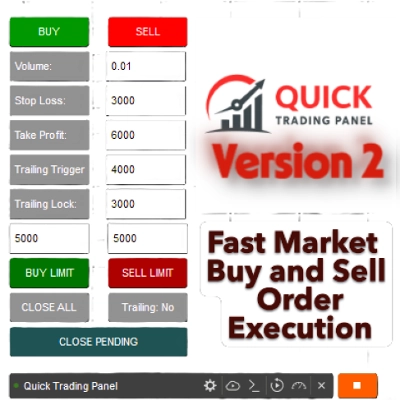
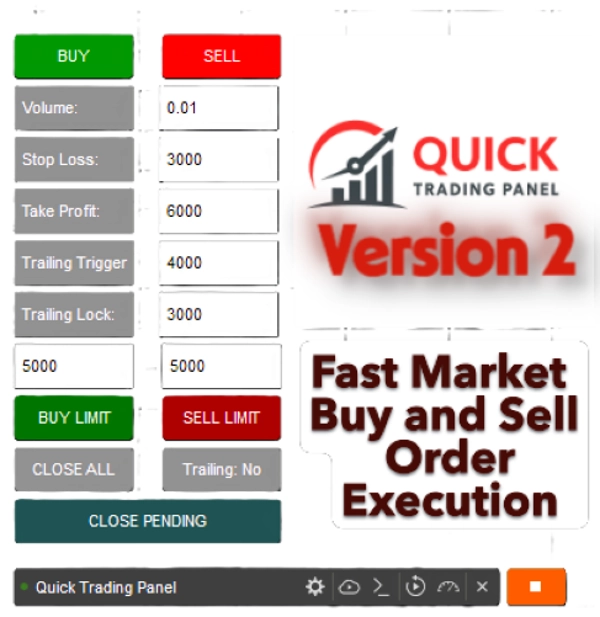
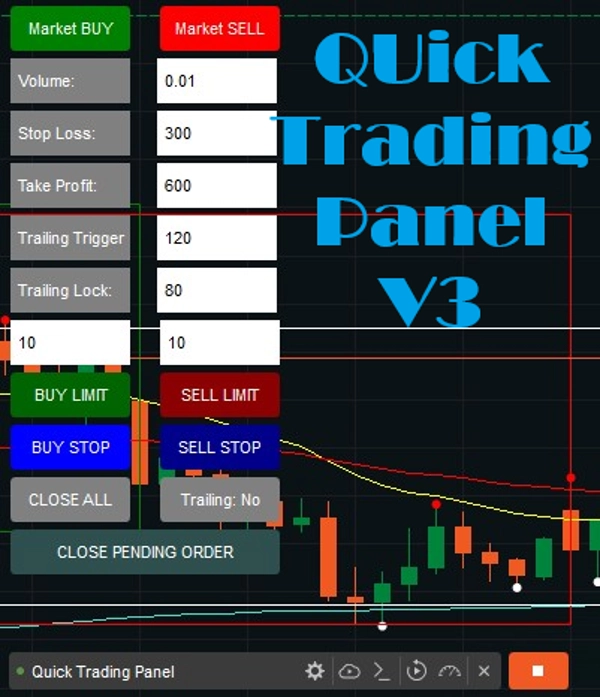
Ceci est un cTrader cBot (Robot) qui crée un petit PANNEAU DE TRADING RAPIDE V2 directement sur votre graphique. Cela inclut un Déclencheur Suiveur et un Verrouillage pour éviter les pertes une fois que votre trade est positif.
Il vous permet de ouvrir et gérer rapidement des trades sans taper de commandes ni configurer manuellement des ordres.
Les 10 premières copies ont été vendues à 50 $ ; nous reviendrons à son prix initial de 99 $.
1. Exécution des trades (ACHAT / VENTE)
- Vous avez deux gros boutons :
-
- ✅ ACHAT (vert) → ouvre une position d'achat sur le symbole actuel.
- ❌ VENTE (rouge) → ouvre une position de vente.
- Lorsque vous cliquez sur l'un d'eux, le robot :
-
- Lit les valeurs des champs d'entrée (Volume, SL, TP, etc.)
- Convertit le volume en unités (
Symbol.QuantityToVolumeInUnits()) - Place un ordre au marché avec votre Stop Loss (SL) et Take Profit (TP) choisis.
2. Gestion des trades
- 🟦 FERMER TOUT bouton → ferme toutes les positions ouvertes créées par ce panneau.
- 🟧 Bouton Trailing : Oui/Non → active ou désactive le système de trailing stop.
-
- "Oui" = trailing stop activé
- "Non" = trailing stop désactivé
3. Champs d'entrée avec étiquettes
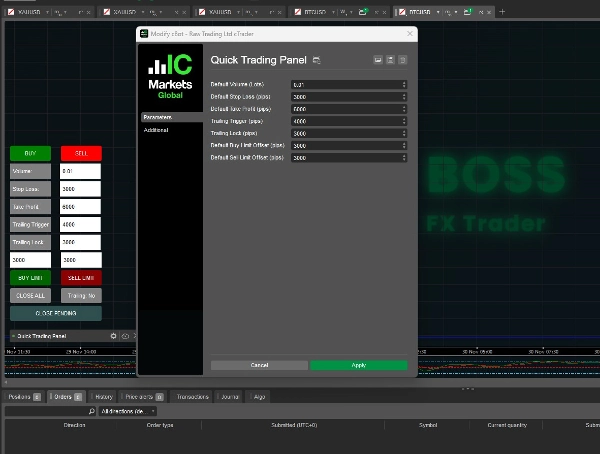
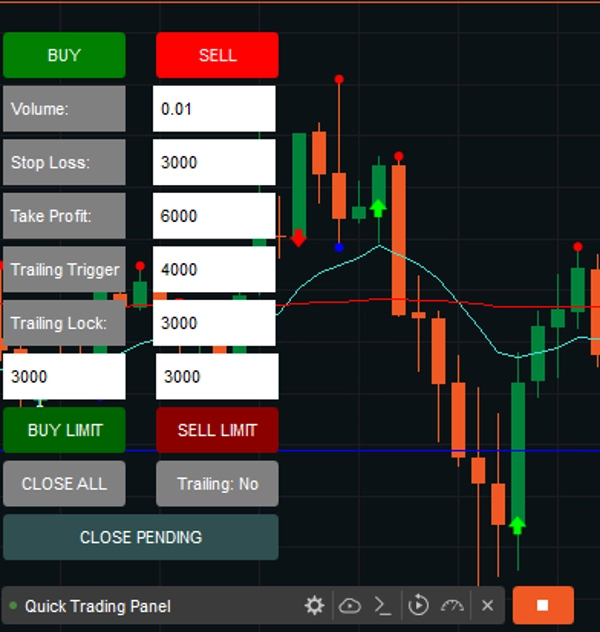
Vous avez maintenant des champs d'entrée avec étiquettes pour savoir exactement ce que chaque nombre signifie.
- Volume :
-
- La taille du trade (en lots).
- Exemple :
0.01= 1 micro lot (1 000 unités).
- SL (Stop Loss) :
-
- La perte maximale (en pips) que vous êtes prêt à risquer.
- Exemple :
300= le trade se ferme si le prix bouge de 300 pips contre vous.
- TP (Take Profit) :
-
- Le profit cible (en pips).
- Exemple :
600 = le trade se ferme une fois qu'il réalise 600 pips de profit.
- Déclencheur Trailing :
-
- Le seuil de profit (en pips) où le trailing stop commence à fonctionner.
- Exemple :
120 = le trailing stop s'active lorsque le trade a au moins 120 pips de profit.
- Verrouillage Trailing :
-
- Combien de pips de profit verrouiller après le début du trailing ?
- Exemple : 8
0= une fois que le trade atteint TP + 80 pips, le stop-loss remonte pour sécuriser +5 pips de profit.
- Limite d'achat
-
- Option pour les ordres limite d'achat sur le marché.
- Vous pouvez régler les paramètres ou taper les pips sur le panneau du graphique, avec un paramètre par défaut à 300 Pips.
- Limite de vente
-
- Option pour les ordres limite de vente sur le marché.
- Vous pouvez régler les paramètres ou taper les pips sur le panneau du graphique, avec un paramètre par défaut à 300 Pips.
Nouvelles fonctionnalités ajoutées :
Buy Stop et Sell Stop sont des ordres conditionnels automatisés qui déclenchent un ordre au marché une fois qu'un "prix stop" spécifique est atteint. Un Buy Stop est placé au-dessus du prix du marché actuel pour entrer en position longue (rupture) ou fermer une position courte, tandis qu'un Sell Stop est placé en dessous pour entrer en position courte ou protéger une position longue.
Buy Stop (au-dessus du marché) : Utilisé pour acheter un actif uniquement après que son prix ait atteint un certain niveau, généralement pour entrer en position lors d'une tendance haussière ou clôturer une position courte.
Sell Stop (en dessous du marché) : Utilisé pour vendre un actif uniquement après que son prix soit tombé à un niveau spécifique, souvent pour limiter les pertes ou protéger les gains sur une position longue.
4. Logique du Trailing Stop (ajustement automatique)
À chaque tick, le bot vérifie les trades ouverts :
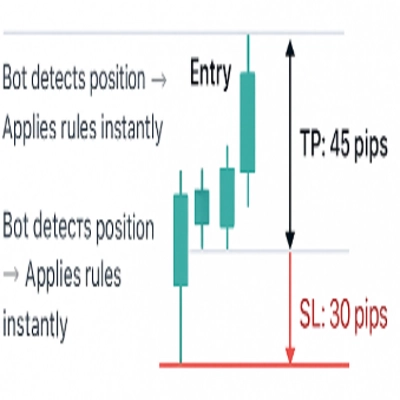
- Si le trailing est activé et que le profit ≥ Déclencheur Trailing →
-
- Pour les trades ACHAT : le Stop Loss remonte à
Bid - Trailing Lock. - Pour les trades VENTE : le Stop Loss descend à
Ask + Trailing Lock.
- Pour les trades ACHAT : le Stop Loss remonte à
Ainsi, le bot verrouille automatiquement le profit tout en laissant le trade continuer si la tendance se poursuit.
✅ En résumé :
- Ce bot vous offre une interface de trading manuelle rapide.
- Vous pouvez définir le risque (SL), la récompense (TP), la taille de la position (Volume) et la logique du trailing stop en temps réel.
- Le panneau est toujours visible sur votre graphique, en bas à gauche.
- Les étiquettes vous assurent de ne pas confondre vos chiffres.
- Les ordres limite d'achat et de vente sont désormais disponibles dans la Version 2.
Note : Cela fonctionnera sur tous les actifs.
La Version 2 vient d'être publiée.
Bon trading, et découvrez mes autres produits !
Résumé
Key functionalities include:
- Trade Execution: Open buy or sell positions instantly with preset volume, SL, and TP.
- Trade Management: Close all positions opened via the panel with a single button.
- Trailing Stop System: Toggleable trailing stop that activates after a specified profit threshold (Trailing Trigger) and locks in profit by adjusting stop loss (Trailing Lock).
- Limit Orders: Support for Buy Limit and Sell Limit orders, with configurable pip distances.
- Conditional Orders: Buy Stop and Sell Stop orders that trigger market entries once specified price levels are reached.
The panel remains visible on the chart’s bottom-left corner for quick access and supports all asset types. It automates stop loss adjustments on each tick when trailing is enabled, helping to secure profits while allowing trades to run further if favorable trends continue. This tool is designed to streamline manual trading workflows by reducing the need for manual order entry and management.
Avis clients
Discussion
Questions fréquentes





















Prix