الوصف
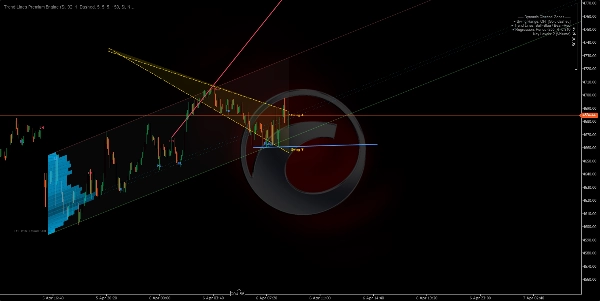
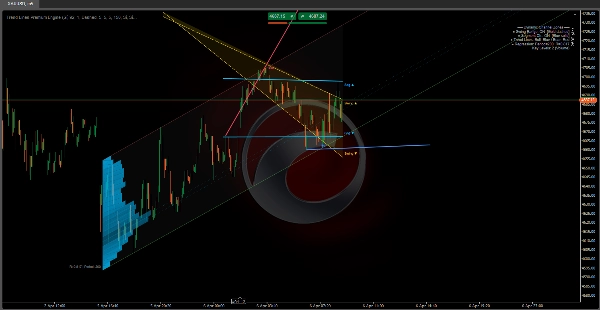
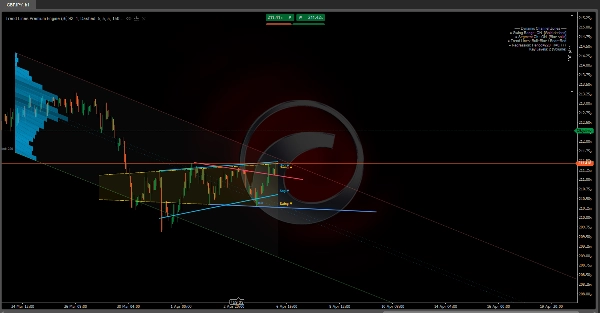
🔷 محرك خطوط الاتجاه المميز
هيكل السوق متعدد الطبقات ومؤشر الانحدار الديناميكي
https://chartshots.spotware.com/c/69d3c949a2e08
📌 ما هو؟
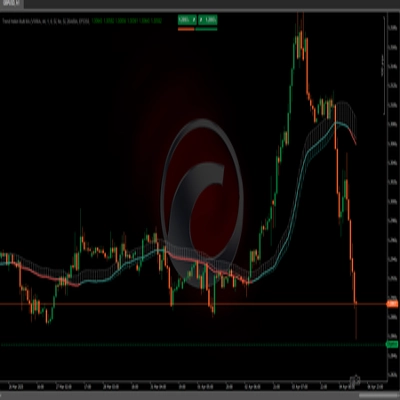
محرك خطوط الاتجاه المميز هو مؤشر تراكبي يجمع بين 5 وحدات مستقلة في أداة واحدة. يمكن تشغيل أو إيقاف كل وحدة على حدة. يرسم هيكل السوق والقنوات الديناميكية ومناطق الانحدار القائمة على الحجم مباشرة على مخطط السعر.
يجيب على ثلاثة أسئلة أساسية:
- أين يقع السعر ضمن الهيكل الحالي؟
- ما هو الاتجاه السائد وأين نقاط الاختراق؟
- في أي مستويات سعرية يتركز النشاط؟
🧩 الوحدات الخمس
1️⃣ موصل نطاق التأرجح
https://chartshots.spotware.com/c/69d3cab9b805b
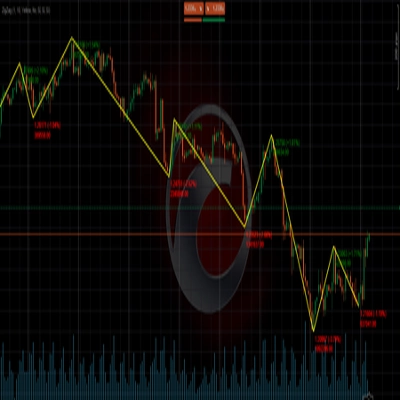
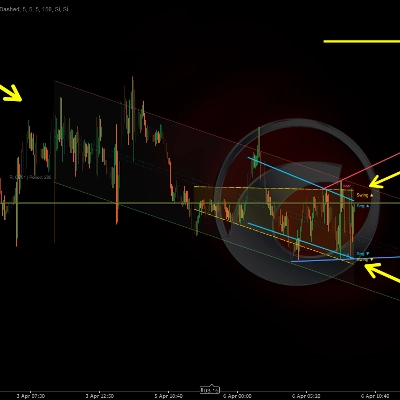
يكتشف أعلى وأدنى نقاط التأرجح الأخيرة، ثم يرسم قناة مائلة تربط الأقدم بالجديد على كلا الجانبين. المنطقة بينهما تُملأ كمنطقة نطاق ديناميكي.
كيف يعمل:
- يُعتبر الشمعة نقطة تأرجح عندما يكون أعلى سعرها (أو أدناه) هو الأكثر تطرفًا مقارنةً بعدد N من الشموع قبل وبعدها.
- يُرسم خط مستقيم من أقدم نقطة تأرجح مخزنة إلى الأحدث، مما يخلق حدودًا علوية وسفلية.
- تتحرك القناة تلقائيًا في كل مرة يتم فيها تأكيد نقطة تأرجح جديدة.
كيفية قراءتها:
- السعر داخل القناة → نطاق هيكلي محدد.
- اختراق فوق/تحت → توسع في التقلبات أو تغير في الهيكل.
- ميل القناة → اتجاه النطاق السائد.
المعلمة
الغرض
الشموع قبل / بعد التأرجح
عدد الشموع المطلوبة على كل جانب لتأكيد التأرجح. كلما زاد العدد = تأرجحات أكثر أهمية
أقصى نقاط تأرجح
عدد التأرجحات التي يتم تخزينها. يتحكم في عمق القناة
نافذة التاريخ
مدى رجوع القناة في الرسم
2️⃣ قناة خطية مقسمة
https://chartshots.spotware.com/c/69d3cb221bba1
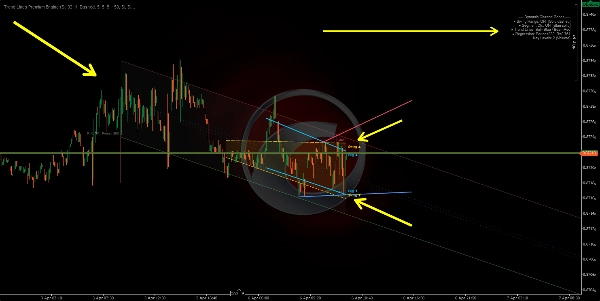
يقسم نافذة التحليل إلى 5 أقسام متساوية، يجد أعلى وأدنى سعر في كل منها، ثم يركب خط انحدار المربعات الصغرى عبر تلك النقاط الخمس العليا وآخر عبر النقاط الخمس السفلى.
كيف يعمل:
- يتم تقسيم النافذة إلى 5 أجزاء. يتم استخراج نقطة تمثل التطرف لكل جزء.
- يتم تطبيق الانحدار الخطي على تلك النقاط الخمس لكل حد.
- النتيجة هي قناة تتكيف مع هيكل السعر المقسم بدلاً من نقطتي نهاية فقط.
كيفية قراءتها:
- قناة صاعدة → اتجاه صعودي هيكلي.
- قناة هابطة → اتجاه هبوطي هيكلي.
- لمسات متكررة على حد → دعم/مقاومة ديناميكية.
الفرق عن الوحدة 1: موصل نطاق التأرجح يربط فقط أول وآخر تأرجح. قناة القطع تستخدم انحدار 5 نقاط، مما يجعلها أكثر سلاسة وأقل استجابة لتأرجح واحد.
3️⃣ تسميات نقاط التأرجح
تكتشف أعلى وأدنى نقاط التأرجح وتصنفها إلى 4 فئات هيكل السوق:
التسمية
المعنى
يشير إلى
HL
أدنى أعلى
هيكل صعودي
HH
أعلى أعلى
هيكل صعودي
LH
أعلى أدنى
هيكل هبوطي
LL
أدنى أدنى
هيكل هبوطي
كيف يعمل:
- يُقارن كل أدنى تأرجح جديد بالأدنى السابق. إذا كان أعلى → HL. إذا كان أدنى → LL.
- يُقارن كل أعلى تأرجح جديد بالأعلى السابق. إذا كان أعلى → HH. إذا كان أدنى → LH.
كيفية قراءتها:
- HL + HH تسلسل → الاتجاه الصعودي سليم.
- LH + LL تسلسل → الاتجاه الهبوطي سليم.
- اختراق HL إلى LL، أو اختراق LH إلى HH → تغير في الهيكل (BOS/CHoCH).
افتراضيًا، يتم عرض HL وLH فقط للحفاظ على نظافة المخطط. يمكن تمكين HH وLL لرؤية الهيكل بالكامل.
4️⃣ خطوط الاتجاه التلقائية
https://chartshots.spotware.com/c/69d3cc071272e
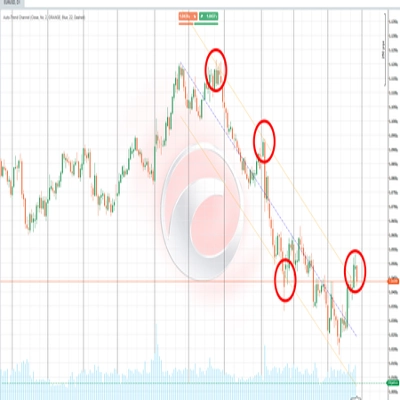
يرسم خطوط اتجاه تربط أحدث أدني تأرجحين (خط صعودي) و أحدث أعلى تأرجحين (خط هبوطي). الخط النشط بارز؛ الخطوط السابقة تتلاشى.
كيف يعمل:
- تم اكتشاف أدنى تأرجح جديد → يُرسم خط من أدنى التأرجح السابق إلى الجديد (خط اتجاه صعودي).
- تم اكتشاف أعلى تأرجح جديد → يُرسم خط من أعلى التأرجح السابق إلى الجديد (خط اتجاه هبوطي).
- يمتد الخط إلى الأمام بعدد قابل للتكوين من الشموع.
- عند إنشاء خط جديد، يتلاشى الخط السابق إلى لون نصف شفاف.
إشارات الاختراق (اختياري): عند التمكين، يكتشف المؤشر إذا ما عبر سعر الإغلاق خط اتجاه نشط:
- 🔼 سهم لأعلى → اختراق صعودي.
- 🔽 سهم لأسفل → اختراق هبوطي.
المعلمة
الغرض
أقصى أزواج خطوط
عدد أزواج الخطوط التي تبقى مرئية. اضبط على 1 لأوضح عرض
أقصى امتداد للشموع
مدى امتداد الخط إلى الأمام. يمنع الخطوط من عبور المخطط بأكمله
5️⃣ منطقة الانحدار الديناميكي
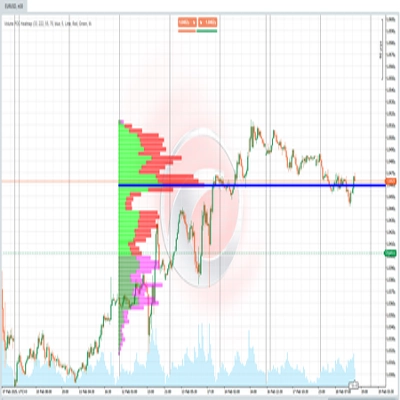
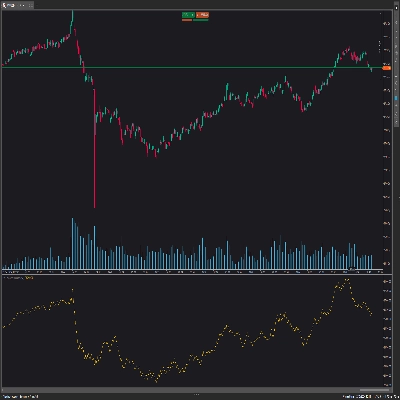
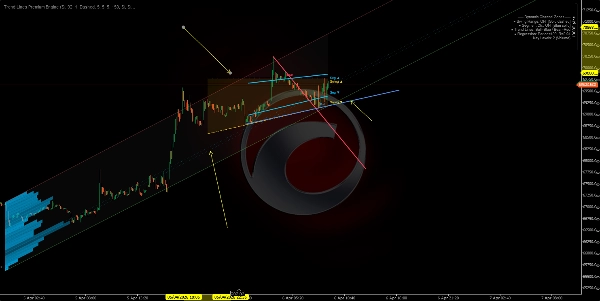
الوحدة الأكثر تقدمًا. تحسب قناة انحدار خطي على أسعار الإغلاق وتغطيها ب ملف نشاط (مخطط بياني) يظهر مكان تركيز الحجم أو اللمسات داخل القناة. كما تحدد المستويات الرئيسية في مناطق النشاط الأعلى.
أ) قناة الانحدار:
- يتم تطبيق انحدار خطي بأقل المربعات على أسعار الإغلاق خلال فترة معينة.
- يتم حساب الانحراف المعياري للأسعار عن خط الانحدار.
- توضع الأشرطة العلوية والسفلية عند N انحراف معياري من المركز (الافتراضي: 2.0).
- اختياريًا يتم الحساب بمقياس لوغاريتمي لدقة أفضل على الأدوات ذات الأسعار العالية أو التقلبات العالية.
ب) الكشف التلقائي عن الفترة:
- يختبر الخوارزمية فترات متعددة (من 50 إلى 400 شمعة) ويحسب معامل ارتباط بيرسون لكل منها.
- يختار الفترة ذات أعلى ارتباط — حيث يناسب الانحدار الخطي حركة السعر بأفضل شكل.
- يتم عرض قيمة الارتباط على المخطط (مثلاً، R = 0.85).
ج) مخطط النشاط:
- يتم تقسيم القناة إلى أقسام أفقية (حتى 25).
- لكل قسم، يحسب الخوارزمية عدد الشموع التي لمست ذلك المستوى السعري، موزونة حسب الحجم أو عدد اللمسات (قابل للتكوين).
- الأقسام ذات النشاط الأعلى تظهر كأشرطة أطول وأكثر عتامة.
- هذا يكشف عن نقطة التحكم (POC) ومناطق النشاط العالي/المنخفض داخل القناة.
د) المستويات الرئيسية:
- الأقسام ذات النشاط الأعلى تُسقط إلى الأمام ك خطوط أفقية.
- تعمل ك دعم ومقاومة قائمين على الحجم ضمن سياق الانحدار.
كيفية قراءتها:
- السعر بالقرب من الشريط العلوي → منطقة شراء مفرطة إحصائيًا.
- السعر بالقرب من الشريط السفلي → منطقة بيع مفرطة إحصائيًا.
- R قريب من 1 أو -1 → اتجاه خطي قوي وموثوق. R قريب من 0 → نطاق أو الانحدار غير مهم.
- المستويات الرئيسية تعمل كمغناطيسات للسعر — المناطق ذات تركيز النشاط التاريخي تميل لجذب السعر مرة أخرى.
🎯 حالات الاستخدام
حالة الاستخدام
الوحدات
تحديد هيكل السوق (صعودي/هبوطي/نطاق)
تسميات التأرجح + خطوط الاتجاه
كشف الدعم والمقاومة الديناميكية
نطاق التأرجح + قناة القطع
إيجاد مناطق القيمة حسب الحجم
منطقة الانحدار + المستويات الرئيسية
تأكيد اختراقات الهيكل
خطوط الاتجاه + إشارات الاختراق
قياس قوة الاتجاه
معامل ارتباط بيرسون (منطقة الانحدار)
⚙️ الإعداد الموصى به حسب الأسلوب
الأسلوب
الوحدات المقترحة
التداول السريع (M1–M15)
تسميات التأرجح + خطوط الاتجاه
التداول اليومي (M15–H1)
جميع الوحدات
التداول المتأرجح (H4–D1)
نطاق التأرجح + منطقة الانحدار + المستويات الرئيسية
تحليل الهيكل النقي
تسميات التأرجح + خطوط الاتجاه فقط
⚠️ ملاحظات هامة
الملخص
The five modules include:
1. Swing Range Connector: Detects recent swing highs and lows to draw a sloped channel representing the structural range.
2. Segment Linear Channel: Divides the analysis window into five segments, fitting regression lines through highs and lows for a smoother channel.
3. Swing Point Labels: Classifies swing highs and lows into four market structure categories (Higher High, Higher Low, Lower High, Lower Low) to indicate bullish or bearish trends and structure shifts.
4. Automatic Trend Lines: Connects the two most recent swing highs and lows with trend lines, highlighting active lines and optionally signaling breakouts.
5. Dynamic Regression Zone: Calculates a linear regression channel on closing prices with an activity histogram showing volume or touch concentration, marking key volume-based support and resistance levels.
The indicator supports various trading styles, recommending specific module combinations for scalping, intraday, swing trading, and pure structure analysis. It requires price bars and volume data and provides visualizations and signals including breakout, trend strength, and level touches or breaks.