

Descrizione
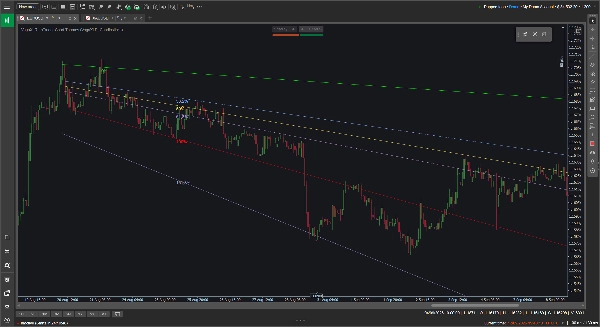
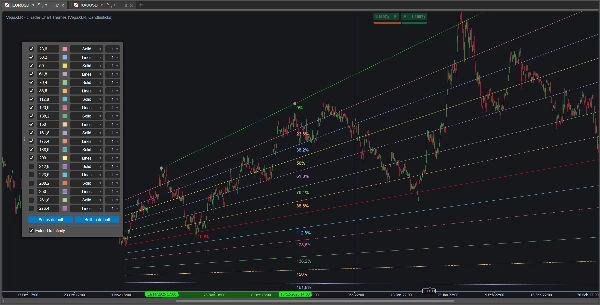
Gli strumenti Fibonacci standard sono bloccati su piani orizzontali, il che non è sempre utile quando si segue una tendenza chiara ascendente o discendente. Lo strumento Fibonacci personalizzato VegaXLR risolve questo permettendoti di tracciare ritracciamenti di Fibonacci dinamici e inclinati che si adattano alla pendenza reale dell'azione del prezzo.
È progettato per offrirti maggiore flessibilità nella mappatura dei canali di tendenza, nella proiezione degli obiettivi di prezzo o nella ricerca di supporti e resistenze diagonali.
🔥 Caratteristiche principali
- Livelli inclinati dinamici: I livelli intermedi si calcolano automaticamente e si inclinano per corrispondere alle tue linee di tendenza di base 0% e 100%. Se trascini o modifichi una linea di base, i livelli interni si aggiornano istantaneamente.
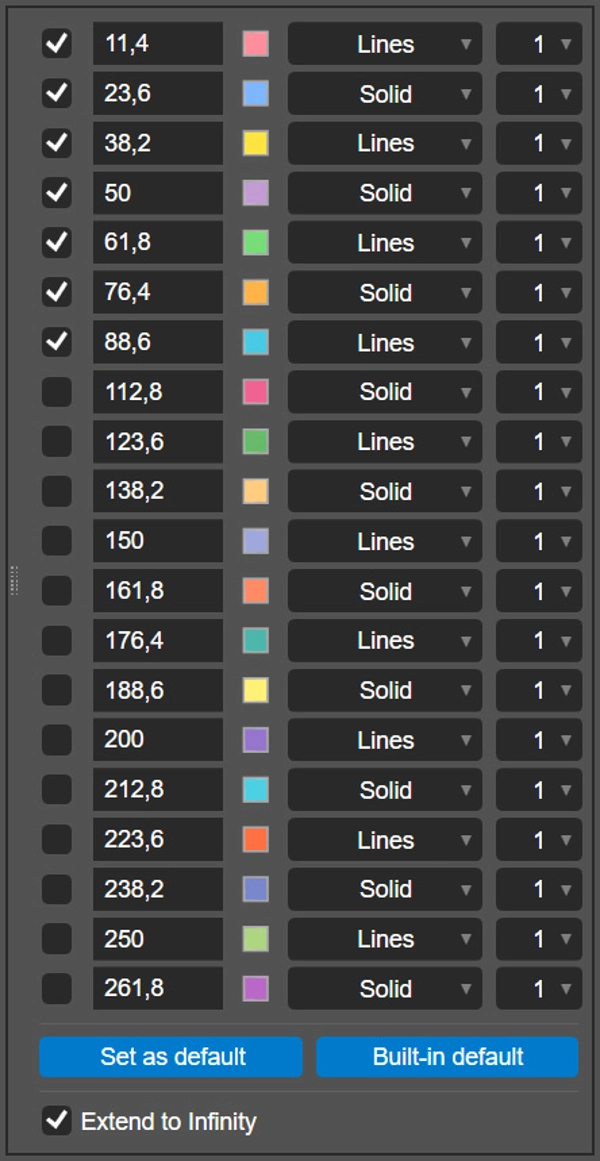
- 20 livelli configurabili: Puoi abilitare e configurare fino a 20 livelli Fibonacci individuali per ogni disegno.
- Personalizzazione per livello: Per ogni linea, puoi impostare il rapporto esatto, scegliere un colore personalizzato, selezionare lo stile della linea (come Solido o Linee) e impostare lo spessore da 1 a 8 pixel.
- Estendi all'infinito: Un singolo interruttore ti permette di proiettare le tue linee di base e tutti i livelli attivi direttamente sul lato destro del grafico.
- Salva le tue impostazioni: Clicca sul pulsante "Imposta come predefinito" per salvare localmente i tuoi rapporti, colori e stili personalizzati. Il plugin ricorda le tue preferenze e le applica automaticamente ai disegni futuri.
- Cross-platform: Lo strumento è completamente supportato e ottimizzato sia per i client desktop cTrader Windows che macOS.
🖱️ Controlli intuitivi sul grafico
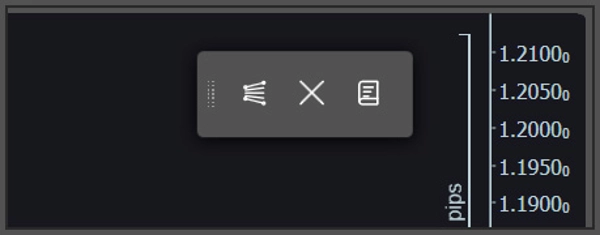
Il plugin si basa su una barra degli strumenti leggera e flottante sul grafico anziché su menu profondi degli indicatori.
- Disegna e cancella rapidamente: Usa la barra degli strumenti per posizionare un nuovo strumento Fibonacci sul grafico o per cancellare in sicurezza tutti i disegni attuali. Se vuoi linee orizzontali o verticali tradizionali, tieni premuto il tasto Shift mentre disegni.
- Impostazioni a comparsa: Per personalizzare un disegno specifico, clicca direttamente sulla sua linea di base 0% o 100%. Il pannello di configurazione apparirà direttamente sul tuo grafico per facili regolazioni.
⚙️ Parametri dell'indicatore
Puoi regolare alcune preferenze delle linee di base nei parametri dell'indicatore cTrader prima di iniziare a disegnare:
- Modifica la posizione predefinita sullo schermo della barra degli strumenti flottante (ad esempio, in alto a destra, centro in basso).
- Modifica la posizione predefinita a comparsa per il pannello di configurazione.
- Attiva o disattiva tutte le etichette percentuali Fibonacci.
Riepilogo
Key features include an option to extend all active levels infinitely across the chart, saving custom settings as defaults for future use, and compatibility with both Windows and macOS cTrader desktop clients. The plugin uses an intuitive floating on-chart toolbar for quick drawing and clearing of Fibonacci tools, with a pop-up configuration panel accessible by clicking on baseline lines. Users can also toggle traditional horizontal or vertical lines by holding the Shift key while drawing.
Additional adjustable parameters include the default screen position of the toolbar, the pop-up panel location, and the display of Fibonacci percentage labels. VegaXLR is designed to enhance trend channel mapping, price target projection, and identification of diagonal support and resistance on cTrader charts.















![Logo di "Custom Timeframes [Iridio Capital]"](https://cdn.ctrader.com/image/webp/4d75a920-23c7-4fea-a7b5-594a9d067f2e_63286)
