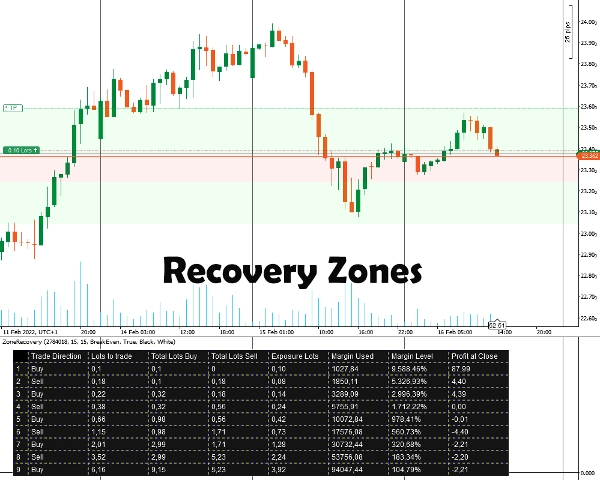
Penerangan
Jika pasaran terus bergerak ke arah baru ini, pada suatu ketika keuntungan daripada perdagangan arah bertentangan akan mengatasi kerugian daripada perdagangan awal, pada ketika itu anda boleh menutup kedua-dua perdagangan.
Jika pasaran kembali ke arah sebelumnya, perdagangan bertentangan dengan saiz lot yang lebih besar akan mengumpul kerugian lebih cepat daripada perdagangan awal yang sedang mendapat keuntungan. Dalam situasi ini, kami membuka perdagangan lain dalam arah awal di mana perdagangan awal dan perdagangan ketiga bersama-sama akan lebih besar daripada perdagangan kedua.
Strategi lindung nilai bolak-balik ini boleh diteruskan sehingga tindakan harga pecah ke mana-mana arah.
Cara menggunakan Penunjuk Pemulihan Zon
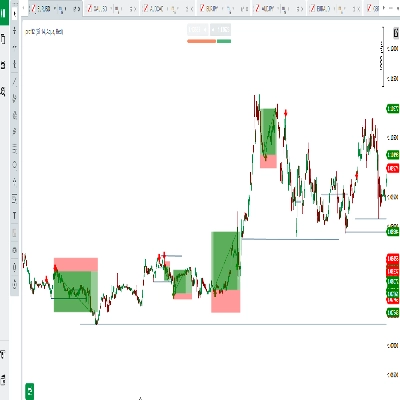
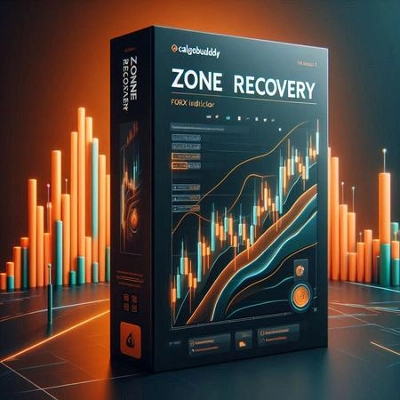
Pertama, anda perlu memasukkan ID Posisi yang anda ingin lindung nilai. Posisi mesti mempunyai sasaran keuntungan. Selepas itu, anda memilih saiz Pemulihan Zon dengan memasukkan bilangan pip yang anda percaya anda mesti mula lindung nilai. Penunjuk akan memaparkan zon serta jadual untuk strategi berfungsi.
Anda perlu meletakkan pesanan secara manual, hadhenti rugi dan sasaran ambil untung untuk semua posisi seterusnya.
Maklumat Penting
Pertama sekali, akaun dagangan anda mesti jenis akaun lindung nilai.
- Pada dasarnya, ini adalah strategi martingale yang datang dengan risikonya. Jika perdagangan awal dibuka dalam pasaran yang bergerak dalam julat, ini boleh dengan cepat menguras margin anda. Anda memerlukan instrumen yang volatile/bertrend untuk hasil yang lebih baik.
- Instrumen dagangan dengan komisen rendah/spread kecil akan berfungsi dengan lebih baik.
- Jika perdagangan awal dilakukan dengan saiz lot minimum, pengiraan seterusnya akan sedikit salah, disebabkan oleh pengiraan komisen yang salah dan saiz lot yang dibundarkan naik/turun untuk perdagangan masa depan.
- Jika anda berdagang instrumen yang berbeza daripada mata wang akaun anda, pengiraan margin akan sedikit tidak tepat disebabkan kadar pertukaran yang sentiasa berubah. (Sebagai contoh, akaun dalam EUR, buka posisi dalam GBP/USD)
- Swap tidak diambil kira.
Pilihan Penunjuk
Penunjuk menawarkan pilihan berikut:
- ID Posisi - ID posisi terbuka yang anda ingin kira jadual lindung nilainya. Ia boleh dimasukkan tanpa “PID” awal (hanya nombor).
- Pip Pemulihan Zon - Bilangan pip yang akan diambil kira oleh pemulihan zon untuk pengiraan. Pada akhir pemulihan zon, perdagangan arah bertentangan dengan perdagangan awal mesti dibuka.
- Mod Pengiraan
Dua mod tersedia: BreakEven dan Profit
BreakEven: Pengiraan akan cuba memberikan saiz lot supaya tiada atau kerugian minimum apabila semua perdagangan ditutup. Pengurangan margin lebih perlahan.
Profit: Pengiraan akan cuba memberikan saiz lot supaya sasaran keuntungan perdagangan terbuka awal tercapai. Pengurangan margin lebih cepat. - Lukis Kawasan Pemulihan Zon - Pilih ya jika anda mahu kawasan Pemulihan Zon dilukis pada Carta.
- Warna Jadual / Warna Fon - Pilihan pewarnaan untuk jadual lindung nilai.
Ringkasan
Users input the Position ID of the trade to hedge and set a Zone Recovery size in pips, which defines when to start hedging. The indicator displays recovery zones and a strategy table, but users must manually place orders, stop losses, and take profit targets. It requires a hedging account type and is based on a martingale approach, best suited for volatile or trending markets with low commissions and spreads.
Key options include selecting the Position ID, setting Zone Recovery pips, choosing between BreakEven or Profit calculation modes (balancing margin use and profit targets), enabling zone area drawings on the chart, and customizing table colors. The tool supports markets including Forex (e.g., EURUSD) and commodities (e.g., XAUUSD).
Perbincangan
Ulasan pelanggan
5 | 100 % | |
4 | 0 % | |
3 | 0 % | |
2 | 0 % | |
1 | 0 % |