Beschreibung
ICT Turtle Soup Visualizer – mit MSS-Bestätigung
Identifizieren Sie Umkehr-Setups mit hoher Wahrscheinlichkeit basierend auf dem Inner Circle Trader (ICT) Turtle Soup Konzept. Dieser Indikator erkennt Liquiditäts-Sweep-Ereignisse — Momente, in denen der Preis kurzzeitig ein wichtiges Swing-Hoch oder -Tief durchbricht, ruhende Stop-Orders auslöst und dann zurückschnappt — was auf einen potenziellen Umkehr-Einstieg hinweist.
Im Gegensatz zu einfachen Sweep-Indikatoren fügt dieses Tool einen vollständigen Fünf-Filter-Bestätigungsstapel hinzu, einschließlich eines optionalen Market Structure Shift (MSS)-Filters, der das Signal verzögert, bis die Preisstruktur die Umkehr tatsächlich bestätigt. Das bedeutet keine vorzeitigen Einstiege auf der Sweep-Kerze selbst — der Pfeil erscheint erst, wenn der Markt seine Absicht beweist.
──────────────────────────────────────────
WIE ES FUNKTIONIERT
──────────────────────────────────────────
Alle fünf Filter müssen gleichzeitig erfüllt sein, damit ein Signal erscheint:
1. Sweep + Close Ablehnung
Die Kerze muss das N-Kerzen-Hoch oder -Tief um eine Mindestanzahl von Pips (konfigurierbar) durchstoßen und dann auf der anderen Seite schließen. Der Schlusskurs muss ein definiertes Verhältnis der gesamten Kerzenreichweite wiederherstellen, was bestätigt, dass der Ausbruch eine falsche Bewegung und kein echter Ausbruch war.
2. Rückblick auf Strukturlevel
Das Sweep-Ziel ist das höchste Hoch oder das niedrigste Tief der vorherigen N Kerzen (Standard: 20). Erhöhen Sie diesen Wert, um wichtige tägliche oder wöchentliche Swing-Level anzusteuern; verringern Sie ihn für kurzfristige Intraday-Setups.
3. ATR-Volatilitätsfilter
Die Reichweite der Sweep-Kerze muss innerhalb eines sinnvollen Volatilitätsfensters liegen, definiert durch einen minimalen und maximalen ATR-Multiplikator. Dies filtert winzige Doji-artige Sweeps sowie explosive Ausreißerkerzen heraus, die keine realistische Handelsmöglichkeit bieten.
4. Sitzungsfilter (Kill Zones)
Signale sind nur während der London Kill Zone (Standard: 07:00–11:00 UTC) oder der New York Kill Zone (Standard: 13:00–17:00 UTC) gültig. ICT-Setups außerhalb dieser hochliquiden Zeitfenster haben deutlich weniger statistischen Vorteil.
5. MSS – Bestätigung des Market Structure Shift
Nach einem gültigen Sweep wartet der Indikator bis zu N Kerzen (Standard: 5) auf eine Bestätigungskerze:
• Short-Signal: eine Folgetrader-Kerze bildet ein Lower High (Hoch unter dem Hoch der Sweep-Kerze) und schließt bärisch (Schlusskurs unter Eröffnungskurs).
• Long-Signal: eine Folgetrader-Kerze bildet ein Higher Low (Tief über dem Tief der Sweep-Kerze) und schließt bullisch (Schlusskurs über Eröffnungskurs).
Wenn innerhalb des erlaubten Zeitfensters keine Bestätigung erscheint, wird das ausstehende Setup automatisch verworfen und alle temporären Markierungen entfernt.
──────────────────────────────────────────
VISUELLE AUSGABE
──────────────────────────────────────────
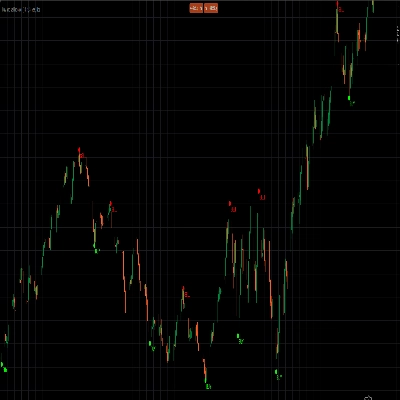
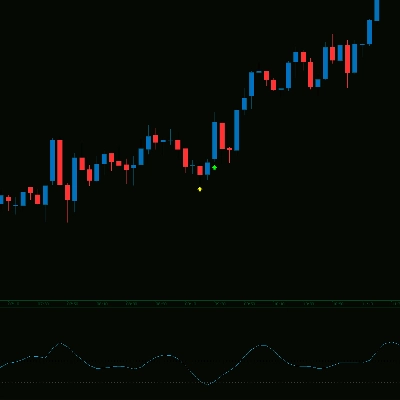
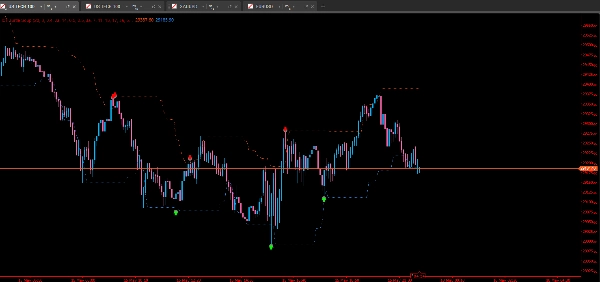
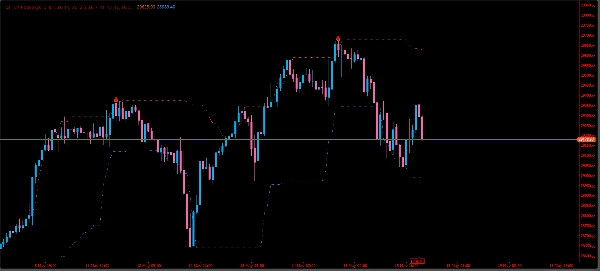
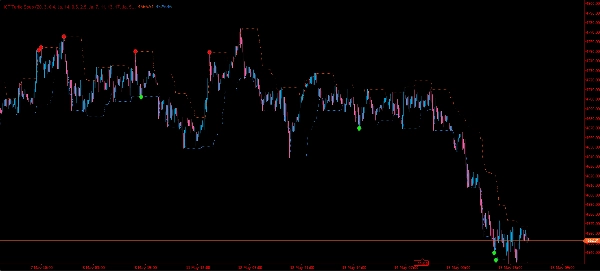
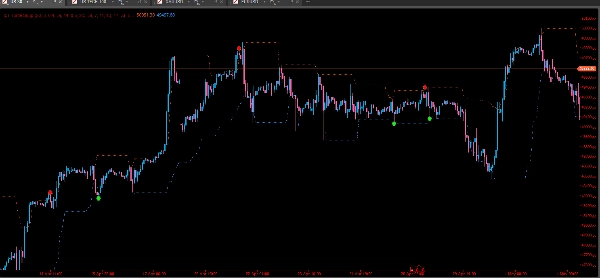
- Verkaufspfeil (rot, nach unten) — wird auf der Sweep-Kerze gezeichnet, wenn ein Short-MSS bestätigt wird.
- Kaufpfeil (lime, nach oben) — wird auf der Sweep-Kerze gezeichnet, wenn ein Long-MSS bestätigt wird.
- Sweep-Markierung (grauer Punkt) — erscheint sofort auf einer gültigen Sweep-Kerze, vor der MSS-Bestätigung. Verwenden Sie dies als frühe Warnung, um sich auf einen potenziellen Einstieg vorzubereiten.
- Höchste Hoch-Linie (OrangeRed, gepunktet) — rollierendes N-Kerzen-Strukturhoch.
- Niedrigste Tief-Linie (DodgerBlue, gepunktet) — rollierendes N-Kerzen-Strukturtief.
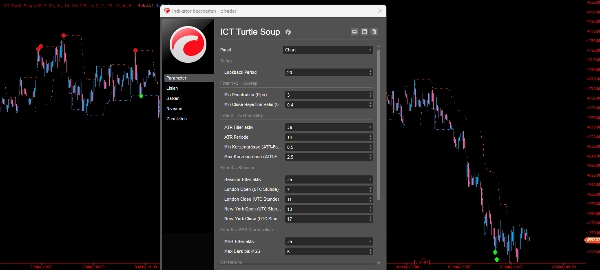
Alle Farben, Pfeilabstände und Marker-Sichtbarkeit sind in den Einstellungen vollständig anpassbar.
──────────────────────────────────────────
EMPFOHLENE ANWENDUNG
──────────────────────────────────────────
- Zeitrahmen: M15 bis H1 funktioniert am besten für Kill-Zone-Handel. H4 und Daily können für höherzeitige Konfluenz verwendet werden.
- Instrumente: Optimiert für Forex-Majors, funktioniert aber auch bei Indizes, Rohstoffen und Krypto.
- Sitzungszeiten: Alle Zeiten sind in UTC. Passen Sie die Kill-Zone-Stunden an, wenn Ihr Broker eine andere Serverzeit verwendet.
- MSS-Fenster: Beginnen Sie mit MaxMssBars = 5. Reduzieren Sie auf 2–3 bei niedrigeren Zeitrahmen für engere, schnellere Bestätigung.
- ATR-Faktoren: Erweitern Sie den Max-Faktor leicht bei Instrumenten mit höherer natürlicher Volatilität (z. B. Gold, NAS100).
- Der graue Sweep-Punkt ist Ihre Warnung zum Beobachten — der farbige Pfeil ist Ihre Bestätigung zum Handeln.
──────────────────────────────────────────
HINWEISE
──────────────────────────────────────────
- Kein Repainting: Signale werden nur auf geschlossenen Kerzen ausgewertet. Die Live-Kerze wird nie für die Sweep-Erkennung verwendet.
Zusammenfassung
Visual outputs include colored arrows indicating confirmed long (buy) or short (sell) signals, gray dots marking initial sweep candles, and dotted lines showing rolling highest highs and lowest lows over a configurable lookback period. The indicator is optimized for Forex majors but also applicable to indices, commodities, and cryptocurrencies. It works best on 15-minute to 1-hour timeframes during London and New York kill zones, with adjustable parameters for volatility and confirmation windows. Signals are based on closed bars only, ensuring no repainting. All visual elements and filters are customizable to fit different trading styles and instruments.
Diskussion
Kundenbewertungen
5 | 100 % | |
4 | 0 % | |
3 | 0 % | |
2 | 0 % | |
1 | 0 % |