XY Bar Info Panel v1.5
Indicator
154 downloads
Version 1.0, Sep 2025
Windows, Mac
5.0
Reviews: 2
Trading product for XY Bar Info Panel v1.5 Indicator Forex Indices, image 2
Trading product for XY Bar Info Panel v1.5 Indicator Forex Indices, image 3
Trading product for XY Bar Info Panel v1.5 Indicator Forex Indices, image 4
Trading product for XY Bar Info Panel v1.5 Indicator Forex Indices, image 5
Trading product for XY Bar Info Panel v1.5 Indicator Forex Indices, image 6
1.83K
Free installs

Description

Bar Info Panel: Instant, configurable hover-info for any bar

Overview

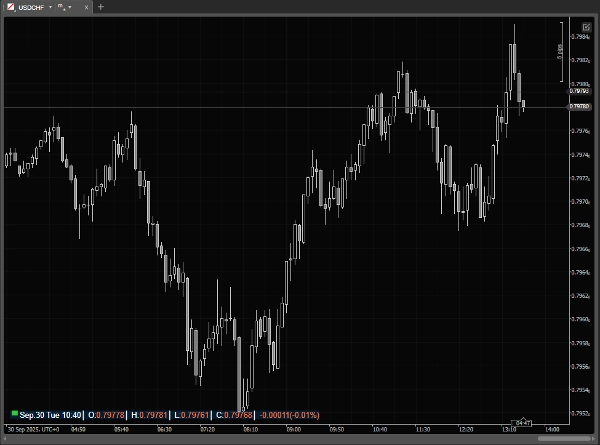
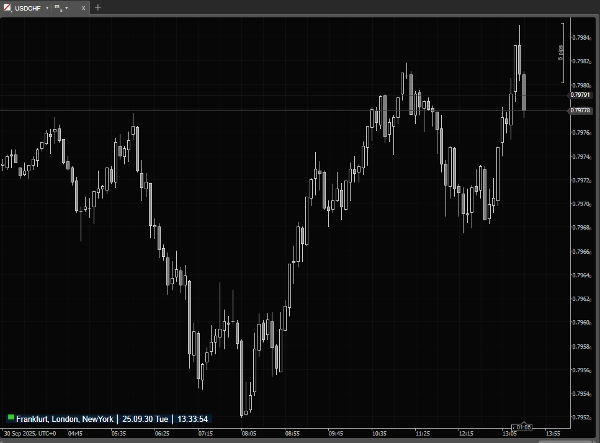
Bar Info Panel is a lightweight cTrader overlay that gives you instant, precise information about any bar on the chart. When your mouse is outside the chart it shows a compact status line with current market session and server/local/UTC time.

cTrader already provides bar information, but only in the main window status bar - meaning it’s not visible when you use detached charts. It also cannot be customized and the small font often makes it hard to read quickly. Bar Info Panel solves these issues by bringing a clear, fully customizable overlay directly onto the chart.

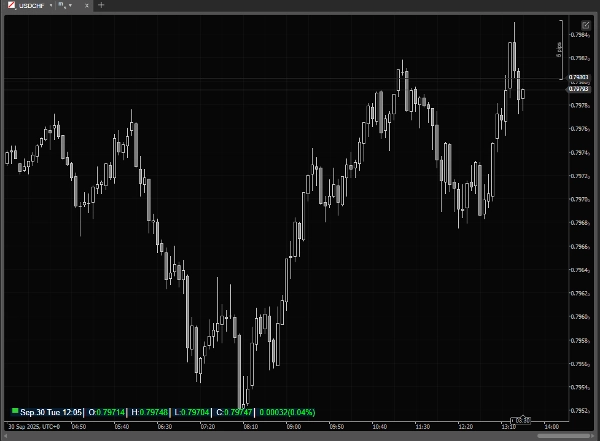
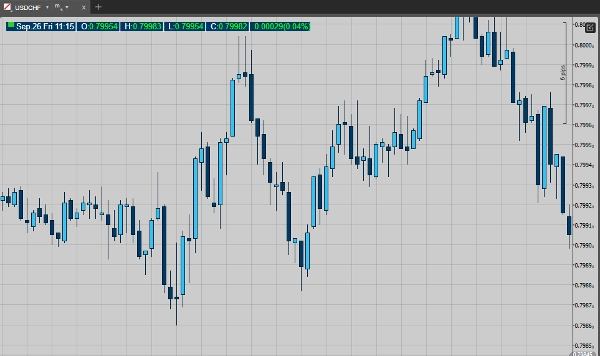
Move the mouse over bars and the panel expands to show the hovered bar’s Date, Time, Open, High, Low, Close, Tick Volume and (optionally) Percent Change vs the previous bar. All visual and layout elements are configurable so the panel fits your workflow and chart theme.

Key features

·         Market-session indicator + live timestamp (Local / Server / UTC).

·         Hover panel that shows the hovered bar’s: Date, Time, O/H/L/C, Tick Volume.

·         Optional percent-change display (current vs previous bar).

·         Two display modes: compact (mouse outside) and detailed (mouse over chart).

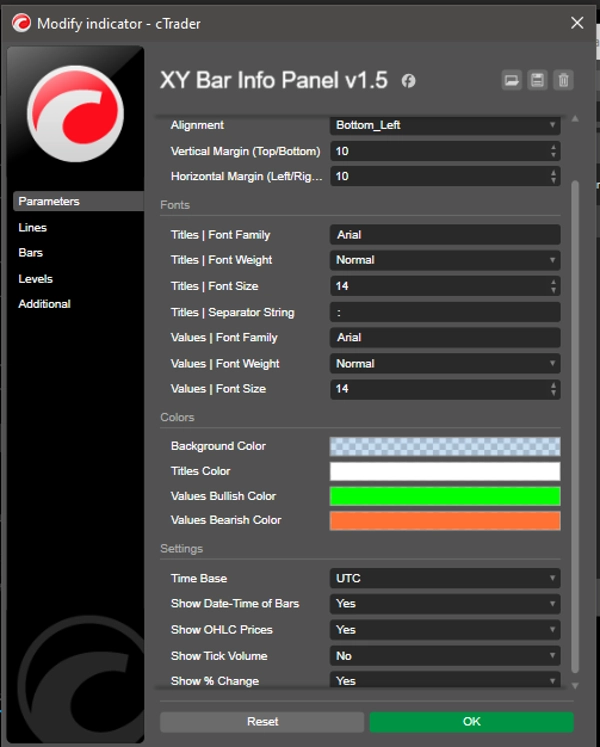
·         Nine placement options + Pixel margins for vertical & horizontal offsets.

·         Separate font controls for titles (labels) and values (family, weight, size).

·         Title separator string for compact labeling.

·         Customizable colors: panel background, title color, bullish (up) and bearish (down) value colors.

Use cases

·         Quickly read exact OHLC and timestamp for any historical or live bar without manual crosshair.

·         Check tick volume and percent change while scanning price action.

·         Monitor market-session status and server/local/UTC time at a glance.

·         Prepare chart screenshots or educational material with consistent, readable bar data.

·         ...

Why traders will like it

Unlike the built-in cTrader status bar (which is fixed at the bottom of the main window, disappears in detached charts, and uses tiny, non-configurable fonts), Bar Info Panel is always visible where you want it, with clear fonts, colors, and layout. It saves time compared to manually reading the status bar or crosshair values, keeps your chart clean, and provides exactly the information you need at a glance. Lightweight and responsive, it’s designed for everyday use without slowing your platform.

Summary

AI summary
XY Bar Info Panel v1.5 is a customizable overlay indicator for cTrader that displays detailed information about chart bars. It provides instant access to each bar’s date, time, open, high, low, close, tick volume, and optional percent change compared to the previous bar. The panel features two display modes: a compact status line showing market session and multiple time zones (local, server, UTC) when the mouse is outside the chart, and an expanded detailed view when hovering over bars. Users can adjust the panel’s placement with nine positioning options and pixel margins, customize fonts separately for titles and values, and set colors for the background, titles, and bullish/bearish values. This tool is designed to improve readability and accessibility of bar data compared to the default cTrader status bar, especially useful on detached charts. It supports multiple markets including Forex, Indices, Commodities, Crypto, and Stocks. The indicator aids traders in quickly reading precise OHLC data, monitoring tick volume and percent changes, and tracking market session status without cluttering the chart or relying on manual crosshairs.
Indicator profile

Customer reviews

5.0
Reviews: 2
5
100 %
4
0 %
3
0 %
2
0 %
1
0 %
Customer reviews
October 19, 2025
Just great!
September 30, 2025
This is what I needed for a long time

Discussion

FAQ

Forex
Indices
Commodities
Crypto
Stocks
Products available through cTrader Store, including trading bots, indicators and plugins, are provided by third-party developers and made available for informational and technical access purposes only. cTrader Store is not a broker and does not provide investment advice, personal recommendations or any guarantee of future performance.

More from this author

Indicator
Prop
Forex
+4
Dynamic Candle Timer is a fully customizable feature-packed indicator that offers multiple count-down/up modes and...
Indicator
Prop
Forex
+4
A comprehensive workflow‑enhancement toolkit designed to make charting on cTrader smoother, clearer, and more efficient.

You may also like

Indicator
AI-assisted
Order Block
+5
The daily bias estimator indicator uses ICT concepts to show whether the chart is bullish or bearish on multi-time frame
Indicator
AI
SMC
+19
Fixed Range Volume Profile - TradingView Style (POC, VAH, VAL)
Indicator
ATR
SMC
+21
MA Quant Adaptive Price Zone Oscillator identifie dynamiquement les zones de prix optimales pour les entrées et sorties.
Indicator
MSS
Key Levels
+4
Maps session ranges, previous highs/lows, equilibrium and premium/discount zones on your cTrader chart.
Indicator
MACD
Forecast future prices using historical MACD trends. Features a probability fan for smart entries and dynamic targets.
Indicator
EMA
MACD
+2
Combines MACD's Fast/Slow EMAs with a dynamic Volume Profile, coloring volume by direction and highlighting the POC.
Indicator
AI
RSI
+7
Multi-asset screener with real-time RSI/volatility analysis, interactive dashboard, and color-coded trading signals.
Indicator
ATR
Forex
+5
A powerful ATR-based indicator generating clear BUY/SELL signals. Features real-time alerts and customizable sensitivity
Indicator
Volume Profile plots traded volume at each price level, highlighting high activity zones of precise support & resistance
Indicator
Forex
Indices
+1
Detects HTF bias using CRT, Expansion & Swing Point patterns with SMT/PSP divergence — visualised in a floating candle
Indicator
Key Levels
Market Structure
+1
Sessions, ICT killzones, multi-ORB and previous levels. One clean, no-repaint cTrader overlay.
Indicator
ATR
RSI
+15
Entropy is the scientific measure of disorder or uncertainty in a system
Indicator
AI
ATR
+20
Detects smart money activity using advanced tick volume and price divergence analysis.
Indicator
BOS
Volume
+5
The Volume Delta Indicator using Institutional Level 2 DOM Data, The Edge Institutions Pay Millions For, now on cTrader
Indicator
Key Levels
Liquidity Sweep
Professional Opening Range Breakout, Initial Balance, False breakout Detection
Indicator
Forex
Crypto
+2
This is a simple indicator to show the remaining time of a candle
Indicator
AI
ATR
+23
The ZigZag Trend is a market structure tool that filters out small price fluctuations and highlights major swing.
Indicator
Signal
Dark Poll Signal Indicator.liquidity leakage,precedes the great movement, accumulation, distribution

Price

1.83K
Free installs