
Description
TREND IS YOUR FRIEND cBOT - Grid, pyramid, swing and scalp trading with one rule at the core: don't fight the trend.
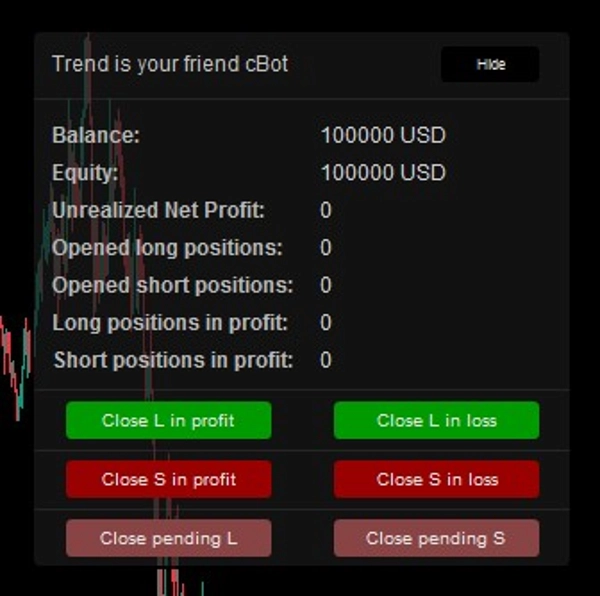
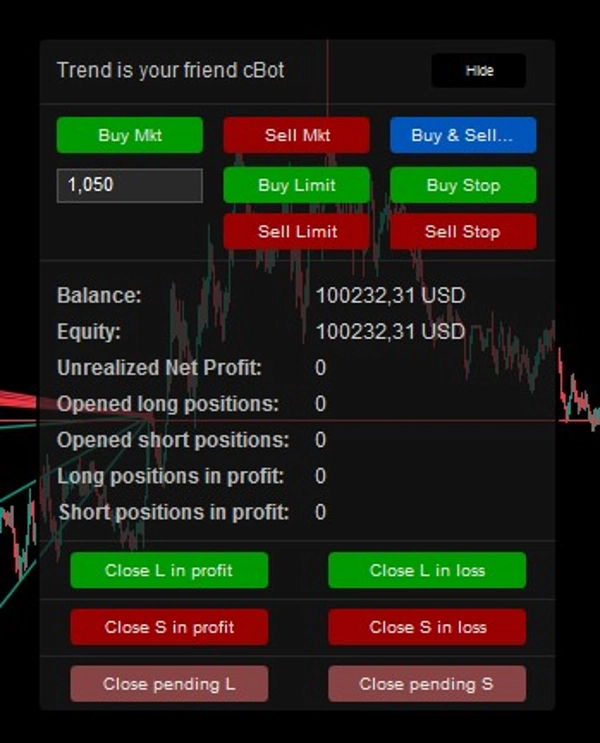
Manual Mode — Control Panel
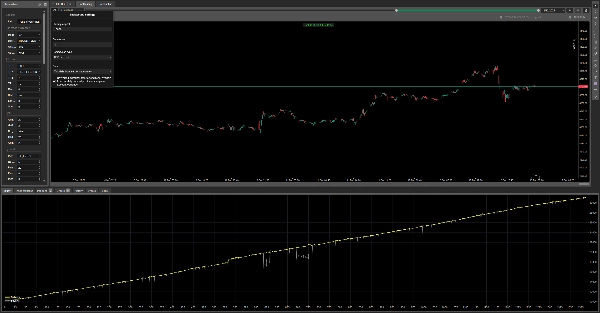
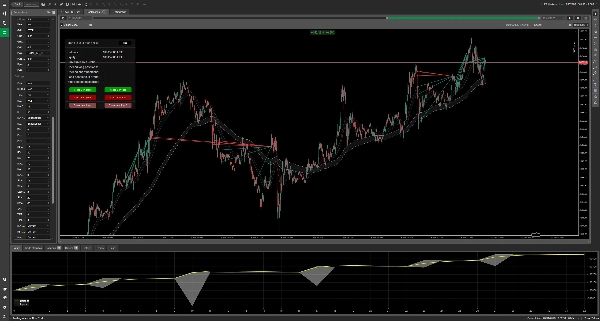
AUDCAD — H4 — Backtest from 01.01.2023 to 01.02.2026
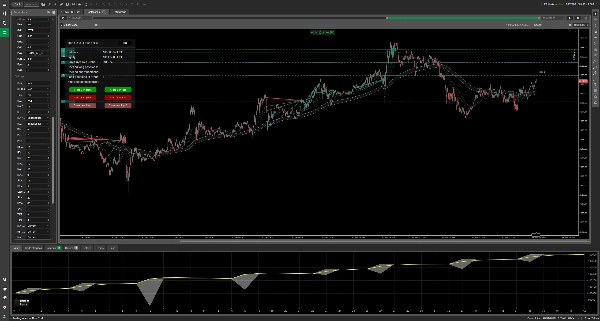
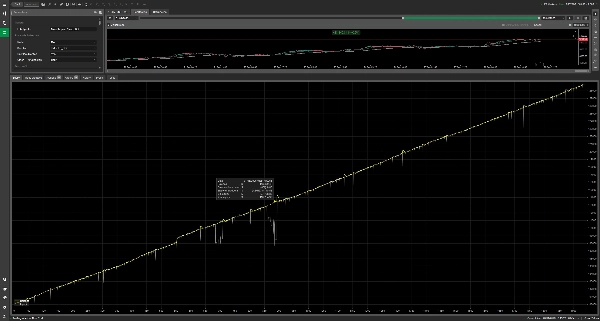
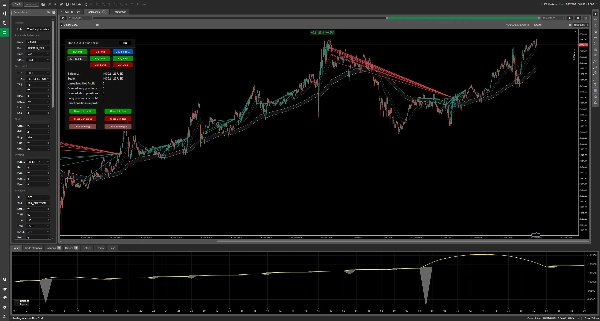
XAUUSD — M5 — Backtest from 01.01.2025 to 01.02.2026
"Trend is your friend - Indicator" https://ctrader.com/products/5595
Most grid robots have the same weakness. They open trades at random and then keep averaging against a market that is clearly moving the other way. Trend is your friend is built around the opposite idea. It waits until the trend is confirmed. It enters on a pullback in the trend's direction. If the market pushes back, it averages carefully. Then it closes the whole group of trades together once your profit target is reached.
HOW IT WORKS: FOUR STEPS
- It reads the trend. The robot draws two channels around price. The fast band is a moving average of the highs and lows. The slow band is the same thing over a longer period. When the whole fast band sits above the whole slow band, the trend is UP. When the whole fast band sits below the slow band, the trend is DOWN. When the two bands overlap, the market is FLAT and the trend filter blocks new entries. The robot checks this on closed candles only, so a half-formed candle can't fool it. You can also require the same trend on a second, higher timeframe. For example, the M15 chart must agree with H1 before anything is opened.
- It waits for a good entry. You choose what triggers the first trade. The default is a pullback: in an uptrend, price comes back to the edge of the fast band. Eight other triggers are available (see below). Optional filters also skip markets that are too quiet, too volatile, too stretched, or outside your trading hours.
- It manages the basket. If price moves against the first trade, the grid adds averaging positions at distances you set. The distances can widen with every level, so the grid doesn't bunch up in a crash. If price moves in your favour, the pyramid can add to the winner. Every position of one direction belongs to one basket.
- It closes the basket as a whole. The robot doesn't wait for every single position to reach its own target. It closes all of them together when the basket's total net profit hits your target, when enough positions are in profit, or when price reaches a level you chose. Stops work the same way, on the whole basket.
A SIMPLE EXAMPLE
EURUSD is trending up on M15 and H1. Price pulls back to the fast band and the robot buys 0.01 lot. Price falls another 22 pips, so grid #1 buys 0.02. It falls 44 more pips, so grid #2 buys 0.03. The three positions now average about 40 pips below the first entry. That means price only has to bounce about 26 pips from the last fill to reach break-even, before costs. The break-even line on your chart shows this price live, including commissions and swaps. When the basket's net profit reaches your TP, all three positions are closed together. The honest flip side: if price keeps falling instead of bouncing, the basket and the floating loss keep growing. That is why the limits in the Protection section exist.
NINE WAYS TO OPEN THE FIRST TRADE
- MA: price pulls back to the edge of the fast or slow band, within the distance you allow.
- MA_CROSS: the fast band has just fully crossed the slow band (a new trend begins).
- PIVOT: price reaches the daily pivot level you chose (PP, S1–S3 for longs, PP, R1–R3 for shorts).
- RSI: RSI has stayed beyond your level for two closed candles.
- MACD: MACD crosses its signal line on a closed candle.
- STOCHASTIC: %K crosses %D inside the oversold or overbought zone.
- SAME_CANDLE_SERIE: N closed candles of the same colour in a row, while a trend is active.
- TIME: one entry per day at a set hour and minute, in the direction of the trend.
- MANUAL: you click, the robot does everything else (see below).
RSI, MACD and Stochastic can each run on their own timeframe. Direction options: LONG only, SHORT only, LONG_OR_SHORT (one side at a time), BOTH_AT_ONCE (independent long and short baskets), or TRIGGER_SIDE (whichever side gave the signal).
THREE WAYS TO USE IT
- Fully automatic: choose a mode, set your limits, and let it run.
- Semi-automatic (MANUAL mode): you decide when to enter with the panel buttons (market, limit or stop). From then on the robot adds grid and pyramid positions and closes the basket by your rules. Your manual clicks still respect the filters and global price levels, so a bad click is less likely.
- Assistant only: set grid and pyramid orders to 0 and use the robot purely for basket take-profit, stops, break-even tracking and one-click closing.
WHAT YOU SEE ON THE CHART
- Break-even line for each side, with the number of positions, total lots and live P/L.
- Trailing stop line, showing what the basket would earn or lose if it were hit there.
- Next grid and next pyramid lines, so you know in advance where the robot will act.
- Global TP/SL lines, each showing the projected result for that side and for everything together.
- A control panel showing: mode, status (for example "PAUSED 4m 12s", "Outside trading hours", "Blocked: ATR filter"), trend on both timeframes, balance, equity, net P/L, and long/short summaries. Buttons: close longs/shorts in profit or in loss, cancel pending orders, CLOSE ALL, Hide/Show.
The status line always tells you why the robot is or isn't trading, so you are never left guessing.
PROTECTION YOU CONTROL
- Basket stop loss in account currency, per direction or global.
- Trailing stop anchored to a moving average. It only ever tightens, never loosens.
- MA stop: close a side when price breaks through the band against it.
- Fixed price levels per direction for take profit and stop loss. These also block new entries beyond them.
- Maximum grid and pyramid orders per side (0 switches a side off).
- "No grid on same candle", so one violent candle can't fill several levels at once.
- Pause after a basket closes, so the robot doesn't jump straight back into the same move.
- Trading window with optional "close all at end" or "wait for break-even at end".
BUILT TO BEHAVE IN REAL CONDITIONS
- Recovers its positions after a restart, identified strictly by label. Several instances and your own manual trades don't get mixed up.
- Every lot size is rounded down to your broker's volume step and kept within its minimum and maximum.
- A rejected order is retried after 10 seconds instead of being spammed on every tick.
- Optional sizing that scales with your balance: the first order is sized so that one grid step against it costs about 0.01% of the balance.
- Warns at start-up about contradictory settings, for example fast period ≥ slow period or Min ATR > Max ATR.
QUICK START
- Buy or Subscribe and add indicator to the chart with the same MA settings, so you can see the trend the robot sees.
- Start in a demo account or backtest on the symbol and timeframe you plan to trade.
- Choose your SL mode deliberately. It is OFF by default.
- Set sensible grid limits. With the default 22 pips and a ×2.0 level multiplier, the gaps are 22 → 44 → 88 → 176 pips.
- Only then move to a live account, with a size you are comfortable with.
PARAMETER GUIDE (85 parameters in 9 groups)
- General: label prefix used to recognise this robot's trades.
- Run mode & direction: entry mode, direction, trend filter on the chart timeframe and on a second timeframe.
- Take profit: USD / PERCENT / USD_OR_PERCENT, per direction or global, profit target, % of positions in profit, when the % rule takes over, global TP price levels.
- Grid: base distance, distance multiplier, one grid per candle, maximum orders per side.
- Pyramid: STANDARD (every X pips in profit) or RE_ENTRY (new pullback to the band in the trend, minimum bars apart, never at a worse price), maximum orders per side.
- Protection: SL mode, scope, basket stop, trailing trigger/offset/band, MA stop, pause after close, global SL price levels.
- Volume: first lot or balance-based sizing. Grid and pyramid each use SAME_AS_ORDER / STEP / MARTINGALE / FIX_LOT.
- Settings: panel and chart lines, MA periods/types/timeframe, entry distance, pivot levels, RSI, MACD, Stochastic, candle series, time mode, band-distance and ATR filters (ATR in price units, e.g. 0.0010 on EURUSD).
- Timer: trading window, timezone offset, close all or wait for break-even at the end.
Note: "TP $" and "Static SL $" use your account currency, whatever it is. The PERCENT take profit counts positions in profit, so a basket closed by it can still end with a small overall loss.
IMPORTANT RISK NOTE
Grid averaging increases your exposure when price moves against you, and martingale sizing multiplies that effect. All exits are executed by the running robot, not by broker-side orders. Your terminal (or cloud instance) must stay running and connected. Gaps and slippage can cause exits away from the intended level. Backtest, use a demo account first, and set your limits deliberately. Past or simulated results don't guarantee future performance. This is not investment advice.
Publisher: cGuru, https://ctrader.com/profile/cGuru. Questions and ideas are welcome in Discussion.
Summary
Key features include nine entry modes based on technical indicators and price action: Moving Average (MA), MA Cross, Pivot levels, RSI, MACD, Stochastic, consecutive same-direction candles, time-based entries, and manual control. Direction modes allow trading long, short, both simultaneously, or triggered sides.
Grid logic averages losing positions by opening additional orders at configurable distances, while Pyramid logic adds to winning positions either at fixed profit intervals or on new signals. Protection mechanisms include static and trailing stops, MA-based stops, price-level stops, and pause timers.
Volume models support fixed lots, martingale, step increases, or matching order size. Filters include ATR volatility, MA distance, multi-timeframe confirmation, trading hours, and trend direction locks. Visual aids display break-even, trailing stop loss, global take profit/stop loss lines, and profit/loss labels.
Backtests cover multiple instruments and timeframes, with recommended minimum balance and risk parameters provided. The bot supports various order types and risk models, making it adaptable for different trading styles and risk management preferences.