
Keltner Channels advanced
Indicator
Version 1.0, Apr 2026
Windows, Mac
4.5
Reviews: 2

32
Sales
992
Free installs
Description
Keltner Channels Advanced Cloud & Breakout System
Standard Keltner Channels are a fantastic tool for reading volatility and trend direction, but plotting simple lines on a chart is just the beginning.
The Keltner Advanced takes this classic indicator to a whole new level. By introducing a Dual-Band Cloud System, Bandwidth Squeeze Detection, and Smart Paintbars, it transforms a simple channel into a complete, visual trading system for breakout and trend-following traders.
Key Features
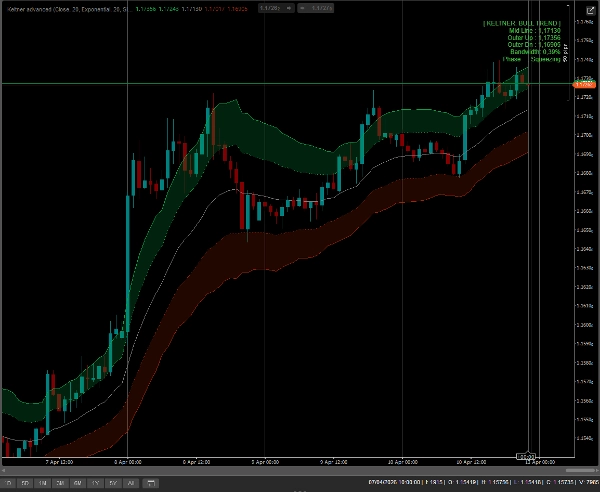
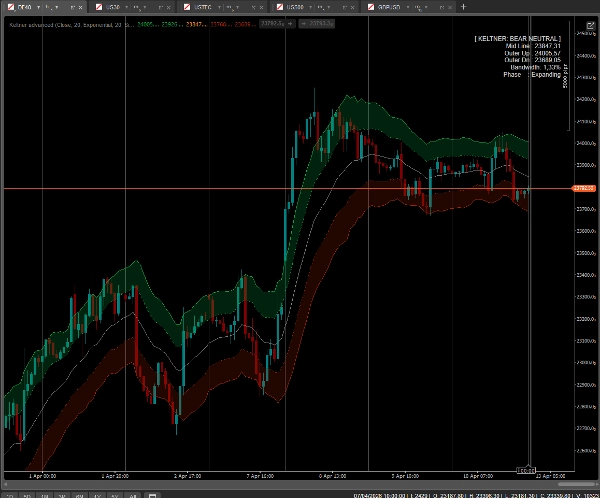
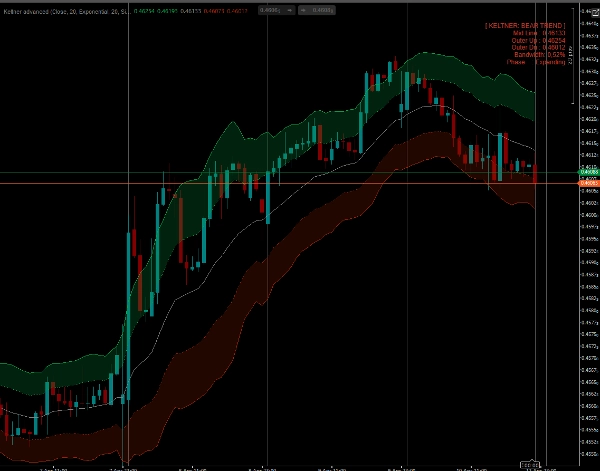
- Dual-Band Cloud System (Action Zones): Instead of one channel, this indicator plots an Inner Band and an Outer Band. The space between them is filled with a dynamic Cloud.
- Price inside the Cloud? You are in a strong, healthy "Trend Ride".
- Price between the Mid-Line and Inner Band? You are in a pullback / mean-reversion phase.
- Smart Bar Coloring (Paintbars): Your candlesticks will change color based on their exact location within the channel structure:
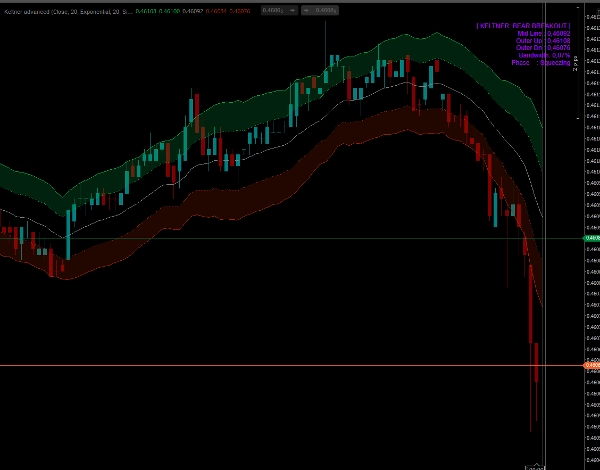
- Neon Green/Red (Extreme): Price breaks outside the Outer Band. Massive momentum or climax!
- Bright Green/Red (Trend): Price is riding inside the Keltner Cloud.
- Dark Green/Red (Pullback): Price is pulling back to the Mid-Line.
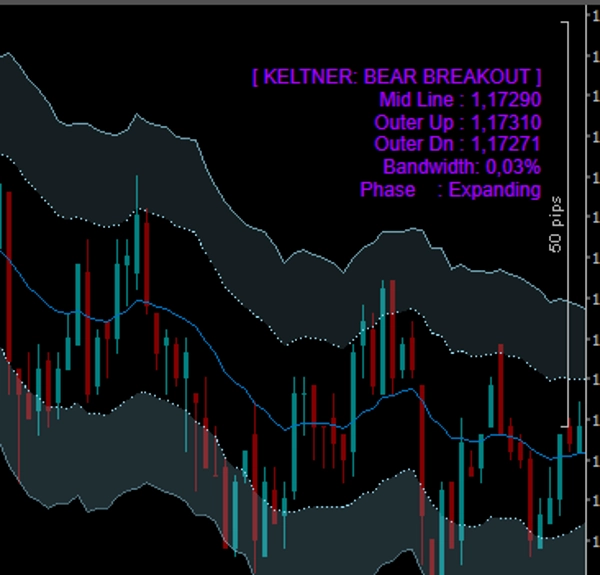
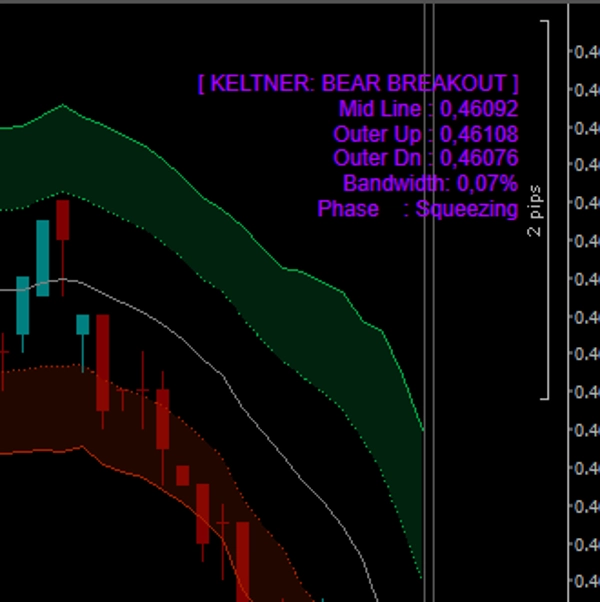
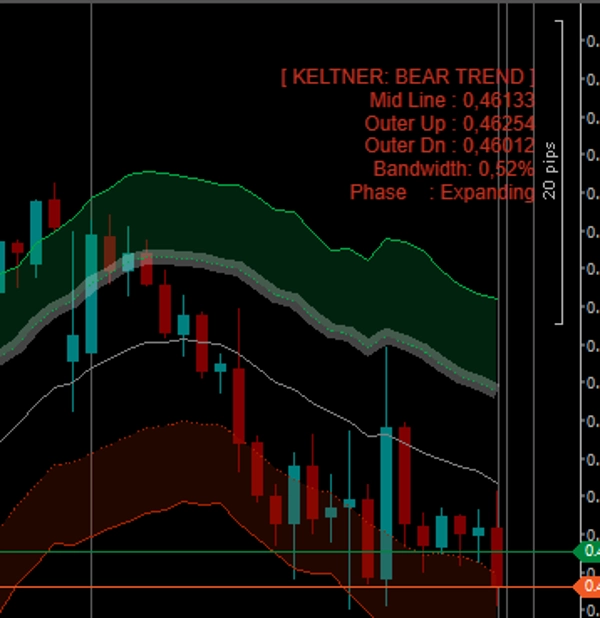
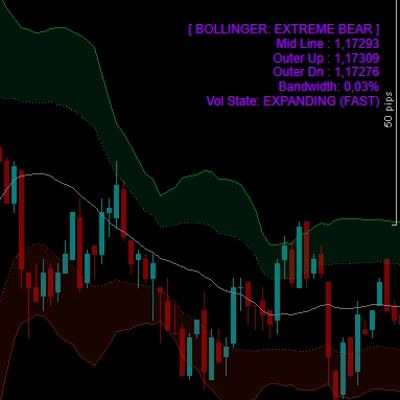
- Bandwidth Squeeze Detection: The indicator constantly calculates the channel's width and compares it to previous bars. The dashboard will tell you exactly if the market is Squeezing (compressing for a breakout) or Expanding.
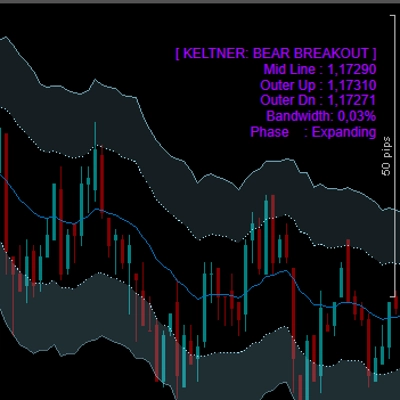
- Real-Time On-Chart Dashboard: A sleek, non-intrusive panel displays the current Market State (Bull Trend, Bear Breakout, Neutral, etc.), exact Band levels, Bandwidth percentage, and Volatility Phase.
- Completely Unlocked: Trade on ANY symbol (Forex, Crypto, Indices, Stocks) and ANY timeframe with zero limitations. Lifetime access.
How to trade with it?
- The Breakout: Look at the dashboard for a "Squeezing" phase. When the price explodes outside the Outer Band and candles paint Neon Green or Red, trade the breakout with strong momentum.
- Trend Riding: Once a trend is established, stay in your trade as long as the candles are painted Bright Green/Red and are "sliding" inside the Cloud.
- Buying the Dip: When the price pulls back to the orange Mid-Line (candles turn dark green), it often presents a low-risk entry to join the primary trend.
Summary
AI summary
Keltner Channels Advanced is a volatility and trend analysis indicator that enhances the traditional Keltner Channels by incorporating a Dual-Band Cloud System, Bandwidth Squeeze Detection, and Smart Paintbars. It plots two bands—Inner and Outer—with a dynamic cloud between them to visually represent market action zones. Price positioning within these zones indicates trend strength, pullbacks, or extreme momentum.
Key features include:
- Dual-Band Cloud System: Differentiates between strong trend rides, pullbacks, and mean-reversion phases.
- Smart Bar Coloring: Candlesticks change color based on their location relative to the bands, signaling extremes, trends, or pullbacks.
- Bandwidth Squeeze Detection: Continuously measures channel width to identify market compression phases that often precede breakouts.
- Real-Time On-Chart Dashboard: Displays current market state, band levels, bandwidth percentage, and volatility phase.
- Compatibility: Usable on any symbol (Forex, Crypto, Indices, Stocks) and any timeframe without limitations.
Trading guidance suggests using the dashboard to identify squeeze phases for breakout trades, riding trends within the cloud, and entering on pullbacks to the mid-line for lower-risk entries. The indicator provides visual and signal-based tools to support breakout and trend-following strategies.
Key features include:
- Dual-Band Cloud System: Differentiates between strong trend rides, pullbacks, and mean-reversion phases.
- Smart Bar Coloring: Candlesticks change color based on their location relative to the bands, signaling extremes, trends, or pullbacks.
- Bandwidth Squeeze Detection: Continuously measures channel width to identify market compression phases that often precede breakouts.
- Real-Time On-Chart Dashboard: Displays current market state, band levels, bandwidth percentage, and volatility phase.
- Compatibility: Usable on any symbol (Forex, Crypto, Indices, Stocks) and any timeframe without limitations.
Trading guidance suggests using the dashboard to identify squeeze phases for breakout trades, riding trends within the cloud, and entering on pullbacks to the mid-line for lower-risk entries. The indicator provides visual and signal-based tools to support breakout and trend-following strategies.
Indicator profile
Indicator category
Volatility
Output type
Visualisation
Signals
Filter
Data requirements
Bars only
Supported signals
Trend strength
Volatility
Breakout
Discussion
Customer reviews
4.5
Reviews: 2
5 | 50 % | |
4 | 50 % | |
3 | 0 % | |
2 | 0 % | |
1 | 0 % |
FAQ
Key Levels
Channel
Products available through cTrader Store, including trading bots, indicators and plugins, are provided by third-party developers and made available for informational and technical access purposes only. cTrader Store is not a broker and does not provide investment advice, personal recommendations or any guarantee of future performance.









Price
32
Sales
992
Free installs