Descrição
A versão mais recente está atualizada no link abaixo:
https://ctrader.com/products/2100 (cbot)
https://ctrader.com/products/2101 (indicator)
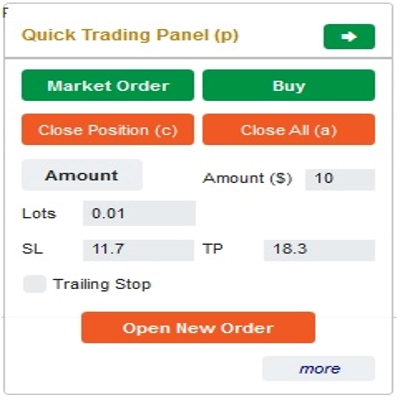
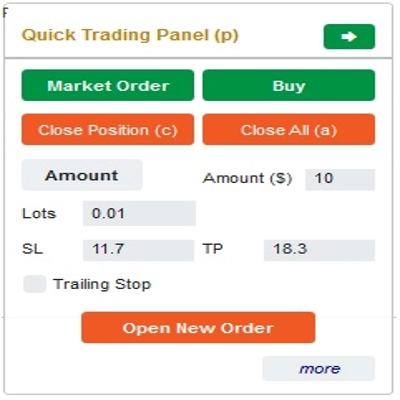
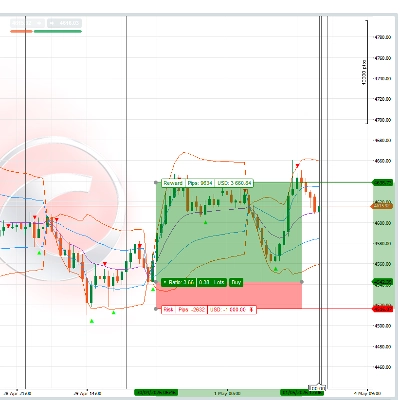
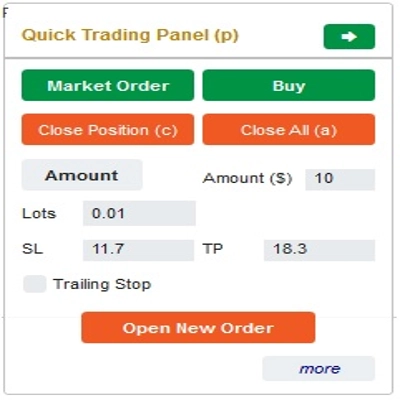
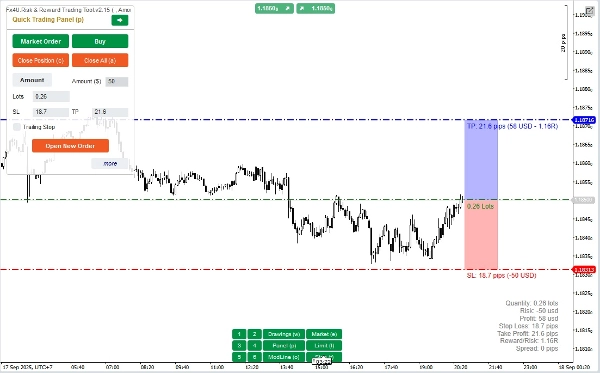
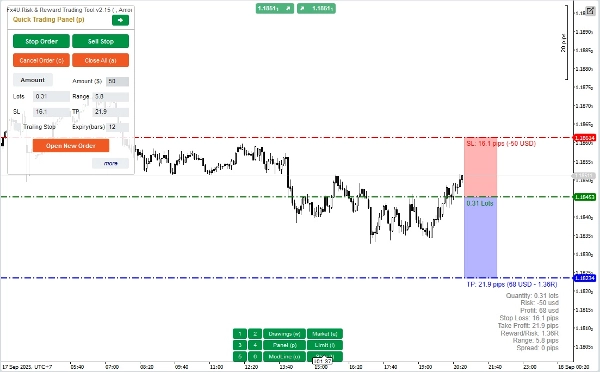
Esta é uma ferramenta para ajudar os traders a abrir/fechar ordens/modificar ordens rapidamente com apenas um clique. Esta ferramenta já calculou o número de Lotes com base na quantidade de risco para cada ordem e no StopLoss que você escolher. Pode funcionar tanto no modo em tempo real para negociação ao vivo quanto no modo de Backtesting para testar suas estratégias.
Nota importante:
- "Botões azuis" são os botões de mudança de status (Ordem de Mercado => Ordem Limitada => Ordem Stop => Ordem de Mercado; Comprar => Vender => Comprar)
- "Botões vermelhos" são os botões de "Execução". => Para abrir uma ordem - use o botão "Abrir Nova Ordem"; para fechar posição - use o botão "Fechar Posição" ou o botão "Fechar Tudo"; para Cancelar Ordem Pendente - use o botão "Cancelar Ordem" ou o botão "Fechar Tudo".
No “Painel de Negociação Rápida”:
Para alternar entre ordens de COMPRA e VENDA, você pode arrastar a linha StopLoss no gráfico acima ou abaixo da Linha de Entrada.
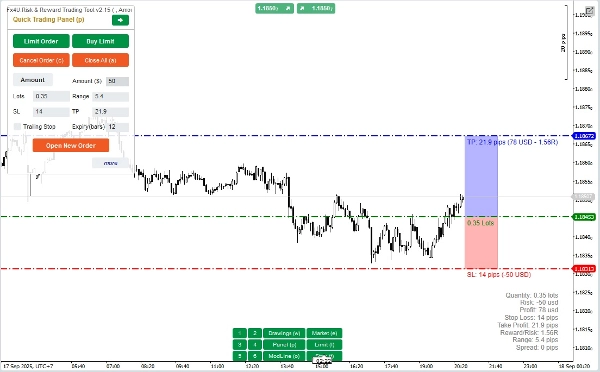
– Você pode abrir e fechar tanto ordens de mercado quanto ordens Limitadas ou ordens Stop.
– Você pode ajustar o valor da ordem como %Saldo ou um valor fixo para cada ordem. Com base nesse valor e no StopLoss que você escolher, o bot calculará automaticamente o número de Lotes para abrir a ordem.
– Você pode editar StopLoss, TakeProfit ou Preço de Entrada (para ordens pendentes) alterando os números SL, TP ou Range no “Painel de Negociação Rápida” ou arrastando as linhas horizontais no gráfico.
– SL, TP e Range (para ordens pendentes) são calculados em Pips, enquanto Expiração(min) é calculada em Minutos (Se você não usar Expiração, deixe como 0 ou espaço)
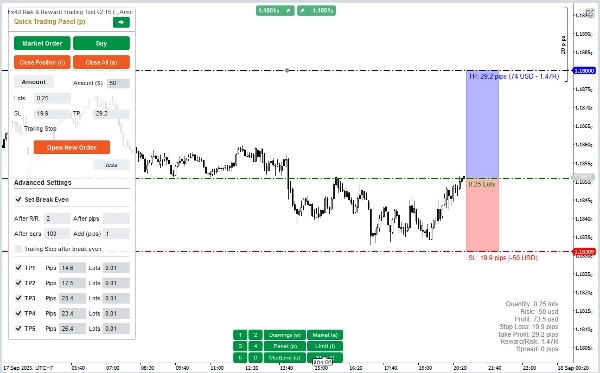
– Também há uma seção de configurações avançadas que permite que você (Nota: Configurações Avançadas somente quando o indicador está ativo):
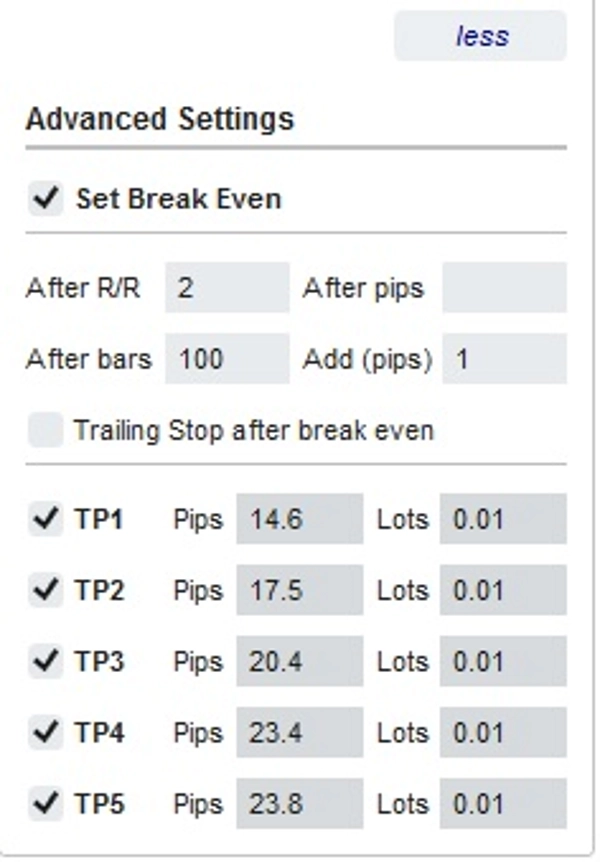
+ Definir "Break Even" quando o preço se mover um certo número de Pips ("Após Pips") ou quando o preço se mover positivo "R/R" vezes o Stoploss ("Após R/R") ou após a ordem abrir "n" barras ("Após Barras")
+ Permite que você tenha "Take Profit Avançado" com 5 níveis para escolher
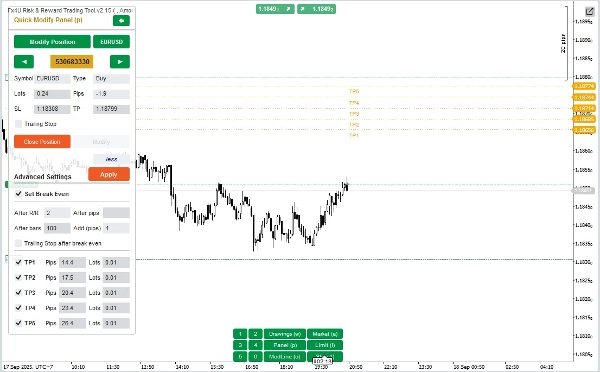
No “Painel de Modificação Rápida”:
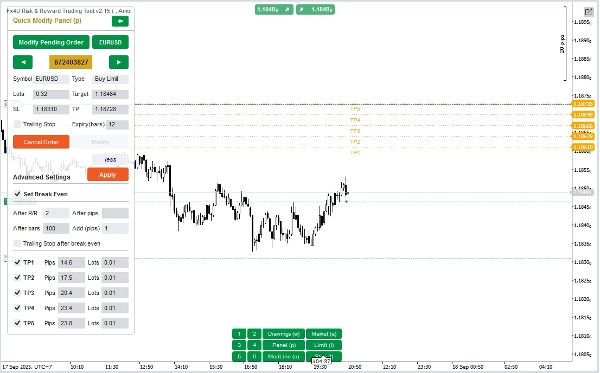
– Neste Painel você pode fechar ordens ou editar parâmetros da ordem como StopLoss (em Preços), TakeProfit (em Preços), TrailingStop ou Range (em Pips) e Expiração (em Minutos)
(Observe que StopLoss e TakeProfit neste painel são os preços para os quais você pretende mover)
– Neste Painel você também pode alterar StopLoss, TakeProfit ou Range (em Pips) por número no painel ou arrastar a linha horizontal no gráfico para a posição desejada.
– Você pode alternar entre ordens para exibir os parâmetros dessas ordens no Painel
Nota: O número no retângulo amarelo é o número de ID da ordem selecionada para edição
– Também há uma seção de configurações avançadas que permite que você (Nota: Configurações Avançadas somente quando o indicador está ativo):
+ Editar a configuração "Break Even" quando o preço se mover um certo número de Pips ("Após Pips") ou quando o preço se mover positivo "R/R" vezes o Stoploss ("Após R/R") ou após a ordem abrir "n" barras ("Após Barras")
+ Editar o "Take Profit Avançado" com 5 níveis para você escolher
Desejamos a você negociações bem-sucedidas!
Resumo
Key features include a Quick Trading Panel for adjusting buy/sell orders by dragging stop loss lines on the chart, setting order amounts as a percentage of balance or fixed value, and editing stop loss, take profit, and entry prices either numerically or via chart interaction. Stop loss, take profit, and range parameters are measured in pips, while order expiry is set in minutes.
An advanced settings section allows configuration of break-even triggers based on price movement in pips, risk/reward multiples, or elapsed bars, as well as multi-level take profit targets with up to five levels.
The Quick Modifying Panel supports closing orders and editing parameters such as stop loss, take profit, trailing stop, range, and expiry, with visual order selection by ID. The tool supports major markets including Forex (e.g., EURUSD, GBPUSD), Crypto, and commodities like XAUUSD (gold).
Conversa
Avaliações de clientes
5 | 0 % | |
4 | 100 % | |
3 | 0 % | |
2 | 0 % | |
1 | 0 % |
![Logótipo de "[Fx4U] GBPUSD - Price Action"](https://cdn.ctrader.com/image/webp/d80b34fc-da3c-4f01-a321-456450665649_26190)
![Logótipo de "[Fx4U] CADJPY - Price Action"](https://cdn.ctrader.com/image/webp/1ba81247-b6b7-4f3c-a297-fa3eb1d57fe1_26195)
![Logótipo de "[Fx4U] AUDCHF - Price Action"](https://cdn.ctrader.com/image/webp/0a22e9aa-c83b-42cd-b0b8-c1a2da593207_26148)
![Logótipo de "[Fx4U] EURAUD - Price Action"](https://cdn.ctrader.com/image/webp/baf8dde4-1ef3-4beb-8ae2-0fed8320f65d_26177)