
Descrição
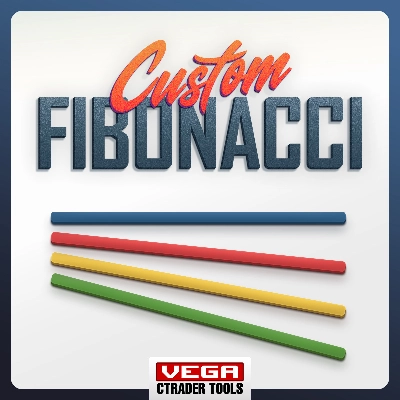
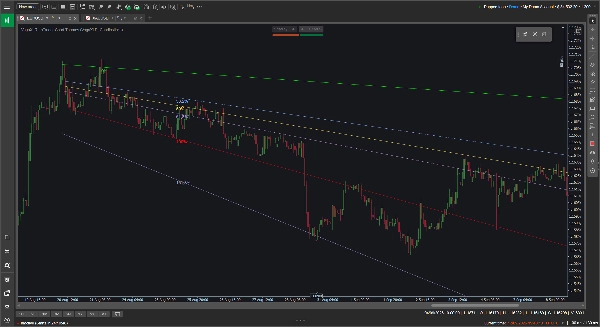
As ferramentas padrão de Fibonacci estão bloqueadas em planos horizontais, o que nem sempre é útil quando você está acompanhando uma tendência clara de alta ou baixa. A Ferramenta Fibonacci Personalizada VegaXLR resolve isso permitindo que você desenhe retrações de Fibonacci dinâmicas e anguladas que se adaptam à inclinação real da ação do preço.
Ela foi projetada para lhe dar mais flexibilidade ao mapear canais de tendência, projetar metas de preço ou buscar suportes e resistências diagonais.
🔥 Principais Recursos
- Níveis Angulados Dinâmicos: Os níveis intermediários calculam automaticamente e se inclinam para coincidir com suas linhas de tendência base de 0% e 100%. Se você arrastar ou ajustar uma linha base, os níveis internos são atualizados instantaneamente.
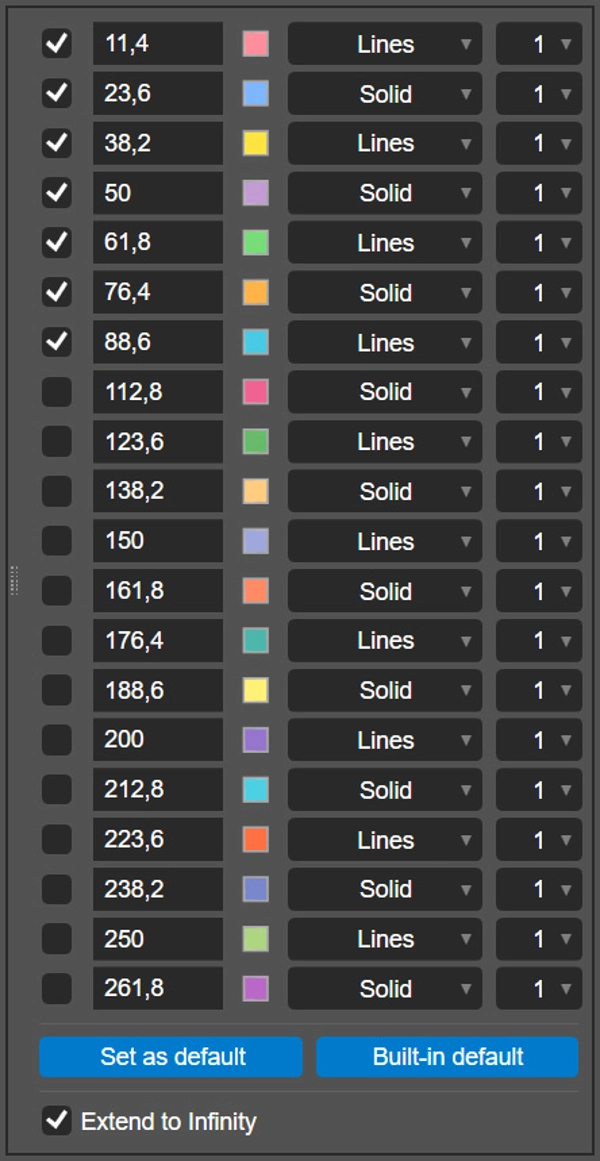
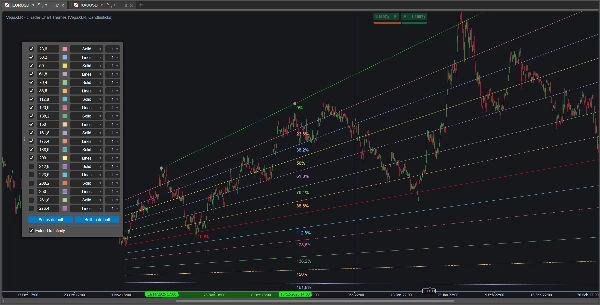
- 20 Níveis Configuráveis: Você pode ativar e configurar até 20 níveis individuais de Fibonacci por desenho.
- Personalização por Nível: Para cada linha, você pode definir a razão exata, escolher uma cor personalizada, selecionar o estilo da linha (como Sólido ou Linhas) e ajustar a espessura de 1 a 8 pixels.
- Estender ao Infinito: Um único botão permite projetar suas linhas base e todos os níveis ativos diretamente para o lado direito do gráfico.
- Salve Suas Configurações: Clique no botão "Definir como padrão" para salvar suas razões, cores e estilos personalizados localmente. O plugin lembra suas preferências e as aplica automaticamente em desenhos futuros.
- Multiplataforma: A ferramenta é totalmente suportada e otimizada para os clientes desktop cTrader em Windows e macOS.
🖱️ Controles Intuitivos no Gráfico
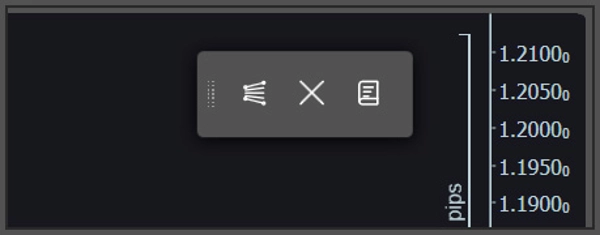
O plugin depende de uma barra de ferramentas leve e flutuante no gráfico, em vez de menus profundos de indicadores.
- Desenho Rápido & Limpar: Use a barra de ferramentas para soltar uma nova ferramenta Fibonacci no gráfico ou limpar com segurança todos os desenhos atuais. Se quiser linhas horizontais ou verticais tradicionais, basta segurar a tecla Shift enquanto desenha.
- Configurações Pop-up: Para personalizar um desenho específico, clique diretamente na linha base de 0% ou 100%. O painel de configuração aparecerá diretamente no seu gráfico para ajustes fáceis.
⚙️ Parâmetros do Indicador
Você pode ajustar algumas preferências da linha base nos parâmetros do indicador cTrader antes de começar a desenhar:
- Altere a posição padrão da barra de ferramentas flutuante na tela (por exemplo, Canto Superior Direito, Centro Inferior).
- Altere a posição padrão do pop-up para o painel de configuração.
- Ative ou desative todas as etiquetas de porcentagem de Fibonacci.
Resumo
Key features include an option to extend all active levels infinitely across the chart, saving custom settings as defaults for future use, and compatibility with both Windows and macOS cTrader desktop clients. The plugin uses an intuitive floating on-chart toolbar for quick drawing and clearing of Fibonacci tools, with a pop-up configuration panel accessible by clicking on baseline lines. Users can also toggle traditional horizontal or vertical lines by holding the Shift key while drawing.
Additional adjustable parameters include the default screen position of the toolbar, the pop-up panel location, and the display of Fibonacci percentage labels. VegaXLR is designed to enhance trend channel mapping, price target projection, and identification of diagonal support and resistance on cTrader charts.





![Logótipo de "Custom Timeframes [Iridio Capital]"](https://cdn.ctrader.com/image/webp/4d75a920-23c7-4fea-a7b5-594a9d067f2e_63286)