
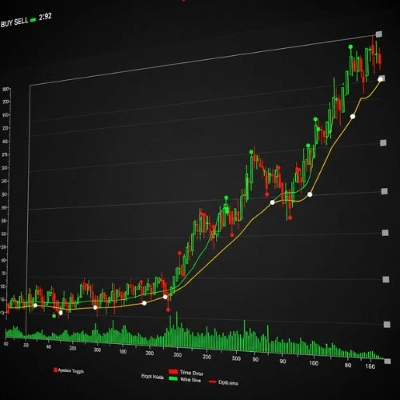
![Trading product for [Stellar Strategies] QQE Индикатор Signal Indices, image 1](https://cdn.ctrader.com/image/webp/e702104a-874c-4b39-97dd-fb34518d1015_27712)
[Stellar Strategies] QQE
Индикатор
319 скачивания
Версия 1.0, Mar 2025
Windows, Mac
5.0
Отзывы: 1
![Trading product for [Stellar Strategies] QQE Индикатор Signal Indices, image 2](https://cdn.ctrader.com/image/webp/76b980a3-76bf-4305-a55c-72c65f217667_27713)
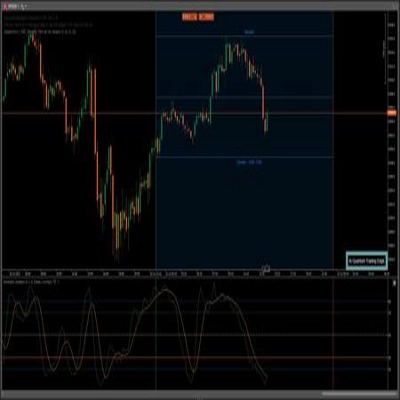
![Trading product for [Stellar Strategies] QQE Индикатор Signal Indices, image 3](https://cdn.ctrader.com/image/webp/a8dedc4d-2393-4b97-b251-c5273f061551_27714)
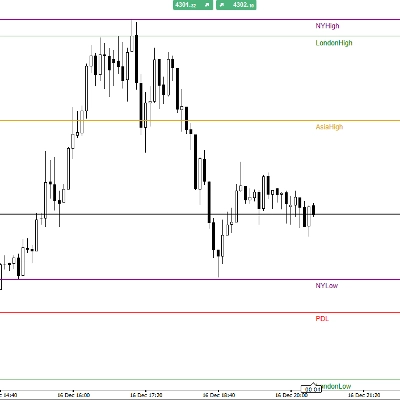
![Trading product for [Stellar Strategies] QQE Индикатор Signal Indices, image 4](https://cdn.ctrader.com/image/webp/33002ac3-dd6b-41b0-9a74-e19f836dc126_27715)
![Trading product for [Stellar Strategies] QQE Индикатор Signal Indices, image 5](https://cdn.ctrader.com/image/webp/2c4dce8e-c324-473b-983c-c75286fa4d8e_27716)
![Trading product for [Stellar Strategies] QQE Индикатор Signal Indices, image 6](https://cdn.ctrader.com/image/webp/d6366ad6-6070-4de9-ac26-44e98acd02c2_27717)

20.46M
Торгуемый объем
8.02K
Выигранные пипы
27
Продажи
4.92K
Бесплатные установки
Описание
Индикатор Количественной Качественной Оценки (QQE) — это инструмент технического анализа, предназначенный для выявления потенциальных изменений тренда и торговых сигналов. Эта реализация индикатора QQE для cAlgo включает в себя следующие функции:
- Двойной расчет на основе RSI: Используются два расчета Индекса Относительной Силы (RSI) с настраиваемыми периодами и факторами сглаживания.
- Полосы Боллинджера: Полосы Боллинджера применяются к сглаженным значениям RSI для определения уровней перекупленности и перепроданности.
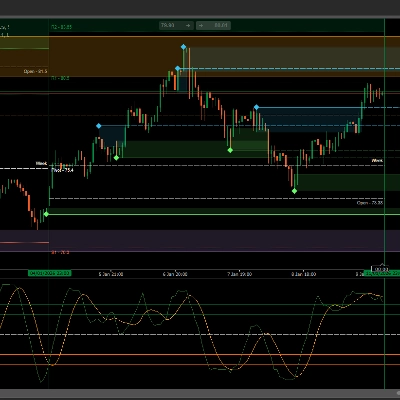
- Выводы в виде гистограммы и линии: Индикатор предоставляет как гистограмму, так и линейный вывод, позволяя трейдерам визуализировать импульс рынка и потенциальные развороты тренда.
- Цветная гистограмма: Гистограмма окрашена в цвета: положительные значения (указывающие на бычий импульс) отображаются синим, а отрицательные значения (указывающие на медвежий импульс) — красным.
- Нулевая линия: Для удобства нанесена пунктирная белая линия на уровне нуля.
- Настраиваемые параметры: Индикатор предлагает различные настраиваемые параметры, позволяя трейдерам адаптировать его под свой стиль торговли и рыночные условия.
Как использовать индикатор QQE:
- Прикрепите индикатор к вашему графику:
-
- В cAlgo откройте график инструмента, который хотите проанализировать.
- Перетащите индикатор "QQE" из панели "Indicators" на ваш график.
- Настройте параметры индикатора:
-
- После прикрепления индикатора появится окно "Parameters".
- Отрегулируйте следующие параметры по необходимости:
-
- Период RSI: Период, используемый для первого расчета RSI.
- Сглаживание RSI: Фактор сглаживания, применяемый к первому RSI.
- Фактор QQE: Фактор, используемый для расчета полос Боллинджера.
- Длина полос Боллинджера: Длина полос Боллинджера.
- Множитель Боллинджера: Множитель, используемый для полос Боллинджера.
- Период RSI2: Период, используемый для второго расчета RSI.
- Сглаживание RSI2: Фактор сглаживания, применяемый ко второму RSI.
- Фактор QQE2: Фактор, используемый для расчета второго набора полос.
- Порог: Значение порога, помогающее определить силу сигнала.
- Интерпретируйте индикатор:
-
- Гистограмма:
-
- Синие бары указывают на бычий импульс.
- Красные бары указывают на медвежий импульс.
- Высота баров отражает силу импульса.
- Линия QQE: Черная линия представляет значение
RSI2-50и обеспечивает сглаженное представление импульса. - Нулевая линия: Белая пунктирная линия обозначает уровень нуля.
- Полосы Боллинджера:
-
- Когда линия RSI1 пересекает верхнюю полосу Боллинджера сверху вниз, это может указывать на состояние перекупленности и потенциальный разворот.
- Когда линия RSI1 пересекает нижнюю полосу Боллинджера снизу вверх, это может указывать на состояние перепроданности и потенциальный разворот.
- Торговые сигналы:
-
- Сигнал на покупку: Ищите синие бары на гистограмме выше нулевой линии, указывающие на бычий импульс.
- Сигнал на продажу: Ищите красные бары на гистограмме ниже нулевой линии, указывающие на медвежий импульс.
- Используйте пересечения полос Боллинджера и линии RSI для подтверждения сигналов.
- Комбинируйте с другими индикаторами:
-
- Для более надежных сигналов комбинируйте индикатор QQE с другими инструментами технического анализа, такими как линии тренда, уровни поддержки и сопротивления, а также другие индикаторы.
- Практика и тестирование на истории:
-
- Перед использованием индикатора QQE в реальной торговле потренируйтесь с ним на демо-счете и протестируйте на исторических данных.
Важные замечания:
- Индикатор QQE не является безошибочной системой и не должен использоваться в одиночку.
- Всегда применяйте правильные методы управления рисками при торговле.
- Рыночные условия могут быстро меняться, поэтому будьте готовы адаптировать свою торговую стратегию.
Следуя этим рекомендациям, вы сможете эффективно использовать индикатор QQE для выявления потенциальных торговых возможностей и принятия обоснованных торговых решений.
Сводка
ИИ-сводка
The [Stellar Strategies] QQE indicator is a technical analysis tool implemented for cAlgo to identify potential trend changes and trading signals. It uses a dual Relative Strength Index (RSI) calculation with adjustable periods and smoothing factors. Bollinger Bands are applied to the smoothed RSI values to define overbought and oversold levels. The indicator displays both a color-coded histogram and a line output: blue histogram bars indicate bullish momentum, red bars indicate bearish momentum, and a dotted white zero line aids visual reference. The black QQE line represents a smoothed RSI2-50 value, reflecting momentum trends. Users can customize parameters including RSI periods and smoothing, QQE factors, Bollinger Bands length and multiplier, and a threshold to tailor the indicator to specific trading styles and market conditions. Trading signals are generated by observing histogram colors and positions relative to zero, with Bollinger Band and RSI crossovers used for confirmation. The indicator is designed for use alongside other technical tools such as trend lines and support/resistance levels. It is recommended to practice and backtest the QQE indicator before live trading and to apply proper risk management. Market conditions may change rapidly, so adaptability is advised when using this tool.
Профиль индикатора
Обсуждение
Отзывы покупателей
5.0
Отзывы: 1
5 | 100 % | |
4 | 0 % | |
3 | 0 % | |
2 | 0 % | |
1 | 0 % |
Отзывы покупателей
August 18, 2025
Reliable RSI-based oscillator, smooth signals, customizable. Cons: No alerts, no MTF mode, lacks strategy templates.
Частые вопросы
Signal
Indices
RSI
Bollinger
Продукты, доступные в cTrader Store, включая торговых ботов, индикаторы и плагины, предоставляются сторонними разработчиками и доступны исключительно в информационных и технических целях. cTrader Store не является брокером и не предоставляет инвестиционные консультации, персональные рекомендации или какие-либо гарантии будущей доходности.
Больше от этого автора
![Логотип продукта "[Stellar Strategies] Market Structure Breakout"](https://cdn.ctrader.com/image/webp/bceec265-3247-4b11-915f-6295a29c106d_28465)
![Логотип продукта "[Stellar Strategies] Market Session Ultimate"](https://cdn.ctrader.com/image/webp/61ffd537-0125-4246-9e72-42eca1791d64_28232)
![Логотип продукта "[Stellar Strategies] Wave Trend Pro"](https://cdn.ctrader.com/image/webp/5f226fbb-245a-41cd-9cdd-b018257d5e6d_28617)
![Логотип продукта "[Stellar Strategies] Inside Bar with Signals"](https://cdn.ctrader.com/image/webp/1d9e8bfa-3b2c-4440-bb37-5856902008a7_30683)
![Логотип продукта "[Stellar Strategies] BOS Trend 1.0"](https://cdn.ctrader.com/image/webp/6cdec0f1-0e97-4a82-a8a4-2b67aed54d38_25695)
![Логотип продукта "[Stellar Strategies] Smart ADX"](https://cdn.ctrader.com/image/webp/af13b084-b6f6-41db-b7bc-c7e688b57b05_36929)
![Логотип продукта "[StellarStrategies] Scheduled Trade Executor"](https://cdn.ctrader.com/image/webp/daefc6af-7eca-453e-878d-1b981be2c401_25646)
![Логотип продукта "[Stellar Strategies] VBO"](https://cdn.ctrader.com/image/webp/f034c012-94d4-445a-a01b-febd1cdedaef_36944)
![Логотип продукта "[Stellar Strategies] Linear Regression Candles 1.1"](https://cdn.ctrader.com/image/webp/8b9cff9f-2431-46d2-b0ec-c7f55f4a4a6d_27918)
![Логотип продукта "[Stellar Strategies] Candlestick Patterns Dashboard"](https://cdn.ctrader.com/image/webp/ae8691a5-4884-4553-9bcc-64e16ac82a30_38344)
![Логотип продукта "[Stellar Strategies] SP500 Gap Closure cBot 1.0"](https://cdn.ctrader.com/image/webp/92c23fdc-4ad1-4e61-bdb5-c77f6ec8c539_27686)
![Логотип продукта "[Stellar Strategies] Visual Trend Momentum"](https://cdn.ctrader.com/image/webp/48aee0a5-f10e-4bc8-9671-78e156fcc5df_27548)









Цена
20.46M
Торгуемый объем
8.02K
Выигранные пипы
27
Продажи
4.92K
Бесплатные установки