

Mô tả
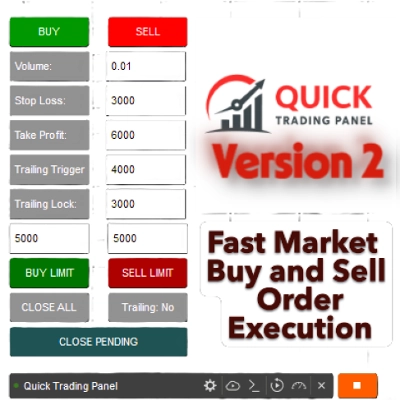
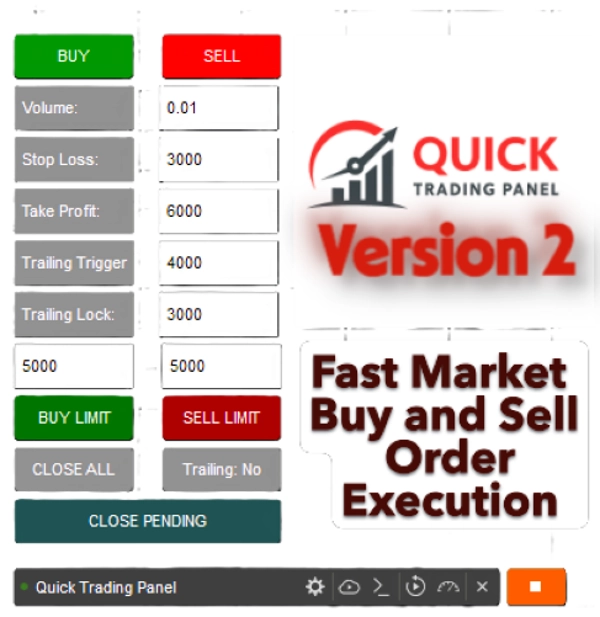
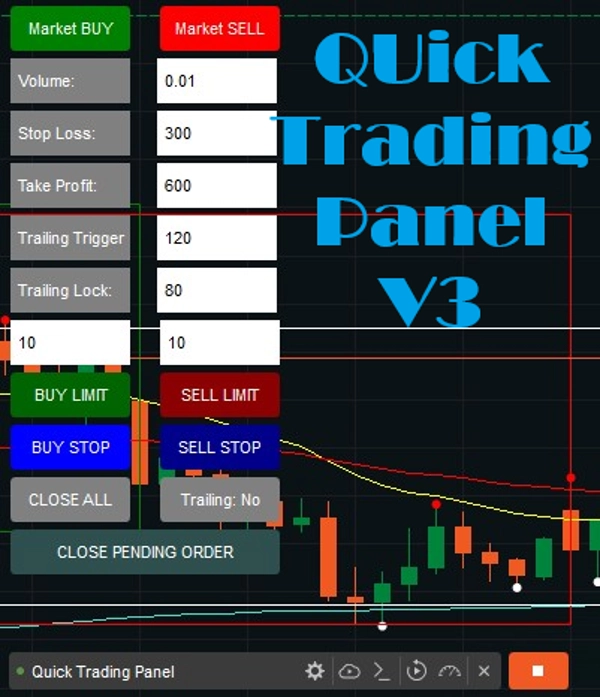
Đây là một cTrader cBot (Robot) tạo ra một BẢNG GIAO DỊCH NHANH V2 nhỏ trực tiếp trên biểu đồ của bạn. Điều này bao gồm Trailing Trigger và Khóa để tránh thua lỗ khi giao dịch của bạn có lợi nhuận.
Nó cho phép bạn mở và quản lý giao dịch nhanh chóng mà không cần gõ lệnh hoặc đặt lệnh thủ công.
Đã bán 10 bản đầu tiên với giá $ 50; chúng tôi sẽ trở lại giá gốc là $ 99.
1. Thực hiện Giao dịch (MUA / BÁN)
- Bạn có hai nút lớn:
-
- ✅ MUA (xanh lá) → mở vị thế mua trên ký hiệu hiện tại.
- ❌ BÁN (đỏ) → mở vị thế bán.
- Khi bạn nhấp vào một trong những nút này, robot sẽ:
-
- Đọc các giá trị từ các ô nhập (Khối lượng, SL, TP, v.v.)
- Chuyển đổi khối lượng thành đơn vị (
Symbol.QuantityToVolumeInUnits()) - Đặt một lệnh thị trường với Stop Loss (SL) và Take Profit (TP) bạn đã chọn.
2. Quản lý Giao dịch
- 🟦 ĐÓNG TẤT CẢ nút → đóng tất cả các vị thế mở được tạo bởi bảng điều khiển này.
- 🟧 Trailing: nút Có/Không → bật/tắt hệ thống trailing stop.
-
- "Có" = trailing stop đang hoạt động
- "Không" = trailing stop bị vô hiệu hóa
3. Các ô nhập với nhãn
Bây giờ bạn có các trường nhập có nhãn để bạn biết chính xác mỗi số có ý nghĩa gì.
- Khối lượng:
-
- Kích thước giao dịch (tính bằng lot).
- Ví dụ:
0.01= 1 micro lot (1.000 đơn vị).
- SL (Stop Loss):
-
- Mức thua lỗ tối đa (tính bằng pip) bạn sẵn sàng chấp nhận.
- Ví dụ:
300= giao dịch sẽ đóng nếu giá di chuyển 300 pip ngược lại với bạn.
- TP (Take Profit):
-
- Mục tiêu lợi nhuận (tính bằng pip).
- Ví dụ:
600 = giao dịch sẽ đóng khi đạt lợi nhuận 600 pip.
- Kích hoạt Trailing:
-
- Ngưỡng lợi nhuận (tính bằng pip) nơi trailing stop bắt đầu hoạt động.
- Ví dụ:
120 = trailing stop kích hoạt khi giao dịch có ít nhất 120 pip lợi nhuận.
- Khóa Trailing:
-
- Bao nhiêu pip lợi nhuận để khóa lại sau khi trailing bắt đầu?
- Ví dụ: 8
0= khi giao dịch đạt TP + 80 pip, stop-loss sẽ được đẩy lên để bảo vệ lợi nhuận +5 pip.
- Giới hạn MUA
-
- Tùy chọn đặt lệnh giới hạn mua trên thị trường.
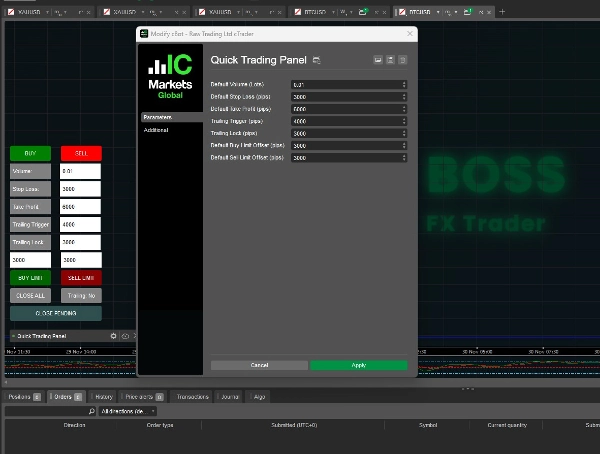
- Bạn có thể thiết lập cài đặt hoặc nhập số pip trên bảng điều khiển biểu đồ, với mặc định là 300 pip.
- Giới hạn BÁN
-
- Tùy chọn đặt lệnh giới hạn bán trên thị trường.
- Bạn có thể thiết lập cài đặt hoặc nhập số pip trên bảng điều khiển biểu đồ, với mặc định là 300 pip.
ĐÃ THÊM các tính năng mới:
Buy Stop và Sell Stop là các lệnh có điều kiện, tự động kích hoạt lệnh thị trường khi đạt đến "giá dừng" cụ thể. Một Buy Stop được đặt trên giá thị trường hiện tại để vào vị thế mua (đột phá) hoặc đóng vị thế bán, trong khi một Sell Stop được đặt dưới giá đó để vào vị thế bán hoặc bảo vệ vị thế mua.
Buy Stop (Trên thị trường): Dùng để mua tài sản chỉ sau khi giá tăng đến một mức nhất định, thường để vào vị thế trong xu hướng tăng hoặc đóng vị thế bán.
Sell Stop (Dưới thị trường): Dùng để bán tài sản chỉ sau khi giá giảm đến một mức nhất định, thường để cắt lỗ hoặc bảo vệ lợi nhuận trên vị thế mua.
4. Logic Trailing Stop (Tự điều chỉnh)
Mỗi tick, bot kiểm tra các giao dịch mở:
- Nếu trailing được bật và lợi nhuận ≥ Kích hoạt Trailing →
-
- Đối với giao dịch MUA: Stop Loss được đẩy lên đến
Bid - Trailing Lock. - Đối với giao dịch BÁN: Stop Loss được hạ xuống đến
Ask + Trailing Lock.
- Đối với giao dịch MUA: Stop Loss được đẩy lên đến
Bằng cách này, bot tự động khóa lợi nhuận trong khi vẫn cho phép giao dịch tiếp tục nếu xu hướng vẫn tiếp diễn.
✅ Tóm lại:
- Bot này cung cấp cho bạn một giao diện giao dịch thủ công nhanh chóng.
- Bạn có thể thiết lập rủi ro (SL), phần thưởng (TP), kích thước vị thế (Khối lượng), và logic trailing stop theo thời gian thực.
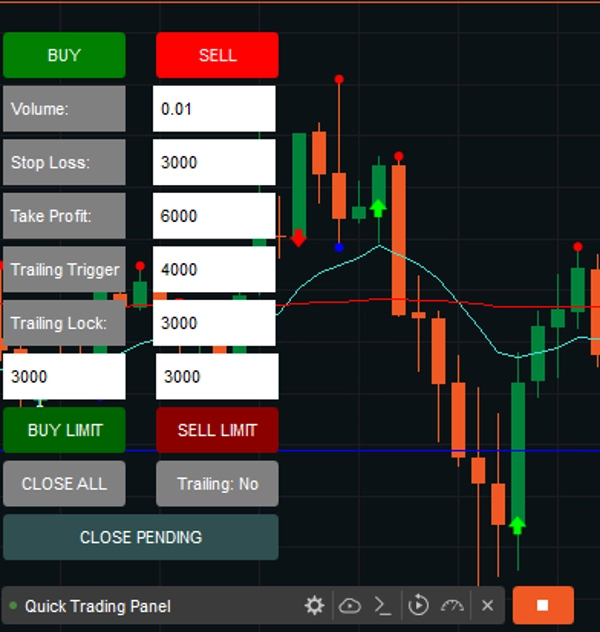
- Bảng điều khiển luôn hiển thị trên biểu đồ của bạn, góc dưới bên trái.
- Nhãn giúp bạn không nhầm lẫn các con số của mình.
- Lệnh giới hạn Mua và Bán hiện có trong Phiên bản 2.
Lưu ý: Điều này sẽ hoạt động trên tất cả các Tài sản.
Phiên bản 2 đã được phát hành mới.
Chúc bạn giao dịch vui vẻ, và hãy xem các sản phẩm khác của tôi!
Tóm tắt
Key functionalities include:
- Trade Execution: Open buy or sell positions instantly with preset volume, SL, and TP.
- Trade Management: Close all positions opened via the panel with a single button.
- Trailing Stop System: Toggleable trailing stop that activates after a specified profit threshold (Trailing Trigger) and locks in profit by adjusting stop loss (Trailing Lock).
- Limit Orders: Support for Buy Limit and Sell Limit orders, with configurable pip distances.
- Conditional Orders: Buy Stop and Sell Stop orders that trigger market entries once specified price levels are reached.
The panel remains visible on the chart’s bottom-left corner for quick access and supports all asset types. It automates stop loss adjustments on each tick when trailing is enabled, helping to secure profits while allowing trades to run further if favorable trends continue. This tool is designed to streamline manual trading workflows by reducing the need for manual order entry and management.
Đánh giá của khách hàng
Thảo luận
Câu hỏi thường gặp




















Giá