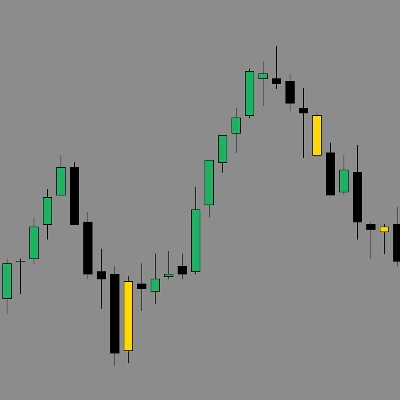
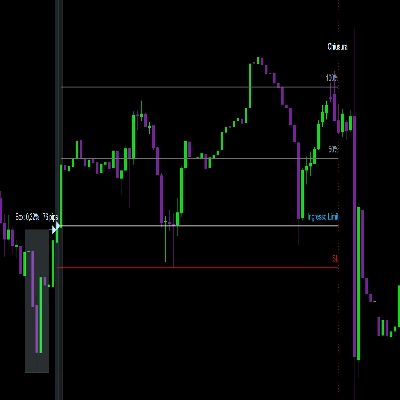
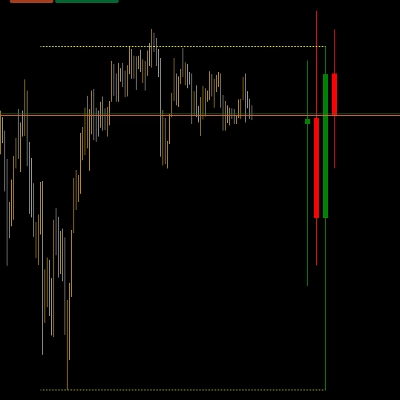
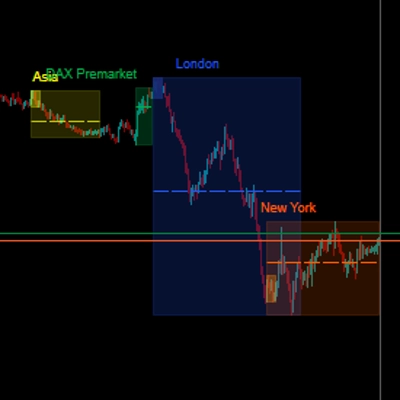
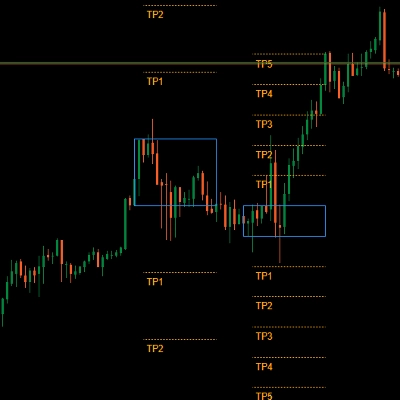
![Trading product for [Hamster-Coder] Moving Average MTF مؤشر Prop Forex, image 1](https://cdn.ctrader.com/image/webp/b11b98b1-194d-4b8e-b00e-d611826ad159_31226)
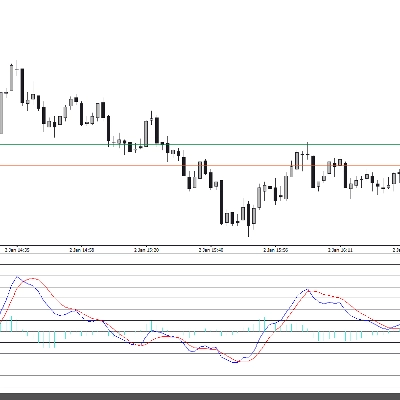
![Trading product for [Hamster-Coder] Moving Average MTF مؤشر Prop Forex, image 2](https://cdn.ctrader.com/image/webp/44311b7b-300d-4721-b22f-d0c798163e6b_31227)
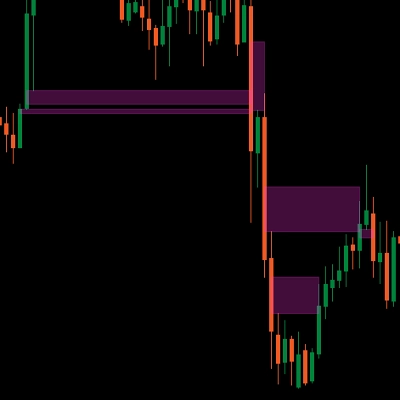
![Trading product for [Hamster-Coder] Moving Average MTF مؤشر Prop Forex, image 3](https://cdn.ctrader.com/image/webp/83137ff3-0a9c-465a-b159-7685b3adf576_31228)

الوصف
📌 الإصدار الحالي
!!! هذا هو [Hamster-Coder] Moving Average MTF - تحقق من قسم "الإصدارات المتاحة" لمعلومات كاملة حول اختلافات التعديل.
تأكد من أن الإصدار المعروض على الرسم البياني يطابق هذه القيمة:
الإصدار: 1.2.0
تاريخ الإصدار: 2025-08-03 18:00:00
🔧 الإصدارات المتاحة
🔹 إصدار MTF (متعدد الأطر الزمنية) - [Hamster-Coder] Moving Average MTF
الإصدار MTF هو أقوى نسخة من المؤشر.
يشمل دعمًا كاملاً متعدد الأطر الزمنية، مما يسمح للمستخدمين باختيار أي إطار زمني مخصص لحساب المتوسط المتحرك، بغض النظر عن إطار الرسم البياني.
مثالي لتحديد الهياكل في الأطر الزمنية الأعلى.
🔹 الإصدار القياسي - [Hamster-Coder] Moving Average
الإصدار القياسي يحتوي على ميزات **[Hamster-Coder] Pivot Points MTF ** باستثناء دعم اختيار متعدد الأطر الزمنية.
📖 الوصف
ال [Hamster-Coder] Pivot Points هو مؤشر نقاط محورية مرن من سلسلة Hamster-Coder™ Algo وهو أداة تحليلية متعددة الاستخدامات تحسب مستوى ديناميكي بناءً على خوارزمية تنعيم قابلة للتخصيص. تم تصميمه كتحسين للمتوسطات المتحركة الكلاسيكية، مع توفير معلمات مرنة لتتناسب بشكل أفضل مع استراتيجية المتداول الفردية.
🧠 سلسلة Hamster-Coder™ Algo
هذا المؤشر هو جزء من مجموعة أدوات قوية تنفذ فصل الأطر الزمنية — وهو مفهوم خاص يسمح لك بتعيين أطر زمنية منفصلة لكل معلمة رئيسية.
النتيجة: تحليل متعدد الأطر الزمنية حقيقي على رسم بياني واحد — قدرة تغير قواعد اللعبة للمتداولين العصريين.
لاستكشاف المزيد من المؤشرات من هذه السلسلة، ابحث عن “Hamster-Coder” في المنصة.
🚀 الميزات الرئيسية
- فصل الأطر الزمنية (ميزة السلسلة)
تعيين أطر زمنية مستقلة للمكونات مثل الأساس (مثلاً، المتوسط المتحرك) ومصدر الانحراف للتحكم الدقيق. - مدخلات الأسعار متعددة الأطر الزمنية
اختر منOpen,Close,High,Low,HL2,HLC3,HLCC4, أوOHLC4— من أي إطار زمني متاح. - تعديلات في الوقت الحقيقي
تغيير المعلمات بعد تطبيق المؤشر — شيء غير ممكن مع خصائص المصدر الافتراضية في المنصة. - حساسية قابلة للتعديل
ضبط دقيق لاكتشاف النقاط المحورية باستخدامLength(الفترات)، للتحكم في عدد الأعمدة التي يتم حساب المتوسط لها. - تكامل سلس
مصمم للعمل بشكل مثالي مع التداول اليدوي والاستراتيجيات الآلية.
🛠️ كيفية الاستخدام
لرؤية 30m طول المتوسط المتحرك البسيط على إطار الرسم البياني m1:
1. طبق على رسم بياني 'm1'
2. اختر إطار سعر 'm30'
3. اختر مصدر سعر 'Close'
4. اختر إزاحة السعر '1' (لـ HTF > إطار الرسم البياني يُنصح باستخدام قيم أكبر من 0، لأنه يعيد الحساب عند كل تيك في الإطار الزمني النشط)
5. اختر نوع المتوسط المتحرك 'Simple' 6. اختر طول المتوسط المتحرك '50'
✅ التحقق من الإصدار
اضبط 'Show Version' = Yes لعرض الإصدار الحالي في الزاوية اليمنى السفلى من الرسم البياني.
- تأكد من أن هذا الإصدار يطابق "الإصدار الحالي" المذكور في أعلى هذا الوصف.
- إذا كان هناك عدم تطابق — اتصل بالدعم أو تواصل مع المطور مباشرة.
🙋♂️ ملاحظة
تداول سعيد! ولا تتردد في ترك تعليقات مع اقتراحات، طلبات ميزات، أو استفسارات حول التطوير المخصص.
الملخص
Key functionalities include:
- Selection of multiple price inputs (Open, Close, High, Low, HL2, HLC3, HLCC4, OHLC4) from any timeframe.
- Real-time parameter adjustments after application.
- Adjustable sensitivity through customizable length (periods) for averaging.
- Compatibility with both manual and automated trading strategies.
The indicator comes in two versions: the MTF version with full multi-timeframe support and a standard version without custom timeframe selection. It supports a wide range of markets including Forex, Indices, Commodities, Crypto, and Stocks. Users can display the current version on the chart for verification and ensure alignment with the latest release.
This tool is intended for traders seeking enhanced moving average analysis with flexible timeframe and price source configurations.
تقييمات العملاء
5 | 50 % | |
4 | 50 % | |
3 | 0 % | |
2 | 0 % | |
1 | 0 % |
![شعار "[Hamster-Coder] Moving Average"](https://cdn.ctrader.com/image/webp/1bd952ad-57d2-4db2-9b49-b01be0b048b8_30113)
![شعار "[Hamster-Coder] Pivot Points MTF"](https://cdn.ctrader.com/image/webp/4c143e5a-309c-40e3-a578-f04d1e133ffa_31159)
![شعار "[Hamster-Coder] Pivot Points (Demo)"](https://cdn.ctrader.com/image/webp/87b54299-8c73-4942-9207-4bc6db824811_31153)
![شعار "[Hamster-Coder] Bollinger Bands"](https://cdn.ctrader.com/image/webp/21d8e5d6-fb11-4bac-b9ee-cd05c2b76804_30327)
![شعار "[Hamster-Coder] Price"](https://cdn.ctrader.com/image/webp/893fb641-d5b3-44d8-91fb-6a2dc6f3d309_30647)
![شعار "[Hamster-Coder] Pivot Points"](https://cdn.ctrader.com/image/webp/cdac5a8c-e5cf-40b7-9507-25d4cdfb1e29_31156)