
![Trading product for [Stellar Strategies] QQE Wskaźnik Signal Indices, image 1](https://cdn.ctrader.com/image/webp/e702104a-874c-4b39-97dd-fb34518d1015_27712)
[Stellar Strategies] QQE
Wskaźnik
319 pobrania
Wersja 1.0, Mar 2025
Windows, Mac
5.0
Opinie: 1
![Trading product for [Stellar Strategies] QQE Wskaźnik Signal Indices, image 2](https://cdn.ctrader.com/image/webp/76b980a3-76bf-4305-a55c-72c65f217667_27713)
![Trading product for [Stellar Strategies] QQE Wskaźnik Signal Indices, image 3](https://cdn.ctrader.com/image/webp/a8dedc4d-2393-4b97-b251-c5273f061551_27714)
![Trading product for [Stellar Strategies] QQE Wskaźnik Signal Indices, image 4](https://cdn.ctrader.com/image/webp/33002ac3-dd6b-41b0-9a74-e19f836dc126_27715)
![Trading product for [Stellar Strategies] QQE Wskaźnik Signal Indices, image 5](https://cdn.ctrader.com/image/webp/2c4dce8e-c324-473b-983c-c75286fa4d8e_27716)
![Trading product for [Stellar Strategies] QQE Wskaźnik Signal Indices, image 6](https://cdn.ctrader.com/image/webp/d6366ad6-6070-4de9-ac26-44e98acd02c2_27717)

20.46M
Wolumen transakcji
8.02K
Zysk w pipsach
27
Sprzedaż
4.91K
Bezpłatne instalacje
Opis
Wskaźnik Quantitative Qualitative Estimation (QQE) to narzędzie analizy technicznej zaprojektowane do identyfikacji potencjalnych zmian trendu i sygnałów handlowych. Ta implementacja wskaźnika QQE w cAlgo zawiera następujące funkcje:
- Podwójne obliczenia oparte na RSI: Wykorzystuje dwa obliczenia Wskaźnika Siły Względnej (RSI) z regulowanymi okresami i współczynnikami wygładzania.
- Wstęgi Bollingera: Wstęgi Bollingera są stosowane do wygładzonych wartości RSI, aby określić poziomy wykupienia i wyprzedania.
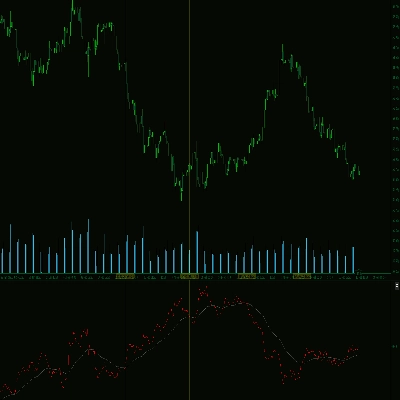
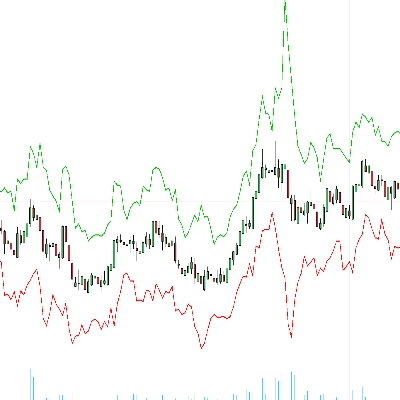
- Wykres słupkowy i liniowy: Wskaźnik dostarcza zarówno wykres słupkowy, jak i liniowy, umożliwiając traderom wizualizację momentum rynku i potencjalnych odwróceń trendu.
- Kolorowy wykres słupkowy: Wykres słupkowy jest kolorowany, pokazując wartości dodatnie (wskazujące na bycze momentum) na niebiesko oraz wartości ujemne (wskazujące na niedźwiedzie momentum) na czerwono.
- Linia zerowa: Przerywana biała linia jest rysowana na poziomie zero dla łatwego odniesienia.
- Regulowane parametry: Wskaźnik oferuje różne regulowane parametry, pozwalając traderom dostosować go do swojego stylu handlu i warunków rynkowych.
Jak używać wskaźnika QQE:
- Dołącz wskaźnik do swojego wykresu:
-
- W cAlgo otwórz wykres instrumentu, który chcesz analizować.
- Przeciągnij i upuść wskaźnik "QQE" z panelu "Indicators" na swój wykres.
- Skonfiguruj parametry wskaźnika:
-
- Po dołączeniu wskaźnika pojawi się okno "Parameters".
- Dostosuj następujące parametry według potrzeb:
-
- Okres RSI: Okres używany do pierwszego obliczenia RSI.
- Wygładzanie RSI: Współczynnik wygładzania stosowany do pierwszego RSI.
- Współczynnik QQE: Współczynnik używany do obliczania wstęg Bollingera.
- Długość Bollingera: Długość wstęg Bollingera.
- Mnożnik Bollingera: Mnożnik używany dla wstęg Bollingera.
- Okres RSI2: Okres używany do drugiego obliczenia RSI.
- Wygładzanie RSI2: Współczynnik wygładzania stosowany do drugiego RSI.
- Współczynnik QQE2: Współczynnik używany do obliczania drugiego zestawu wstęg.
- Próg: Wartość progu, która pomaga określić siłę sygnału.
- Interpretuj wskaźnik:
-
- Histogram:
-
- Niebieskie słupki wskazują bycze momentum.
- Czerwone słupki wskazują niedźwiedzie momentum.
- Wysokość słupków reprezentuje siłę momentum.
- Linia QQE: Czarna linia reprezentuje wartość
RSI2-50i zapewnia wygładzoną reprezentację momentum. - Linia zerowa: Biała przerywana linia reprezentuje poziom zero.
- Wstęgi Bollingera:
-
- Gdy linia RSI1 przebija górną wstęgę Bollingera, może to wskazywać na stan wykupienia i potencjalne odwrócenie.
- Gdy linia RSI1 przebija dolną wstęgę Bollingera, może to wskazywać na stan wyprzedania i potencjalne odwrócenie.
- Sygnały handlowe:
-
- Sygnał kupna: Szukaj niebieskich słupków na histogramie powyżej linii zerowej, wskazujących bycze momentum.
- Sygnał sprzedaży: Szukaj czerwonych słupków na histogramie poniżej linii zerowej, wskazujących niedźwiedzie momentum.
- Używaj przecięć linii RSI i wstęg Bollingera do potwierdzania sygnałów.
- Łącz z innymi wskaźnikami:
-
- Dla bardziej wiarygodnych sygnałów łącz wskaźnik QQE z innymi narzędziami analizy technicznej, takimi jak linie trendu, poziomy wsparcia i oporu oraz inne wskaźniki.
- Ćwiczenia i testy wsteczne:
-
- Przed użyciem wskaźnika QQE w handlu na żywo, ćwicz jego użycie na koncie demo i przeprowadzaj testy wsteczne na danych historycznych.
Ważne uwagi:
- Wskaźnik QQE nie jest systemem niezawodnym i nie powinien być używany w izolacji.
- Zawsze stosuj odpowiednie techniki zarządzania ryzykiem podczas handlu.
- Warunki rynkowe mogą się szybko zmieniać, więc bądź przygotowany na dostosowanie swojej strategii handlowej.
Postępując zgodnie z tymi wytycznymi, możesz skutecznie korzystać ze wskaźnika QQE, aby identyfikować potencjalne okazje handlowe i podejmować świadome decyzje handlowe.
Podsumowanie
Podsumowanie AI
The [Stellar Strategies] QQE indicator is a technical analysis tool implemented for cAlgo to identify potential trend changes and trading signals. It uses a dual Relative Strength Index (RSI) calculation with adjustable periods and smoothing factors. Bollinger Bands are applied to the smoothed RSI values to define overbought and oversold levels. The indicator displays both a color-coded histogram and a line output: blue histogram bars indicate bullish momentum, red bars indicate bearish momentum, and a dotted white zero line aids visual reference. The black QQE line represents a smoothed RSI2-50 value, reflecting momentum trends. Users can customize parameters including RSI periods and smoothing, QQE factors, Bollinger Bands length and multiplier, and a threshold to tailor the indicator to specific trading styles and market conditions. Trading signals are generated by observing histogram colors and positions relative to zero, with Bollinger Band and RSI crossovers used for confirmation. The indicator is designed for use alongside other technical tools such as trend lines and support/resistance levels. It is recommended to practice and backtest the QQE indicator before live trading and to apply proper risk management. Market conditions may change rapidly, so adaptability is advised when using this tool.
Profil wskaźnika
Dyskusja
Opinie klientów
5.0
Opinie: 1
5 | 100 % | |
4 | 0 % | |
3 | 0 % | |
2 | 0 % | |
1 | 0 % |
Opinie klientów
August 18, 2025
Reliable RSI-based oscillator, smooth signals, customizable. Cons: No alerts, no MTF mode, lacks strategy templates.
Częste pytania
Signal
Indices
RSI
Bollinger
Produkty dostępne za pośrednictwem cTrader Store, w tym boty handlowe, wskaźniki i wtyczki, dostarczane są przez deweloperów zewnętrznych i udostępniane wyłącznie w celach informacyjnych oraz w celu zapewnienia dostępu technicznego. cTrader Store nie jest brokerem i nie zapewnia doradztwa inwestycyjnego, nie udziela spersonalizowanych rekomendacji ani nie gwarantuje przyszłych wyników.
![Logo „[Stellar Strategies] Market Structure Breakout”](https://cdn.ctrader.com/image/webp/bceec265-3247-4b11-915f-6295a29c106d_28465)
![Logo „[Stellar Strategies] Market Session Ultimate”](https://cdn.ctrader.com/image/webp/61ffd537-0125-4246-9e72-42eca1791d64_28232)
![Logo „[Stellar Strategies] Wave Trend Pro”](https://cdn.ctrader.com/image/webp/5f226fbb-245a-41cd-9cdd-b018257d5e6d_28617)
![Logo „[Stellar Strategies] Inside Bar with Signals”](https://cdn.ctrader.com/image/webp/1d9e8bfa-3b2c-4440-bb37-5856902008a7_30683)
![Logo „[Stellar Strategies] BOS Trend 1.0”](https://cdn.ctrader.com/image/webp/6cdec0f1-0e97-4a82-a8a4-2b67aed54d38_25695)
![Logo „[Stellar Strategies] Smart ADX”](https://cdn.ctrader.com/image/webp/af13b084-b6f6-41db-b7bc-c7e688b57b05_36929)
![Logo „[StellarStrategies] Scheduled Trade Executor”](https://cdn.ctrader.com/image/webp/daefc6af-7eca-453e-878d-1b981be2c401_25646)
![Logo „[Stellar Strategies] VBO”](https://cdn.ctrader.com/image/webp/f034c012-94d4-445a-a01b-febd1cdedaef_36944)
![Logo „[Stellar Strategies] Linear Regression Candles 1.1”](https://cdn.ctrader.com/image/webp/8b9cff9f-2431-46d2-b0ec-c7f55f4a4a6d_27918)
![Logo „[Stellar Strategies] Candlestick Patterns Dashboard”](https://cdn.ctrader.com/image/webp/ae8691a5-4884-4553-9bcc-64e16ac82a30_38344)
![Logo „[Stellar Strategies] SP500 Gap Closure cBot 1.0”](https://cdn.ctrader.com/image/webp/92c23fdc-4ad1-4e61-bdb5-c77f6ec8c539_27686)
![Logo „[Stellar Strategies] Visual Trend Momentum”](https://cdn.ctrader.com/image/webp/48aee0a5-f10e-4bc8-9671-78e156fcc5df_27548)






Cena
20.46M
Wolumen transakcji
8.02K
Zysk w pipsach
27
Sprzedaż
4.91K
Bezpłatne instalacje