Descrizione
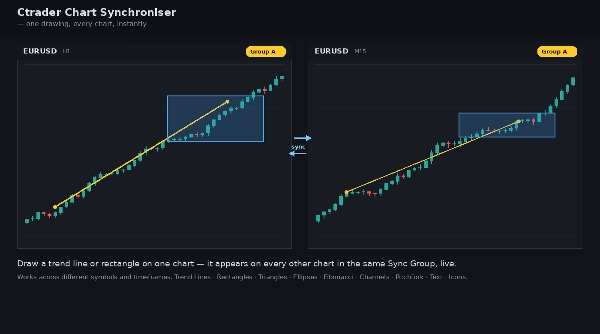
Ctrader Chart Synchroniser mirrors your chart drawings across every chart in the same Sync Group — live, in real time. Draw once, see it everywhere.
WHAT IT ANALYSES
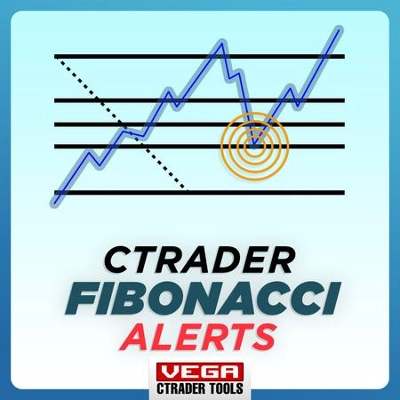
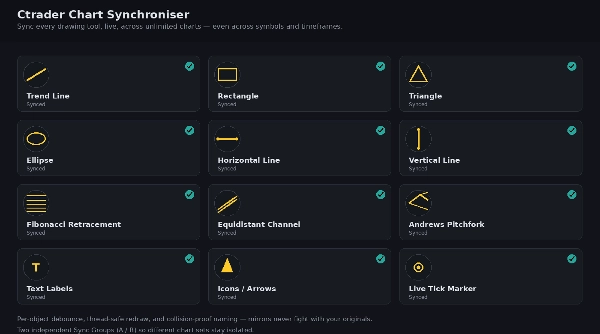
The indicator watches every drawing object you create or edit on a chart (trend lines, shapes, Fibonacci levels, channels, and more) and instantly replicates it on every other chart assigned to the same Sync Group, regardless of symbol or timeframe.
HOW TO INTERPRET SIGNALS AND VISUAL ELEMENTS
- Objects you draw yourself appear as normal, fully editable drawings.
- Mirrored objects (copied from another chart) are view-only by design, so edits always happen on the original chart and propagate outward — this avoids conflicts between charts.
- An optional tick marker shows your live mouse position across all synced charts, useful for pointing something out to yourself across multiple screens.
KEY SETTINGS AND PARAMETERS
- Sync Group (A / B): choose which group of charts this instance belongs to. Only charts in the same group sync with each other.
- Individual on/off toggles for each object type: Trend Lines, Rectangles, Triangles/Ellipses, Horizontal/Vertical Lines, Fibonacci Retracement, Equidistant Channel/Andrews Pitchfork, Text, Icons/Arrows, and the Tick Marker.
- Marker Color: customise the colour of the live tick marker.
TYPICAL USE CASES
- Multi-timeframe analysis: mark a key level on the H1 chart and see it instantly on M15 and M5.
- Multi-monitor setups: keep several charts of correlated pairs annotated identically without manual redrawing.
- Live screen-sharing or mentoring: point at a level on one chart and have it visible on every linked chart in real time.
WHO IT'S FOR
Traders running multiple charts side by side — multi-timeframe analysts, correlation traders, and anyone teaching or streaming who wants consistent annotations across screens.
LIMITATIONS
- Freehand drawings are not supported (not exposed by the platform's drawing API).
- Mirrored objects are view-only; edit the original on its source chart.
- Sync is limited to charts within the same running cTrader terminal.