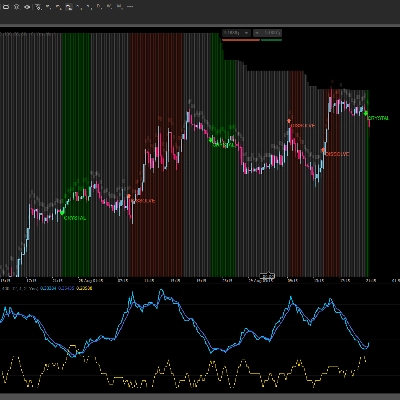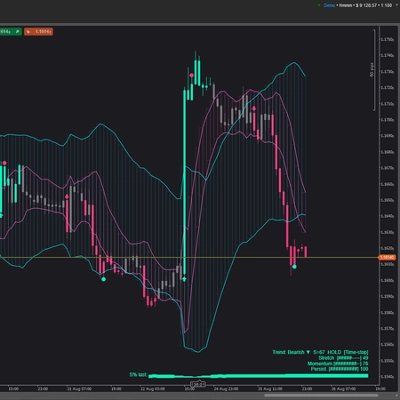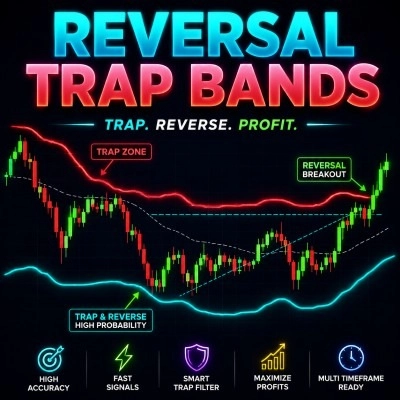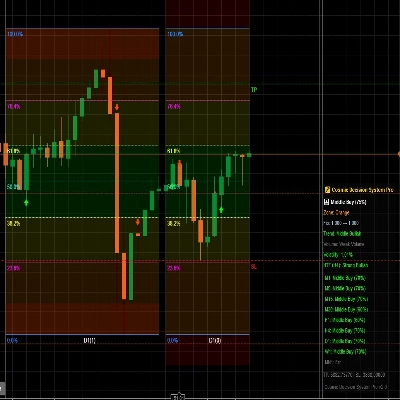
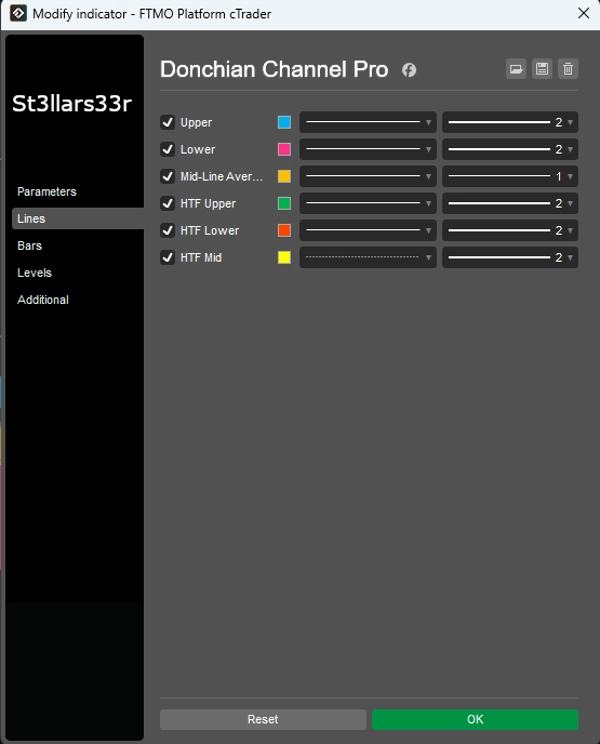
Opis
Jak handlować za pomocą strategii Donchiana (Breakout)
- Kupuj, gdy cena przebija najwyższy poziom z N-okresów (Górny).
- Sprzedaj, gdy cena przebija najniższy poziom z N-okresów (Dolny).
- Trzymaj pozycję, dopóki trend trwa; wyjdź przy przeciwnym wybiciu lub za pomocą trailing stopa.
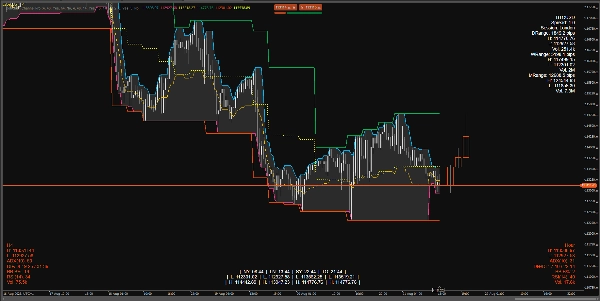
Co wskaźnik pokazuje na wykresie
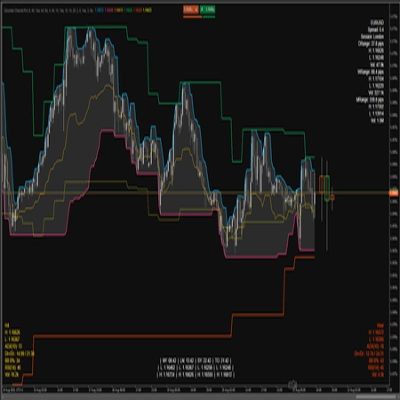
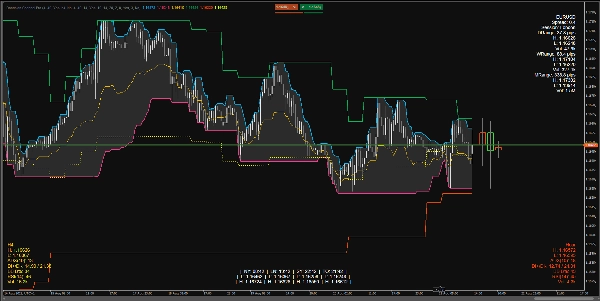
Donchian na bieżącym interwale czasowym (TF):
- Górny: Najwyższa cena w obrębie słupków Górnego Kanału.
- Dolny: Najniższa cena w obrębie słupków Dolnego Kanału.
- Środkowy: Punkt środkowy między Górnym a Dolnym.
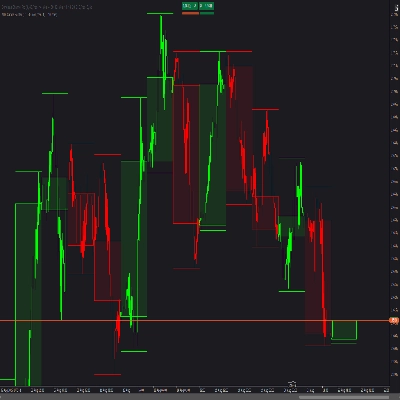
Nakładka HTF: Linie Donchiana z wyższego interwału czasowego nałożone na wykres:
- HTF Górny, HTF Dolny, HTF Środkowy
- HTF Świece HUD: Prostokąty reprezentujące świece z wyższego interwału, zakotwiczone po prawej stronie ostatniego słupka na bieżącym TF.
HUD-y (Heads-Up Displays) na dole/górze:
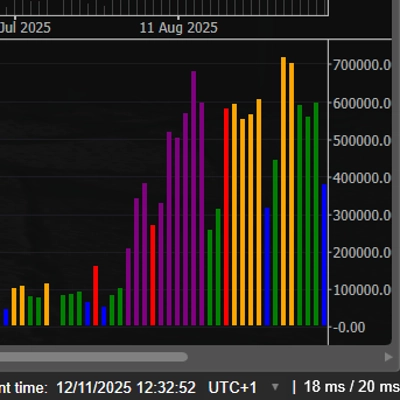
- TopRight: Panel informacyjny dla symbolu + dzienne/tygodniowe/miesięczne zakresy.
- BottomLeft: HUD HTF (metryki dla wyższego interwału).
- BottomRight: HUD Mid TF (metryki dla średniego interwału).
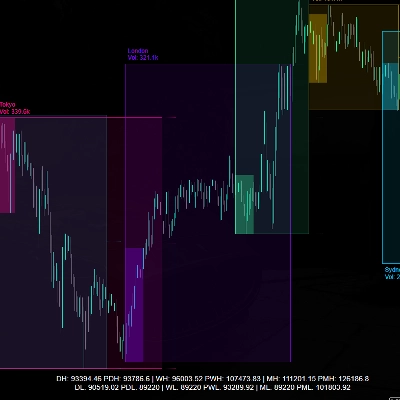
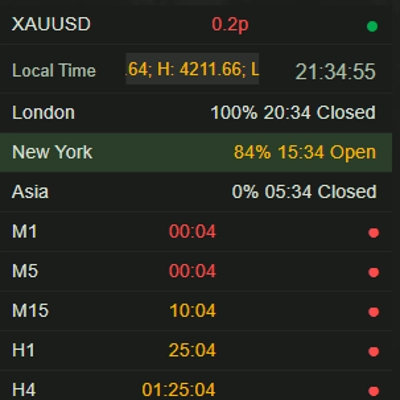
- BottomMid: Zegary sesyjne + High/Low dla każdej sesji (trwałe).
Co wyświetla każdy HUD
TopRight (prawy górny)
- Nazwa symbolu
- Spread: Spread w pipsach.
- Sesja: Aktualnie aktywna sesja (na podstawie określonych godzin).
- DRange/WRange/MRange: Dzienne/tygodniowe/miesięczne zakresy w pipsach.
- H/L/Vol: High/Low i całkowity wolumen za dany okres.
BottomLeft (lewy dolny) — HUD HTF
- Nazwa TF (np. H4, D1 itd.)
- H/L: Aktualne maksimum/minimum ostatniego (lub aktywnego) słupka HTF.
- ADX(n), DI+/DI-: Wskaźniki trendu.
- BB B%: Pozycja bieżącej ceny względem Bollinger Bands na HTF (0 blisko dolnej wstęgi, 100 blisko górnej).
- RSI(n)
- Vol: Wolumen na HTF.
- Kolor HUD:
-
- Zielony: Zakres rozszerza się w górę (DI+ i ADX rosną).
- Czerwony: Narastający nacisk spadkowy (DI- rośnie).
- Żółty: Neutralny/niezdefiniowany.
BottomRight (prawy dolny) — HUD Mid TF
- Tak samo jak HUD HTF, ale dla średniego interwału (Mid Timeframe).
BottomMid (środek na dole) — Zegary + H/L sesji
- Czas w NY, LN, SY, TO.
- L/H dla każdej sesji.
- Logika trwałości: Gdy sesja jest nieaktywna, pokazuje H/L ostatniej zakończonej sesji; gdy zaczyna się nowa sesja, wartości są resetowane i przeliczane.
Parametry i jak ich używać
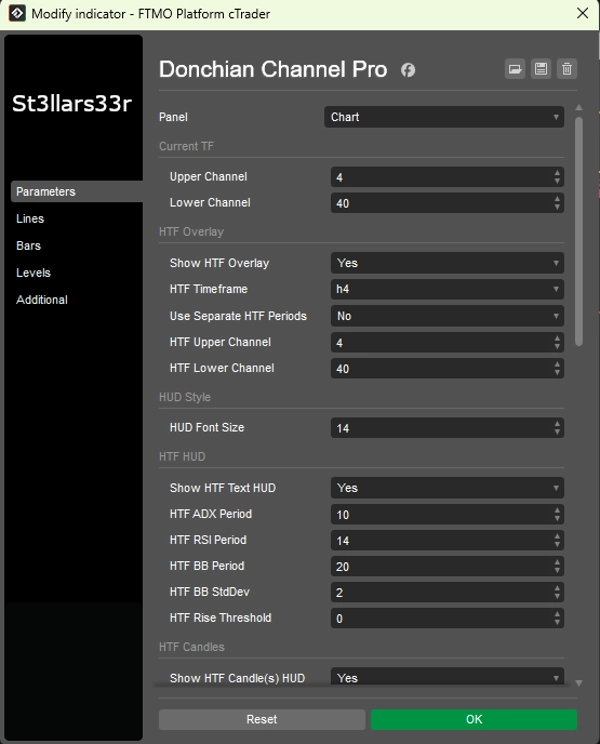
Grupa: Bieżący TF (Bieżący Donchian)
- Górny kanał: Liczba słupków dla górnego kanału. Większa wartość = rzadsze aktualizacje, bardziej płaska linia.
- Dolny kanał: Liczba słupków dla dolnego kanału.
Grupa: Nakładka HTF (Nakładka Donchiana z wyższego interwału)
- Pokaż nakładkę HTF: Włącza linie HTF na wykresie.
- Interwał HTF: Wybierz wyższy interwał (np. Hour4).
- Użyj osobnych okresów HTF: Jeśli prawda, HTF Górny/Dolny używają własnych parametrów; jeśli fałsz, używa bieżących Górny/Dolny.
- Górny kanał HTF: Długość górnego kanału dla HTF.
- Dolny kanał HTF: Długość dolnego kanału dla HTF.
Grupa: Styl HUD
- Rozmiar czcionki HUD: Rozmiar czcionki dla wszystkich HUD-ów (TopRight, BottomLeft, BottomRight, BottomMid).
Grupa: HUD HTF (lewy dolny)
- Pokaż tekstowy HUD HTF: Wyświetl tekstowy HUD dla HTF.
- Okres ADX HTF: Okres ADX/DI. Większy = płynniejszy, mniej szumu, ale wolniejsza reakcja.
- Okres RSI HTF: Okres RSI.
- Okres BB HTF: Okres Bollinger Bands.
- Odchylenie standardowe BB HTF: Mnożnik odchylenia standardowego dla BB (klasycznie 2.0).
- Próg wzrostu HTF: Czułość na rosnące metryki (wpływa na kolor HUD).
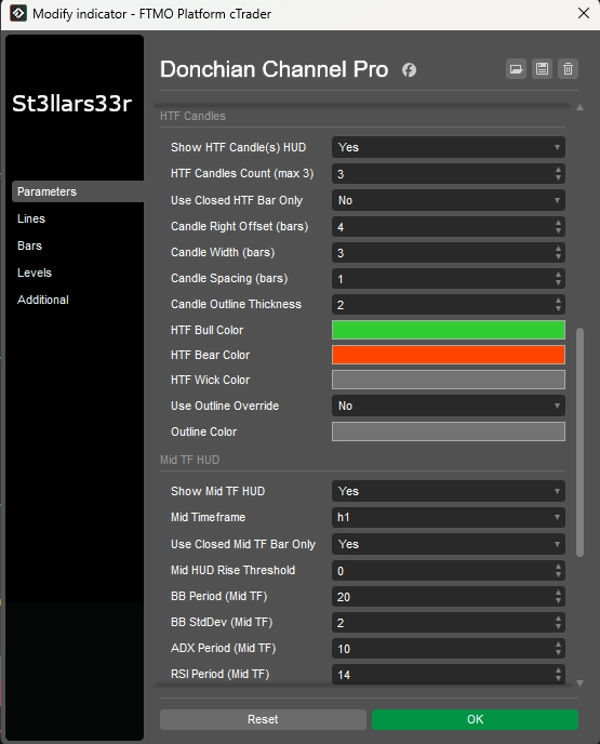
Grupa: Świece HTF (po prawej, blisko ostatniego słupka)
- Pokaż HUD świec HTF: Wyświetl świece HTF po prawej stronie.
- Liczba świec HTF (max 3): Liczba świec HTF (1–3).
- Używaj tylko zamkniętych słupków HTF: Jeśli prawda, używa tylko zamkniętych świec HTF (stabilne wartości). Jeśli fałsz, uwzględnia bieżącą otwartą świecę.
- Przesunięcie świecy w prawo (słupki): Przesunięcie w prawo w słupkach bieżącego TF od ostatniego słupka (kotwica).
- Szerokość świecy (słupki): Szerokość prostokąta świecy w słupkach bieżącego TF.
- Odstęp między świecami (słupki): Przerwa między świecami.
- Grubość obrysu świecy: Grubość obrysów świec.
- Kolor byków HTF / Kolor niedźwiedzi HTF: Kolory dla świec wzrostowych/spadkowych.
- Kolor knota HTF: Kolor knotów.
- Użyj nadpisania obrysu: Jeśli prawda, korpus świecy jest rysowany z obrysem (Kolor obrysu) bez wypełnienia byków/niedźwiedzi.
- Kolor obrysu: Kolor obrysu, gdy Użyj nadpisania obrysu = prawda.
Grupa: HUD Mid TF (prawy dolny)
- Pokaż HUD Mid TF: Włącza HUD dla średniego TF.
- Średni interwał: Wybierz średni TF (np. Minute15).
- Używaj tylko zamkniętych słupków Mid TF: Tak samo jak HTF, ale dla Mid TF.
- Próg wzrostu HUD Mid: Czułość koloru dla HUD Mid TF.
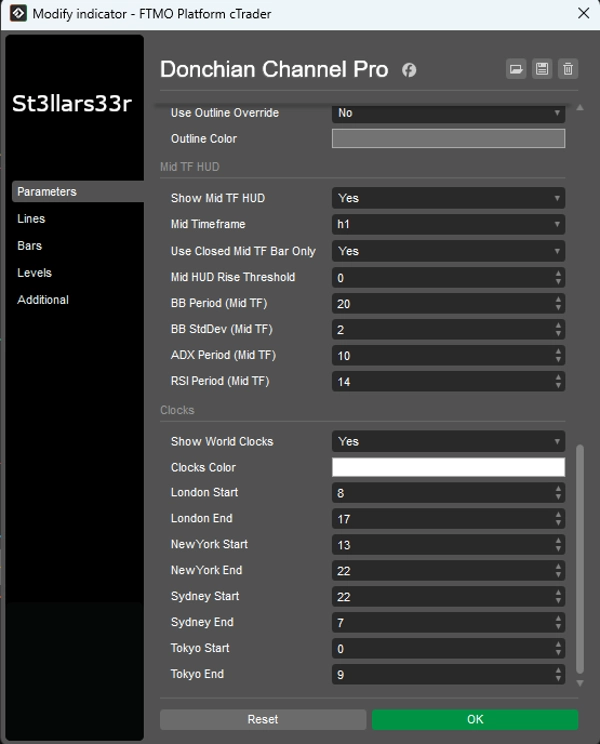
- Okres BB (Mid TF), Odchylenie standardowe BB (Mid TF): Ustawienia Bollinger Bands dla Mid TF.
- Okres ADX (Mid TF), Okres RSI (Mid TF): Okresy ADX i RSI dla Mid TF.
Grupa: Zegary (środek na dole)
- Pokaż zegary światowe: Wyświetl blok z zegarami i H/L sesji.
- Kolor zegarów: Kolor tekstu dla zegarów/sesji.
- Start Londynu / Koniec Londynu: Godziny rozpoczęcia/zakończenia sesji londyńskiej.
- Start Nowego Jorku / Koniec Nowego Jorku: Dla Nowego Jorku.
- Start Sydney / Koniec Sydney: Dla Sydney.
- Start Tokio / Koniec Tokio: Dla Tokio.
Zegary: Pokazuje rzeczywisty lokalny czas dla miast (za pomocą stref czasowych systemu operacyjnego z zapasowym przesunięciem).
- Obliczenia aktywności sesji (i H/L) używają czasu serwera brokera (Server.Time). Jeśli serwer nie jest w UTC, godziny sesji mogą się przesunąć — dostosuj Start/Koniec według potrzeb dla swojego serwera.
- Jeśli sesja przechodzi przez północ (Koniec < Start), wskaźnik automatycznie uwzględnia zmianę daty.
- Gdy sesja jest nieaktywna, pokazuje H/L ostatniej zakończonej sesji; gdy zaczyna się nowa sesja, dane są resetowane i przeliczane.
Podsumowanie
The tool includes multiple customizable Heads-Up Displays (HUDs) positioned around the chart. The TopRight HUD provides symbol details, spread, active session, and daily/weekly/monthly ranges with volume data. The BottomLeft HUD shows HTF metrics such as high/low, ADX, directional indicators, Bollinger Bands position, RSI, and volume, with color-coded trend signals. The BottomRight HUD offers similar data for an intermediate timeframe. The BottomMid HUD displays session clocks and high/low values for major trading sessions (New York, London, Sydney, Tokyo), updating dynamically with session changes.
Parameters allow customization of channel lengths for current and higher timeframes, HUD font sizes, ADX/RSI/Bollinger Bands settings, candle display options, and session times. The indicator supports various markets including Forex, cryptocurrencies, commodities, indices, and stocks, facilitating precise breakout trading decisions.
Opinie klientów
5 | 67 % | |
4 | 33 % | |
3 | 0 % | |
2 | 0 % | |
1 | 0 % |