Beschreibung
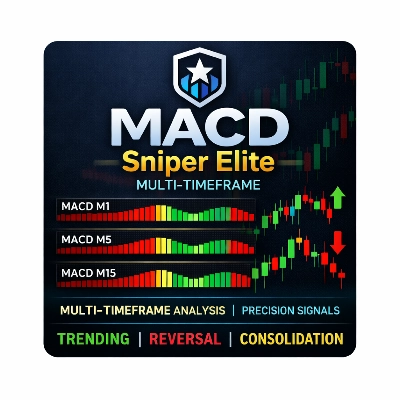
MACD Sniper Elite Multi-Timeframe ist eine präzise entwickelte Multi-Timeframe-MACD-Heatmap, die für Trader konzipiert wurde, die eine schnellere Trendanpassung, klarere Momentum-Bestätigung und präzisere Handelszeitpunkte wünschen.
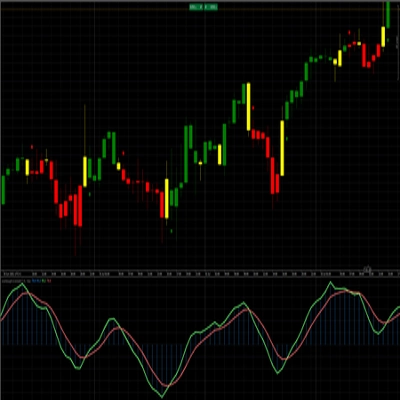
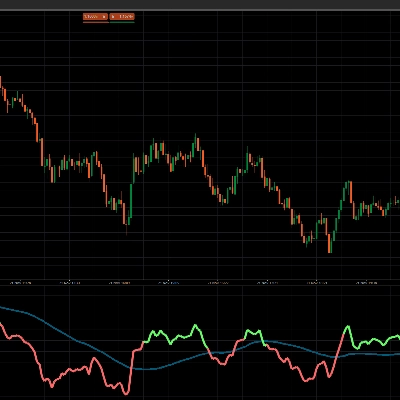
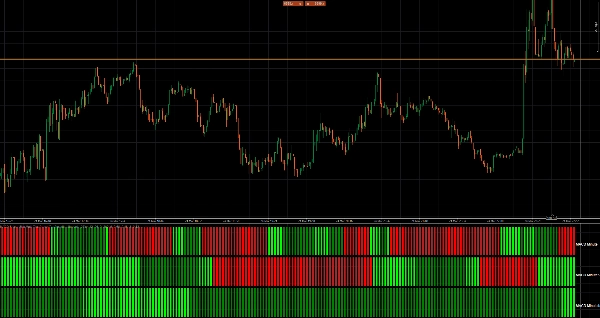
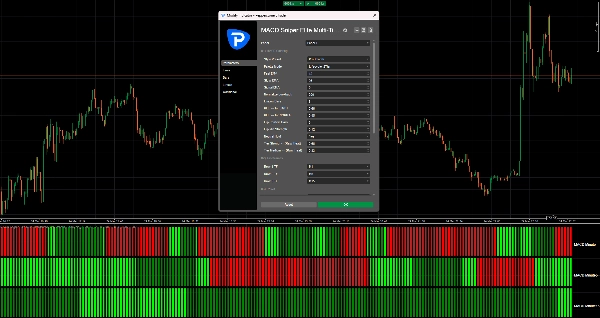
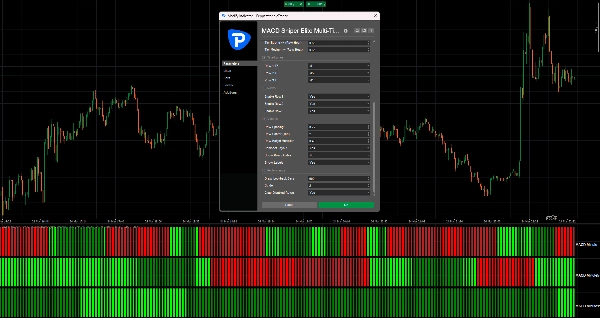
Anstatt mehrere Charts zu beobachten und MACD-Bedingungen manuell über Zeitrahmen hinweg zu vergleichen, komprimiert dieser Indikator diese Informationen in einem leistungsstarken Unterfenster mit einem klaren visuellen Layout in 3 Reihen. Jede Reihe repräsentiert einen auswählbaren Zeitrahmen und zeigt sofort, ob das MACD-Momentum stärker wird, nachlässt, bullisch oder bärisch ist.
Das Ergebnis ist einfach: Sie können Ausrichtungen schneller erkennen, schwache Setups früher filtern und sich mit mehr Vertrauen auf hochwahrscheinliche Einstiege konzentrieren.
Warum Trader es lieben
Multi-Timeframe-Klarheit auf einen Blick
Sehen Sie MACD-Bedingungen aus 3 verschiedenen Zeitrahmen in einem kompakten Panel.
Für schnelle Entscheidungsfindung entwickelt
Kein ständiges Wechseln zwischen Charts mehr, um die Momentum-Richtung zu bestätigen.
Visualisierung der Trendstärke
Die Farbanzeige zeigt mehr als nur die Richtung. Sie hebt auch hervor, ob das Momentum beschleunigt oder schwächer wird.
Sniper-ähnliche Einstiege
Perfekt für Trader, die Einstiege in niedrigeren Zeitrahmen mit Momentum in höheren Zeitrahmen abstimmen möchten.
Sauberes und effizientes Design
Die Anzeige ist minimalistisch, gut lesbar und für schnelle Chartanalyse optimiert.
Wie es funktioniert
Der Indikator verwendet eine 3-Reihen-Multi-Timeframe-Heatmap.
- Reihe 1 = auswählbarer MACD-Zeitrahmen
- Reihe 2 = auswählbarer MACD-Zeitrahmen
- Reihe 3 = auswählbarer MACD-Zeitrahmen
Jede Reihe berechnet ihren eigenen MACD mit:
- Schneller EMA
- Langsamer EMA
- Signal-EMA
Standardmäßig verwendet der Indikator die klassischen MACD-Einstellungen:
- Schneller EMA = 12
- Langsamer EMA = 26
- Signal-EMA = 9
Farb-Logik
Jede Reihe ist farbcodiert, um sowohl zu zeigen:
- Richtung
- Qualität des Momentums
Grüne Töne zeigen bullischen MACD-Druck an.
Rote Töne zeigen bärischen MACD-Druck an.
Je nach ausgewähltem Palettenmodus können die Farben anzeigen:
- starke Trendaktivierung
- anhaltendes Trendmomentum
- nachlassende Trendbedingungen
- rohe Momentumintensität
2-Stufiger Lifecycle-Modus
Dies ist einer der leistungsstärksten visuellen Modi im Indikator.
In diesem Modus:
- Hellgrün / Hellrot = frisches oder starkes Trendmomentum
- Normales Grün / Normales Rot = Momentum ist noch gültig, beginnt aber nachzulassen
Dies erleichtert es erheblich zu erkennen, ob sich eine Bewegung noch ausdehnt oder bereits an Kraft verliert.
3-Stufige und Rohe Heat-Modi
Für Trader, die noch mehr visuelle Details wünschen, enthält der Indikator außerdem:
- 3-Stufiger Lifecycle
- 3-Stufiger Roher Heat
Diese Modi fügen mehr Abstufungen zur Momentumstärke und Trendentwicklung hinzu.
Beste Anwendungsfälle
MACD Sniper Elite Multi-Timeframe ist ideal für Trader, die:
- Einstiege in niedrigeren Zeitrahmen mit höherem Zeitrahmen-Bias abstimmen möchten
- Handel gegen das Momentum vermeiden möchten
- Trendfortsetzung bestätigen möchten
- nachlassende Trends erkennen möchten, bevor Umkehrungen offensichtlich werden
- Multi-Timeframe-Analyse vereinfachen möchten
Es funktioniert besonders gut für:
- Scalping
- Intraday-Handel
- Daytrading
- Momentum-Handel
- Trendfolgestrategien
Beispiel-Workflow
Eine übliche Verwendung des Indikators ist:
- Reihe 1 = Momentum des Einstiegszeitrahmens
- Reihe 2 = Bestätigungszeitrahmen
- Reihe 3 = Bias des höheren Zeitrahmens
Zum Beispiel:
- Reihe 1 = M1
- Reihe 2 = M5
- Reihe 3 = M15
Wenn alle Reihen bullisch werden, ist das Momentum ausgerichtet.
Wenn die untere Reihe schwächer wird, während die höheren Reihen stark bleiben, kann dies entweder auf eine Gegenbewegung oder eine späte Phase einer Bewegung hinweisen.
Wenn alle Reihen gleichzeitig wechseln, deutet dies oft auf eine stärkere Richtungsphase hin.
Wichtige Vorteile
- 3 vollständig auswählbare MACD-Zeitrahmen
- klassische MACD-Standardeinstellungen enthalten
- Premium-Heatmap-Farbengine
- Visualisierung des Trend-Lifecycles
- kompaktes Unterfenster-Design
- leicht lesbare Beschriftungen
- für schnelleren Workflow optimiert
- ideal für präzise Einstiegstrader
Zusammenfassung
Kundenbewertungen
5 | 50 % | |
4 | 50 % | |
3 | 0 % | |
2 | 0 % | |
1 | 0 % |