
Description
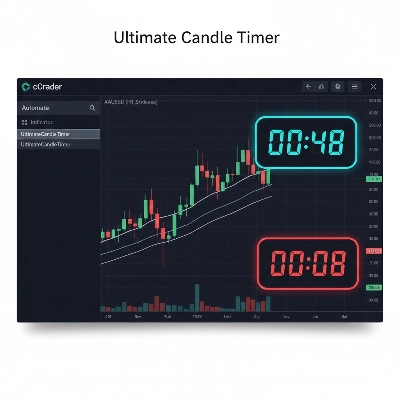
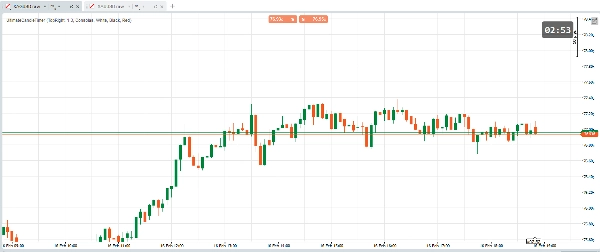
The Ultimate Candle Timer is a high-performance, visually polished countdown tool designed for cTrader Desktop. Built specifically to solve common issues like text "jitter" and poor visibility on high-resolution monitors, this version offers full UI customization through a clean, menu-driven interface.
🚀 Key Functionalities
- Custom Dropdown Menus: No more typing color names or hex codes manually. Select your favorite Fonts and Colors directly from easy-to-use dropdown menus in the settings panel.
- Dynamic UI Scaling: Designed for both laptops and 4K monitors. Use the Scale Factor to proportionally resize the text, background box, and border thickness at once.
- Visual Warning System: The timer automatically changes to a user-defined Warning Color (e.g., Red) when there are less than 10 seconds remaining in the candle, providing a clear visual cue for entry/exit.
- 6-Point Precision Alignment: Anchor the timer to any corner or center-point of your chart (
TopRight,CenterBottom,BottomLeft, etc.). - Visibility Shield: Features a semi-transparent background "Border" that ensures your timer remains perfectly legible even against a messy cluster of candlesticks or indicators.
- Version 5.6.9 Compatibility: Uses a universal time-calculation engine that works across different cTrader versions by analyzing the gap between historical bars rather than relying on potentially unstable API properties.
🛠 Parameters Explained
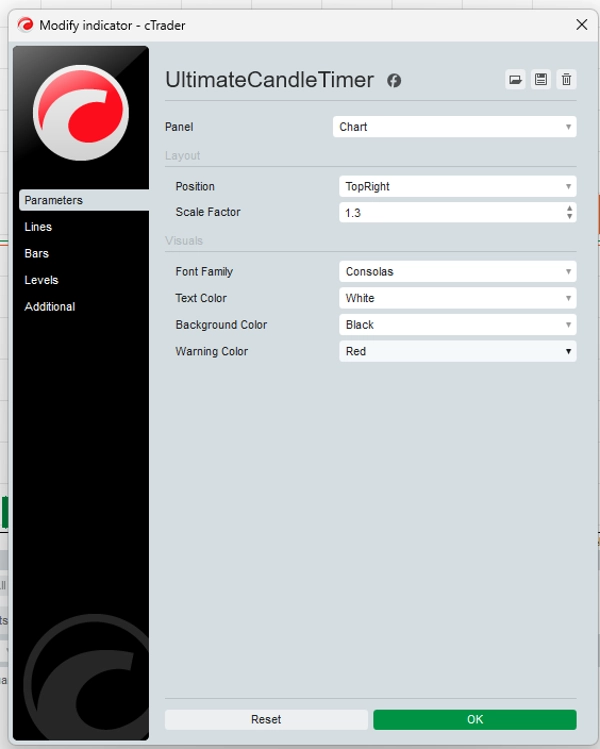
- Position: Choose where the timer sits on your screen.
- Scale Factor: Multiply the size of the UI (0.5x to 5.0x).
- Font Family: Select from professional fonts like Consolas, Segoe UI, or Impact.
- Text Color: Choose the main color for your countdown digits.
- Background Color: Set the color of the protective box behind the text.
- Warning Color: Choose the "Alert" color for the final 10 seconds.
Summary
Indicator profile
Customer reviews
0.0
Reviews: 0
Customer reviews
No reviews for this product yet. Already tried it? Be the first to tell others!
Discussion
FAQ
Forex
Signal
Commodities
Crypto
XAUUSD
Products available through cTrader Store, including trading bots, indicators and plugins, are provided by third-party developers and made available for informational and technical access purposes only. cTrader Store is not a broker and does not provide investment advice, personal recommendations or any guarantee of future performance.







Price
Since 24/10/2025