

FZ
Indicator
Version 1.0, Mar 2026
Windows, Mac
4.0
Reviews: 2
Since 10/03/2026
130
Free installs
Description
FZ Indicator for cTrader
Description
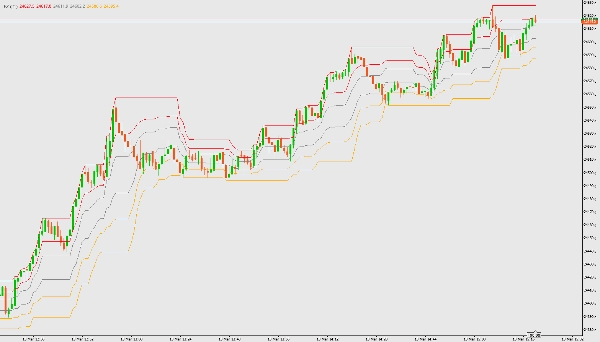
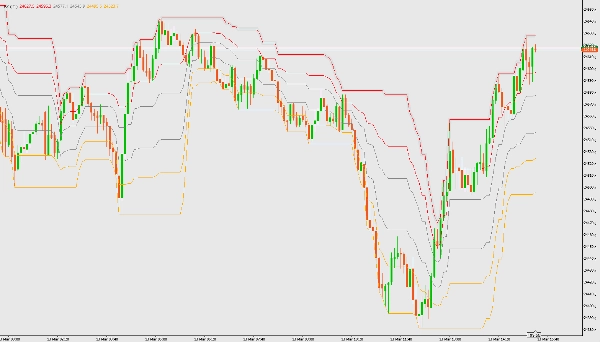
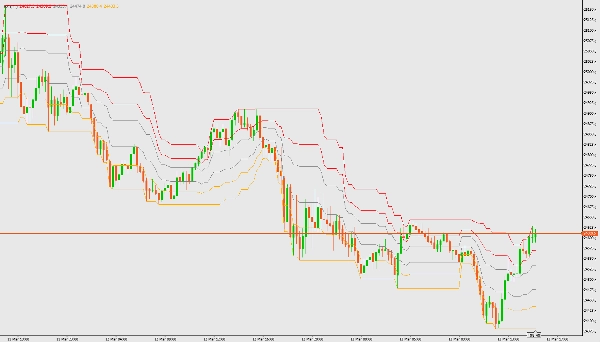
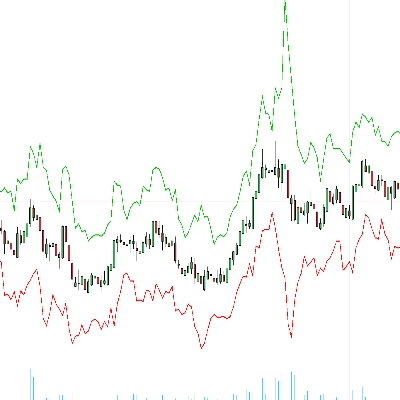
The FZ indicator draws Fibonacci channel zones based on the highest and lowest prices over a user-defined period. It helps identify trend zones and potential reversal areas.
Features
- Calculates channel borders and Fibonacci levels (0.236, 0.382, 0.618, 0.786)
- Visualizes uptrend, ranging, and downtrend zones
- Overlay on price chart
Parameters
- calculate for last ## bars: Number of bars to use for calculation (default: 21)
How to Use
- Download and add the FZ indicator file (FZ.cs) to your cTrader platform.
- Compile the indicator in cTrader Automate.
- Attach the indicator to any chart.
- Adjust the parameter for the number of bars as needed.
- Interpret the colored zones:
- Cyan: Uptrend zone (go long)
- Gray: Ranging zone (wait for trend change)
- Orange: Downtrend zone (go short)
Summary
AI summary
The FZ indicator for cTrader visualizes Fibonacci channel zones based on the highest and lowest prices over a user-defined number of bars (default 21). It calculates channel borders and key Fibonacci levels (0.236, 0.382, 0.618, 0.786) to identify trend zones and potential reversal areas. The indicator overlays these zones directly on the price chart, using color coding to distinguish market conditions: cyan for uptrend zones, gray for ranging zones, and orange for downtrend zones. This helps traders interpret market trends and make informed decisions about entering or exiting positions. The indicator supports various markets including Forex, indices, commodities, stocks, and cryptocurrencies. It is designed to be compiled and attached to any chart within the cTrader platform, with adjustable parameters for the calculation period.
Indicator profile
Customer reviews
4.0
Reviews: 2
5 | 0 % | |
4 | 100 % | |
3 | 0 % | |
2 | 0 % | |
1 | 0 % |
Discussion
FAQ
BTCUSD
Forex
Signal
Breakout
Indices
EURUSD
Commodities
GBPUSD
NZDUSD
Prop
Scalping
Crypto
Grid
Stocks
AI
XAUUSD
NAS100
USDJPY
Products available through cTrader Store, including trading bots, indicators and plugins, are provided by third-party developers and made available for informational and technical access purposes only. cTrader Store is not a broker and does not provide investment advice, personal recommendations or any guarantee of future performance.











Price
Since 10/03/2026
130
Free installs