

Description
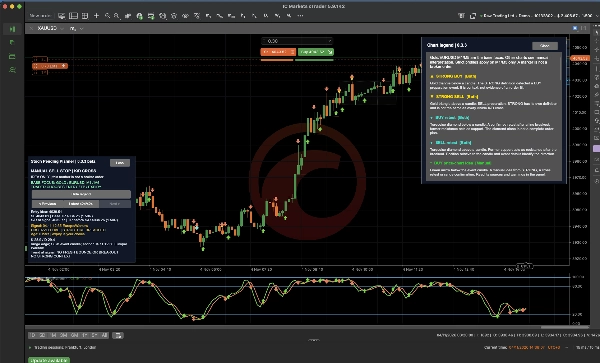
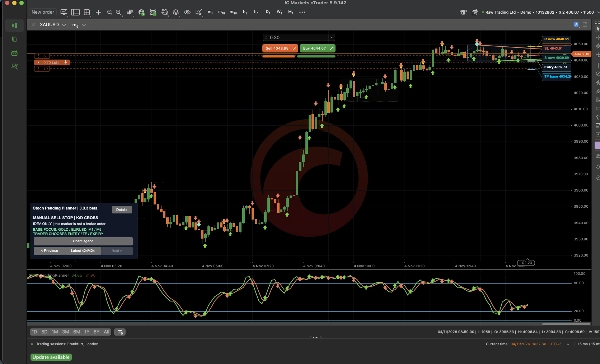
StochPendingPlanner marks potential Buy Stop and Sell Stop setups on your cTrader chart.
See suggested entry, stop loss and take profit levels together before you place a pending order.
Start with Gold (XAUUSD) or EUR/USD on M1 or M5.
You can also test the manual view on higher timeframes such as H1.
What you see
- Stochastic crosses, STRONG markers and pullbacks, with trend lines and consolidation zones.
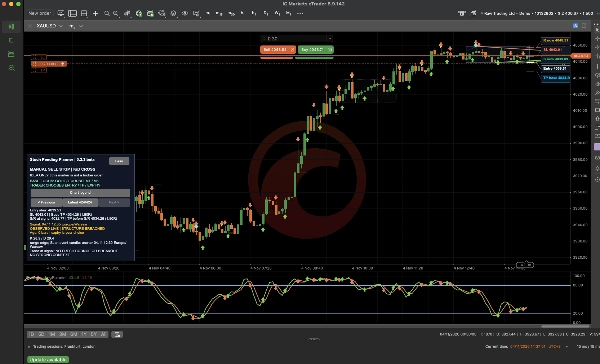
- Entry, SL and TP labels. When support or resistance is in the way, compare the base target with an alternative TP before that level.
- A panel with setup details and warnings. Browse setups with Previous, Next and Latest, use the built-in Chart legend, and enable alerts as needed.
Order planning
In the default manual mode, you choose the setup, entry, position size, target and expiry. The indicator leaves account orders untouched.
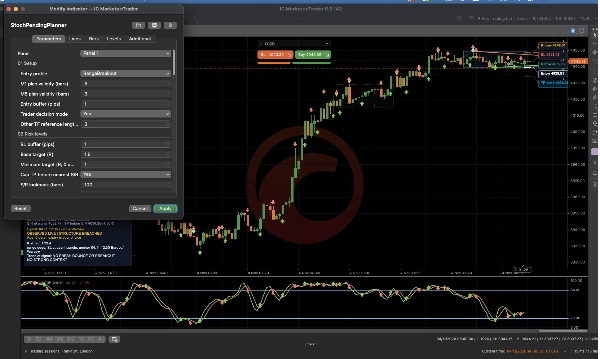
On M1 and M5, an optional strict profile adds RangeBreakout or LegacyStochastic checks and plan deadlines. Management of matching tagged Stop orders is off by default. When enabled with trading permission, it can set expiry or request cancellation. The indicator never opens positions or manages filled positions.
Using the indicator
Available in cTrader for Windows and Mac. Test unfamiliar symbols and timeframes on a demo account first.
Quick trading tips
- Check the M30 or H1 trend and nearby support or resistance before planning an M1 or M5 entry.
- Use Entry, SL and TP as reference levels. Cancel any unfilled pending order if the setup is no longer valid.
- Check the economic calendar separately. Confirm the actual date and time of NFP, which often falls on the first Friday of the month. Watch spreads around major releases and at month-end.
Summary
Users can select setups to view reference entry points, suggested stop-loss (SL), and base take-profit (TP) targets, with an alternative TP based on support/resistance. The base TP is set at 1.5 times the Entry-SL distance by default. Price labels are clearly displayed and adjustable without altering price levels.
The indicator offers manual control over trade decisions, including position size, order type, and expiry, without automatic order execution. It includes navigation controls for reviewing setups, a chart legend explaining graphical elements, and customizable alerts for key signals.
Primary markets are Gold (XAUUSD) and EURUSD on M1 and M5 timeframes, with support for other symbols and periods in manual mode. An optional strict profile adds RangeBreakout or LegacyStochastic checks on M1/M5. Tagged stop-order management can handle expiry or cancellation of pending orders but does not manage open positions.
Designed for local analysis and alerts, it requires continuous running on cTrader desktop platforms.
Discussion
Customer reviews
FAQ











Price
