
Description
Ema Up&Down 2025 : Votre allié stratégique sur les marchés
Êtes-vous prêt à élever votre trading algorithmique à un nouveau niveau ? Ema Up&Down 2025 pour cTrader n'est pas seulement un cBot ; c'est une véritable puissance stratégique conçue pour vous offrir flexibilité, contrôle et gestion sophistiquée des risques. Oubliez les heures passées à surveiller les graphiques : laissez Ema Up&Down 2025 travailler pour vous avec une précision chirurgicale.
Pourquoi Ema Up&Down 2025 se démarque :
- Stratégies multiples, contrôle unique : Ne vous limitez pas à une seule approche ! Ema Up&Down 2025 vous met aux commandes avec trois stratégies d'entrée personnalisables et combinables :
-
- Croisement de MM : Exploitez la puissance des croisements de moyennes mobiles (EMA, SMA, etc.), un classique intemporel pour identifier les tendances.
- Breakout : Capturez les mouvements explosifs du marché en entrant avec une précision opportune lors du franchissement de niveaux clés.
- Déviation de prix : Profitez des écarts de prix par rapport à une moyenne mobile, idéal pour les stratégies de retour à la moyenne ou les continuations après un retracement. Choisissez votre mode d'exécution préféré –
OnBarClosepour des confirmations solides ouOnEveryTickpour une réactivité immédiate.
- Gestion des risques de niveau professionnel :
-
- Stop Loss et Take Profit dynamiques : Adaptez votre protection et vos objectifs avec un SL/TP fixe en pips ou basé sur la volatilité réelle du marché grâce à l'ATR, avec des multiplicateurs distincts pour les trades Long et Short.
- Trailing Stop intelligent : Une fois qu'un trade est en profit (par
TrailingStartPips), le bot active un Trailing Stop qui suit dynamiquement le prix à une distance que vous définissez (TrailingDistancePips), protégeant les gains et maximisant le potentiel de chaque opération. - Break-Even automatique : Lorsqu'un certain profit est atteint (
BreakEvenTriggerPips), le bot déplace automatiquement le Stop Loss au point d'équilibre (plus un petit extraBreakEvenExtraPips), rendant votre trade sans risque.
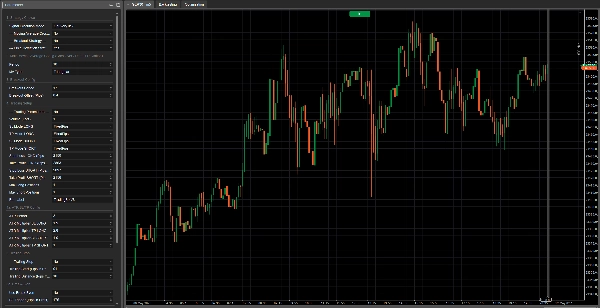
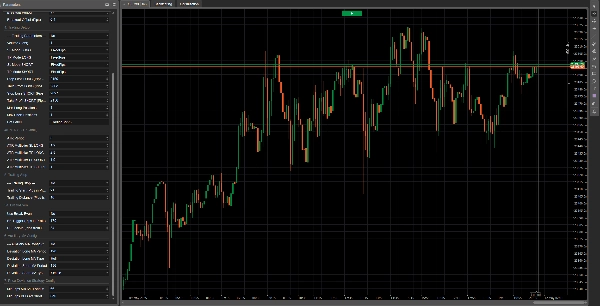
- Configuration approfondie et intuitive : Chaque aspect du bot est sous votre contrôle grâce à un panneau de paramètres complet et bien organisé. Définissez les volumes, les périodes des indicateurs, les types de moyennes mobiles (y compris les MM auxiliaires pour la stratégie de déviation), et chaque détail de votre gestion des trades.
- Conçu pour l'efficacité :
-
- Logique d'initialisation optimisée : Les indicateurs sont chargés uniquement si strictement nécessaire, garantissant des performances optimales.
- Code propre et commenté : Pour ceux qui aiment comprendre ce qui se passe "sous le capot", le code est clairement et logiquement structuré.
- Retour d'information détaillé : Chaque action du bot, de l'ouverture d'ordre à la gestion du SL/TP et du Trailing Stop, est suivie par des messages de log clairs, vous permettant de surveiller chacun de ses mouvements.
Note importante sur l'optimisation :
Veuillez noter que cette version de Ema Up&Down 2025 est un outil puissant et flexible fourni sans pré-optimisation pour un actif ou une condition de marché spécifique. Cela vous donne la liberté complète de le tester et de l'adapter à vos instruments préférés. Bonne nouvelle ! Des versions optimisées pour divers actifs seront bientôt disponibles. Si vous recherchez des optimisations personnalisées et ad hoc adaptées à votre stratégie de trading unique ou à des actifs spécifiques, n'hésitez pas à nous contacter !
Ema Up&Down 2025 est idéal pour :
- Les traders cherchant un bot polyvalent capable de s'adapter à différentes conditions de marché et prêts à effectuer leur propre optimisation.
- Les développeurs désirant une base solide et bien structurée pour construire des personnalisations supplémentaires.
- Toute personne souhaitant automatiser ses stratégies avec un haut degré de contrôle sur la gestion des risques et le processus d'optimisation.
Avec Ema Up&Down 2025, vous n'automatisez pas seulement le trading ; vous mettez en œuvre une vision stratégique complète. Préparez-vous à découvrir une nouvelle façon d'aborder les marchés, avec un assistant qui ne dort jamais et travaille sans relâche pour atteindre vos objectifs. arkets, with an assistant that never sleeps and works tirelessly towards your goals.
Voici l'explication de chaque paramètre :
Groupe 1 : Choix de la stratégie
Mode d'exécution du signal-
- Nom affiché : Mode d'exécution du signal
- Valeur par défaut :
OnBarClose - Explication : Détermine quand le bot doit évaluer les signaux de trading et potentiellement ouvrir des positions.
-
OnBarClose: Les signaux sont vérifiés uniquement à la clôture de chaque barre. Cette approche attend la confirmation de la barre avant d'agir.OnEveryTick: Les signaux sont vérifiés à chaque tick (changement de prix). Cette approche est plus réactive mais peut conduire à des signaux basés sur des mouvements de prix non encore confirmés par une clôture de barre.
--- Stratégie de croisement de moyenne mobile ---(Paramètre actuel :UseMACrossoverStrategy)-
- Nom affiché : --- Stratégie de croisement de moyenne mobile ---
- Valeur par défaut :
true(Activée) - Explication : Un simple interrupteur (true/false). Si réglé sur
true, le bot utilisera la stratégie de croisement de moyenne mobile pour générer des signaux d'achat ou de vente.
--- Stratégie Breakout ---(Paramètre actuel :UseBreakoutStrategy)-
- Nom affiché : --- Stratégie Breakout ---
- Valeur par défaut :
false(Désactivée) - Explication : Un interrupteur (true/false). Si réglé sur
true, le bot activera la stratégie breakout, qui tente d'entrer sur le marché lorsque le prix franchit un plus haut récent ou un plus bas récent.
--- Stratégie de déviation de prix ---(Paramètre actuel :UsePriceDeviationStrategy)-
- Nom affiché : --- Stratégie de déviation de prix ---
- Valeur par défaut :
false(Désactivée) - Explication : Un interrupteur (true/false). Si réglé sur
true, le bot utilisera la stratégie basée sur la déviation du prix par rapport à une moyenne mobile.
Groupe 2 : Configuration principale de la moyenne mobile (Croisement / Déviation par défaut)
Ces paramètres s'appliquent à la moyenne mobile utilisée par la stratégie "Croisement de moyenne mobile" et, sauf indication contraire, par la stratégie "Déviation de prix".
Période-
- Nom affiché : Période
- Valeur par défaut : 20
- Valeur minimale : 1
- Explication : Définit le nombre de barres précédentes à utiliser pour calculer la moyenne mobile principale. Une période plus longue donnera une moyenne mobile plus lisse et plus lente à réagir ; une période plus courte la rendra plus réactive.
Type de MM-
- Nom affiché : Type de MM
- Valeur par défaut :
Simple(Moyenne mobile simple - SMA) - Explication : Spécifie le type de moyenne mobile à utiliser. Les options courantes incluent :
-
Simple (SMA): Calcule la moyenne arithmétique simple des prix de clôture.Exponential (EMA): Donne plus de poids aux prix récents, la rendant plus réactive qu'une SMA.Weighted (WMA): Similaire à l'EMA, attribue des poids décroissants linéairement aux prix passés.- D'autres types peuvent être disponibles selon la plateforme (par ex., Smoothed, Hull).
Groupe 3 : Configuration Breakout
Ces paramètres sont spécifiques à la "Stratégie Breakout".
Période Breakout-
- Nom affiché : Période Breakout
- Valeur par défaut : 20
- Valeur minimale : 2
- Explication : Détermine le nombre de barres précédentes (hors les deux dernières) sur lesquelles trouver le plus haut et le plus bas. Le bot tentera d'entrer lorsque le prix franchira ces niveaux.
Décalage Breakout (Pips)-
- Nom affiché : Décalage Breakout (Pips)
- Valeur par défaut : 1.0
- Valeur minimale : 0.0
- Pas : 0.1
- Explication : Une valeur en pips à ajouter au plus haut (pour un signal d'achat) ou à soustraire du plus bas (pour un signal de vente) de la "Période Breakout". Cela sert de tampon ou filtre pour éviter les faux breakouts trop proches des niveaux extrêmes. Un décalage de 0 signifie que le signal se déclenche exactement au franchissement du niveau.
Groupe 4 : Configuration du trading
PlaceholderTrading-
- Nom affiché : --- Paramètres de trading --- (le nom réel du paramètre dans le code est
PlaceholderTrading, mais le groupe est nommé "--- Paramètres de trading ---") - Explication : Ce paramètre booléen (
true/false) était présent dans le code mais ne semblait pas avoir d'utilisation directe dans la logique de trading. Il pourrait s'agir d'un vestige d'une version précédente ou d'un espace réservé pour une fonctionnalité future. Dans le contexte actuel, le modifier ne devrait pas affecter le comportement du bot.
- Nom affiché : --- Paramètres de trading --- (le nom réel du paramètre dans le code est
Volume (Lots)Mode SL LONG/Mode TP LONG/Mode SL SHORT/Mode TP SHORT-
- Noms affichés : Mode SL LONG, Mode TP LONG, Mode SL SHORT, Mode TP SHORT
- Valeurs par défaut :
FixedPipspour tous - Explication : Détermine comment le Stop Loss (SL) et le Take Profit (TP) seront calculés pour les positions Long (achat) et Short (vente).
-
FixedPips: Le SL/TP sera fixé à un nombre fixe de pips à partir du prix d'entrée (défini dans les paramètres suivants).ATR: Le SL/TP sera calculé dynamiquement en fonction de l'Average True Range (ATR), multiplié par un facteur spécifié (défini dans les paramètres du groupe "Configuration ATR SL/TP").
Stop Loss LONG (Pips - Si Fixe)/Take Profit LONG (Pips - Si Fixe)/Stop Loss SHORT (Pips - Si Fixe)/Take Profit SHORT (Pips - Si Fixe)-
- Noms affichés : Stop Loss LONG (Pips - Si Fixe), Take Profit LONG (Pips - Si Fixe), etc.
- Valeurs par défaut : SL 20 pips, TP 40 pips pour Long et Short.
- Valeur minimale : 0
- Explication : Si le mode SL/TP correspondant est réglé sur
FixedPips, ces paramètres définissent la distance en pips pour le Stop Loss ou le Take Profit. Une valeur de 0 signifie que ce SL ou TP spécifique ne sera pas défini (si le mode est FixedPips).
Positions Longues Max/Positions Courtes Max-
- Noms affichés : Positions Longues Max, Positions Courtes Max
- Valeurs par défaut : 1 pour les deux
- Valeur minimale : 1
- Explication : Le nombre maximum de positions Longues (achat) ou Courtes (vente) que le bot peut avoir ouvertes simultanément pour cet instrument et timeframe spécifiques.
Étiquette du bot-
- Nom affiché : Étiquette du bot
- Valeur par défaut : "TradingBotV8" (vous voudrez peut-être maintenant la changer en "Ema Up&Down 2025")
- Explication : Une étiquette textuelle utilisée pour identifier les positions ouvertes par cette instance spécifique du bot. Utile pour distinguer les trades de ce bot de ceux d'autres bots ou des trades manuels, notamment dans les logs et la gestion des positions (par ex., pour le Trailing Stop et le Break-Even).
Groupe 4a : Configuration ATR SL/TP
Ces paramètres sont pertinents uniquement si l'un des modes SL/TP (pour Long ou Short) est réglé sur ATR.
Période ATR-
- Nom affiché : Période ATR
- Valeur par défaut : 14
- Valeur minimale : 1
- Explication : Le nombre de barres à utiliser pour calculer l'indicateur Average True Range (ATR), qui mesure la volatilité du marché.
Multiplicateur ATR SL LONG/Multiplicateur ATR TP LONG/Multiplicateur ATR SL SHORT/Multiplicateur ATR TP SHORT-
- Noms affichés : Multiplicateur ATR SL LONG, Multiplicateur ATR TP LONG, etc.
- Valeurs par défaut : SL 1.5, TP 3.0 pour Long et Short.
- Valeur minimale : 0.1
- Pas : 0.1
- Explication : Le facteur par lequel la valeur ATR sera multipliée pour déterminer la distance du Stop Loss ou Take Profit en pips. Par exemple, si l'ATR est de 10 pips et que
Multiplicateur ATR SL LONGest 1.5, le Stop Loss pour une position Long sera fixé à 15 pips (10 * 1.5) du prix d'entrée.
Groupe 5 : Trailing Stop
--- Trailing Stop ---(Paramètre actuel :UseTrailingStop)-
- Nom affiché : --- Trailing Stop ---
- Valeur par défaut :
false(Désactivé) - Explication : Un interrupteur (true/false). Si réglé sur
true, le bot activera la fonctionnalité Trailing Stop pour les positions ouvertes.
Début du trailing (Pips en profit)-
- Nom affiché : Début du trailing (Pips en profit)
- Valeur par défaut : 10
- Valeur minimale : 1
- Explication : Le nombre de pips de profit qu'une position doit atteindre avant que le Trailing Stop ne commence à fonctionner.
Distance du trailing (Pips depuis le prix)-
- Nom affiché : Distance du trailing (Pips depuis le prix)
- Valeur par défaut : 10
- Valeur minimale : 1
- Explication : Une fois activé, le Stop Loss sera maintenu à cette distance en pips du prix de marché le plus favorable atteint (du Bid pour les positions Long, de l'Ask pour les positions Short).
Groupe 5a : Break-Even
Utiliser Break-Even-
- Nom affiché : Utiliser Break-Even
- Valeur par défaut :
false(Désactivé) - Explication : Un interrupteur (true/false). Si réglé sur
true, le bot activera la fonctionnalité Break-Even.
Déclencheur BE (Pips en profit)-
- Nom affiché : Déclencheur BE (Pips en profit)
- Valeur par défaut : 15
- Valeur minimale : 1
- Explication : Le nombre de pips de profit qu'une position doit atteindre avant que le Stop Loss soit déplacé au point d'équilibre (ou légèrement en profit).
Verrouillage BE (Pips depuis l'entrée)-
- Nom affiché : Verrouillage BE (Pips depuis l'entrée)
- Valeur par défaut : 1
- Valeur minimale : 0
- Explication : Le nombre de pips au-delà du prix d'entrée auquel le Stop Loss sera placé une fois le Break-Even activé. Par exemple, avec une valeur de 1, le SL sera déplacé à "prix d'entrée + 1 pip" pour les positions Long, ou "prix d'entrée - 1 pip" pour les positions Short. Une valeur de 0 le déplacera exactement au prix d'entrée.
Groupe 6 : Configuration MA auxiliaire (pour la stratégie de déviation de prix)
Ces paramètres sont pertinents uniquement si la "Stratégie de déviation de prix" est active (UsePriceDeviationStrategy = true) ET que vous choisissez d'utiliser des moyennes mobiles séparées pour cette stratégie (UseSeparateMAForDeviation = true).
UseSeparateMAForDeviation-
- Nom affiché : UseSeparateMAForDeviation
- Valeur par défaut :
false - Explication : Un interrupteur (true/false). Si
false(par défaut), la stratégie de déviation de prix utilisera la moyenne mobile principale (configurée dans le Groupe 2). Sitrue, elle utilisera des moyennes mobiles séparées pour les signaux Long et Short, configurées avec les paramètres suivants dans ce groupe.
Période MA Longue Déviation/Type MA Longue Déviation-
- Noms affichés : Période MA Longue Déviation, Type MA Longue Déviation
- Valeurs par défaut : Période 20, Type
Simple - Explication : Période et type de la moyenne mobile à utiliser pour évaluer les signaux d'achat (Long) dans la stratégie de déviation de prix, uniquement si
UseSeparateMAForDeviationesttrue.
Période MA Courte Déviation/Type MA Courte Déviation-
- Noms affichés : Période MA Courte Déviation, Type MA Courte Déviation
- Valeurs par défaut : Période 20, Type
Simple - Explication : Période et type de la moyenne mobile à utiliser pour évaluer les signaux de vente (Short) dans la stratégie de déviation de prix, uniquement si
UseSeparateMAForDeviationesttrue.
Groupe 7 : Configuration de la stratégie de déviation de prix
Ces paramètres sont pertinents uniquement si la "Stratégie de déviation de prix" est active (UsePriceDeviationStrategy = true).
Pips MIN AU-DESSUS de la MA Longue pour ACHAT-
- Nom affiché : Pips MIN AU-DESSUS de la MA Longue pour ACHAT
- Valeur par défaut : 10.0
- Valeur minimale : 0.0
- Pas : 0.1
- Explication : Pour la stratégie de déviation de prix, le nombre minimum de pips que le prix actuel (Ask) doit être au-dessus de la moyenne mobile pertinente (principale ou
DeviationLongMA) pour générer un signal d'achat.
Pips MIN EN-DESSOUS de la MA Courte pour VENTE-
- Nom affiché : Pips MIN EN-DESSOUS de la MA Courte pour VENTE
- Valeur par défaut : 10.0
- Valeur minimale : 0.0
- Pas : 0.1
- Explication : Pour la stratégie de déviation de prix, le nombre minimum de pips que le prix actuel (Bid) doit être en-dessous de la moyenne mobile pertinente (principale ou
DeviationShortMA) pour générer un signal de vente.
Résumé
The bot features professional-grade risk management tools, including dynamic Stop Loss (SL) and Take Profit (TP) settings configurable as fixed pip distances or based on market volatility using the Average True Range (ATR) indicator with adjustable multipliers for long and short positions. It supports intelligent trailing stops that activate after a defined profit threshold and automatic break-even functionality to secure trades once a specified profit level is reached.
EMA Up&Down 2025 provides deep configurability through a comprehensive parameter panel, allowing users to define trade volumes, indicator periods, moving average types (Simple, Exponential, Weighted, etc.), and detailed trade management settings. The bot is optimized for efficiency, loading indicators only as needed, with clean, commented code and detailed logging of all trading actions.
This version is unoptimized for specific assets or market conditions, enabling users to tailor and optimize it for their preferred instruments. It is suitable for traders seeking adaptable automation, developers wanting a solid foundation for customization, and anyone requiring precise control over risk and strategy optimization.
Avis clients
5 | 50 % | |
4 | 50 % | |
3 | 0 % | |
2 | 0 % | |
1 | 0 % |