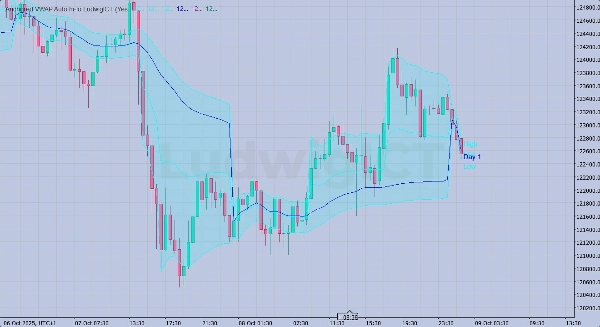

Mô tả
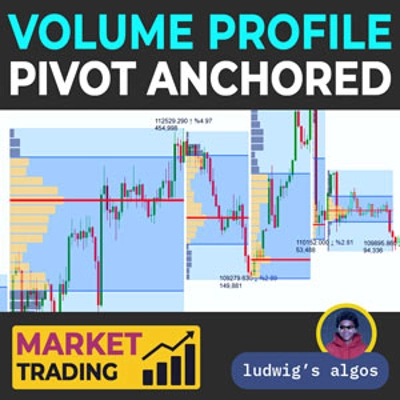
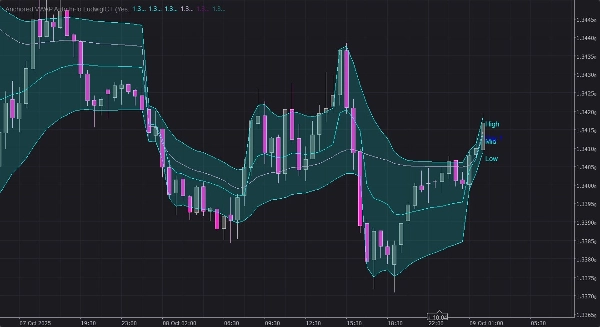
1. Anchored VWAP Cao & Thấp
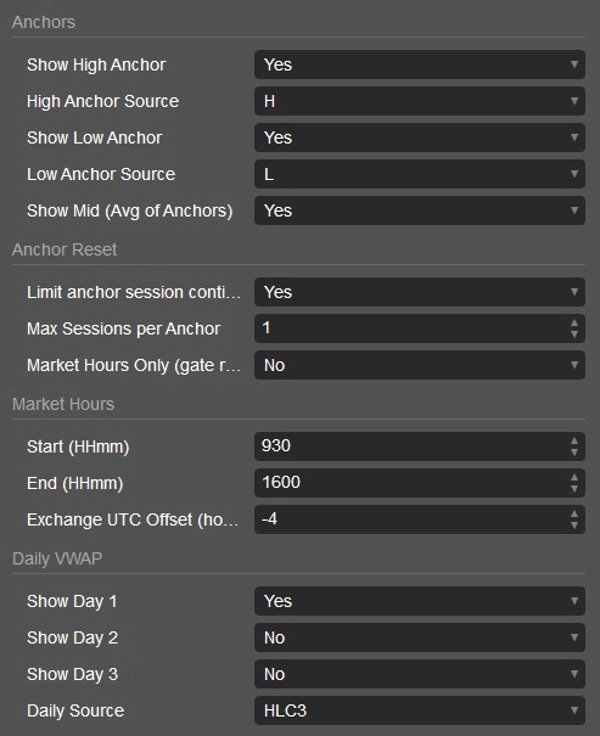
- Theo dõi hai đường VWAP neo riêng biệt:
-
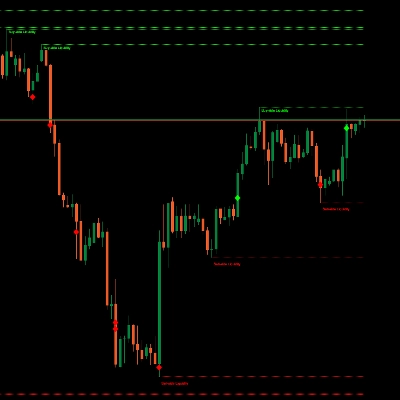
- Mỏ Neo Cao → VWAP bắt đầu từ điểm “đột phá cao” gần nhất.
- Mỏ Neo Thấp → VWAP bắt đầu từ điểm “đột phá thấp” gần nhất.
- Mỏ neo được đặt lại khi:
-
- Giá phá vỡ trên mức neo cao trước đó (cho mỏ neo cao) hoặc dưới mức neo thấp trước đó (cho mỏ neo thấp).
- Hoặc sau một số phiên đã định (ví dụ: 1 ngày) nếu SessionLimited được bật.
- Tùy chọn, chỉ đặt lại trong giờ thị trường được chỉ định.
- Cũng có thể hiển thị một Đường Giữa = trung bình của VWAP neo cao và thấp.
2. Điều Khiển Phiên & Giờ Thị Trường
- SessionLimited: Giới hạn thời gian một mỏ neo có thể tồn tại qua các phiên (ngày giao dịch).
- AnchorMaxSessions: Số phiên tối đa trước khi tự động đặt lại.
- MarketHoursOnly: Ngăn việc đặt lại ngoài thời gian bắt đầu/kết thúc đã chọn (ví dụ: RTH cho cổ phiếu).
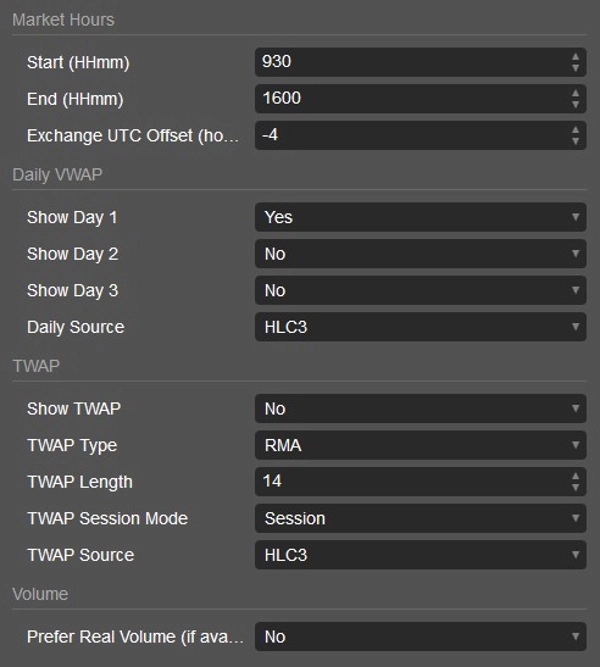
- ExchangeUtcOffsetHours: Điều chỉnh thời gian cho giờ thị trường theo sàn giao dịch bạn chọn.
3. VWAP Hàng Ngày cho 3 Ngày Gần Đây
- Theo dõi VWAP hàng ngày cho:
-
- Ngày 1 (hôm nay)
- Ngày 2 (hôm qua)
- Ngày 3 (ngày trước hôm qua)
- Tất cả có thể được hiển thị cùng nhau để hình dung các mức VWAP ngắn hạn.
4. TWAP (Giá Trung Bình Có Trọng Số Thời Gian)
- Đường tùy chọn hiển thị TWAP dựa trên các phương pháp trung bình động khác nhau:
-
- SMA, EMA, RMA, WMA, VWMA, hoặc Hồi Quy Tuyến Tính.
- Có thể đặt lại mỗi phiên (chế độ Phiên) hoặc chạy liên tục (chế độ Vĩnh Viễn).
- Độ dài có thể điều chỉnh, và loại giá nguồn có thể chọn.
5. Đầu Ra Hình Ảnh
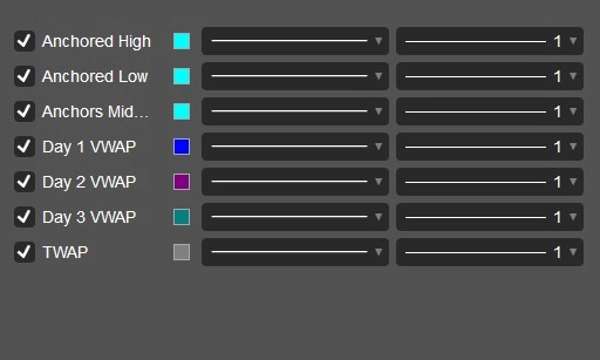
- Vẽ các đường cho:
-
- VWAP Cao Neo
- VWAP Thấp Neo
- Đường Giữa Neo
- VWAP Ngày 1, 2, 3
- TWAP
- Cũng vẽ nhãn tại thanh cuối cùng để hiển thị đường nào là đường nào.
6. Xử Lý Khối Lượng
- Sử dụng khối lượng tick theo mặc định (tiêu chuẩn cTrader).
- Có thể ưu tiên khối lượng thực nếu có sẵn.
💡 Trong thuật ngữ giao dịch:
Chỉ báo này chủ yếu để theo dõi các mức VWAP neo từ các điểm swing chính (đỉnh/đáy gần đây), đồng thời theo dõi lịch sử VWAP ngắn hạn và tùy chọn phủ thêm TWAP. Nó được thiết kế cho các nhà giao dịch muốn theo dõi VWAP dựa trên phiên chính xác với các quy tắc đặt lại tương tự phiên bản Pine gốc, nhưng có cải tiến về kiểm soát giờ thị trường và nhiều tham chiếu VWAP/TWAP.
Nếu bạn có bất kỳ câu hỏi nào hoặc gặp sự cố, đừng ngần ngại liên hệ với tôi. Tôi rất vui được giúp bạn!
Tuyên Bố Miễn Trách Nhiệm:
Bằng cách sử dụng các thuật toán của tôi, bạn thừa nhận rằng giao dịch có những rủi ro vốn có và hiệu suất trong quá khứ không đảm bảo kết quả trong tương lai. Việc có một chiến lược quản lý rủi ro vững chắc là rất quan trọng và trên hết, bạn phải duy trì kỷ luật trong việc tuân thủ các mức dừng lỗ. Việc không quản lý rủi ro đúng cách có thể dẫn đến thua lỗ đáng kể. Tôi không chịu trách nhiệm về bất kỳ kết quả tài chính nào phát sinh từ việc sử dụng các thuật toán này. Hãy giao dịch có trách nhiệm và luôn tuân thủ các thực hành quản lý rủi ro đúng đắn.
Chúc bạn thành công! 🙌
Tóm tắt
The indicator also displays a Midline, calculated as the average of the high and low anchored VWAPs, and tracks daily VWAP levels for the last three days to provide short-term VWAP history. Additionally, it offers an optional Time-Weighted Average Price (TWAP) line, which can be calculated using various moving average methods (SMA, EMA, RMA, WMA, VWMA, or Linear Regression) and configured to reset each session or run continuously.
Session and market hours controls include options to limit anchor duration across sessions, set maximum sessions before reset, restrict resets to market hours, and adjust for exchange time zones. The indicator uses tick volume by default but can be set to prefer real volume if available. Visual outputs include labeled lines for anchored high, low, midline VWAPs, daily VWAPs, and TWAP, aiding traders in precise session-based VWAP analysis with enhanced reset and market-hour features.
Đánh giá của khách hàng
5 | 67 % | |
4 | 33 % | |
3 | 0 % | |
2 | 0 % | |
1 | 0 % |