Description
https://chartshots.spotware.com/c/695bec6c74055
https://chartshots.spotware.com/c/695bed35bf7b7
https://chartshots.spotware.com/c/695bed6b139df
https://chartshots.spotware.com/c/695bed8ea6bdb
📊 BLOC DE RUPTURE PIVOT
🤔
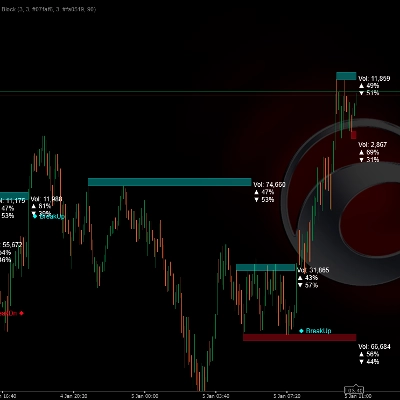
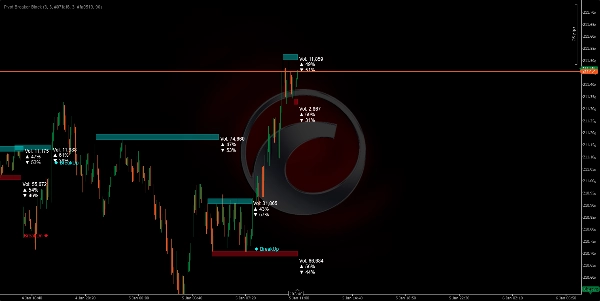
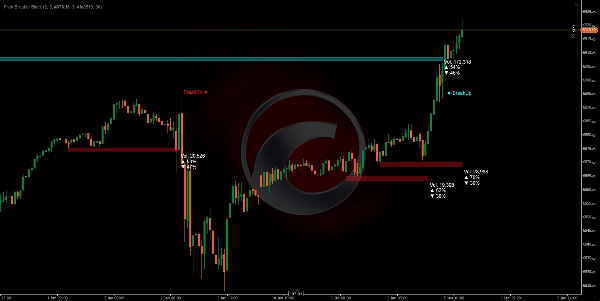
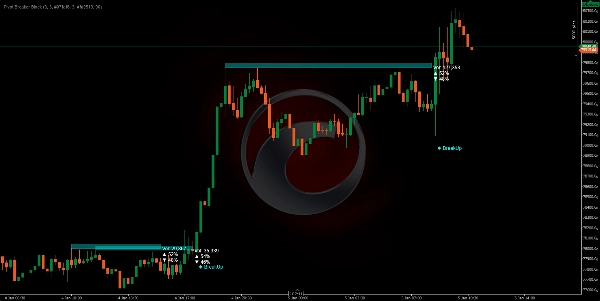
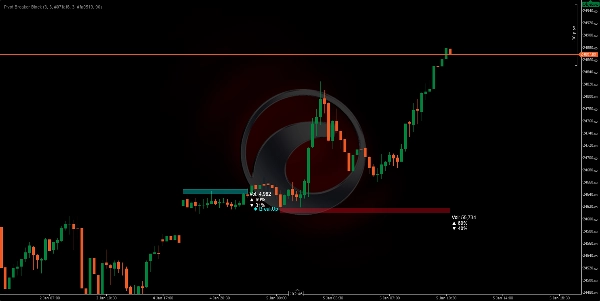
Le Bloc de Rupture Pivot est un indicateur visuel qui identifie automatiquement les points de retournement clés des prix (hauts et bas locaux) et construit des "blocs de prix" autour de ces niveaux critiques. Lorsque le prix approche à nouveau ces niveaux similaires, l'algorithme dessine des rectangles (zones) représentant la résistance (Offre) et le support (Demande) .
Le système surveille en continu si le prix traverse ces zones, générant des signaux visuels clairs : BreakUp (cassure haussière) 🔼 ou BreakDn (cassure baissière) 🔽.
À QUOI ÇA SERT ? 🎯
1. Identifier les zones de contrôle du marché 🗺️
L'algorithme détecte où le prix a montré une forte résistance (plafond de vente) ou un support (plancher d'achat). Lorsque ces niveaux apparaissent plusieurs fois, le marché confirme leur importance.
2. Visualiser l'accumulation et la distribution du volume ⚖️
Chaque bloc affiche :
- Volume total traité dans cette zone
- % d'achats (bougies haussières) 📈
- % de ventes (bougies baissières) 📉
Cela vous permet de voir si le marché est en train d'acheter ou de vendre dans cette zone, révélant ainsi l'intention du marché.
3. Anticiper les points de cassure 🚨
Lorsque le prix approche ces zones, vous avez la plus grande probabilité qu'un mouvement significatif se produise. L'algorithme détecte automatiquement quand le prix les traverse, vous alertant en temps réel.
COMMENT FONCTIONNE LA LOGIQUE ⚙️
Phase 1 : Détection des pivots (points de retournement) 🔍
L'algorithme recherche des hauts et des bas qui répondent à un critère spécifique :
- Pivot Haut : Une bougie dont le plus haut est plus élevé que les 5 bougies précédentes ET les 5 bougies suivantes.
- Pivot Bas : Une bougie dont le plus bas est plus bas que les 5 bougies précédentes ET les 5 bougies suivantes.
Ce paramètre "5" (Pivot Lookback) est ajustable en fonction de la volatilité que vous souhaitez capturer.
Phase 2 : Reconnaissance des zones de contrôle 🎯
Une fois un pivot identifié, le système le compare avec le pivot précédent du même type. Si la différence entre eux est inférieure à 20 % de l'ATR (mesure de volatilité actuelle), cela signifie que le marché revisite un niveau similaire précédemment rejeté.
Phase 3 : Dimensionnement de la zone 📏
La hauteur de chaque bloc est calculée dynamiquement en utilisant l'ATR (Average True Range) :
- Offre (Rouge) : Le plafond est à ATR × 0,5 points au-dessus du pivot.
- Demande (Cyan) : Le plancher est à ATR × 0,5 points en dessous du pivot.
Cela signifie que les zones s'adaptent automatiquement à la volatilité de l'actif. Sur les marchés volatils, les zones sont plus larges ; sur les marchés calmes, elles sont plus étroites.
Phase 4 : Analyse du volume en temps réel 💹
Tant que le prix est à l'intérieur de la zone, l'algorithme additionne tous les volumes d'achat et de vente depuis le début du bloc :
- Achat : Toutes les bougies dont la clôture est supérieure à l'ouverture (volume haussier).
- Vente : Toutes les bougies dont la clôture est inférieure à l'ouverture (volume baissier).
Ces pourcentages vous montrent l'intention dominante dans cette zone.
Phase 5 : Détection de cassure 🚀
L'algorithme surveille chaque nouvelle bougie :
- BreakUp (↑) : La clôture franchit au-dessus le plafond de l'Offre → Signal de cassure haussière.
- BreakDn (↓) : La clôture passe en dessous du plancher de la Demande → Signal de cassure baissière.
Lorsque cela se produit, le bloc est désactivé et un signal texte apparaît à l'écran.
COMMENT L'UTILISER 🛠️
Installation et configuration ⚙️
- Ajoutez l'indicateur à votre plateforme cTrader.
- Accédez aux paramètres ajustables :
ParamètreSignificationRecommandation
Pivot Lookback
Combien de bougies à gauche/droite sont évaluées pour confirmer un pivot
5 (standard), augmenter sur des TF plus élevés
Facteur de zone d'offre
Hauteur du bloc rouge (Résistance)
5.0 (standard), ajuster selon préférence
Facteur de zone de demande
Hauteur du bloc cyan (Support)
5.0 (standard), ajuster selon préférence
Transparence
Opacité du bloc (0=invisible, 255=opaque)
90 (recommandé pour la visibilité)
Couleurs
Personnalisez l'apparence visuelle
Rouge pour l'Offre, Cyan pour la Demande
Stratégie de trading 💡
Scénario 1 : Entrée Longue (Achat) 📈
- Attendez que le prix forme un bloc de Demande (cyan) avec un % d'achats > 55%.
- Lorsqu'un BreakUpse produit, confirmez votre entrée haussière.
- Stop Loss (SL) sous le plancher du bloc.
Scénario 2 : Entrée Courte (Vente) 📉
- Cherchez un bloc d'Offre (rouge) avec un % de ventes > 55%.
- Au moment du BreakDn, ouvrez une position baissière.
- Stop Loss (SL) au-dessus du plafond du bloc.
Scénario 3 : Renversement (Retour à la moyenne) 🔄
- Si le prix est à l'intérieur d'un bloc de Demande mais que le % d'achats est faible (< 45%)...
- Anticipez que le prix va rebondir à la hausse sans atteindre un BreakUp.
- Entrez un achat près du plancher avec un Take Profit (TP) au plafond.
Périodes optimales ⏰
- H4/D1 : Blocs plus significatifs, mouvements de plus longue durée.
- H1 : Bon équilibre entre bruit et opportunités.
- M15 : Entrée rapide, nécessite une confirmation de volume.
Résumé
The indicator continuously monitors price action relative to these zones, providing real-time breakout signals: "BreakUp" for bullish breakouts above resistance and "BreakDn" for bearish breakouts below support. Each block displays cumulative volume data, including total volume processed and the percentage of buying (bullish) versus selling (bearish) activity, helping traders assess market intention within these areas.
Pivot Breaker Block supports multiple trading strategies, including breakout entries and mean reversion, with configurable parameters such as pivot lookback period, zone height factors, and visual transparency. It is suitable for various markets including Forex, indices, commodities, stocks, and cryptocurrencies, and works effectively on timeframes from 15 minutes to daily charts.
Key features:
- Automatic pivot detection with adjustable lookback
- Dynamic supply and demand zone sizing based on ATR
- Real-time volume accumulation and buy/sell ratio visualization
- Breakout alerts with on-screen signals
- Supports multiple asset classes and timeframes for versatile use