

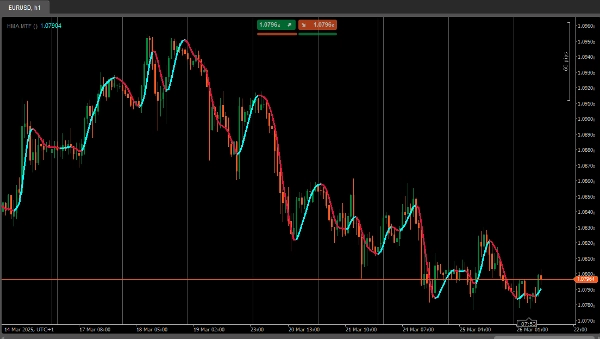

说明
HMA MTF(多时间框架)– 指标说明
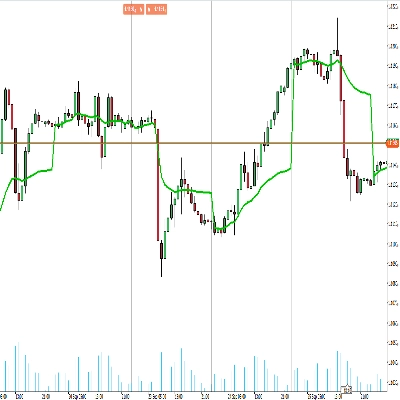
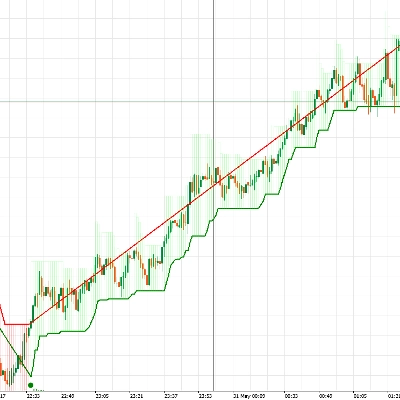
该 HMAMTF 指标将在您的当前图表上绘制来自更高或更低时间框架的移动平均线,并以两条颜色编码的线条显示,表示看涨或看跌的动能。它使用cTrader内置的移动平均功能,通过比较当前MA值与之前的值来计算趋势是向上还是向下。
参数
- 时间框架 (
TimeFrame, 默认 ="Hour4")
定义用于计算移动平均线的数据时间框架(例如,4小时、日线、周线)。 - 价格 (
PriceType, 默认 =Close)
指定用于MA计算的价格类型(收盘价、开盘价、最高价或最低价)。 - 周期 (
int, 默认 =14, 最小值 =1)
移动平均计算中考虑的K线数量。 - MA类型 (
MovingAverageType, 默认 =Weighted)
选择应用于所选价格序列的移动平均方法(例如,简单、指数、平滑、加权)。
摘要
AI 摘要
HMA MTF 2.0 is a multi-timeframe indicator designed for use on the cTrader platform. It plots a moving average calculated from a user-selected higher or lower timeframe onto the current chart. The indicator displays two color-coded lines that represent bullish or bearish momentum by comparing the current moving average value to the previous one.
Key configurable parameters include:
1. Time Frame – selects the timeframe (e.g., 4-hour, daily, weekly) used for the moving average calculation.
2. Price – chooses the price type (Close, Open, High, or Low) applied in the moving average computation.
3. Period – defines the number of bars considered in the moving average.
4. MA Type – specifies the moving average method, such as Simple, Exponential, Smoothed, or Weighted.
This indicator supports multiple markets including Forex, Indices, Commodities, Crypto, and Stocks, providing a versatile tool for trend analysis across different asset classes.
Key configurable parameters include:
1. Time Frame – selects the timeframe (e.g., 4-hour, daily, weekly) used for the moving average calculation.
2. Price – chooses the price type (Close, Open, High, or Low) applied in the moving average computation.
3. Period – defines the number of bars considered in the moving average.
4. MA Type – specifies the moving average method, such as Simple, Exponential, Smoothed, or Weighted.
This indicator supports multiple markets including Forex, Indices, Commodities, Crypto, and Stocks, providing a versatile tool for trend analysis across different asset classes.
指标配置
讨论
客户评价
4.2
评价:4
5 | 25 % | |
4 | 75 % | |
3 | 0 % | |
2 | 0 % | |
1 | 0 % |
客户评价
April 7, 2025
April 5, 2025
The main upside is the first look still needs context. Manual review still matters.
April 3, 2025
Not perfect, but the workflow felt cleaner. Bad settings can ruin the idea.
April 1, 2025
the part that matters is the workflow stays easier to manage, and M15 is enough for the first pass.
常见问答
Prop
Forex
Indices
Commodities
Crypto
Stocks
cTrader Store 提供的所有产品,包括交易机器人、指标和插件,均由第三方开发者提供,仅供信息参考和技术访问之用。cTrader Store 并非经纪商,不提供投资建议、个人推荐或任何未来业绩保证。










价格
51
销售
1.45K
免费安装