Descripción
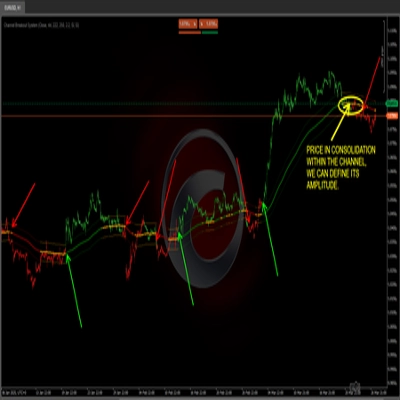
Cómo operar usando la estrategia Donchian (ruptura)
- Comprar cuando el precio rompe el máximo de N períodos (Superior).
- Vender cuando el precio rompe el mínimo de N períodos (Inferior).
- Mantener la posición mientras la tendencia continúe; salir en una ruptura opuesta o mediante un stop móvil.
Qué muestra el indicador en el gráfico
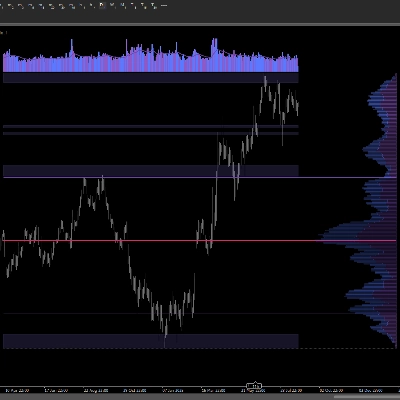
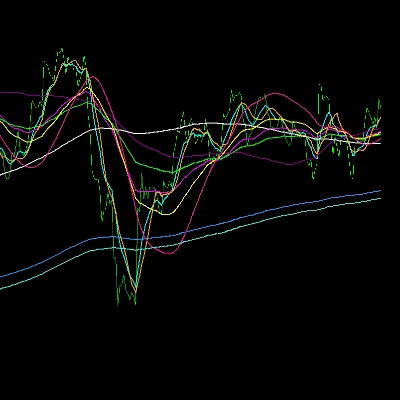
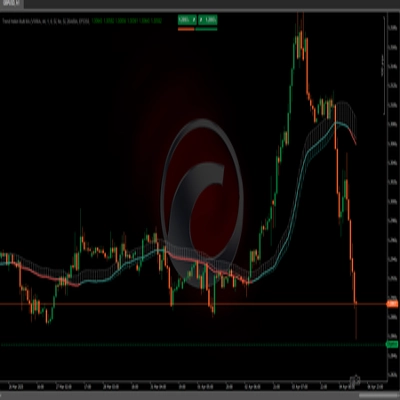
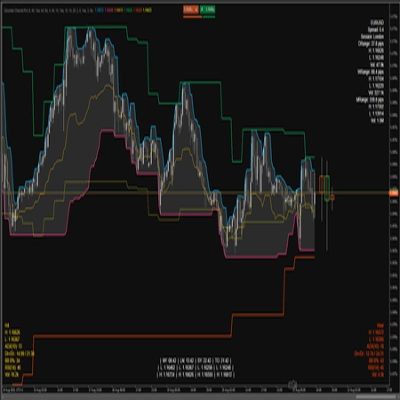
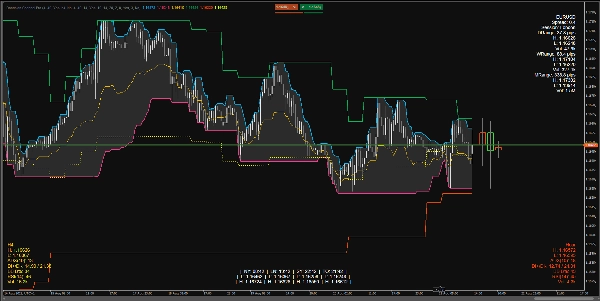
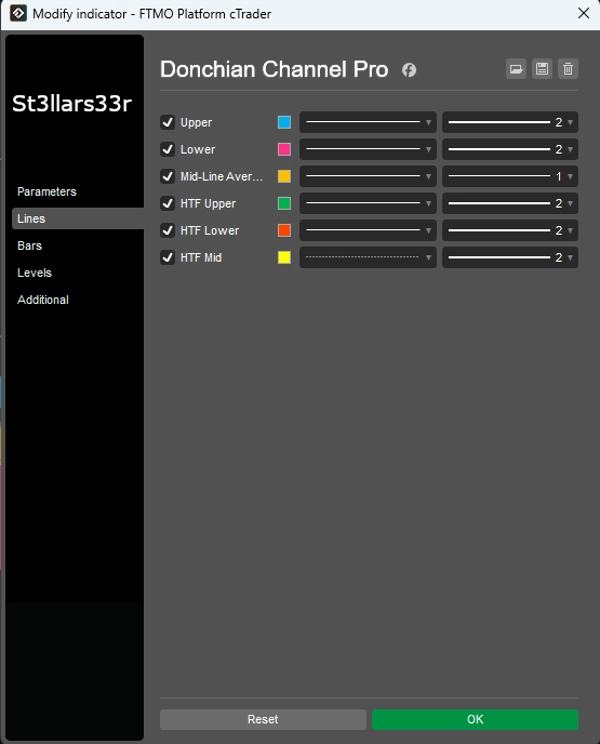
Donchian en el marco temporal actual (TF):
- Superior: El precio más alto sobre las barras del canal superior.
- Inferior: El precio más bajo sobre las barras del canal inferior.
- Medio: El punto medio entre Superior e Inferior.
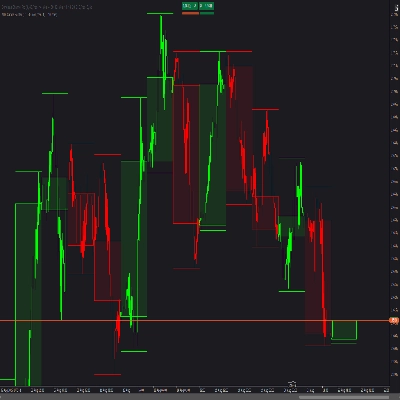
Superposición HTF: Líneas Donchian de un marco temporal superior superpuestas en el gráfico:
- HTF Superior, HTF Inferior, HTF Medio
- HTF Velas HUD: Rectángulos que representan velas de un marco temporal superior, anclados a la derecha de la última barra en el TF actual.
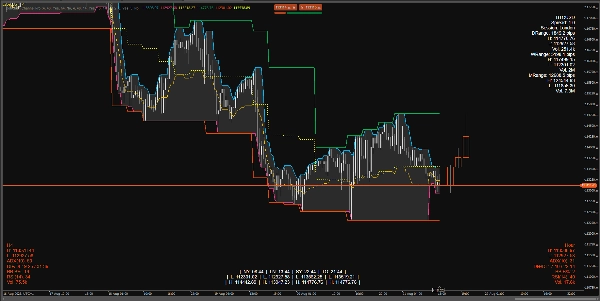
HUDs (Pantallas de visualización) en la parte inferior/superior:
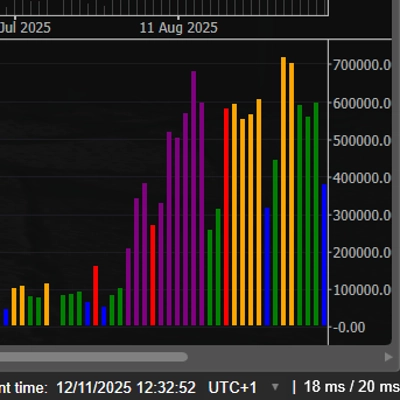
- SuperiorDerecha: Panel de información para el símbolo + rangos diarios/semanales/mensuales.
- InferiorIzquierda: HUD HTF (métricas para el marco temporal superior).
- InferiorDerecha: HUD TF Medio (métricas para el marco temporal intermedio).
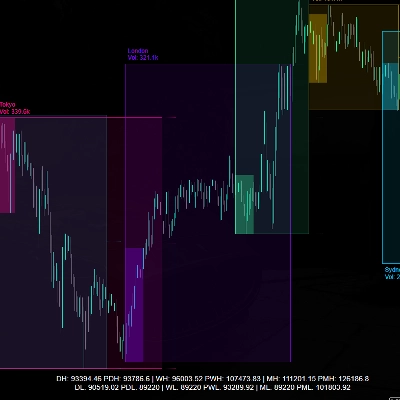
- InferiorCentro: Relojes de sesión + Máximo/Mínimo para cada sesión (persistente).
Qué muestra cada HUD
SuperiorDerecha (Parte superior derecha)
- NombreSímbolo
- Spread: Spread en pips.
- Sesión: Sesión activa actual (basada en horas especificadas).
- RangoD/RangoS/RangoM: Rango diario/semanal/mensual en pips.
- Máx/Mín/Vol: Máximo/Mínimo y volumen total para el período respectivo.
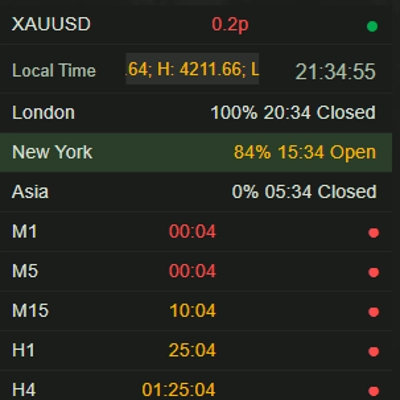
InferiorIzquierda (Parte inferior izquierda) — HUD HTF
- Nombre TF (p. ej., H4, D1, etc.)
- Máx/Mín: Máximo/mínimo actual de la última barra HTF (o activa).
- ADX(n), DI+/DI-: Indicadores de tendencia.
- BB B%: Dónde está el precio actual relativo a las Bandas de Bollinger en HTF (0 cerca de la banda inferior, 100 cerca de la banda superior).
- RSI(n)
- Vol: Volumen en HTF.
- Color HUD:
-
- Verde: Rango expandiéndose hacia arriba (DI+ y ADX en aumento).
- Rojo: Presión descendente creciente (DI- en aumento).
- Amarillo: Neutral/indefinido.
InferiorDerecha (Parte inferior derecha) — HUD TF Medio
- Igual que el HUD HTF, pero para el marco temporal intermedio (TF Medio).
InferiorCentro (Centro inferior) — Relojes + Máx/Mín de sesión
- Hora en NY, LN, SY, TO.
- Mín/Máx para cada sesión.
- Lógica persistente: Cuando una sesión está inactiva, muestra el Máx/Mín de la última sesión completada; cuando comienza una nueva sesión, los valores se reinician y recalculan.
Parámetros y cómo usarlos
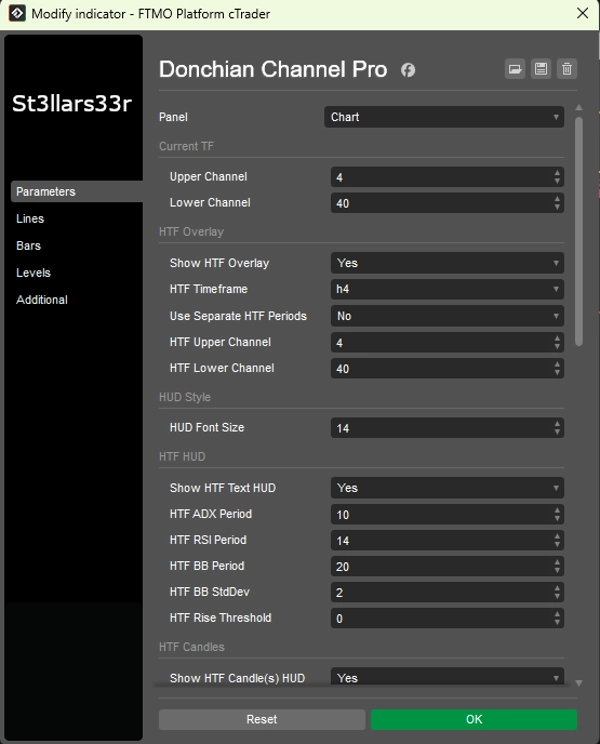
Grupo: TF actual (Donchian actual)
- Canal superior: Número de barras para el canal superior. Valor mayor = actualizaciones menos frecuentes, línea más plana.
- Canal inferior: Número de barras para el canal inferior.
Grupo: Superposición HTF (Superposición Donchian de marco temporal superior)
- Mostrar superposición HTF: Habilita líneas HTF en el gráfico.
- Marco temporal HTF: Seleccionar marco temporal superior (p. ej., Hora4).
- Usar períodos HTF separados: Si es verdadero, HTF Superior/Inferior usan sus propios parámetros; si es falso, usa Superior/Inferior actual.
- Canal superior HTF: Longitud del canal superior para HTF.
- Canal inferior HTF: Longitud del canal inferior para HTF.
Grupo: Estilo HUD
- Tamaño de fuente HUD: Tamaño de fuente para todos los HUDs (SuperiorDerecha, InferiorIzquierda, InferiorDerecha, InferiorCentro).
Grupo: HUD HTF (Inferior izquierda)
- Mostrar HUD de texto HTF: Mostrar HUD de texto para HTF.
- Período ADX HTF: Período ADX/DI. Mayor = más suave, menos ruido, pero respuesta más lenta.
- Período RSI HTF: Período RSI.
- Período BB HTF: Período de Bandas de Bollinger.
- Desviación estándar BB HTF: Multiplicador de desviación estándar para BB (el clásico es 2.0).
- Umbral de subida HTF: Sensibilidad a métricas ascendentes (afecta el color del HUD).
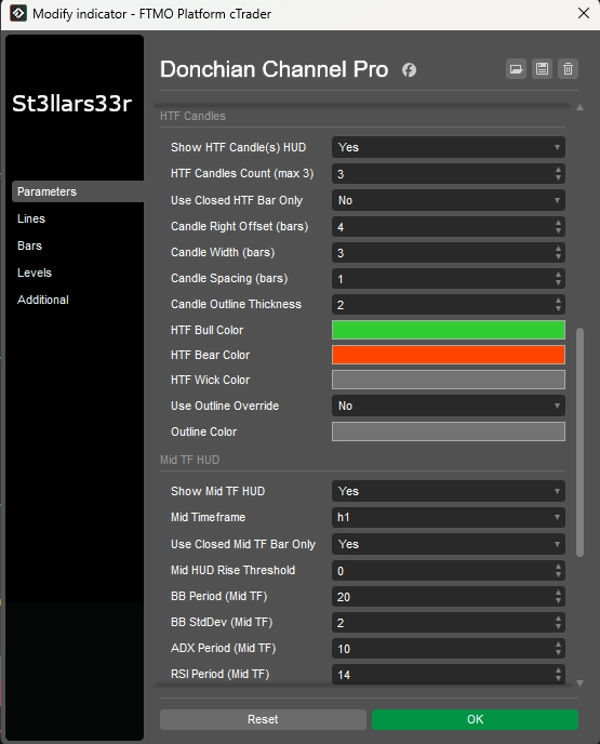
Grupo: Velas HTF (Derecha, cerca de la última barra)
- Mostrar HUD de vela(s) HTF: Mostrar velas HTF a la derecha.
- Cantidad de velas HTF (máx. 3): Número de velas HTF (1–3).
- Usar solo barra HTF cerrada: Si es verdadero, usa solo velas HTF cerradas (valores estables). Si es falso, incluye la vela abierta actual.
- Desplazamiento derecho de vela (barras): Desplazamiento hacia la derecha en barras del TF actual desde la última barra (ancla).
- Ancho de vela (barras): Ancho del rectángulo de la vela en barras del TF actual.
- Espaciado entre velas (barras): Espacio entre velas.
- Grosor del contorno de vela: Grosor de los contornos de las velas.
- Color toro HTF / Color oso HTF: Colores para velas alcistas/bajistas.
- Color mecha HTF: Color para las mechas.
- Usar anulación de contorno: Si es verdadero, el cuerpo de la vela se dibuja con un contorno (Color de contorno) sin relleno toro/oso.
- Color de contorno: Color para el contorno cuando Usar anulación de contorno = verdadero.
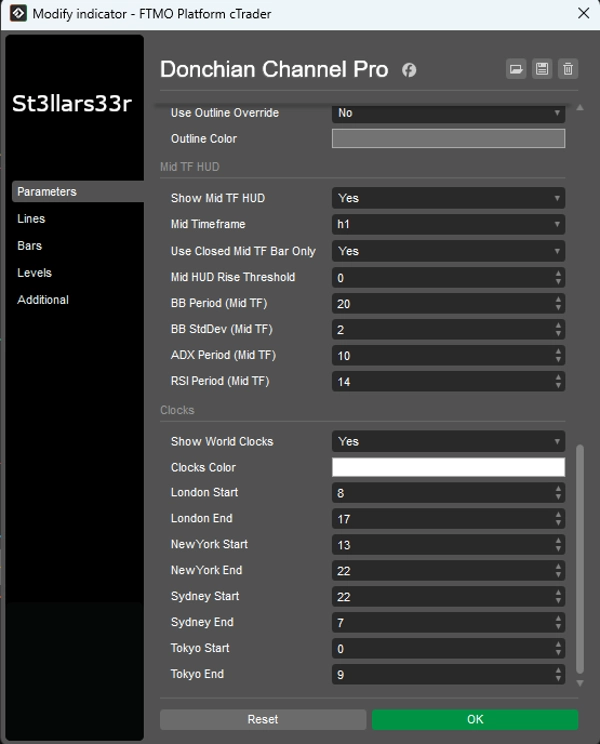
Grupo: HUD TF Medio (Inferior derecha)
- Mostrar HUD TF Medio: Habilita HUD para el TF intermedio.
- TF Medio: Seleccionar TF intermedio (p. ej., Minuto15).
- Usar solo barra TF Medio cerrada: Igual que HTF, pero para TF Medio.
- Umbral de subida HUD Medio: Sensibilidad de color para HUD TF Medio.
- Período BB (TF Medio), Desviación estándar BB (TF Medio): Configuraciones de Bandas de Bollinger para TF Medio.
- Período ADX (TF Medio), Período RSI (TF Medio): Períodos ADX y RSI para TF Medio.
Grupo: Relojes (Centro inferior)
- Mostrar relojes mundiales: Mostrar bloque con relojes y Máx/Mín de sesión.
- Color de relojes: Color de texto para relojes/sesiones.
- Inicio Londres / Fin Londres: Horas de inicio/fin para la sesión de Londres.
- Inicio Nueva York / Fin Nueva York: Para Nueva York.
- Inicio Sídney / Fin Sídney: Para Sídney.
- Inicio Tokio / Fin Tokio: Para Tokio.
Relojes: Mostrar hora local real para ciudades (a través de zonas horarias del SO con un desplazamiento de respaldo).
- Los cálculos de actividad de sesión (y Máx/Mín) usan la hora del servidor del broker (Server.Time). Si el servidor no está en UTC, las horas de sesión pueden desplazarse—ajuste Inicio/Fin según sea necesario para su servidor.
- Si una sesión cruza la medianoche (Fin < Inicio), el indicador automáticamente considera la transición de fecha.
- Cuando una sesión está inactiva, se muestra el Máx/Mín de la última sesión completada; cuando comienza una nueva sesión, los datos se reinician y recalculan.
Resumen
The tool includes multiple customizable Heads-Up Displays (HUDs) positioned around the chart. The TopRight HUD provides symbol details, spread, active session, and daily/weekly/monthly ranges with volume data. The BottomLeft HUD shows HTF metrics such as high/low, ADX, directional indicators, Bollinger Bands position, RSI, and volume, with color-coded trend signals. The BottomRight HUD offers similar data for an intermediate timeframe. The BottomMid HUD displays session clocks and high/low values for major trading sessions (New York, London, Sydney, Tokyo), updating dynamically with session changes.
Parameters allow customization of channel lengths for current and higher timeframes, HUD font sizes, ADX/RSI/Bollinger Bands settings, candle display options, and session times. The indicator supports various markets including Forex, cryptocurrencies, commodities, indices, and stocks, facilitating precise breakout trading decisions.
Valoraciones de clientes
5 | 67 % | |
4 | 33 % | |
3 | 0 % | |
2 | 0 % | |
1 | 0 % |