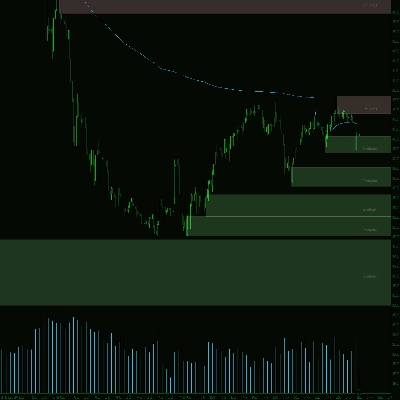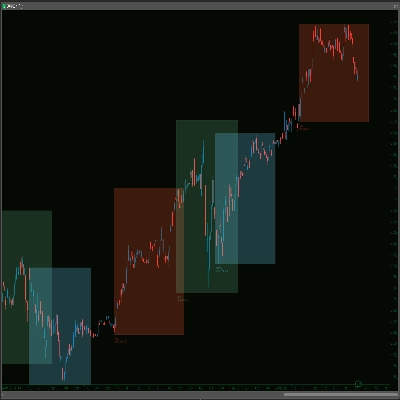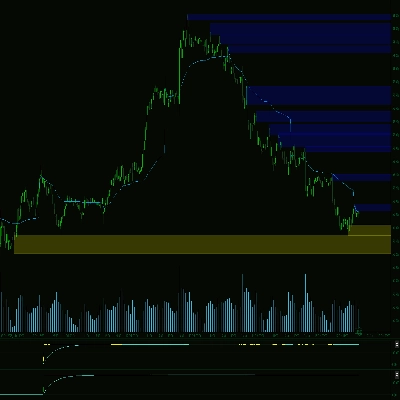
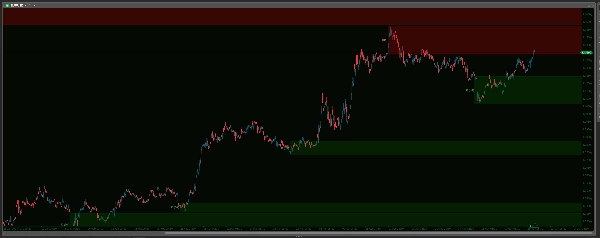
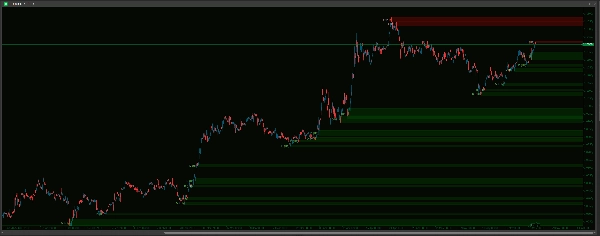
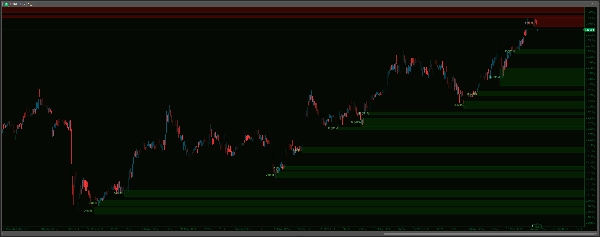
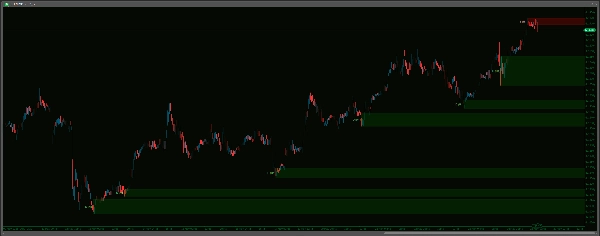
Supply Demand Premium V2_NSC
Indicateur
2 achats
Version 1.0, May 2025
Windows, Mac
Image mise en ligne de "Supply Demand Premium V2_NSC"Image mise en ligne de "Supply Demand Premium V2_NSC"Image mise en ligne de "Supply Demand Premium V2_NSC"Image mise en ligne de "Supply Demand Premium V2_NSC"Image mise en ligne de "Supply Demand Premium V2_NSC"Image mise en ligne de "Supply Demand Premium V2_NSC"Image mise en ligne de "Supply Demand Premium V2_NSC"
Depuis le 14/01/2025
39
Ventes
8.54K
Installations gratuites

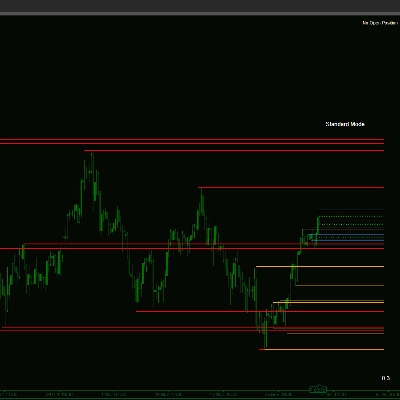
Discover High-Probability Trading Zones with Advanced Supply Demand!

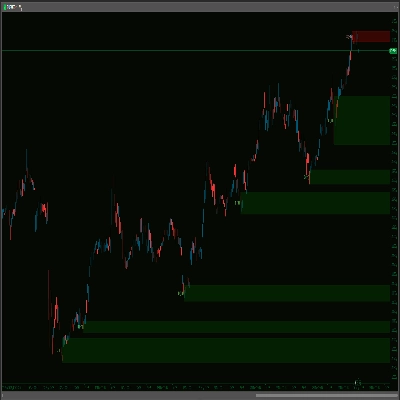
Unlock a clearer view of the market with the Advanced Supply Demand Zones V2 indicator. This powerful tool automatically identifies and highlights crucial supply and demand areas on your chart, potentially pinpointing where significant price reactions may occur. Featuring a sophisticated swing-point detection algorithm, multi-timeframe (MTF) capabilities, and extensive customization options, you can tailor the indicator perfectly to your trading style. Manage zones effectively with options to remove broken or coincident areas, apply time limits, and keep your chart clean. Enhance your analysis with customizable zone appearances, clear timeframe labels, and a robust sound alert system – complete with a live data buffer to prevent historical noise – ensuring you're notified of key price approaches to your defined zones. Take your technical analysis to the next level and make more informed trading decisions!


-------------------

Improvements over V1:

Advanced Supply Demand V2 delivers significant enhancements for a more precise, user-friendly, and effective trading experience:

  1. Smarter, Quieter Alerts – No More Historical Noise!
    • Alerts fire on real-time price action after loading, eliminating annoying historical alerts! Plus, choose your sounds from an easy dropdown menu, a big step up from typing filenames. You also get Max Alerts Per Zone to prevent notification spam.
  2. Effortless Configuration – Settings Simplified!
    • Enjoy a vastly more intuitive setup with dropdown menus for most options (Timeframes, Yes/No choices, Line Styles, Sound Files). Get it right the first time, every time!
  3. Clearer Zone Logic & Management – Less Clutter, More Clarity!
    • Streamlined to a more direct and actionable approach. V2 uses clear rules for removing broken zones, intelligently handles overlapping (coincident) zones to keep your chart tidy, and offers a simple time-based expiry for old zones, plus an option to limit the number of zones displayed.
  4. Superior Visual Control – Your Chart, Your Way!
    • Get granular control with separate appearance settings (Color, Thickness, Style) for Supply and Demand zones. Tailor the visuals precisely to your preference and make zones interactive on your chart!
  5. More Flexible Zone Definition!
    • Now includes the IncludeBarBody option, allowing you to choose between wick-only zones or zones that incorporate the candle body for a potentially wider and different market perspective.


-------------------

Settings Guide: Advanced Supply Demand Zones

1) Multi TimeFrame

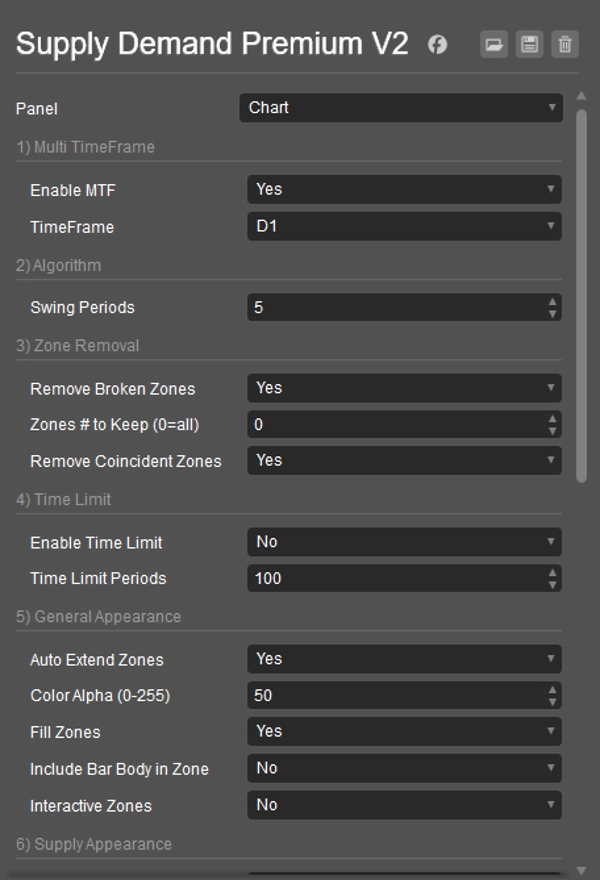
  • Enable MTF: Yes to see zones from a different timeframe on your current chart. No for current chart zones.
  • TimeFrame: If MTF is Yes, choose the other timeframe here (e.g., H4 zones on an M15 chart).

2) Algorithm

  • Swing Periods: Sets how many bars define a strong market turn (swing point) for creating zones. Higher numbers mean stronger (and usually fewer) zones.

3) Zone Removal

  • Remove Broken Zones: Yes to automatically delete zones once price breaks clearly through them.
  • Zones # to Keep (0=all): Limits how many of the most recent zones are shown. 0 shows all.
  • Remove Coincident Zones: Yes to automatically remove the older of two zones if they heavily overlap, keeping the chart cleaner.

4) Time Limit

  • Enable Time Limit: Yes to make very old zones disappear automatically.
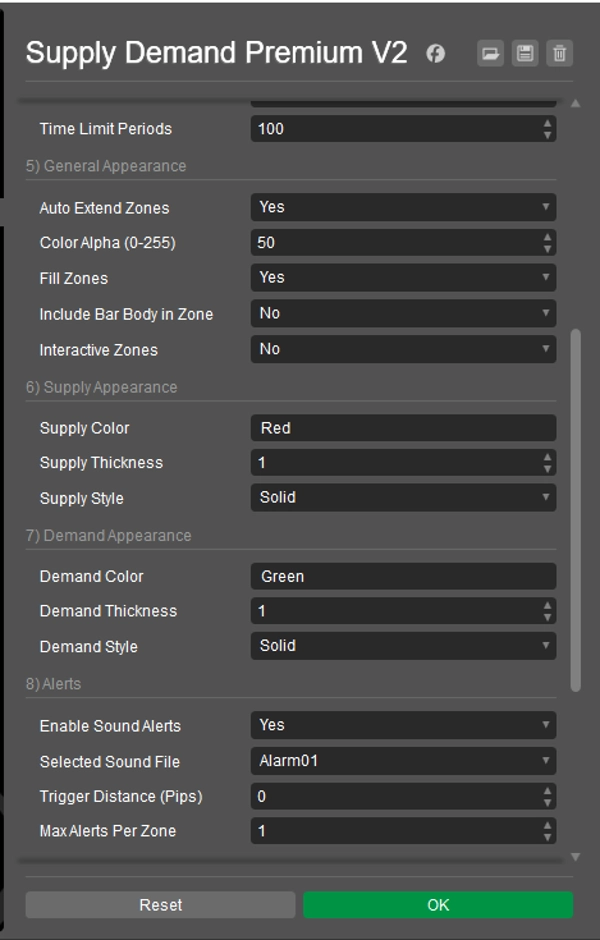
  • Time Limit Periods: If time limit is enabled, zones older than this many bars will be removed.

5) General Appearance

  • Auto Extend Zones: Yes to draw zones far into the future. No for shorter zones.
  • Color Alpha (0-255): Sets how see-through the zone colors are (0 = invisible, 255 = solid).
  • Fill Zones: Yes to fill zones with color. No for outlines only.
  • Include Bar Body in Zone: Yes to use the candle body (plus wicks) for zone width. No to use only the wicks.
  • Interactive Zones: Yes to allow you to click and move zones on the chart.

6) Supply Appearance

  • Supply Color: Sets the color for supply (upper) zones. (e.g., "Red", "#FF0000")
  • Supply Thickness: Sets the border line thickness for supply zones.
  • Supply Style: Sets the border line style (Solid, Dots, etc.) for supply zones.

7) Demand Appearance

  • Demand Color: Sets the color for demand (lower) zones. (e.g., "Green", "#00FF00")
  • Demand Thickness: Sets the border line thickness for demand zones.
  • Demand Style: Sets the border line style (Solid, Dots, etc.) for demand zones.

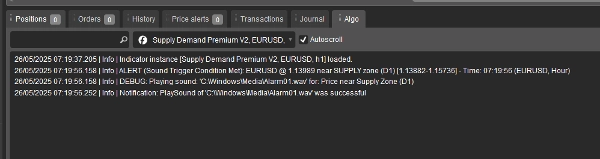
8) Alerts Note: To prevent alerts on old data or right at startup, sound alerts will only become active after 20 live price ticks have occurred since the indicator loaded on your chart.

  • Enable Sound Alerts: Yes to turn on sound notifications when price nears a zone.
  • Selected Sound File: Choose the sound you want to hear for alerts. System sounds (like "Alarm01") try to play from C:\Windows\Media\; ensure the file exists and cTrader can access it. "cTraderDefaultAlert" uses a standard cTrader sound. "None" plays no sound.
  • Trigger Distance (Pips): How close (in pips) the price must get to a zone's edge to trigger an alert.
  • Max Alerts Per Zone: Limits how many times an alert will sound for the same zone.

9) TimeFrame Label

  • Show Timeframe Label: Yes to display the timeframe (e.g., H1, D1) on each zone.
  • Supply Label Color: Text color for supply zone labels.
  • Demand Label Color: Text color for demand zone labels.
  • Label X Offset (Bars): Adjusts the horizontal position of the label from the zone's start.
  • Label Font Size: Sets the size of the label text.

10) Others

  • Cleanup on Start: Yes to remove old drawings from this indicator when cTrader starts or the indicator is added to a chart.
  • Re-identify Removed Zones: (This setting has a limited direct impact in the current version. Zones are re-evaluated on each tick; if criteria for a zone are met again and it's not considered broken, it will reappear regardless of this setting being Yes or No).


----------------------------

Please feel free to check out my other indicators:

https://ctrader.com/products/1181

https://ctrader.com/products/1182

https://ctrader.com/products/1180

https://ctrader.com/products/1015

https://ctrader.com/products/555
https://ctrader.com/products/553

https://ctrader.com/products/554

https://ctrader.com/products/552

https://ctrader.com/products/557

https://ctrader.com/products/845

https://ctrader.com/products/848

https://ctrader.com/products/847

https://ctrader.com/products/846

https://ctrader.com/products/551

https://ctrader.com/products/574

https://ctrader.com/products/573

https://ctrader.com/products/556

https://ctrader.com/products/558

https://ctrader.com/products/559

https://ctrader.com/products/560


0.0
Avis : 0
Avis clients
Il n'y a pas encore d'avis sur ce produit. Vous l'avez déjà essayé ? Soyez le premier à en parler aux autres !

Plus de cet auteur

Indicateur
Indices
Commodities
Stocks
+2
Market Sessions - Free
Track major trading sessions (Tokyo, London, New York) with customizable colors and visual sessions on your chart.
Supply Demand V1-Premium
Auto-detect supply & demand zones, remove broken levels, and trade smarter with real-time alerts. Precision made simple.
Market Sessions V2_NSC
Market Session V2: Full Control. colors, history, session/text toggles, font size. Elevate your strategy!
Market Session V3_NSC
Version 3: Full control of session display including start and end times of all 3 sessions!
Supply Demand - BasicV1
Supply and demand zones. They're important. Here's a free version to get you started!
MTF Candle Window - On Chart
The Multi-Timeframe Candle Indicator displays candles from multiple timeframes in one window, enhancing market analysis!
VWAP - London Open
VWAP Set to London Open
Volume Profile Triple Line - POC Median Mode
The Advanced Volume Profile Indicator calculates POC, Median, and Mode, revealing key price levels for smarter trading.
VWAP Tokyo Open
VWAP Set to Tokyo Open
MTF Candle Countdown
Stay ahead with a real-time countdown to candle closes on all key timeframes: 5m, 15m, 30m, 1H, 4H, and Daily.
Indicateur
Indices
Forex
EURUSD
+2
US Dollar Index
US Dollar Index
Commodity Channel Index Smoothed w Alerts_NSC
Smoothed CCI alerts! Audio & arrow signals for +/-100 crosses. Custom sounds & arrow filters. Precision trading!

Vous pourriez aussi aimer

Indicateur
Grid
NAS100
NZDUSD
+19
Market Strutture Signal Pro
MarketStructureOscSignals is a pure price-action signal tool.
Indicateur
Indices
XAUUSD
Prop
+5
Smart Tech Analysis Pro
Your Chart in a Strategic Decision Center!
Indicateur
Grid
NZDUSD
Breakout
+16
vWAP Free
Editions: Free (core VWAP + bands) · Pro (multi‑VWAP, click‑to‑anchor, alerts).
Indicateur
ZigZag
NAS100
NZDUSD
+7
Price Projection Swing Volume
Price Projection Swing Volume maps future paths using swing pivots and Fibonacci ratios. Visual, geometric and precise.!
Indicateur
Grid
NAS100
RSI
+16
Smart Money Breakout Channels
Smart Money Breakout Channels – Auto-detect breakout zones with price, volume & volatility insights on cTrader.
Les mieux notés
Gratuit
VWAP-Free
VWAP only timeframe
Les mieux notés
Gratuit
BarCount
Bar count
Indicateur
NAS100
NZDUSD
Martingale
+26
Kalman Filter Trend
Smarter trend detection with zero unnecessary lag.
Indicateur
VWAP
RSI
XAUUSD
+9
Turtle Soup ICT Strategy
Turtle Soup ICT Strategy – Detect liquidity traps & trade smart money moves with precision on cTrader.
Reversal Probability Engine
Detecting reversal zones + multidimensional mapping of support and resistance "Golden Levels.
Hammer Pattern Indicator
Indicateur
Indices
Breakout
Stocks
+6
HAIQuantum_TheGameV3
Analyze institutional imbalance with HAIQuantum_TheGame. A 20-factor ecosystem designed to identify
Depuis le 14/01/2025
39
Ventes
8.54K
Installations gratuites