
설명
> HyperFlow에서 결과가 형성되는 방법: 모델, 수학, 그리고 측정
거래 시스템에 대해 대부분의 사람들이 처음 묻는 질문은 간단합니다: 얼마나 벌 수 있나요?
불행히도, 이것은 가장 정보가 적은 질문이기도 합니다.
수익 수치는 그것이 어떻게 생성되었는지, 얼마나 반복 가능한지, 그리고 그것을 만들어낸 손실 구간을 견디는 데 드는 비용에 대해 아무것도 말해주지 않습니다. 그런 것들을 이해하려면 결과 뒤에 있는 메커니즘을 살펴봐야 합니다.
이 글은 HyperFlow의 그 메커니즘을 설명합니다. 모든 거래 시스템이 의존하는 산술부터 시작하여, HyperFlow가 어떻게 우위를 생성하는지, 세션 선택과 되돌림 진입을 통해 그 우위가 어떻게 정제되는지, 그리고 마지막으로 전체 과정이 자신의 브로커 데이터에서 어떻게 검증되는지를 보여줍니다.
이 글에는 모든 개념을 이론이 아닌 실제 측정된 출력과 대조할 수 있도록 샘플 백테스트 내보내기가 함께 제공됩니다.
> 모든 거래 시스템이 의존하는 산술
모든 거래 전략은 궁극적으로 두 변수로 귀결됩니다:
- 평균 이익 대 평균 손실
- 승률
둘 다 단독으로는 중요하지 않습니다. 손실이 이익보다 훨씬 크면 높은 승률은 의미가 없고, 승률이 낮아도 이긴 거래가 지는 거래보다 훨씬 크면 강한 수익을 낼 수 있습니다.
결과는 항상 두 가지의 조합입니다.
💣 예시 1: 자주 이기지만 돈을 잃는 경우
12번의 거래 중 9번이 이익으로 끝난다고 가정해 보세요 — 75%의 승률입니다.
이제 크기를 더해 봅시다: 평균 승자는 +6 핍 이지만, 세 번의 패자는 각각 평균 −24 핍 입니다.
9 × 6 − 3 × 24 = −18 핍
네 번 중 세 번은 이긴 거래였지만, 계좌는 여전히 손실을 보았습니다. 이것은 종이 위에서는 인상적이지만 실제로는 서서히 하락하는 전략의 전형적인 모습입니다.
💣 예시 2: 자주 지지만 돈을 버는 경우
이번에는 반대로 해 봅시다. 12번의 거래 중 단 4번만 이긴다 — 33%의 승률로 대부분의 사람들을 겁먹게 할 수 있습니다.
하지만 이번에는 패자는 평균 −8 핍 에서 일찍 자르고, 네 번의 승자는 각각 +30 핍 의 추세를 타고 갑니다:
4 × 30 − 8 × 8 = +56 핍
거래의 3분의 2가 손실이었지만, 전체 결과는 강하게 긍정적입니다. 이익은 소수의 장기 움직임이 일련의 통제된 손실보다 더 큰 가치를 가지기 때문입니다.
이 두 번째 분포가 HyperFlow가 설계된 방식입니다. 중요한 차이점은 HyperFlow가 비대칭성이 존재한다고 가정하지 않고, 자신의 데이터에서 직접 측정한다는 점입니다.
> HyperFlow의 비대칭성은 어디에서 오는가
HyperFlow는 추세 추종 모델입니다. 추세 반전 바가 같은 방향을 계속 확인하는 동안 시퀀스는 열려 있으며, 추세가 진정으로 바뀔 때만 닫힙니다.
그 구조는 자연스럽게 비대칭 분포를 만듭니다:
- 실패한 움직임은 빨리 끝나는 경향이 있어 손실이 상대적으로 작게 유지됩니다.
- 강한 추세는 여러 바 동안 계속될 수 있어, 승자는 고정된 상한이 없습니다.
승률도 보수적으로 보고됩니다. 시퀀스는 최소 핍 임계값을 초과할 때만 승리로 계산되어, 스크래치나 거의 손익분기점인 결과가 통계치를 인위적으로 부풀리는 것을 방지합니다.
대시보드는 여러 각도에서 분포를 보여줍니다:
- 평균과 중앙값을 별도로 표시
- 최고 거래를 제거한 후에도 우위가 유지되는지 테스트하는 견고성 등급
- 각 세션 동안 전형적인 거래 가치가 얼마인지 보여주는 시간별 기대값 프로필
마지막 지표는 특히 중요해지는데, 이는 기본 전략을 변경하지 않고 실질적인 결과를 개선하는 데 사용되는 주요 수단이기 때문입니다.
> 두 번째 층: 수익을 내는 시간에 거래하기
핵심 추세 모델은 동일하게 유지됩니다. 결과를 바꾸는 것은 거래가 허용되는 시간입니다.
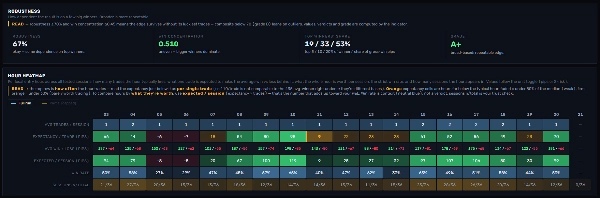
같은 매개변수 세트가 하루 중 한 부분에서는 강한 긍정적 기대값을 보이고, 다른 부분에서는 부정적 기대값을 보일 수 있습니다. 대부분의 트레이더는 도구가 이를 측정하지 않기 때문에 이를 발견하지 못합니다. HyperFlow의 시간별 분석과 대시보드의 시간 히트맵이 이를 직접 노출합니다: 거래당 기대값, 세션별 가치, 그리고 모든 진입 시간에 대한 샘플 크기.
입증된 기대값이 있는 시간으로 활동을 제한하면 세 가지 효과가 동시에 발생합니다:
- 노이즈일 가능성이 가장 높은 진입을 제거합니다
- 역사적으로 장기 상승이 발생한 곳에 노출을 집중시킵니다
- 논리의 단일 매개변수도 건드리지 않고 분포를 개선합니다
이는 의도적으로 재최적화와 반대입니다: 기반은 그대로 두고, 정제는 스케줄링에서 나오며, 측정에 의해 뒷받침됩니다.
> 세 번째 층: 되돌림 신호와 진입 스타일
지금까지 모델은 단일 진입 이벤트만 가지고 있습니다: 추세 전환. 추세 반전 바는 이해할 가치가 있는 두 번째 신호를 만듭니다: 되돌림 구간입니다.
되돌림 구간은 최소 두 개의 연속된 TRev 바가 현재 추세와 반대 방향으로 마감할 때 발생합니다. 추세 자체는 바뀌지 않았으며 — HyperTrend 엔진은 여전히 체제를 유지한다고 간주하지만 — 가격은 그 추세 내에서 되돌림을 하고 있습니다.
되돌림 구간이 추세 수준 근처의 되돌림 영역 내에서 형성되면, 이는 잠재적인 추세 지속 진입이 됩니다: 같은 추세지만 더 나은 가격에 진입하는 것입니다.
이것은 세 가지 뚜렷한 실행 스타일을 만듭니다:
1. 진입 정제
이전처럼 추세를 계속 거래하되, 되돌림 구간을 사용해 진입 타이밍을 맞춥니다.
- 더 나은 평균 진입 가격
- 낮은 실질 위험
- 유사한 거래 빈도
단점은 일부 강한 추세는 되돌림이 없기 때문에 최고의 움직임 몇 개를 놓칠 수 있다는 점입니다.
2. 스캘핑 지향
각각의 적격한 되돌림을 자체 단기 거래로 취급합니다.
- 더 높은 거래 빈도
- 세션당 더 많은 기회
- 더 작은 개별 노출
단점은 더 높은 스프레드와 수수료 비용, 그리고 실행 규율에 대한 더 큰 요구입니다.
3. 추세에 따른 스케일링
추세가 유지되는 동안 새로운 되돌림 구간이 나타날 때마다 포지션을 추가합니다.
- 가장 강한 추세는 가장 큰 포지션 크기로 포착됩니다
- 분포가 더 긍정적으로 왜곡됩니다
위험은 추세 후반에 포지션이 가장 커지므로, 반전이 열려 있는 이익의 더 큰 부분을 되돌릴 수 있다는 점입니다.
이 방법들 중 어느 것도 보편적으로 더 낫지 않습니다. 각각은 빈도, 비용, 손실 행동, 평균 거래 품질 간의 균형을 바꿉니다. HyperFlow 전반에 걸친 올바른 답은: 테스트하고 측정하는 것입니다.
> 자신의 데이터로 검증하기
이 작업 흐름에서 신뢰가 필요한 것은 없습니다.
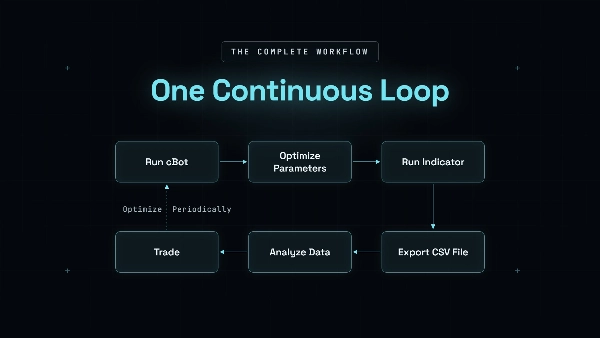
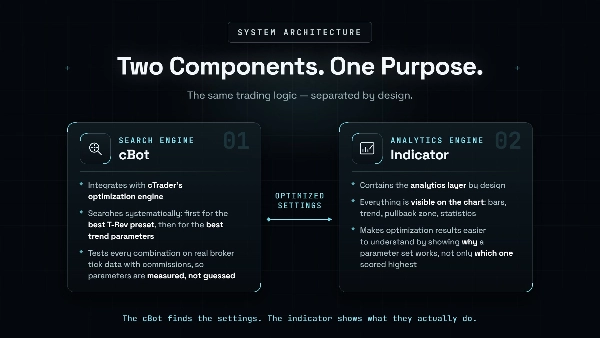
1단계 — cBot 최적화
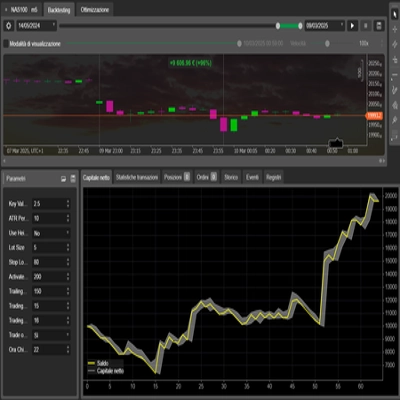
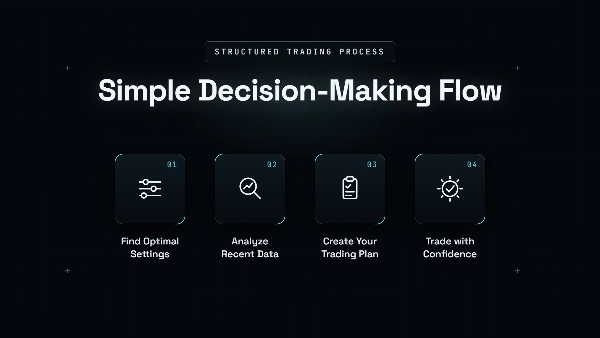
수수료가 적용된 브로커의 틱 데이터를 사용하여 cTrader에서 최적화기를 실행합니다. 현실적인 비용 후에도 수익성이 유지되는 매개변수 세트만 유지하세요.
2단계 — 지표에 매개변수 로드
지표는 비반복적 앵커링을 사용하여 시퀀스별 종가-종가를 측정합니다. 승자와 패자는 발생한 그대로 기록됩니다.
3단계 — 분석 대시보드로 내보내기
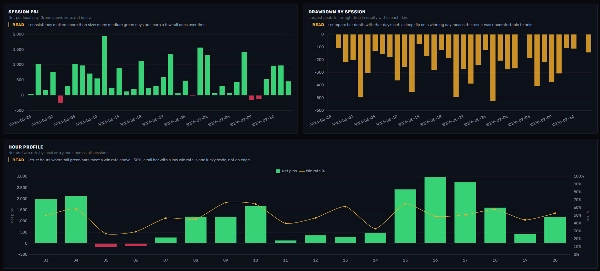
대시보드는 다음을 보여줍니다:
-
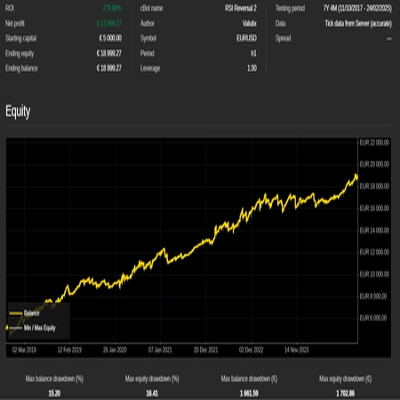
- 자본 곡선
- 세션별 손익
- 일별 최대 낙폭
- 시간별 히트맵
- 견고성 등급
중요한 점: 지표의 시퀀스 통계는 시장 구조 측정치이며, 시뮬레이션된 거래가 아닙니다. 스프레드와 슬리피지는 포함되지 않습니다. 현실적인 거래 비용은 cBot 최적화 과정에서 처리되므로, 이 작업 흐름은 두 구성 요소를 함께 사용합니다.
> 어려운 부분: 분포를 견뎌내기
추세 추종 시스템의 진짜 도전은 수학이 아닙니다. 그것은 거래 경험입니다.
소수의 장기 상승이 대부분의 이익을 생성하기 때문에, 그 사이 기간은 짧은 시퀀스, 작은 손실, 그리고 평평한 자본 곡선으로 채워집니다. 전략은 정상적으로 작동하지만, 종종 아무것도 작동하지 않는 것처럼 느껴집니다.
대부분의 트레이더가 신호를 건너뛰거나, 주중에 설정을 변경하거나, 다음 주요 추세가 나타나기 직전에 시스템을 포기하는 순간이 보통 이때입니다.
HyperFlow는 이 어려운 부분을 미리 볼 수 있게 하여 이를 해결합니다.
- 세션별 최대 낙폭은 정상적인 손실일 때의 모습을 보여줍니다.
- 이익 집중 지표는 의미 있는 상승 사이의 조용한 기간이 보통 얼마나 지속되는지 보여줍니다.
> 이것이 Prop Firm 챌린지에 어떻게 맞는가
Prop firm 평가에서는 무엇보다도 예측 가능성을 중요하게 평가합니다.
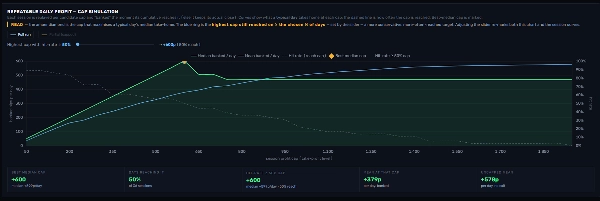
대시보드의 캡 시뮬레이션은 테스트된 모든 세션을 다양한 일일 이익 캡과 대조하여 재생하며 다음을 보고합니다:
- 일반적인 하루가 실제로 도달한 캡
- 각 캡이 달성된 빈도
이것은 예측이 아닙니다. 테스트된 성과를 기반으로 낙관론이 아닌 현실적인 일일 목표를 설정하는 데 도움이 되는 역사적 재생입니다.
이는 Prop 챌린지를 통과하는 방식과 밀접하게 일치합니다: 몇 번의 예외적인 거래가 아니라, 회사의 위험 한도 내에서 유지되는 통제되고 반복 가능한 일련의 날들을 통해서입니다.
> 타이밍에 대하여
추세 시스템은 시장에 머문 시간으로 보상받는 것이 아니라 특정 움직임으로 보상받습니다. 어떤 주는 즉시 주요 추세를 제공하지만, 다른 주는 인내가 필요합니다. 추세 시스템은 항해와 같습니다. 바람은 당신이 명령할 수 없지만 — 바람이 불 때 거리는 빠르게 이동합니다. 잔잔한 날에 격렬히 노를 젓는 것은 날씨가 바뀌기 전에 승무원을 지치게 할 뿐입니다. 거래도 마찬가지입니다. 시장이 움직이지 않을 때 진입을 강요하는 것은 결과를 개선하지 않고 거래, 위험, 거래 비용만 늘립니다.
HyperFlow에는 한 가지 장점이 있습니다 - 당신은 한 척의 배에만 제한되지 않습니다. 추세 반전 바는 각 시장의 변동성에 자동으로 적응하여 유리한 조건이 어딘가에 존재할 확률을 높입니다. 그러나 규칙은 동일합니다: 그 조건이 있을 때만 거래하세요.
> 요약
HyperFlow의 결과는 네 가지 측정 가능한 층에서 나옵니다:
- 비대칭성: 작고 통제된 손실 대 무한한 추세 상승
- 세션 선택: 입증된 기대값이 있는 시간에만 거래
- 진입 스타일: 되돌림 구간 주변에서 포지션을 정제하거나 스케일링
- 검증: 자본을 위험에 빠뜨리기 전에 자신의 브로커 데이터에서 전체 과정을 테스트
수익은 그 과정의 출력입니다.
트레이더가 제어하는 것은 입력입니다: 조용한 기간과 결국 그에 대한 대가를 치르는 추세 상승 모두에서 측정된 구조를 일관되게 실행하는 것입니다.
HyperFlow의 역할은 우위를 정직하게 측정하는 것이고, 트레이더의 역할은 그것을 일관되게 실행하는 것입니다.
> 시스템과 관련 자료를 얻는 방법
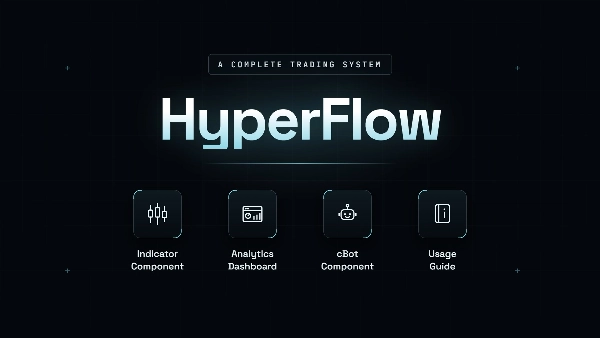
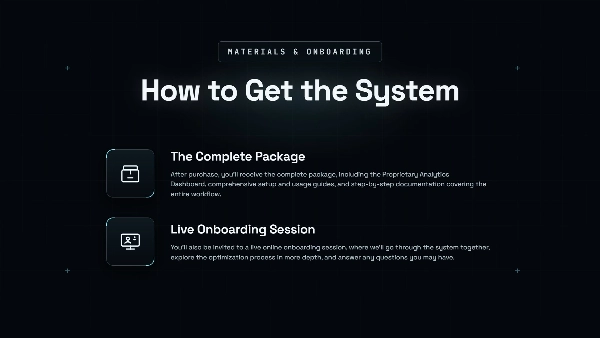
구매 후에는 독점 분석 대시보드, 포괄적인 설정 및 사용 가이드, 전체 작업 흐름을 단계별로 다루는 문서가 포함된 완전한 패키지를 받게 됩니다.
또한 라이브 온라인 온보딩 세션에 초대되어 시스템을 함께 살펴보고, 최적화 과정을 더 깊이 탐구하며, 궁금한 점에 답변해 드립니다.
요약
Key features include:
- Optimization using real broker tick data and realistic trading costs (commissions), conducted via cTrader’s native optimization environment.
- Identification of historically strong parameter settings by testing various HyperFlow configurations.
- Seamless transfer of optimized parameters to the HyperFlow Indicator without adjustment, enabling a unified Optimize → Validate → Analyze → Refine workflow.
- Support for detailed analysis of trading sequences, session performance, drawdown behavior, hourly profitability, and strategy consistency.
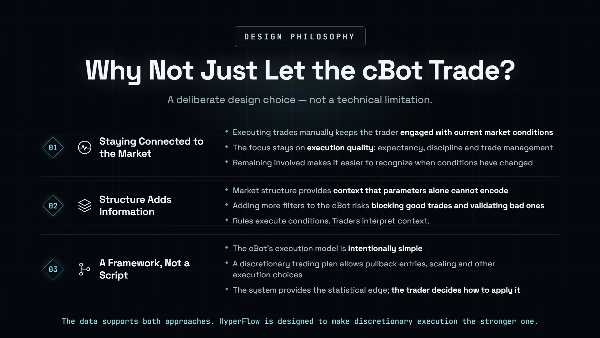
- Flexibility to use optimized settings manually with the indicator and dashboard or deploy the cBot for automated execution.
- Risk management tools including fixed lot sizing, take profit, stop loss, trailing stop loss, and session filters.
- Designed for trend-following day trading with medium trade frequency and supports order types such as limit, stop limit, and stop orders.
- Backtested with leverage up to 1:500 and suitable for prop trading firms.
The package includes the cBot, indicator, analytics dashboard, setup documentation, and onboarding support. It targets traders seeking a data-driven, realistic optimization workflow for trend-based strategies.