Description
Sync Lines – Multi-Chart Vertical Line Synchronization
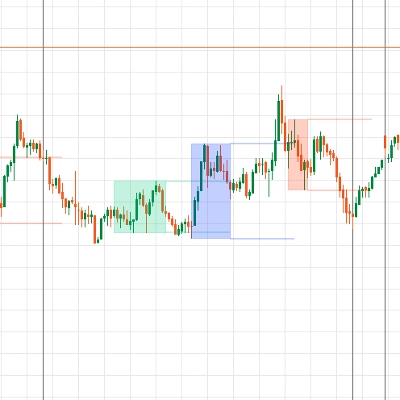
Sync Lines allows traders to instantly synchronize vertical lines across multiple charts of the same symbol, regardless of chart type or timeframe. Place a vertical marker on one chart, and it instantly appears on all other charts running the indicator.
Perfect for multi-timeframe analysis, strategy workflow, session marking, news timing, and level alignment.
Core Features
✔ Sync vertical lines across charts automatically
✔ Works on any chart type (Candles, Renko, Range, Tick, Heikin-Ashi, etc.)
✔ Fast click-based line creation — no drawing tool needed
✔ Cycle through multiple colors for event or level classification
✔ Delete synced lines with a hotkey
✔ Simple and intuitive to use
How to Use
ActionShortcut
Create new synced line
Ctrl + Left-Click
Change line color
Ctrl + Left-Click again on the same bar
Delete synced line
Ctrl + Shift + Left-Click
All lines are instantly synced across every chart where the indicator is applied.
Keyboard Mapping
Windows
Create line Ctrl + Left-ClickColor cycle Ctrl + Left-Click (same bar)Delete line Ctrl + Shift + Left-Click
Mac keyboard when connected to Windows VPS
(standard Remote Desktop mapping)
PC FunctionMac Key
Ctrl
⌘ Command
Shift
Shift
Left-Click
Left-Click
So:
Create line Command + Left-ClickColor cycle Command + Left-ClickDelete line Command + Shift + Left-Click
Notes
- Lines sync only between charts of the same symbol (optional configuration).
- Dragging is local only (cTrader does not expose drag event API). To reposition: delete & re-place.
- Apply the indicator to all charts you want synchronized.
Who It’s For
🔹 Multi-timeframe traders
🔹 Back-testers and educators
🔹 Session / news event planners
🔹 Anyone tired of redrawing lines on every chart
Upcoming Features
- Clear all lines button
- Save / reload markers between sessions
- Auto-session timing markers (London / NY open)
Feedback
Feel free to leave suggestions or improvement requests through cTrader Store messaging.
Summary
Key features include fast, click-based line creation without the need for drawing tools, cycling through multiple colors for event or level classification, and deleting synced lines via hotkeys. The indicator uses simple keyboard shortcuts: Ctrl + Left-Click to create lines, Ctrl + Left-Click again on the same bar to change line color, and Ctrl + Shift + Left-Click to delete lines (with Mac equivalents using the Command key).
Lines sync only between charts of the same symbol, and repositioning requires deleting and re-placing lines due to platform limitations. The indicator is suitable for multi-timeframe traders, back-testers, educators, and session or news event planners. Users must apply the indicator to all charts they want synchronized. Upcoming features include a clear-all-lines button, saving/reloading markers between sessions, and auto-session timing markers for major market opens.



!["[Hamster-Coder] Bollinger Bands" logo](https://cdn.ctrader.com/image/webp/21d8e5d6-fb11-4bac-b9ee-cd05c2b76804_30327)