Deskripsi
📊 Trading Pro Market
https://chartshots.spotware.com/c/69f0ec41d4cfc
Saluran tren + perkiraan harga + zona support & resistance otomatis — semua dalam satu indikator overlay
🔍 Apa itu?
https://chartshots.spotware.com/c/69f0ec1fa9930
Trading Pro Market adalah indikator analisis teknikal canggih yang menggabungkan tiga mesin independen menjadi satu alat: saluran tren dengan proyeksi ke depan, sistem perkiraan harga berdasarkan pola pergerakan historis, dan detektor zona support & resistance otomatis. Semua ditampilkan langsung pada grafik harga — tanpa panel terpisah.
📐 Modul 1 →ICP Channel🔮 Modul 2 → MFP Forecast 🧲 Modul 3 → Zona S/R
https://chartshots.spotware.com/c/69f0ec8faa957
📐 Modul 1 — Saluran tren (ICP)
⚙️ Bagaimana cara mendeteksi tren?
Indikator membagi bar yang terlihat menjadi blok waktu (default: 30 bar per blok, total 6 blok). Di dalam setiap blok, ia menghitung titik tengah geometris antara harga tertinggi dan terendah menggunakan skala harga logaritmik. Kemudian menghubungkan titik tengah tersebut antar blok untuk menentukan apakah harga sedang tren naik, turun, atau bergerak mendatar.
Kemiringan garis penghubung tersebut diubah menjadi sudut yang dinyatakan dalam derajat. Jika sudutnya di bawah ambang yang dikonfigurasi (default 0,3°), pasar diklasifikasikan sebagai ranging. Di atas ambang tersebut, indikator menetapkan arah bullish atau bearish.
💡 Volatilitas diukur menggunakan estimator Yang-Zhang — formula statistik yang menggunakan harga buka, tutup, tinggi, dan rendah untuk menghitung volatilitas pasar yang sebenarnya. Angka ini menormalkan sudut sehingga saluran berperilaku konsisten di berbagai aset atau kerangka waktu.
🎨 Apa yang digambar pada grafik?
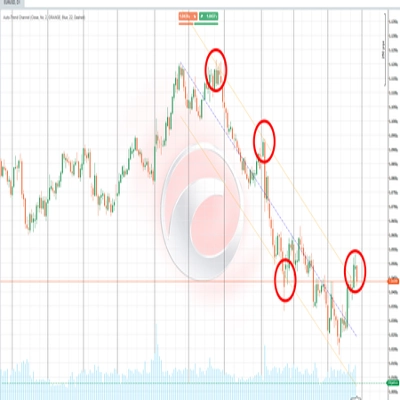
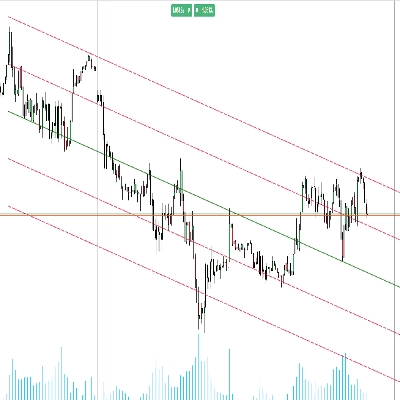
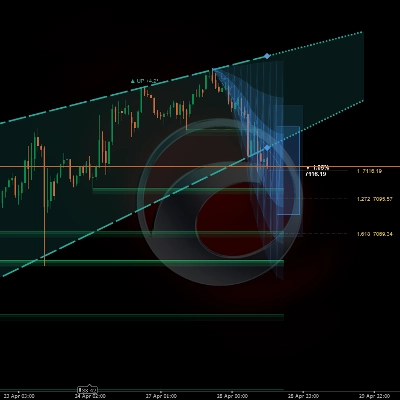
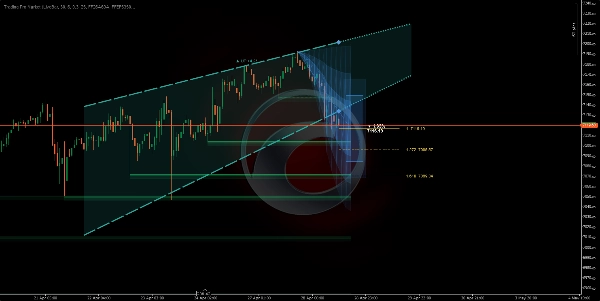
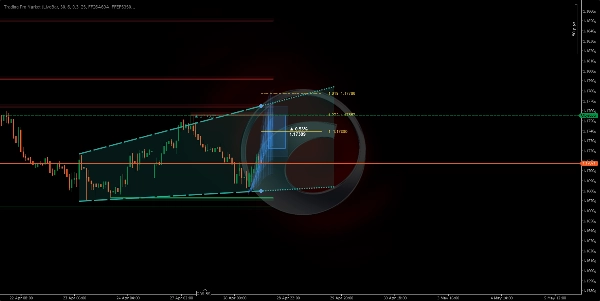
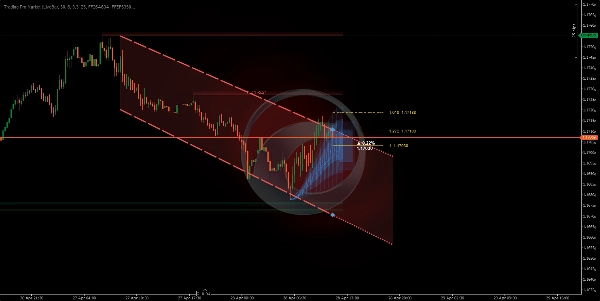
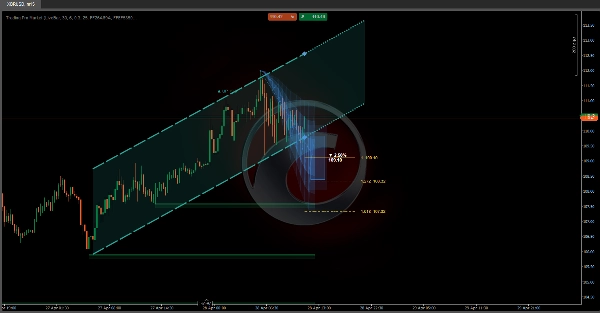
Indikator menggambar dua garis yang membentuk saluran (langit-langit dan lantai), dengan zona isian berbayang di antaranya. Di sebelah kanan, saluran diperpanjang sebagai proyeksi titik-titik mengikuti kemiringan saat ini. Warna berubah otomatis berdasarkan arah:
🟢 Hijau — tren bullish🔴 Merah — tren bearish⬜ Abu-abu — pasar ranging
🔁 Mesin status — di mana posisi harga di dalam saluran?
Indikator melacak posisi harga penutupan secara real-time relatif terhadap batas saluran dan mengklasifikasikan situasi ke dalam lima status berbeda:
🟦 Di dalam→⚡ Breakout→📏 Jarak→↩️ Retest→✅ Terkonfirmasi
Setiap status dijelaskan dalam teks biasa pada panel info grafik, bersama dengan persentase jarak ke langit-langit atau lantai saluran pada setiap saat.
🔮 Modul 2 — Perkiraan pergerakan (MFP)
⚙️ Bagaimana cara menghasilkan perkiraan?
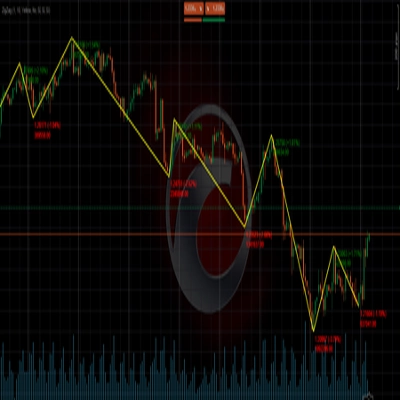
Mesin mendeteksi pivot harga signifikan (puncak dan lembah lokal) dengan melihat kembali sejumlah bar yang dapat dikonfigurasi. Setiap pivot yang dikonfirmasi mencatat dua data: persentase pergerakan harga yang telah selesai dan jumlah bar yang dibutuhkan. Hingga 20 pergerakan historis disimpan, dan pergerakan berikutnya yang diharapkan dihitung menggunakan salah satu dari tiga metode:
⚖️ Tertimbang — pergerakan terbaru memiliki bobot lebih➕ Rata-rata sederhana — semua pergerakan berbobot sama📊 Median — nilai ekstrim disaring
🎨 Apa yang digambar pada grafik?
Tiga elemen visual opsional diproyeksikan ke masa depan berdasarkan asal pivot saat ini:
1
🔵 Zona Proyeksi: tiga lapisan dengan opasitas menurun yang menggambarkan rentang kemungkinan pergerakan. Kerucut yang lebih lebar berarti ketidakpastian lebih besar berdasarkan varians historis.
2
🎯 Kotak target: sebuah persegi panjang yang ditempatkan pada harga tujuan perkiraan, dengan persentase pergerakan yang diharapkan dan level harga tepat yang diberi label dalam teks.
3
📏 Level Fibonacci: garis horizontal yang diproyeksikan dari asal ke tujuan menggunakan rasio yang dapat dikonfigurasi (default: 1.0, 1.272, dan 1.618).
⚠️ Perkiraan tidak memprediksi masa depan. Ini adalah rata-rata statistik dari pergerakan serupa di masa lalu. Nilainya terletak pada menetapkan ekspektasi realistis untuk besaran dan durasi — bukan sebagai sinyal masuk atau keluar mandiri.
🧲 Modul 3 — Zona support & resistance
⚙️ Bagaimana cara mendeteksi zona?
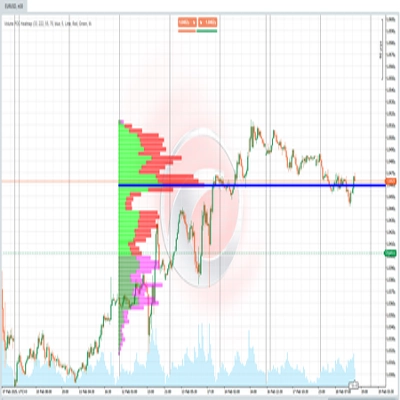
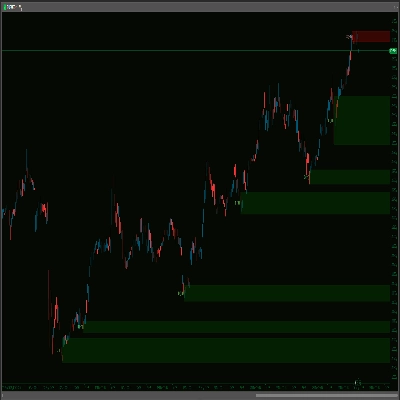
Setiap kali pivot dikonfirmasi, indikator menggambar zona horizontal menggunakan ATR (Average True Range) untuk menentukan ketebalan zona. Zona resistance digambar dengan warna merah, zona support dengan warna hijau — keduanya dengan dua lapisan opasitas untuk menciptakan kedalaman visual dan kejelasan.
Zona berperilaku dinamis: jika harga menutup di sisi lain zona, zona tersebut ditandai sebagai "terbuka" — beralih ke garis putus-putus dengan opasitas berkurang. Zona otomatis menghilang setelah jumlah bar yang dikonfigurasi dalam "Masa Hidup Zona".
🚀 Cara menggunakannya
1
Konfirmasi tren: periksa warna dan arah saluran. Sudut dalam derajat memberi tahu seberapa kuat tren — sudut yang lebih curam berarti momentum lebih besar.
2
Baca status harga: panel info pada grafik menjelaskan apakah harga berada di dalam, breakout, atau retest batas saluran secara real time.
3
Evaluasi proyeksi: kerucut dan kotak target memberikan referensi tentang di mana dan seberapa jauh harga bisa bergerak, berdasarkan perpustakaan pola historis yang dibangun selama sesi.
4
Hormati zona: kotak S/R yang belum terbuka menandai level harga di mana pasar sebelumnya bereaksi. Zona yang belum ditembus memiliki arti lebih besar daripada yang sudah ditembus.
🖥️ Kompatibilitas & persyaratan
✅ cTrader✅ cAlgo API✅ Aset apa pun✅ Kerangka waktu apa pun✅ Overlay harga
Tidak memerlukan akses internet atau izin khusus. Semua perhitungan dilakukan secara lokal menggunakan data harga yang sudah tersedia di platform.
⏱️ Untuk hasil terbaik, gunakan pada kerangka waktu 15 menit atau lebih tinggi. Pada kerangka waktu sangat rendah (1–5 menit) noise pasar dapat menghasilkan pivot dengan keandalan statistik rendah, mengurangi kualitas baik zona S/R maupun perkiraan.
Ringkasan
1. Trend Channel (ICP): Divides visible bars into time blocks, calculates geometric midpoints on a logarithmic price scale, and connects these to identify trend direction (bullish, bearish, or ranging) with a slope angle. It visualizes the trend channel with color-coded lines and shaded zones, projecting the channel forward. The indicator tracks the price’s position relative to the channel, classifying it into five states (Inside, Breakout, Distanced, Retest, Confirmed) displayed on an info panel.
2. Movement Forecast (MFP): Detects significant price pivots and analyzes up to 20 historical moves to statistically estimate the next price movement using weighted, average, or median methods. It projects a probabilistic range (Projection Zone), a target price box with expected move percentage, and Fibonacci levels for reference.
3. Support & Resistance Zones: Automatically identifies horizontal support and resistance zones based on confirmed pivots and ATR for zone thickness. Zones are color-coded (green for support, red for resistance), dynamically update when broken, and expire after a configurable lifespan.
All calculations are performed locally without internet access or special permissions. The tool provides visual signals for trend strength, breakout, and key level interactions directly on the price chart.
Diskusi
Ulasan pelanggan
5 | 33 % | |
4 | 67 % | |
3 | 0 % | |
2 | 0 % | |
1 | 0 % |