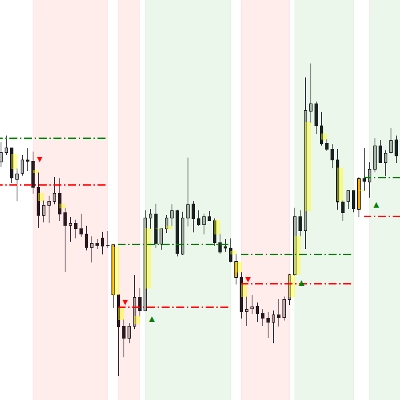
![Trading product for [Hamster-Coder] Moving Average MTF Indicador Prop Forex, image 1](https://cdn.ctrader.com/image/webp/b11b98b1-194d-4b8e-b00e-d611826ad159_31226)
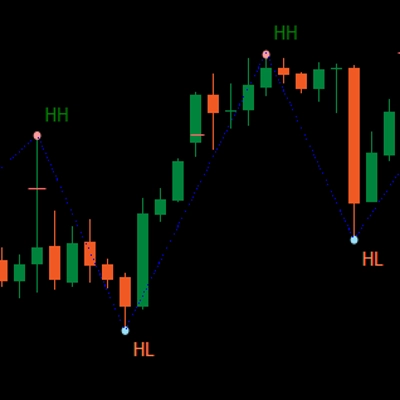
![Trading product for [Hamster-Coder] Moving Average MTF Indicador Prop Forex, image 2](https://cdn.ctrader.com/image/webp/44311b7b-300d-4721-b22f-d0c798163e6b_31227)
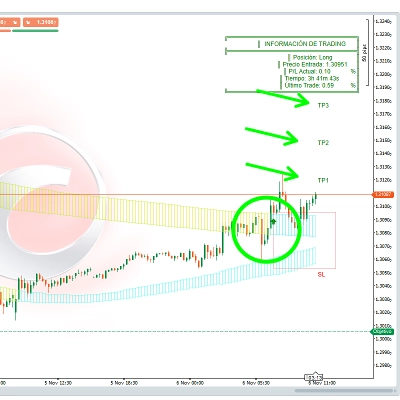
![Trading product for [Hamster-Coder] Moving Average MTF Indicador Prop Forex, image 3](https://cdn.ctrader.com/image/webp/83137ff3-0a9c-465a-b159-7685b3adf576_31228)

Descrição
📌 Versão Atual
!!! Esta é a [Hamster-Coder] Moving Average MTF - verifique a seção "Versões Disponíveis" para informações completas sobre as diferenças do MOD.
Certifique-se de que a versão exibida no gráfico corresponde a este valor:
Versão: 1.2.0
Data da Versão: 2025-08-03 18:00:00
🔧 Versões Disponíveis
🔹 Versão MTF (Multi-Timeframe) - [Hamster-Coder] Moving Average MTF
A versão MTF é a variante mais poderosa do indicador.
Inclui suporte completo a múltiplos timeframes, permitindo aos usuários selecionar qualquer timeframe personalizado para o cálculo da média móvel, independentemente do timeframe do gráfico.
Ideal para identificar estruturas de timeframes superiores.
🔹 Versão Padrão - [Hamster-Coder] Moving Average
A versão padrão contém os recursos do **[Hamster-Coder] Pivot Points MTF ** exceto a seleção de suporte a múltiplos timeframes.
📖 Descrição
O [Hamster-Coder] Pivot Points é um indicador flexível de pontos pivô da Hamster-Coder™ Algo Series é uma ferramenta analítica versátil que calcula um nível dinâmico baseado em um algoritmo de suavização personalizável. Foi projetado como uma melhoria às médias móveis clássicas, oferecendo parâmetros flexíveis para melhor alinhar-se à estratégia individual do trader.
🧠 Hamster-Coder™ Algo Series
Este indicador faz parte de um conjunto poderoso que implementa Desacoplamento de Timeframe — um conceito proprietário que permite atribuir timeframes separados para cada parâmetro chave.
O resultado: análise multi-timeframe verdadeira em um único gráfico — uma capacidade revolucionária para traders modernos.
Para explorar mais indicadores desta série, procure por “Hamster-Coder” na plataforma.
🚀 Principais Características
- Desacoplamento de Timeframe (recurso da série)
Atribua timeframes independentes para componentes como a base (ex.: média móvel) e fonte de desvio para controle preciso. - Entradas de Preço Multi-Timeframe
Escolha entreOpen,Close,High,Low,HL2,HLC3,HLCC4, ouOHLC4— de qualquer timeframe disponível. - Ajustes em Tempo Real
Altere parâmetros após a aplicação do indicador — algo não possível com propriedades padrão da fonte na plataforma. - Sensibilidade Ajustável
Ajuste fino da detecção de pivôs usandoLength(Períodos), controlando quantas barras estão sendo consideradas na média. - Integração Perfeita
Projetado para funcionar perfeitamente tanto com trading manual quanto com estratégias automatizadas.
🛠️ Como Usar
Para ver 30m comprimento da Média Móvel Simples no timeframe m1 no gráfico:
1. Aplique no gráfico 'm1'
2. Selecione o timeframe de preço 'm30'
3. Selecione a fonte de preço 'Close'
4. Selecione o deslocamento de preço '1' (para HTF > timeframe do gráfico é recomendado usar valores maiores que 0, pois ele recalcula a cada tick no timeframe ativo)
5. Selecione o tipo de média móvel 'Simple' 6. Selecione o comprimento da média móvel '50'
✅ Verificação de Versão
Defina 'Show Version' = Yes para exibir a versão atual no canto inferior direito do gráfico.
- Certifique-se de que esta versão corresponde à "Versão Atual" listada no topo desta descrição.
- Se houver divergência — entre em contato com o suporte ou fale diretamente com o desenvolvedor.
🙋♂️ P.S.
Boas negociações! E sinta-se à vontade para deixar comentários com sugestões, pedidos de recursos ou dúvidas sobre desenvolvimento personalizado.
Resumo
Key functionalities include:
- Selection of multiple price inputs (Open, Close, High, Low, HL2, HLC3, HLCC4, OHLC4) from any timeframe.
- Real-time parameter adjustments after application.
- Adjustable sensitivity through customizable length (periods) for averaging.
- Compatibility with both manual and automated trading strategies.
The indicator comes in two versions: the MTF version with full multi-timeframe support and a standard version without custom timeframe selection. It supports a wide range of markets including Forex, Indices, Commodities, Crypto, and Stocks. Users can display the current version on the chart for verification and ensure alignment with the latest release.
This tool is intended for traders seeking enhanced moving average analysis with flexible timeframe and price source configurations.
Avaliações de clientes
5 | 50 % | |
4 | 50 % | |
3 | 0 % | |
2 | 0 % | |
1 | 0 % |
![Logótipo de "[Hamster-Coder] Moving Average"](https://cdn.ctrader.com/image/webp/1bd952ad-57d2-4db2-9b49-b01be0b048b8_30113)
![Logótipo de "[Hamster-Coder] Pivot Points MTF"](https://cdn.ctrader.com/image/webp/4c143e5a-309c-40e3-a578-f04d1e133ffa_31159)
![Logótipo de "[Hamster-Coder] Pivot Points (Demo)"](https://cdn.ctrader.com/image/webp/87b54299-8c73-4942-9207-4bc6db824811_31153)
![Logótipo de "[Hamster-Coder] Bollinger Bands"](https://cdn.ctrader.com/image/webp/21d8e5d6-fb11-4bac-b9ee-cd05c2b76804_30327)
![Logótipo de "[Hamster-Coder] Price"](https://cdn.ctrader.com/image/webp/893fb641-d5b3-44d8-91fb-6a2dc6f3d309_30647)
![Logótipo de "[Hamster-Coder] Pivot Points"](https://cdn.ctrader.com/image/webp/cdac5a8c-e5cf-40b7-9507-25d4cdfb1e29_31156)