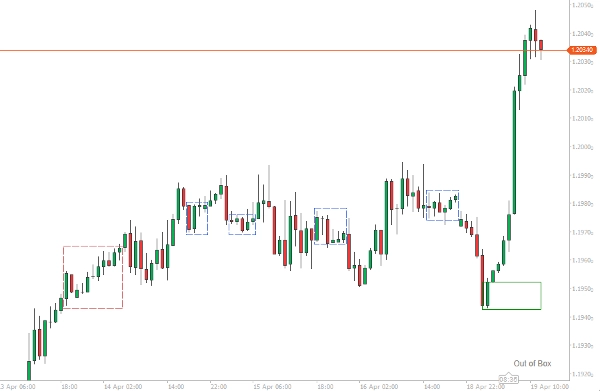
Description
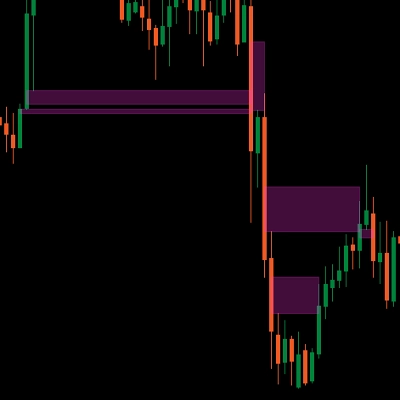
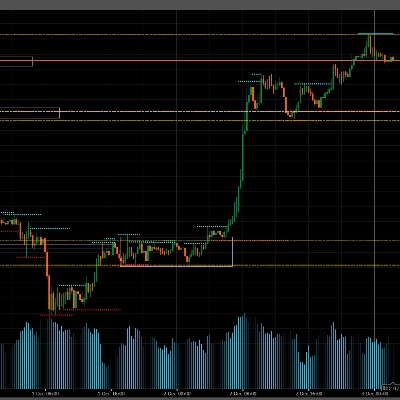
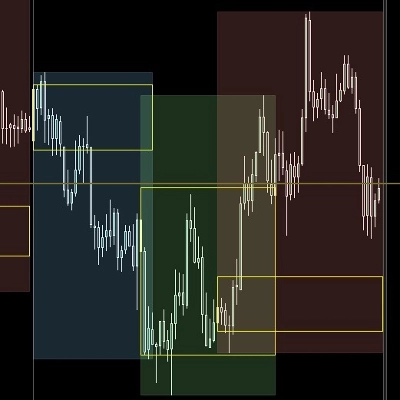
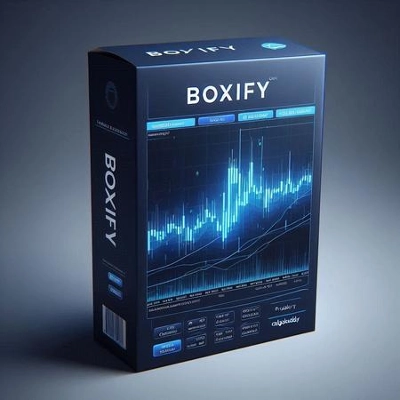
The purpose of this cTrader algorithm of the Boxify indicator is to try to put price action into zones, or better, boxes. This way, the trader can get an edge on his trading positions. This is not an indicator that can stand on its own, but rather a nice tool that can complement any trading strategy or setup.
Detecting sideways movement can help the trader secure profits, cut losses or place limit orders in his favour. These are a few ways that we can use a box:
Detect consolidation areas
For past boxes that contain several bars inside them, we can safely assume that these are consolidation areas and that we have a sideways movement. These areas can serve as support or resistance levels in your analysis of the price action.
Place your trades better
In case you have a setup for a trade and you see the price boxing, you can always use the box as a guideline for the price action, to get a more beneficial position for your trade. The box that is currently forming can be used either to secure some profits in a winning position, re-enter a trending market or place stop losses.
Place limit orders
The long sideways movement will eventually lead to breakouts. Boxify can help you place limit orders, above or below, to get the most out of a breakout start.
Indicator options
The indicator will attempt to box the price from at least 2 bars and above. Messages from the indicator will appear in the bottom right corner of the chart area.
- If the price is trending, the message “Out of Box” will appear.
- If the price is boxing, the message “Boxing” will appear.
- If the price is boxing and the price breaks the upper limit, “Breaking High” will appear.
- If the price is boxing and the price breaks the lower limit, “Breaking Low” will appear.
Boxes are considered complete at a new bar opening, as the price can always retract back into the box.
Minimum Bars for Box
This number represents the minimum number of bars that a box has to have to be considered complete. Use lower numbers for entry points, and higher numbers for consolidation areas.
ATR Filter
Boxify has internally an ATR indicator, that you can use as a filtering option, in case you want to stop the box formation on any bar that its length (High-Low) breaks the ATR value. Use this option if you want to enter trades.
Merge Overlaps
The beginning of a box can start before the previous box has ended (especially if we have selected a very low number for box length). We can merge these boxes with this option, so we can see a bigger box forming – These boxes will have a blue-coloured border.
Tolerance
A number that reflects the tolerance that the top/bottom limits of the boxes can have. Small numbers should be used when we want to enter trades, bigger numbers should be used when we want to find consolidation areas.
Summary
Key features include:
- Detection of price boxing with messages displayed on the chart indicating states such as “Boxing,” “Out of Box,” “Breaking High,” and “Breaking Low.”
- Configurable minimum bars per box to differentiate between entry points and consolidation zones.
- An internal Average True Range (ATR) filter to exclude bars exceeding volatility thresholds from box formation.
- Option to merge overlapping boxes to form larger zones, visually distinguished by blue borders.
- Adjustable tolerance for box boundary limits to fine-tune sensitivity for trade entries or consolidation identification.
Boxify complements existing trading strategies by providing visual zones that enhance decision-making across Forex, indices, commodities, and cryptocurrencies.
Customer reviews
5 | 50 % | |
4 | 50 % | |
3 | 0 % | |
2 | 0 % | |
1 | 0 % |