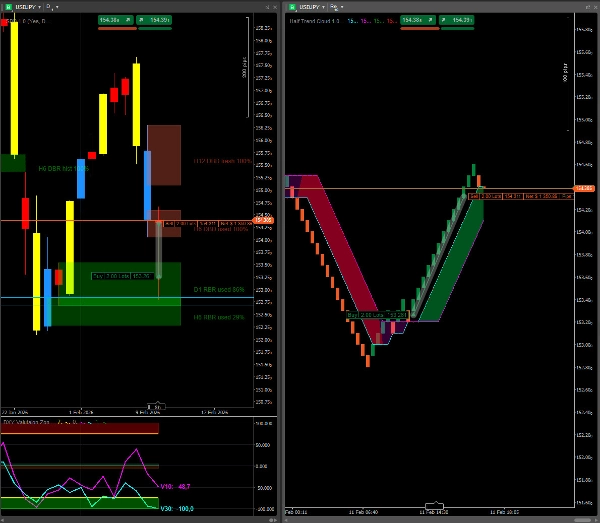

Descrição
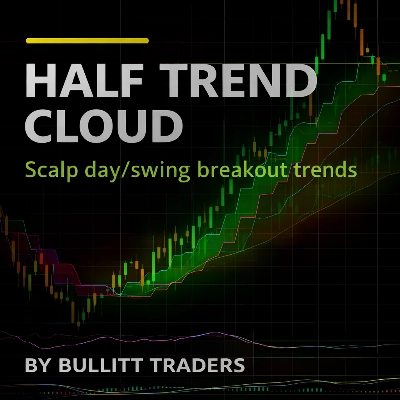
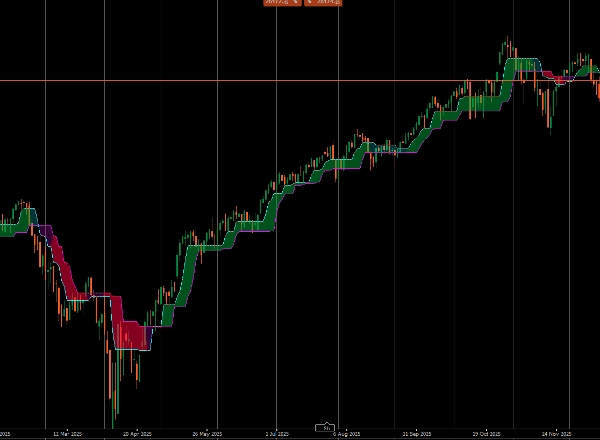
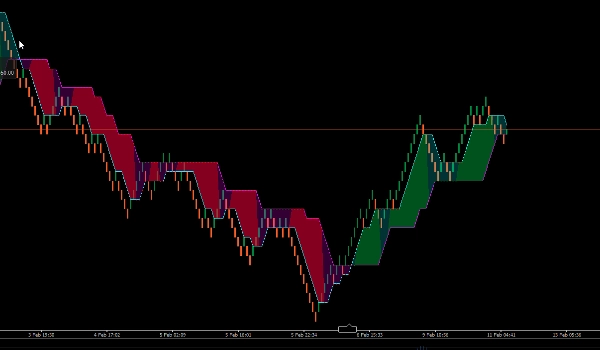
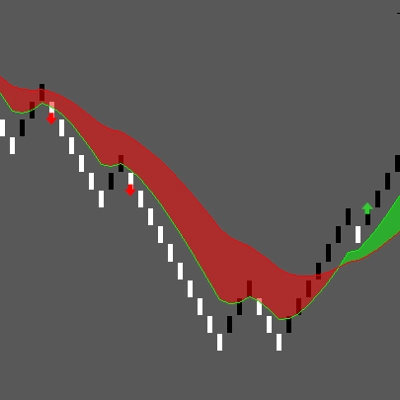
Half Trend Cloud é uma sobreposição de tendência limpa construída em torno de duas camadas Half Trend: uma Rápida para temporização e uma Lenta para confirmação. Ela desenha ambas as linhas diretamente no preço e preenche uma nuvem entre elas para destacar as condições de tendência de relance.
O Que Você Vê
Linha Rápida (Ciano): a camada reativa para mudanças precoces de direção e temporização de entrada.
Linha Lenta (Magenta): a camada de confirmação que filtra ruídos e define a tendência principal.
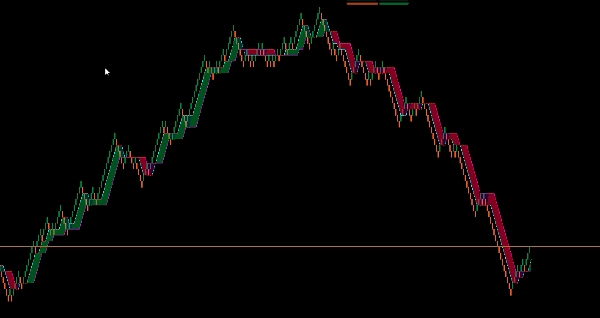
Nuvem (Verde/Vermelho): visualiza o acordo da tendência—Verde quando a tendência Rápida e a tendência Lenta são ambas de alta, Vermelho quando ambas são de baixa; em condições mistas, permanece em um estado base neutro entre as linhas para evitar viés forçado.
Como Funciona
Cada Half Trend usa High/Low (ou outros tipos de preço) selecionáveis e aplica a suavização MA escolhida sobre a Amplitude/Período selecionada. A direção da tendência é armazenada internamente como Tendência = +1 / -1, enquanto a linha Resultado atualiza como o nível dinâmico atual. A Nuvem executa duas instâncias HalfTrend (Rápida + Lenta) e compara suas direções de tendência para decidir se pinta uma nuvem de alta ou de baixa.
Parâmetros
Período Rápido: controla a velocidade de reação do Half Trend Rápido.
Tipo MA Rápido: método de suavização para o cálculo Rápido.
Período Lento: controla a força do filtro e a confirmação.
Tipo MA Lento: método de suavização para o cálculo Lento.
Complemento de Estratégia (Scalp • Day • Swing • Breakout)
Regra Principal: direcione negociações somente quando a nuvem estiver alinhada—Verde para longas, Vermelho para curtas; evite novas negociações em condições de nuvem mista.
Scalping: use o Rápido para temporização; aproveite os recuos para o Rápido enquanto o Lento permanece favorável; saia ou reduza quando o Rápido inverter contra a nuvem.
Day Trading: trate o Lento como a linha de viés; só faça setups na sua direção e use inversões do Rápido como aviso de momentum/gatilho de saída.
Swing Trading: deixe o Lento definir a tendência; use inversões do Rápido após correções como temporização de reentrada quando a nuvem se realinhar.
Breakouts: prefira breakouts que ocorram com uma nuvem alinhada; após o rompimento, espere o primeiro recuo para o Rápido como gatilho mais limpo; ignore tentativas de breakout quando Rápido e Lento discordarem.
Use outros Indicadores para obter as melhores Entradas
Resumo
Each Half Trend layer applies selectable price types (e.g., High/Low) and moving average smoothing over configurable amplitude/period settings. Trend direction is internally tracked as +1 or -1, with the cloud color determined by comparing the Fast and Slow trend directions.
Key parameters include Fast and Slow periods and their respective moving average types, allowing customization of reaction speed and noise filtering. The indicator supports multiple trading styles—scalping, day trading, swing trading, and breakout strategies—by using the Fast line for timing and the Slow line for bias and confirmation. It is applicable across various markets and symbols including Forex pairs (EURUSD, GBPUSD, USDJPY, NZDUSD), commodities (XAUUSD), indices (NAS100), and cryptocurrencies (BTCUSD).
Traders are advised to use the cloud alignment as a core rule for trade direction: green for long positions, red for short, and to avoid trades during mixed cloud conditions.
Avaliações de clientes
5 | 50 % | |
4 | 50 % | |
3 | 0 % | |
2 | 0 % | |
1 | 0 % |









![Logótipo de "[Stellar Strategies] MARSI Signal Plotter"](https://cdn.ctrader.com/image/webp/7b2b8da6-8f8e-4646-8d4a-4710c516c01e_25567)